Introduction
In the previous test drive Real-Time Document Generation with Runtime Variables, we demonstrated how CloudFiles Doc-Gen can generate documents using user input collected at runtime through a Salesforce Flow.
This short test drive builds on that by focusing exclusively on PDF encryption capabilities available at the final stage of that process — offering organizations more control and security over their generated documents.
In order to access this test drive, head over to our Salesforce AppExchange listing & click on the Try It button. Enter your information to open the test drive org. Once the test-drive is open, navigate to this article within the Instructions tab of the Test Drive.
Instructions
The test drive runs in a Salesforce org that already has CloudFiles installed, so there is nothing to set up before you start.
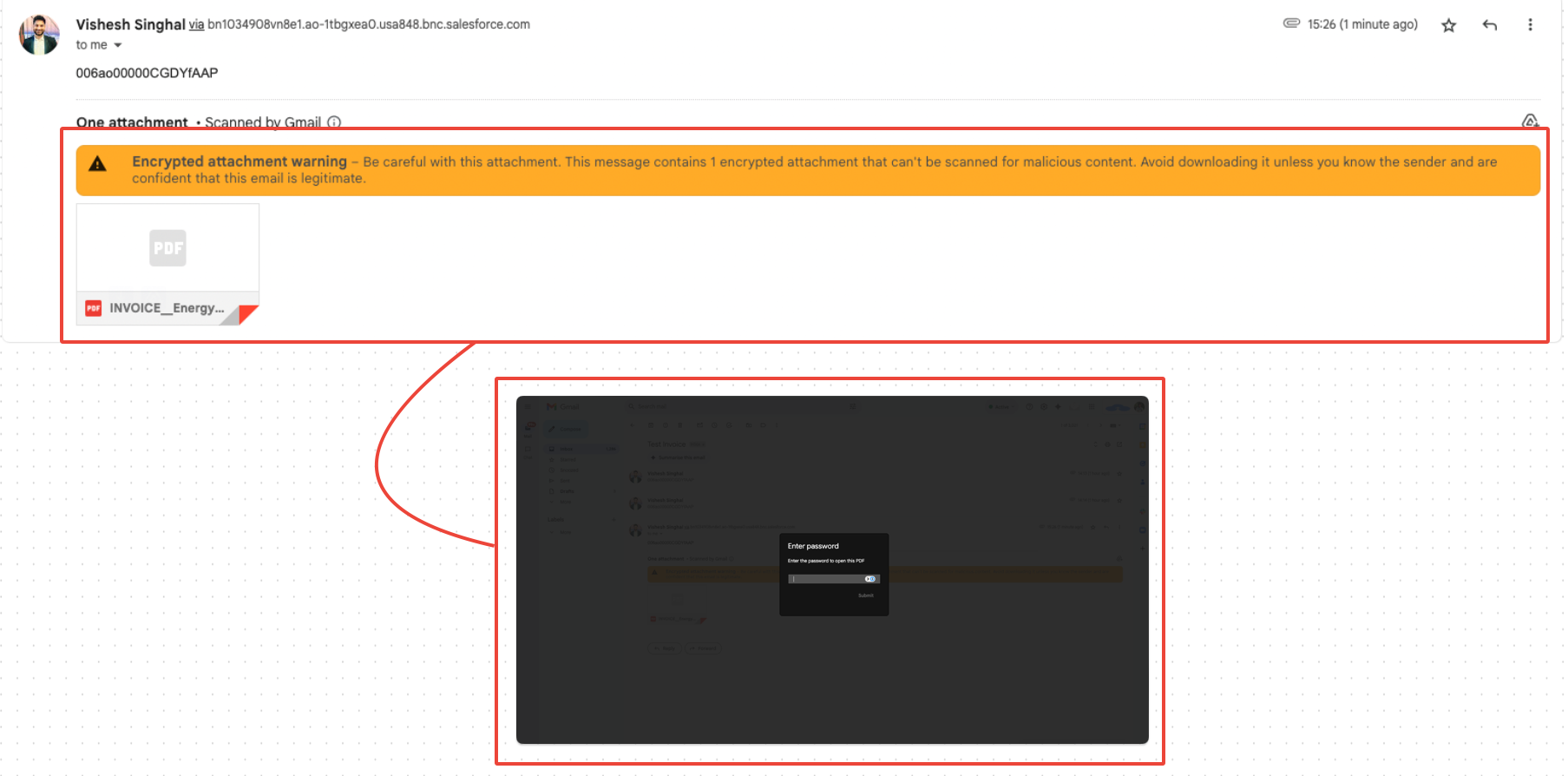
Follow all steps from the Real-Time Document Generation with Runtime Variables est drive up until the final screen of the flow. Just before clicking Generate, you’ll see a section labeled Encrypt Document (ONLY PDF).
Here's how to use it:
- Enable Encryption by checking the box: “Want to Encrypt the Generated File?”
- Set Password Controls
- Toggle Set View Password to restrict who can open the file.
- Toggle Lock PDF to disable editing, copying, or printing.
- Enter the corresponding passwords in the input fields.

- Click Generate as usual. The output PDF will be encrypted with the applied restrictions and emailed to the address you provided during the flow.
Implementation
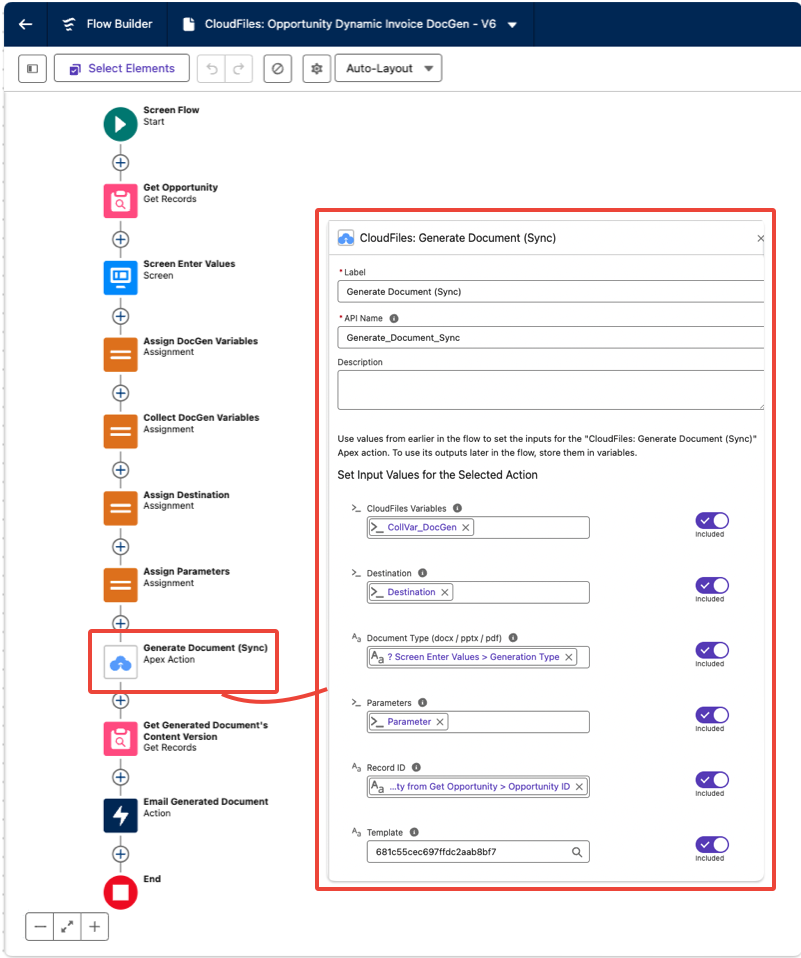
This demo is powered by Salesforce Flow Builder combined with Generate Document (Sync) Flow Action.
The below image displays the Flow being triggered behind this demo:
Beyond this Test Drive
PDF encryption is just one piece of CloudFiles’ broader security framework. By combining encryption with Flow-driven logic, you can tailor document protection to meet business and compliance needs. Here are a few real-world scenarios:
Confidential Proposal Delivery
Restrict opening and printing of sensitive proposals generated for high-value deals.
Example: A sales team generates a proposal PDF with runtime data, secured with a view password before sharing with the client.
Compliance-Driven Reports
Apply strict retention and editing rules on regulatory documents.
Example: A compliance officer generates quarterly audit reports with PDF locking enabled, preventing unauthorized edits or copies.
HR & Legal Documents
Secure employment contracts or NDAs with dynamic encryption before distribution.
Example: An HR manager generates a contract PDF with an owner password to prevent editing and ensures only the candidate (via a view password) can open it.
Customer Data Protection
Enforce GDPR or HIPAA requirements on customer-facing documents.
Example: A healthcare provider generates patient summaries with PDF form-filling disabled, ensuring data integrity and compliance.
Controlled Distribution in Flows
Automate when and how encryption is applied — per record, per stage, or per user role.
Example: Contracts generated at the “Legal Review” stage automatically apply password-protected access before being sent to external parties.
With CloudFiles, security isn’t an afterthought — it’s built into the generation process itself, delivering encrypted documents instantly with no waiting, no polling, and no third-party tools required.