Introduction
The CloudFiles: Create SharePoint Drive flow action allows users to automate the creation of new SharePoint drives directly from Salesforce. This is particularly useful for organisations that need to quickly spin up collaboration spaces for projects, teams, or departments without manual intervention.
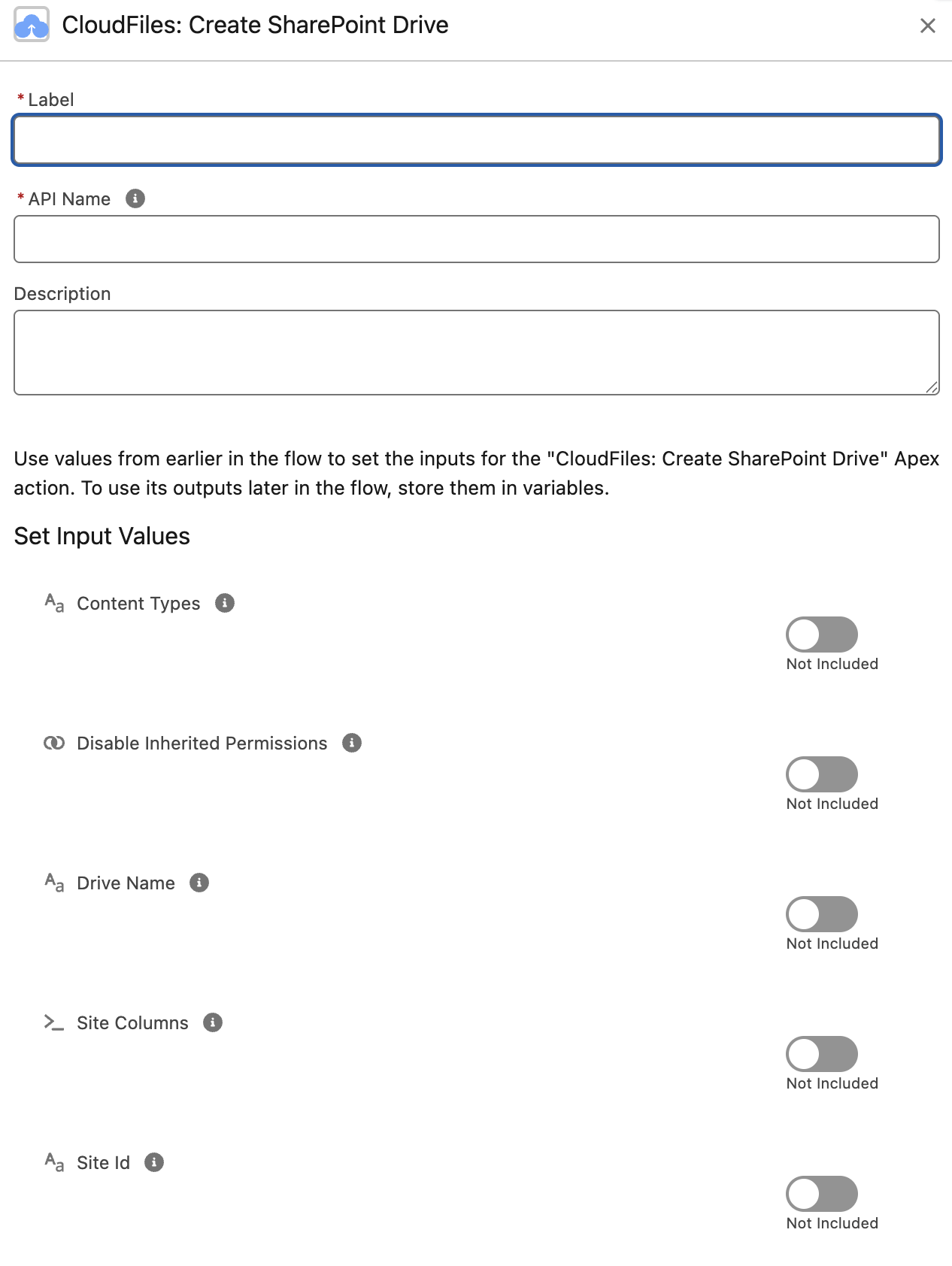
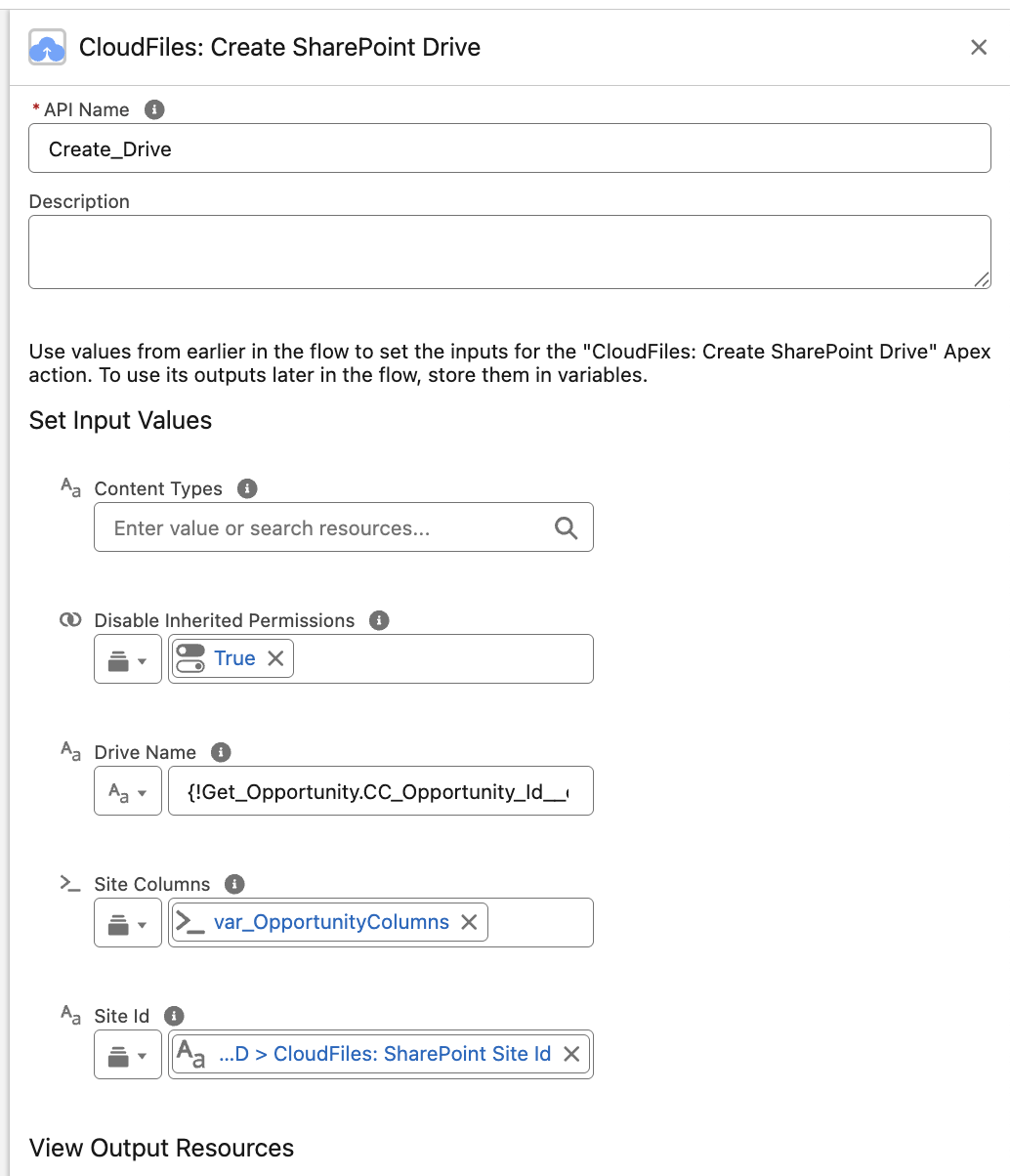
The image below provides an overview of the input parameters and how this action appears in a Salesforce flow. Detailed descriptions of the input and output parameters are provided in the following sections.
What this action does
The Create SharePoint Drive action simplifies the process of provisioning SharePoint drives through automation.
Scenario:
For instance, when a new account is created in Salesforce, a corresponding SharePoint drive can be automatically generated using this action. The drive can be tailored to the specific needs of the account, such as hosting documents, managing tasks, or collaborating with the client’s team.
This automation eliminates the need for manual setup and ensures consistency across your SharePoint environment.
Note: SharePoint has a limitation that a maximum of 2000 drives (or document libraries) can be created within a particular site. This flow action will throw an error if the number exceeds beyond that.
Input Parameters
The following input parameters are required to configure the Create SharePoint Drive action:
Drive Name
Description: Input the display name of the drive, reflecting its purpose (e.g., Marketing Team).
Site ID is a mandatory input parameter.
Site ID
Description: Configure and input the site address for setting up the drive.
Site ID is a mandatory input parameter.
Content Types
Description: Define content types for the drive. When multiple content types are specified, the order in which content types are provided determines their priority — the first entry takes the highest precedence.
User-defined content types will take preference over the default content types set for the drive.
Disable Inherited Permissions
Description: Set to 'true' to prevent the new drive from inheriting permissions from its parent SharePoint site. When enabled, the drive will have no inherited permissions — you can instead define access by grouping users and assigning permissions directly. Defaults to 'false' (permissions are inherited from the site).
Site Columns
Description: Define site columns for the drive.
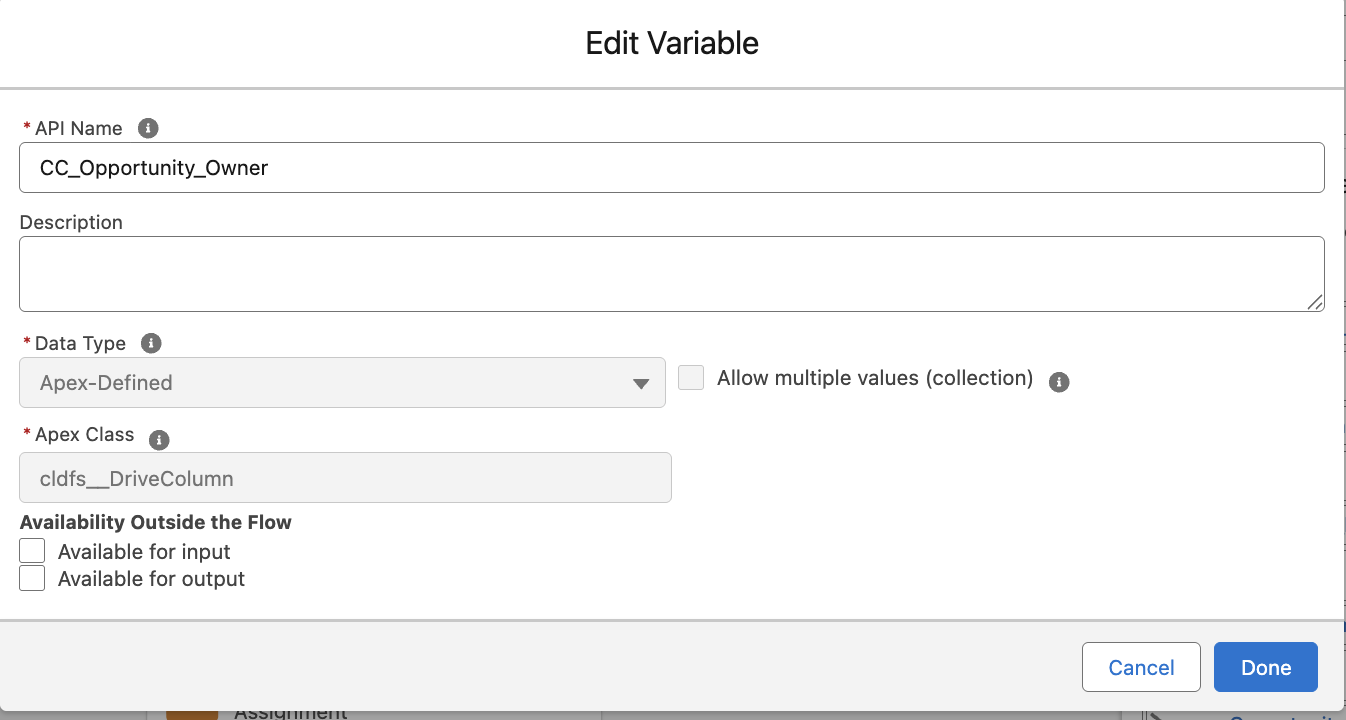
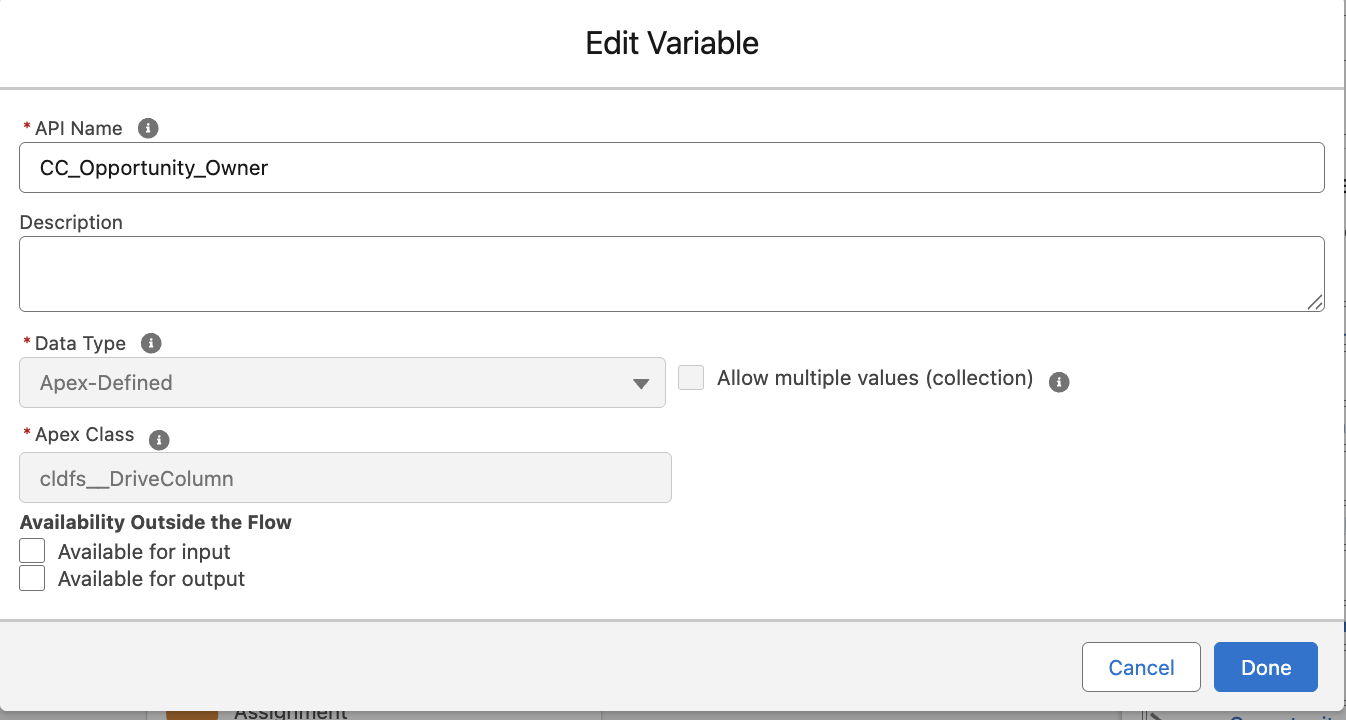
How to use Site Columns ? Step 1: Create a apex defined variable of apex class cldfs__DriveColumn
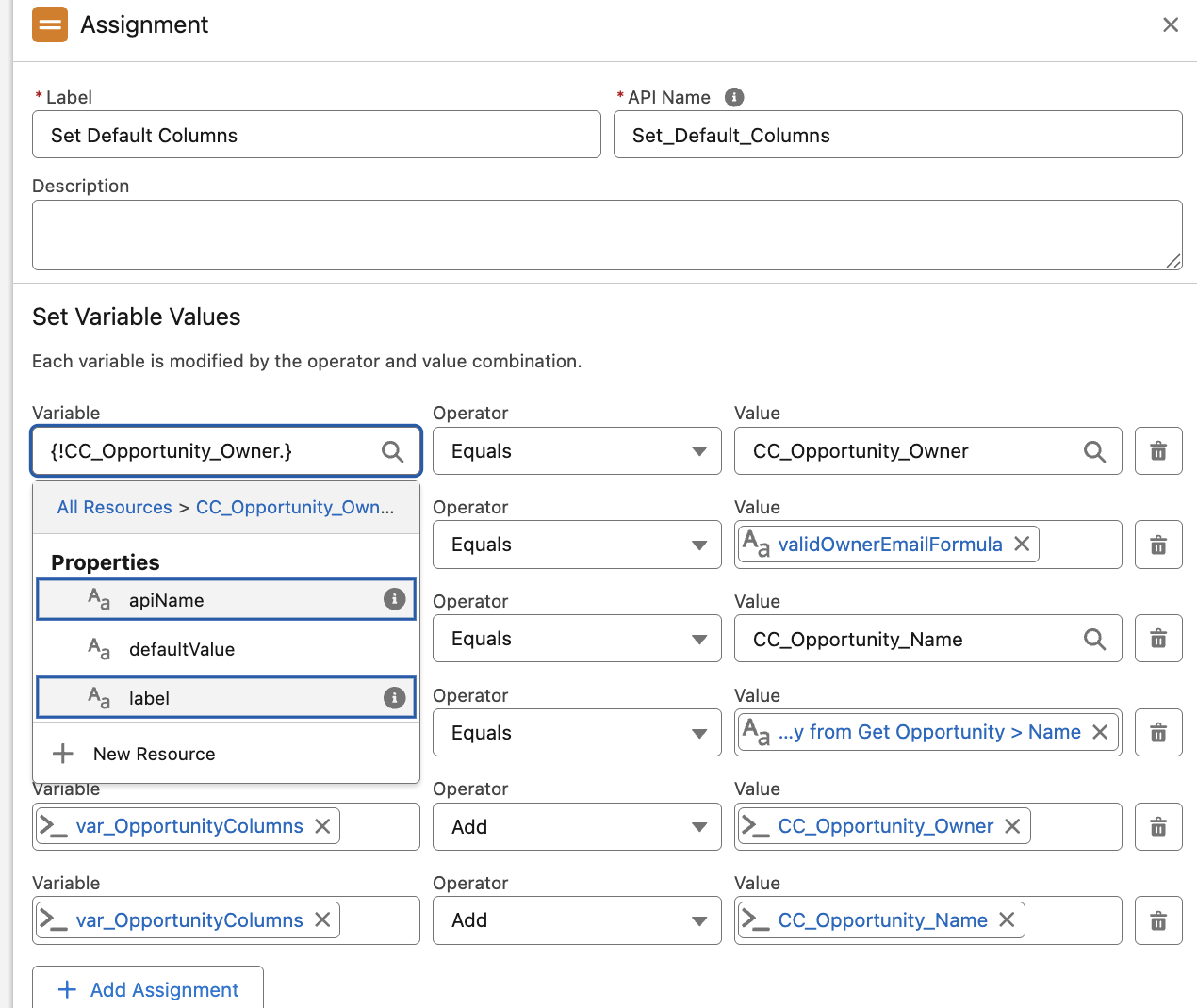
Step 2: In an assignment variable assign values for the variable properties (apiName, defaultValue, label). apiName and defaultValue are mandatory.
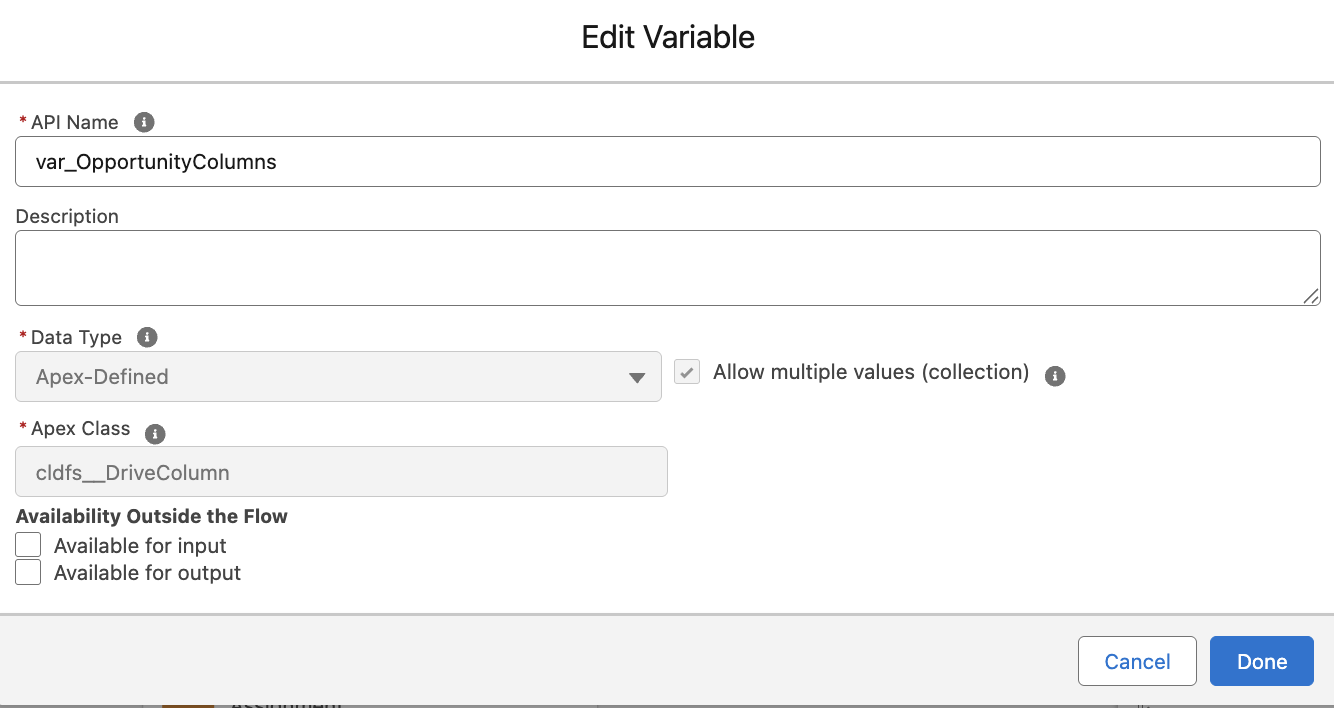
Step 3: Create an apex defined collection variable and add the individual variable to it.
Step 4: Pass the collection variable into the Site Columns field
Site columns are reusable column definitions (fields) that can be associated with a drive to standardise the metadata captured across documents and items.
If both contentTypes and siteColumns are added to the action the columns will be ignored.
Output Parameters
Drive ID
A unique identifier for the created SharePoint drive.
External URL
The external URL for the newly created SharePoint drive, which can be used to directly access the drive from outside Salesforce.