When these inputs are analyzed individually, it becomes difficult to understand how they relate to each other. Comparing information across documents and system data often requires manual effort, and automation becomes harder when insights depend on multiple sources together.
CloudFiles Datasets solve this by allowing you to group documents and Salesforce data into a single collection and analyze them collectively using AI.
How Datasets Work
A Dataset represents a unified collection of all inputs relevant to a workflow or process, including both documents and Salesforce data. Rather than treating each file or data source in isolation, CloudFiles brings them together into a single context, enabling them to be analyzed as one cohesive unit.
This enables two powerful capabilities:
- Cross-Document Analysis – AI can analyze multiple files together to compare values, detect duplicates, identify inconsistencies, or extract insights across documents.
- Document + Salesforce Data Analysis – Queries can combine information from documents with Salesforce data, allowing workflows that depend on both structured and unstructured information.
By working at the dataset level, CloudFiles enables workflows where the value comes from understanding how different inputs relate to each other, rather than simply extracting information from a single file.
Industry Use Cases
Datasets are useful in any scenario where multiple documents contribute to a single business decision.
Legal teams can use datasets to compare different versions of contracts and identify changes before final approval. Procurement teams can group invoices, purchase orders, and supporting documents for a transaction and verify that values match across files. Financial institutions can analyze multiple onboarding documents together to validate identity information and ensure consistency.
Datasets are also valuable in audit and compliance workflows, where reviewers often need to analyze document collections rather than individual files.
Upload multiple documents to the Dataset and use the Dataset Playground to run queries across all files in that dataset.
For example, you upload a dataset containing multiple purchase order (PO) documents submitted by different schools or departments to the same vendor.
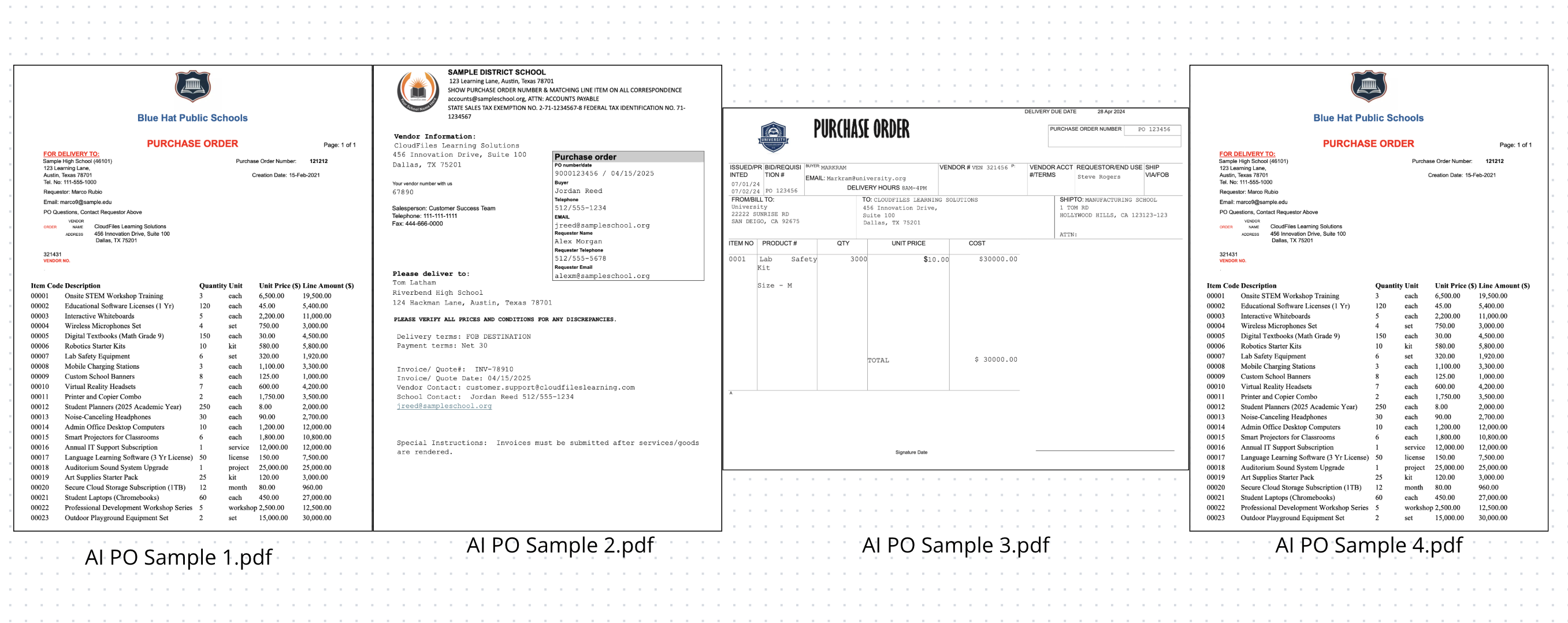
These documents may include duplicate purchase orders, corrected versions, or resubmitted orders for the same purchase.
Ask queries that analyze information across all documents in the dataset, such as identifying duplicate purchase orders based on key fields like PO number, vendor, or order details.
For example:
Query: Instruction: Detect duplicate purchase orders.
Task: Review all documents in the dataset and identify purchase orders that have the same PO/Order Number, vendor name, and delivery organization. Return the PO numbers that appear to be duplicates. If multiple duplicates exist, list them as separate entries.
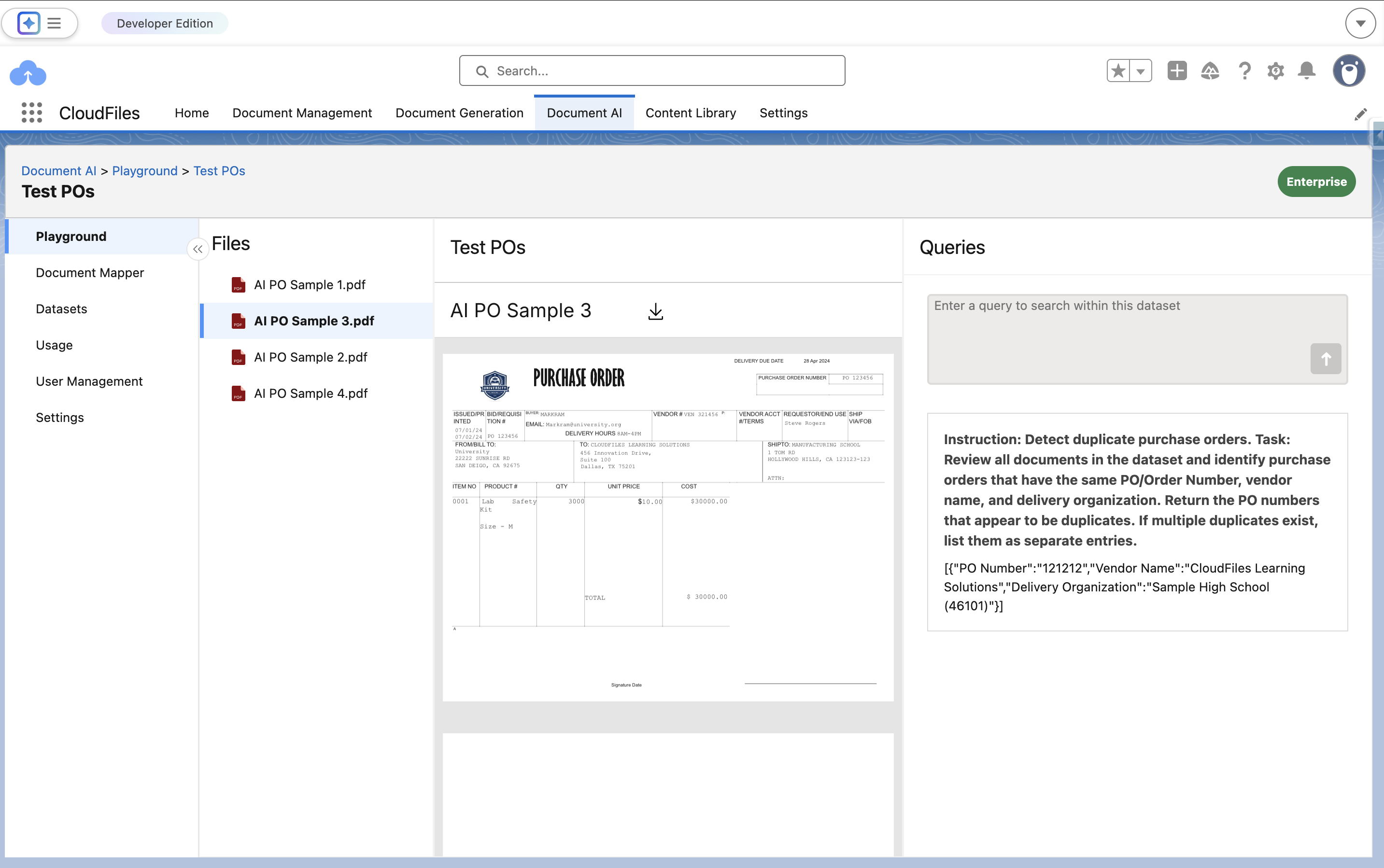
Output:
[{"PO Number":"121212","Vendor Name":"CloudFiles Learning Solutions","Delivery Organization":"Sample High School (46101)"}]
You can easily test the Dataset feature directly within CloudFiles. In the CloudFiles Document AI tab, create a dataset to group your related documents into a single collection. Once the dataset is created and documents are added, you can open the Dataset Playground to run queries across the dataset.