By working within Microsoft Office and Salesforce, teams can create reliable, data-driven templates while preserving layouts, formatting, and structure across all supported output formats.
Style Preservation
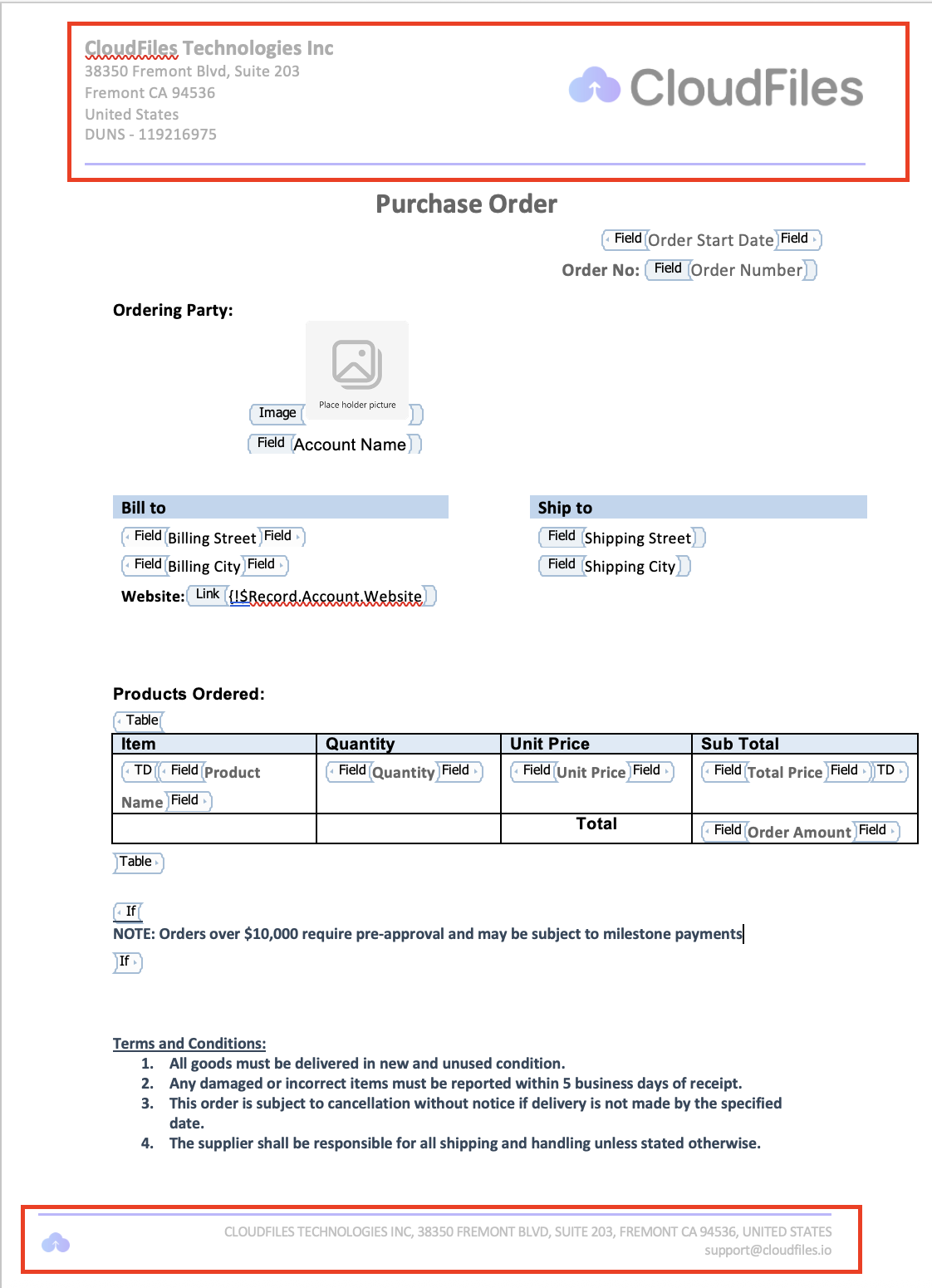
Style Preservation ensures that the visual structure of your templates remains intact across all generated outputs, including DOCX, XLSX, PPTX, and PDF.
CloudFiles preserves fonts, font sizes, alignments, margins, spacing, graphics, layout grids, and custom font settings exactly as defined in the template. Even when dynamic or conditional data is injected, the document layout does not shift or break.
This allows teams to design templates with confidence, knowing that every generated document will remain pixel-perfect and visually consistent with brand guidelines.
Data Formatting
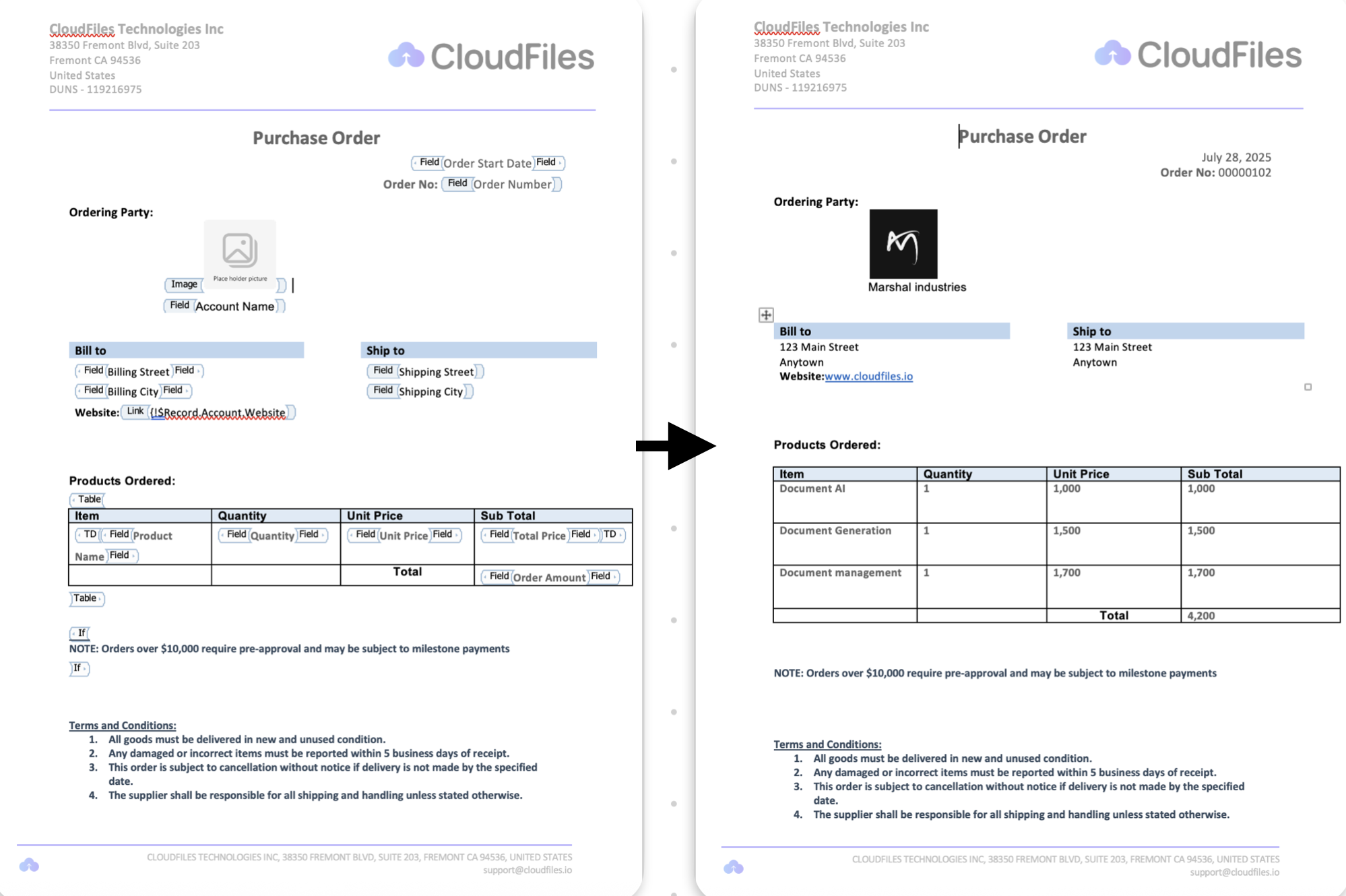
Data Formatting controls how individual values are rendered when Salesforce data is merged into documents.
CloudFiles supports formatted insertion for currency, text case transformations, decimal precision, date and time formats (short, medium, long, or full), percentages, and number formats. These rules ensure that raw data is transformed into clean, readable, and business-ready values.
As a result, documents look polished and consistent without requiring manual cleanup or post-generation edits.
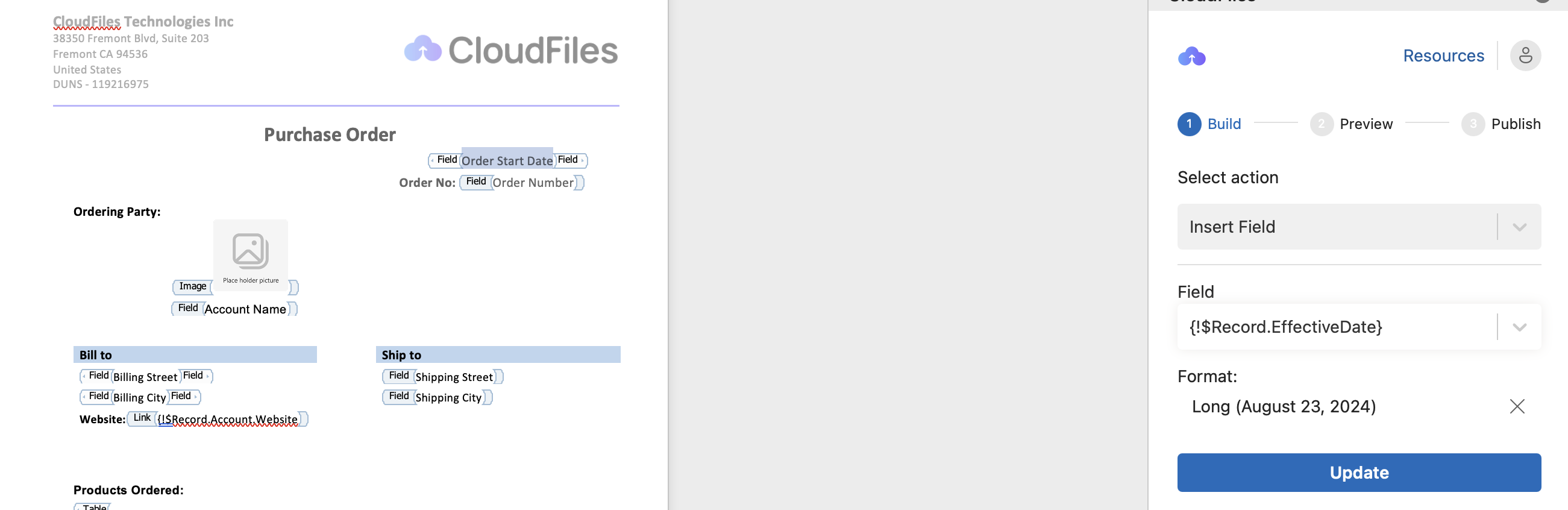
Table Formatting
Table Formatting ensures that structured data remains readable and well-organized when rendered inside tables.
CloudFiles applies formatting rules within tables, supporting ordered and grouped outputs, text wrapping, and structured row rendering for collections. This makes it easy to generate tables from large or complex datasets while maintaining clarity and alignment.
Whether rendering invoices, reports, or line-item details, tables remain clean, structured, and easy to understand.

Branding Tools
Branding Tools allow organizations to consistently apply brand elements across all generated documents.
CloudFiles supports logos, headers, footers, watermarks, stamps, and other standard branding components directly within templates. These elements are applied consistently during document generation, ensuring every output reflects the organization’s official branding.
This helps teams deliver customer-ready documents that look professional, compliant, and officially branded, without manual intervention.