Instead of forcing users to learn a new template editor, CloudFiles meets teams where they already work: Microsoft Office, Salesforce, and soon Google Workspace, making document generation intuitive, efficient, and business-ready.
Office Add-Ins
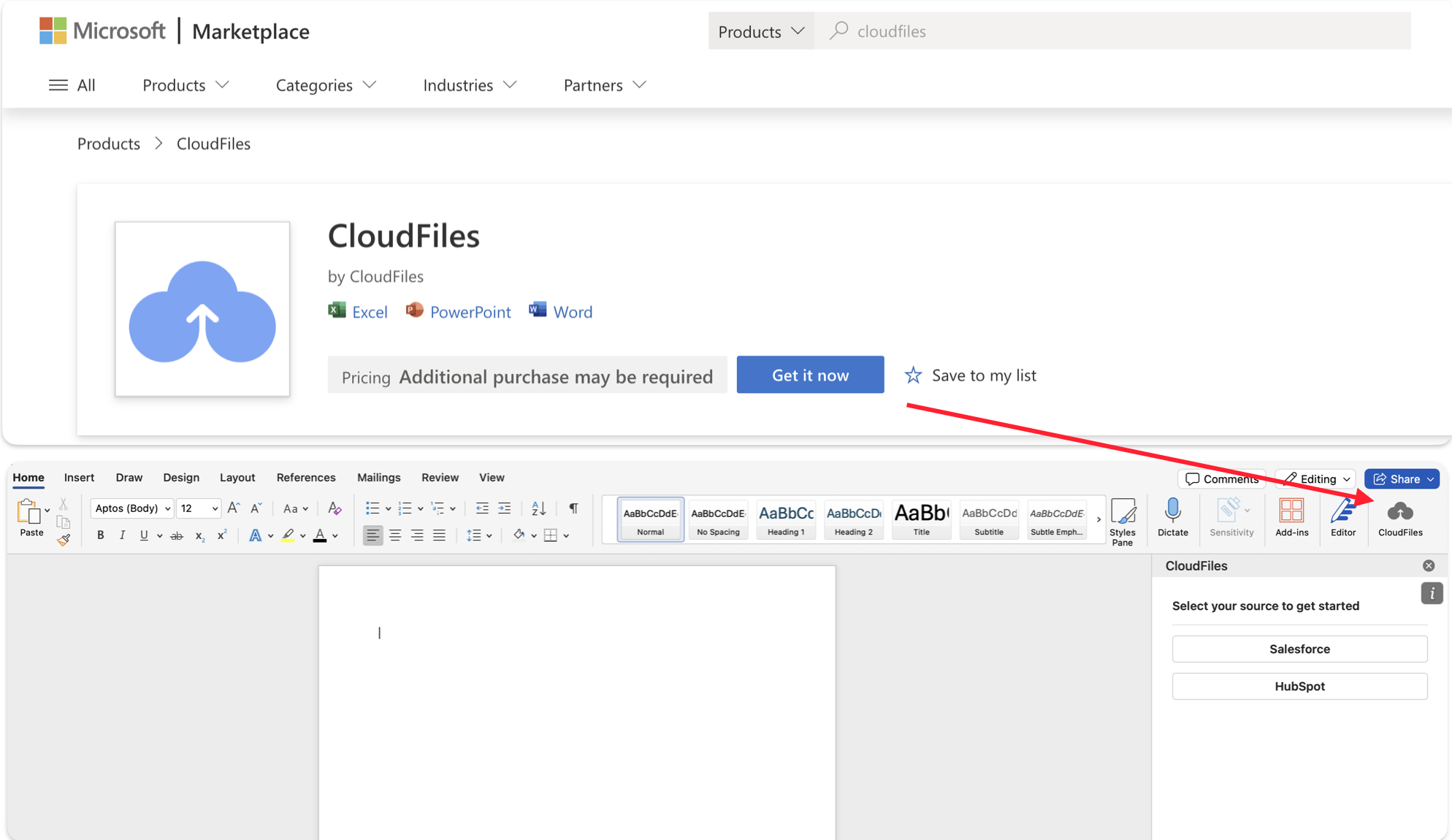
CloudFiles provides native Microsoft Office Add-Ins for Word, Excel, and PowerPoint, enabling users to build DOCX, XLSX, and PPTX document generation templates directly within the applications they already use. Templates are designed inside familiar Microsoft Office tools, eliminating the need for a separate editor while preserving native layouts and formatting capabilities.
Once the CloudFiles add-in is connected to Salesforce, users can embed Salesforce object data as dynamic fields within Word, Excel, and PowerPoint templates. Data is automatically merged at generation time, ensuring accurate, production-ready documents while maintaining native Office tables, charts, layouts, and styling.
Why this matters
- No learning curve: Business users work in familiar Office tools
- Faster template creation: Reuse existing documents instead of rebuilding layouts
- Live Salesforce data: Insert and control dynamic data directly in the document
- Pixel-perfect output: Formatting, tables, and layouts remain intact
With Office Add-Ins, teams can confidently design templates that look exactly the way they expect, without technical overhead or manual cleanup. Click here to How to Install CloudFiles Add-In.
PDF Builder
CloudFiles allows you to map Salesforce data directly to fields within uploaded PDF forms using Salesforce's native PDF capabilities. You can control how data is merged and generated—all within the CloudFiles app in Salesforce.
Why this matters
- Reuse existing PDF forms: No need to redesign or recreate documents
- Fully Salesforce-native: Work entirely within Salesforce
- No external tools required: Eliminate dependency on third-party PDF designers
- Reliable, consistent output: Ideal for contracts, forms, and regulated documents
This makes PDF template management simpler, more secure, and easier to maintain over time.
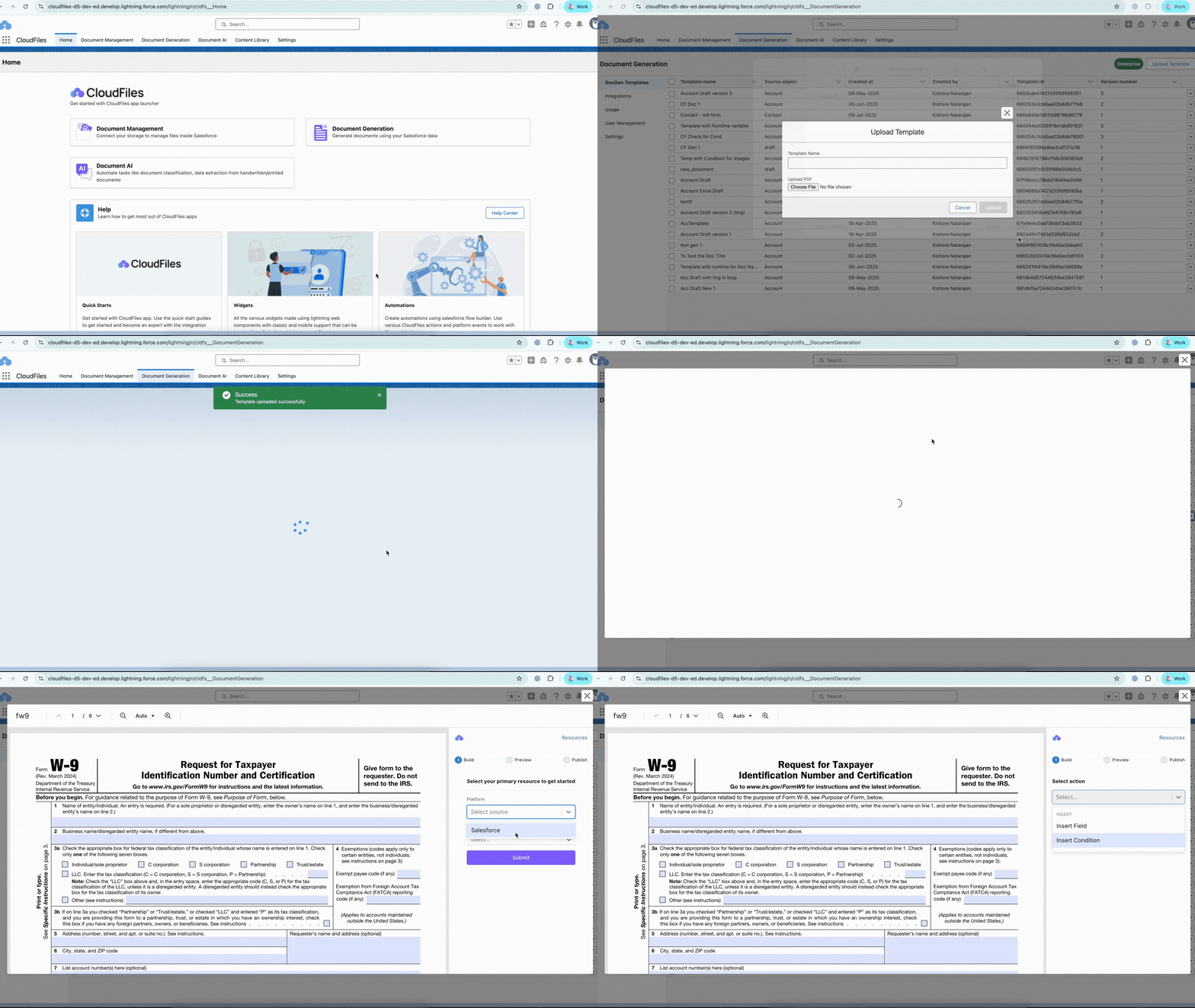
Click here to view how to set up a W-9 form template.
Google Add-Ins (Upcoming)
Google Workspace Add-Ons will extend CloudFiles template design capabilities to Google Docs, Sheets, and Slides. This upcoming feature is intended for teams that primarily work within Google Workspace and prefer not to switch authoring tools. Once available, it will allow templates to be designed in Google Workspace while using the same CloudFiles document generation engine. This ensures consistency across formats without changing existing workflows.