Overview
This error commonly appears when users run flows with CloudFiles actions like Create Folder, Copy File, or Attach File on standard objects such as Account, Contact, or Opportunity, and occurs when CloudFiles cannot access the storage provider due to an expired or invalid authentication token (refresh token).
What is the error and why does this happen?
This error is usually received as part of a flow failure email or debug log when a CloudFiles action step is triggered.
Apex Error:
cldfs.CloudFilesException:{"message":"Invalid refresh token","statusCode":400}
or
cldfs.CloudFilesException:{"error":"Invalid refresh token","code":"INVALID_REFRESH_TOKEN"}
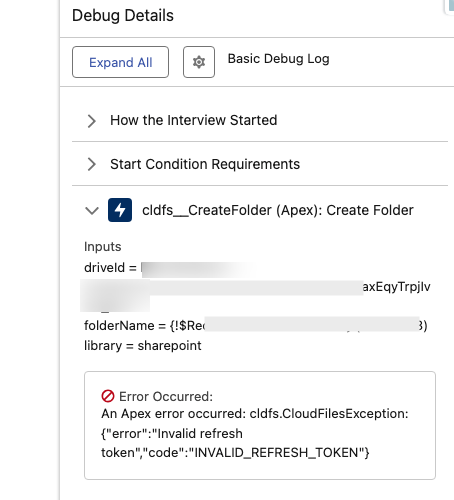
CloudFiles uses OAuth to securely integrate with external storage providers (SharePoint, Google Drive, Dropbox, etc.), relying on a refresh token to maintain the connection without repeatedly asking for credentials. This error occurs when the connected storage account's refresh token has expired or been revoked, when someone manually disconnects or reconnects the storage user incorrectly, or when the wrong user account is used during reconnection (such as a user from a different Salesforce Org).
How to fix this issue?
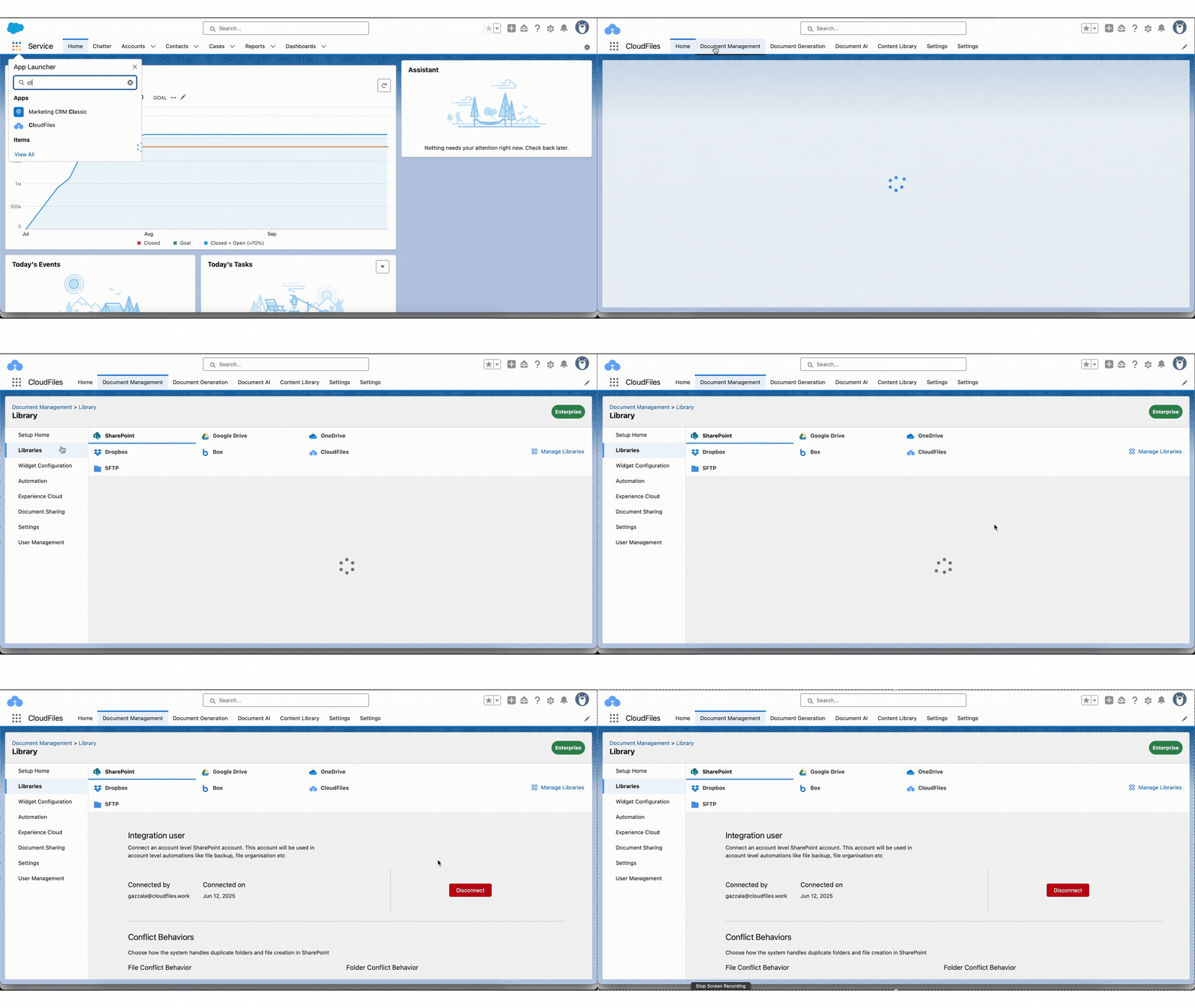
You'll need to reconnect the system (integration) user:
- Open the CloudFiles app from App Launcher in Salesforce
- Navigate to the Document Management tab (top navigation bar)
- In the left sidebar, click on Libraries
- Select the affected storage library (e.g., SharePoint) and click Disconnect.
- Reconnect the integration user by clicking Connect and log in using the correct account's credentials. Once connected, re-run the flow to confirm the issue is resolved.