CloudFiles supports four sharing methods for Experience Cloud users: Default Sharing, Content Library Sharing, Sharing via Record, and Sharing via Automation.
Default Sharing
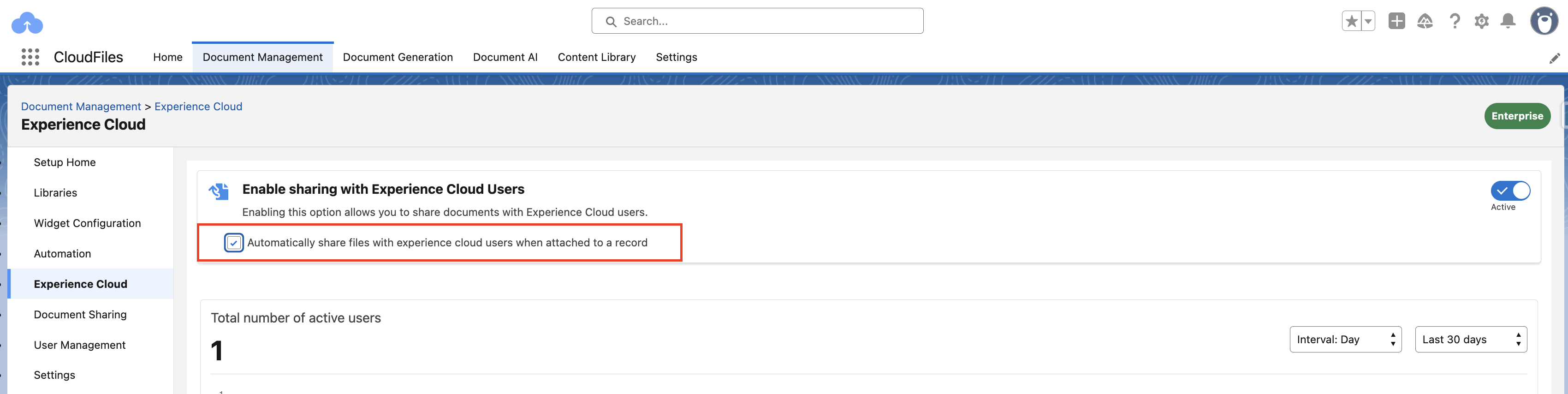
Default Sharing automatically shares record-related files and folders with Experience Cloud users when they are attached to a Salesforce record.
- Go to the CloudFiles app
- Select Document Management
- Open Experience Cloud
- Enable Automatically share files with experience cloud users when attached to a record
After this setting is enabled, any files or folders attached to a Salesforce record are automatically shared with Experience Cloud users who have access to that record in the site.
Sharing via Content Library
CloudFiles allows files and folders to be shared with Experience Cloud users directly from the Content Library. This option is useful when content needs to be shared independently of a Salesforce record, such as sharing a library folder with a partner group or site audience. Once shared, Experience Cloud users can access the content from the Experience Cloud site based on their permissions.
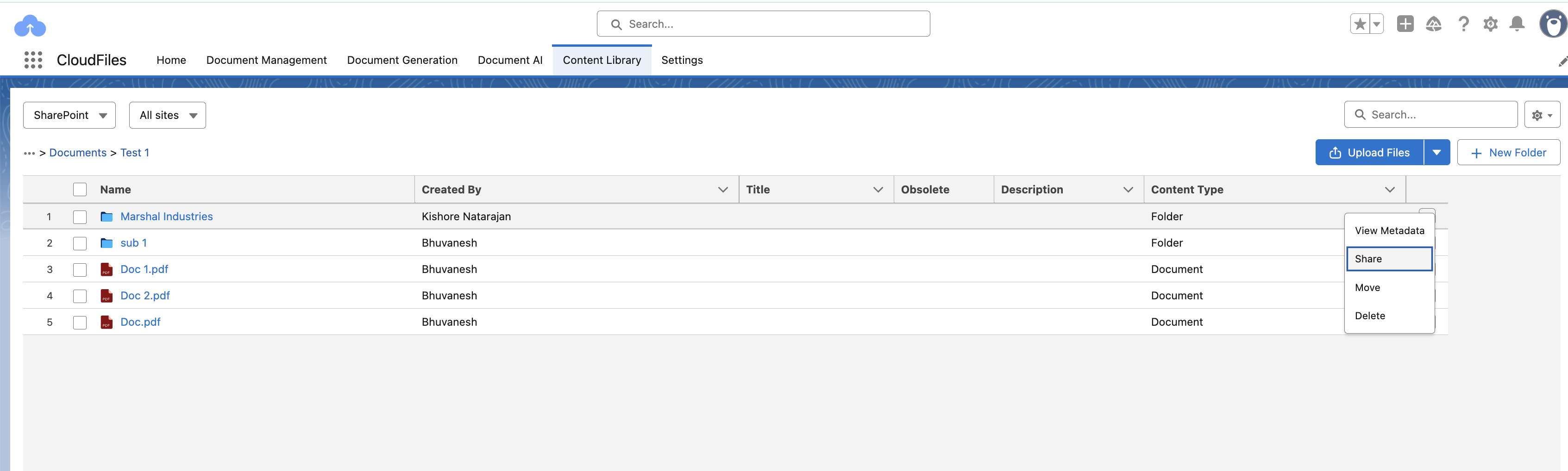
- In the Content Library, open the folder that contains the file or subfolder you want to share.
- Click the dropdown menu for the file or folder you want to share.
- Select Share.
- In Share with groups, search for and select the community group or user.
- Click Done to finish sharing.
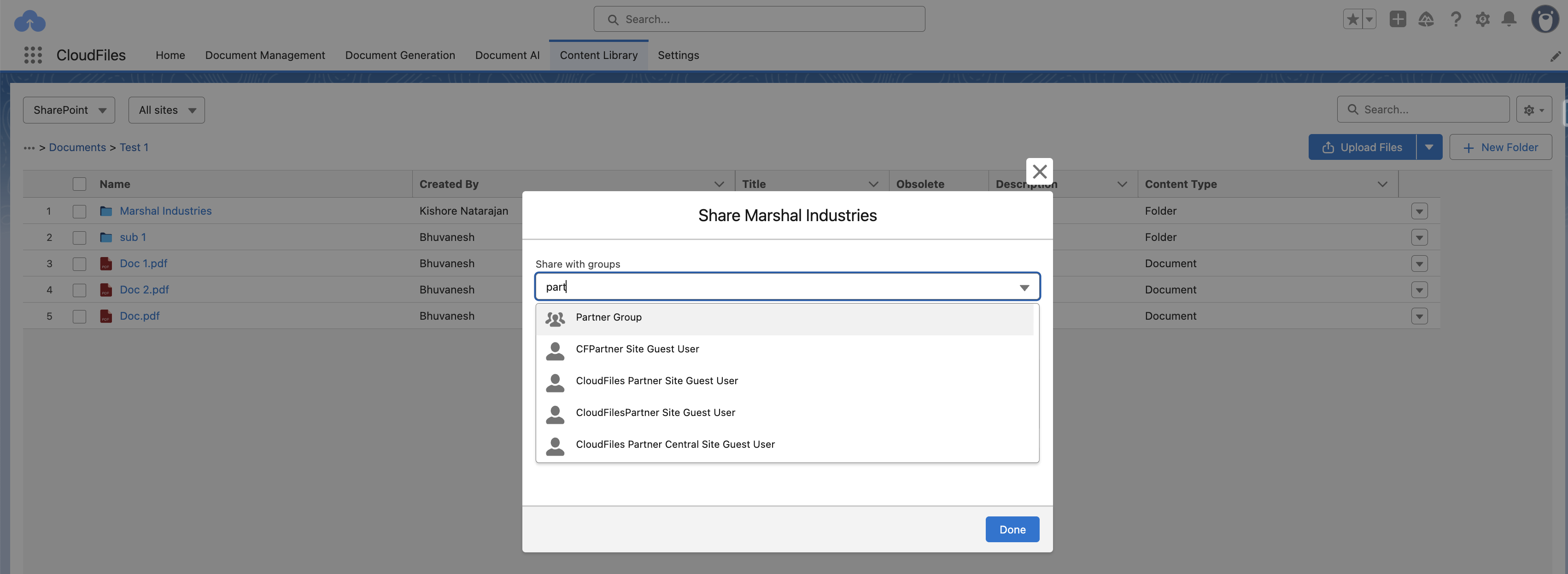
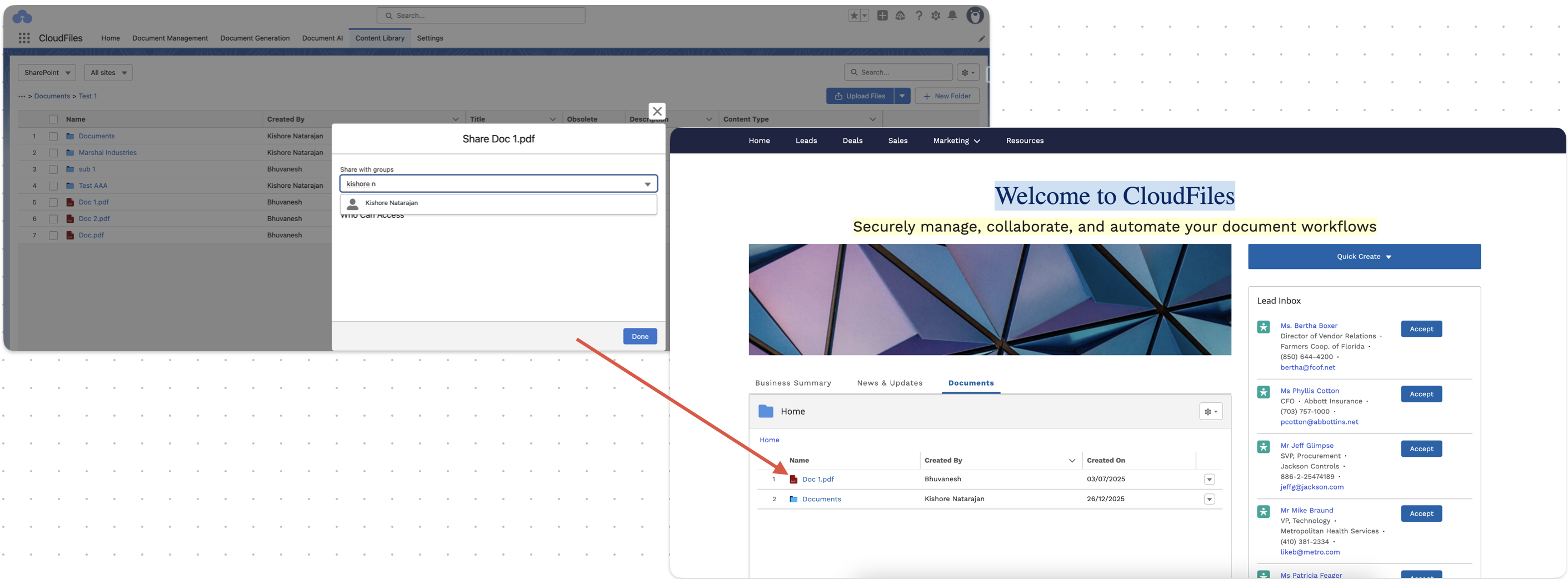
Once shared, the file is available to the selected Experience Cloud user or user group. Any CloudFiles Community widget configured to display content for the current logged-in user (Eg: Object - User, Record Id - {!CurrentUser.id}), will automatically show the files and folders shared with that user.
Sharing via Record
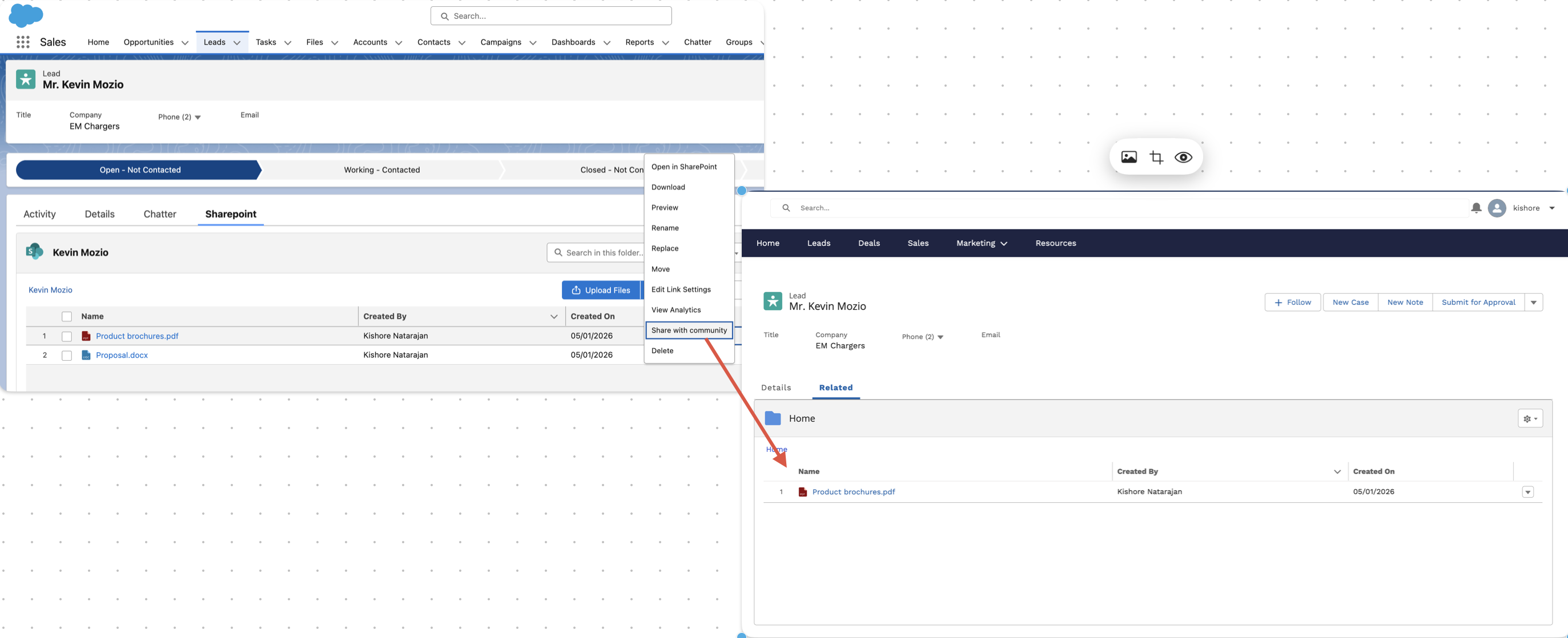
CloudFiles allows internal users to manually share files or folders with Experience Cloud users directly from a Salesforce record. When a file or folder is shared using the Share with Community option from the CloudFiles record widget, it becomes available to external users through the CloudFiles Community widget on the corresponding Experience Cloud page.
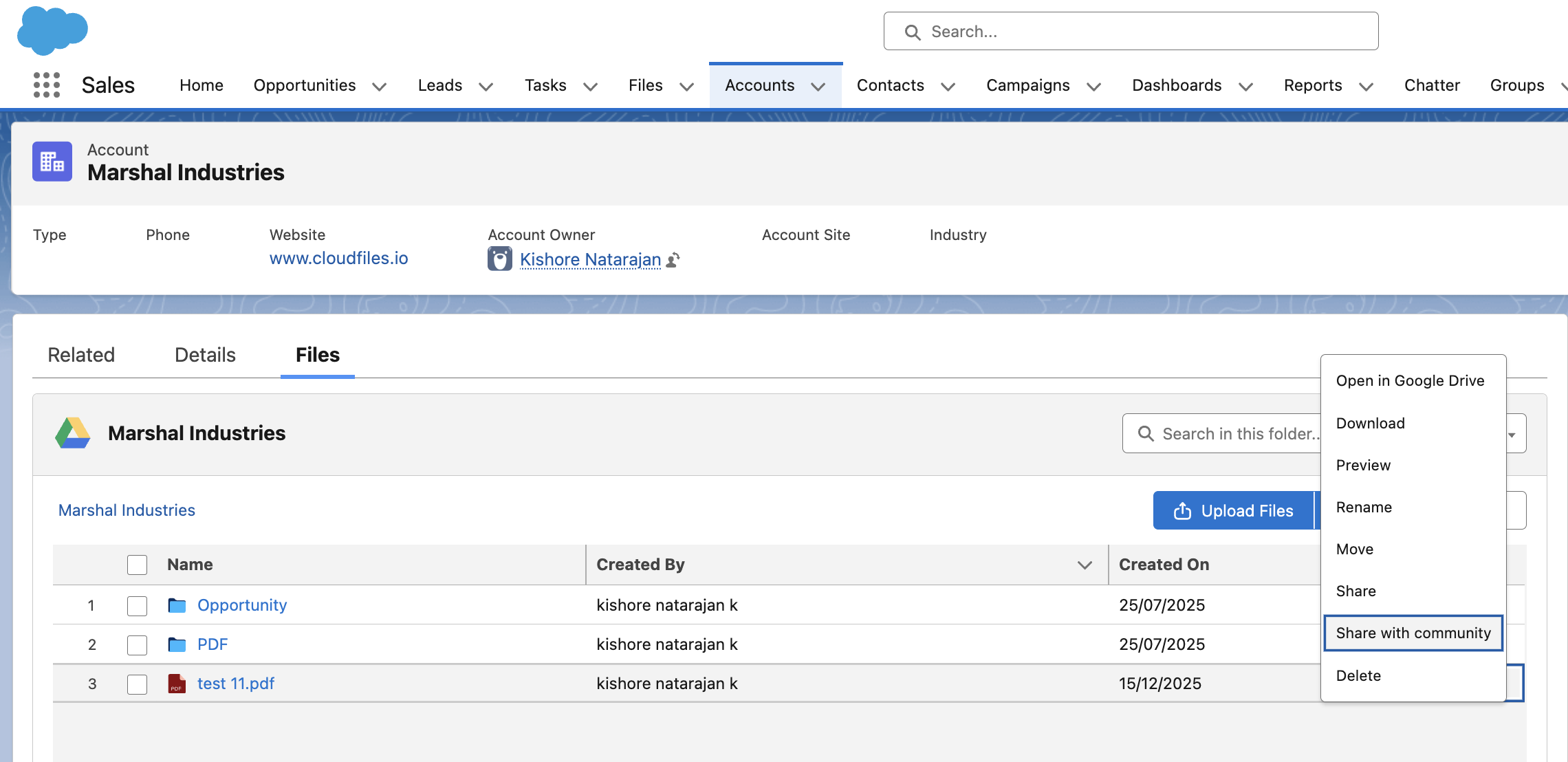
To share content, open the required Salesforce record and locate the file or folder in the CloudFiles widget. To share an entire folder, click the gear icon and select Share with Community.
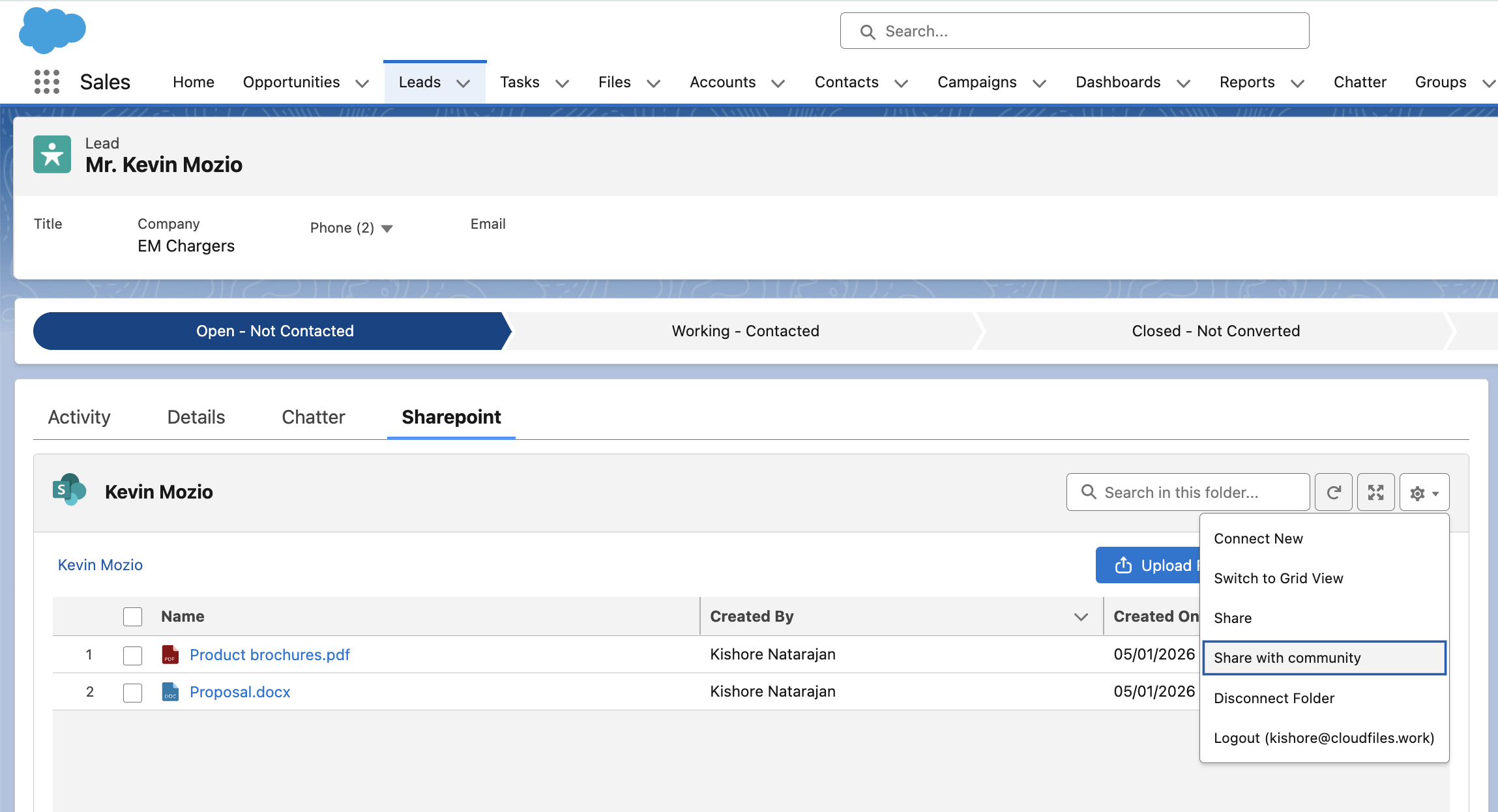
You can also share an individual file or subfolder by clicking the dropdown menu next to the item and selecting Share with Community.
Once shared, Experience Cloud users who have access to the related Salesforce record and the required permissions can view the shared files or folders in the Experience Cloud site through the CloudFiles Community widget.
Sharing via Automation
Uses the Share With Community User Flow action to automate sharing of files and folders based on defined business logic. For advanced scenarios, the Share With Community User apex client method can be used to enable programmatic sharing with Experience Cloud users.