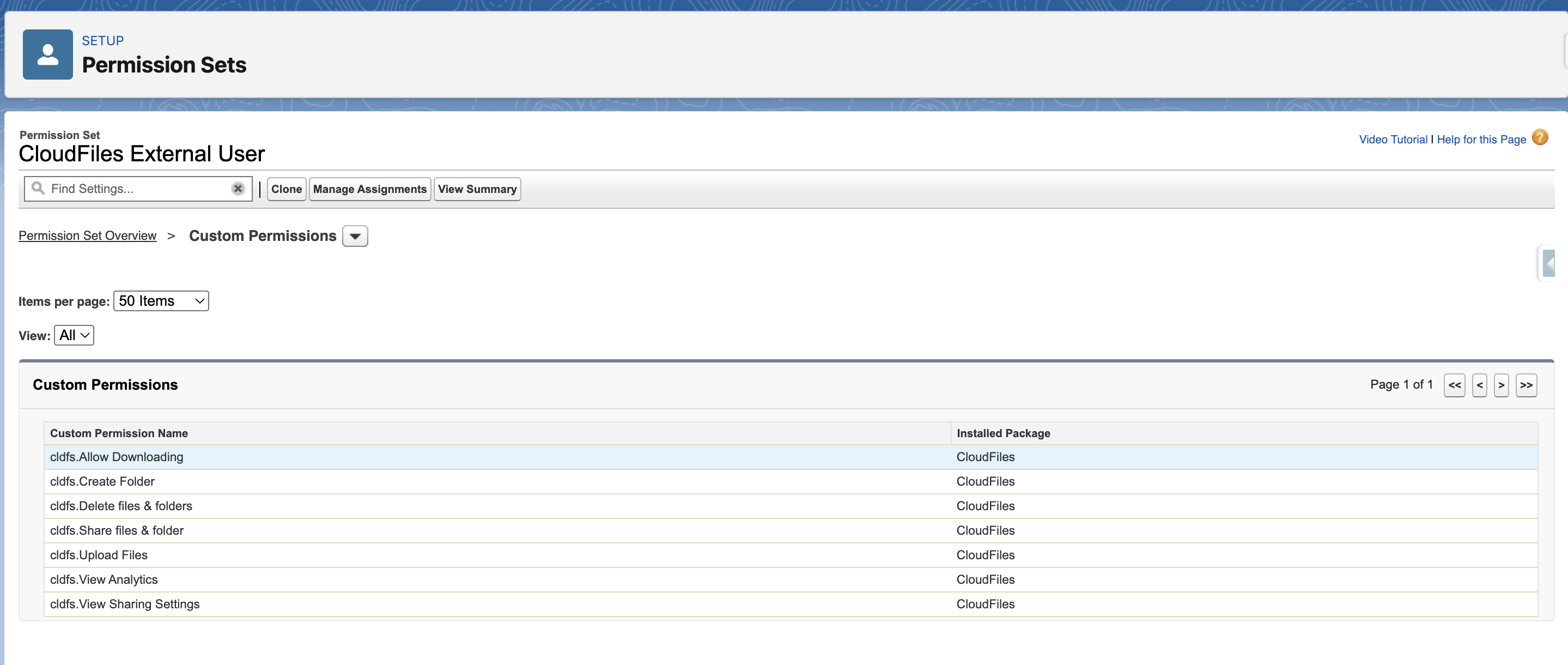
CloudFiles External Users
The CloudFiles External Users permission set is designed specifically for external users in Experience Cloud. It enables CloudFiles access in the Experience Cloud site and controls the actions available in the widget.
Assign the Permission Set to Users:
- Go to Setup → Permission Sets
- Select CloudFiles External Users
- Open Manage Assignments and click Add Assignment
- Select the Experience Cloud users who need access, then click Save to complete the assignment.
Once assigned, users can access CloudFiles folders and files that have been shared with them, based on sharing configuration and record visibility.
Customize Permission Set
If you need to control what Experience Cloud users can do in the CloudFiles widget, clone the CloudFiles External Users permission set and customize the cloned version by modifying its Custom Permissions. These permissions determine which operations—such as viewing, uploading, downloading, sharing, or deleting files are available to external users in the CloudFiles widget.
Custom Permissions available in the permission set include:
- cldfs.Allow Downloading
- cldfs.Upload Files
- cldfs.Create Folder
- cldfs.Delete files & folders
- cldfs.Share files & folder
- cldfs.View Analytics
- cldfs.View Sharing Settings
Use these permissions to enable or restrict specific actions based on your business requirements.