Overview
This event is published when a document is processed using CloudFiles’ Document Mapper action. This occurs after a user uploads a file through a Document Mapper configuration (for example, via a custom list view or detail page button). Once the AI-powered field extraction completes and Salesforce records are created or updated from the file, the event is fired.
How to use this Event ?
To use CloudFiles Events, you must first setup your flow as shown in the Intercepting CloudFiles Events article. This article will introduce you to the concepts of the event type as well as event details that are returned by the Get Event Details flow action.
Once you are familiar with these, you will understand how to interpret & use these as illustrated in the sections below.
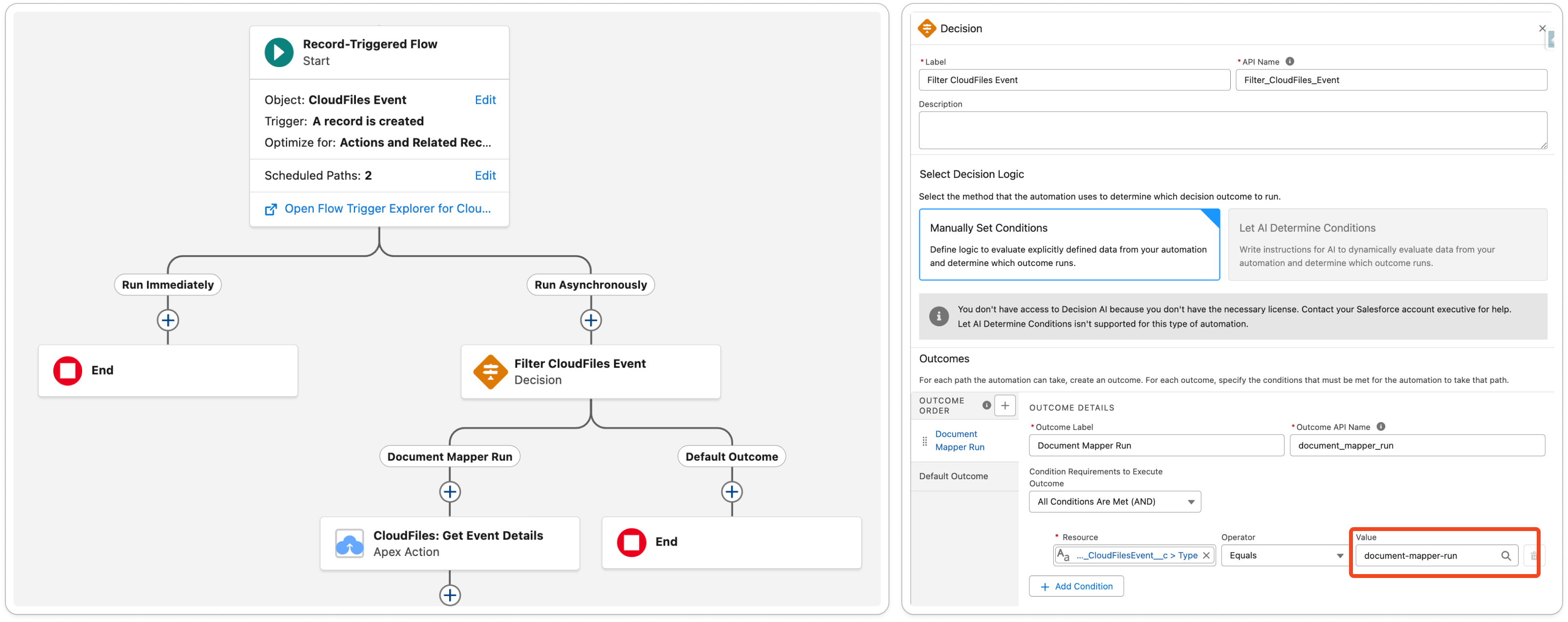
Event Type For Decision Filter
Please use document-mapper-run as the type filter when selecting this event in the decision element in flow builder.
Output Fields From Get Event Details
The corresponding Get Event Details flow action returns the Document Mapper Run event subtype with useful information, including details about the file, the mapping configuration, and the Salesforce record involved. Refer to the image below for a list of outputs -
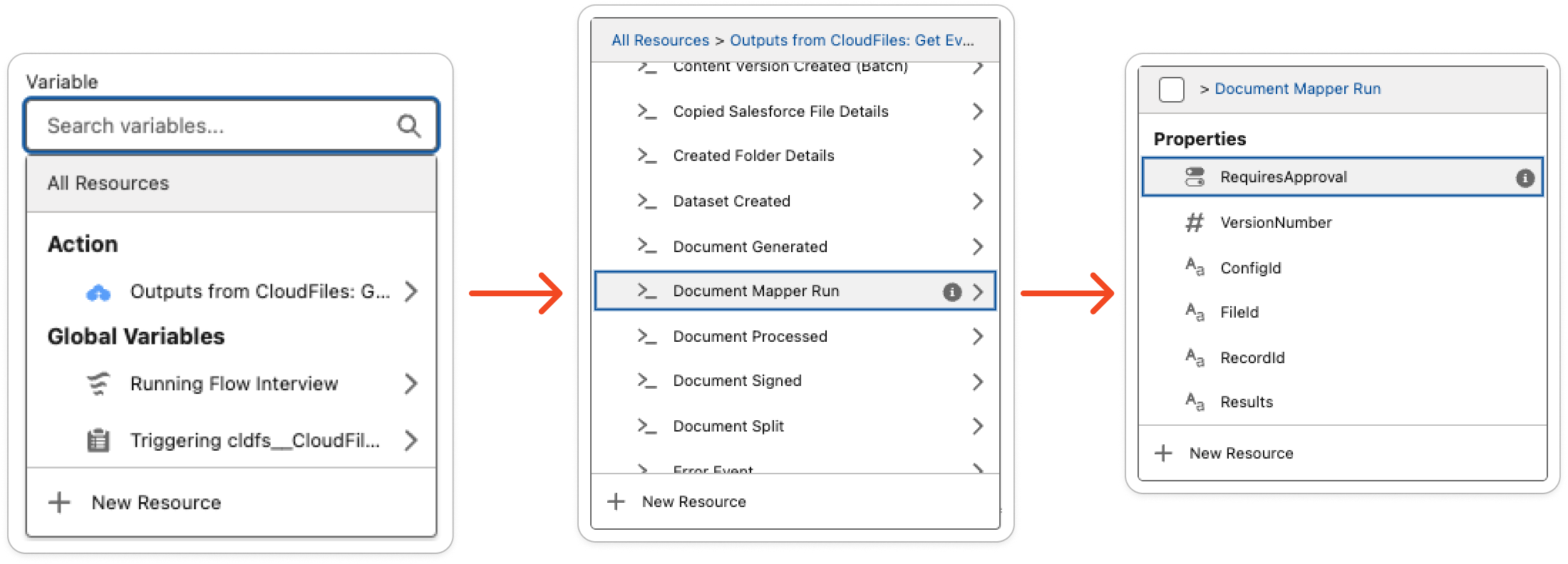
1 - ConfigId
The unique CloudFiles identifier of the Document Mapper configuration that was used to process the document. This ID corresponds to the mapping setup that defines how fields are extracted and mapped
2 - FileId
The unique resource identifier of the file that was processed by the Document Mapper. For Salesforce files, this will be the ContentDocumentId; for external files, it will be the external file’s ID. For a document set run, FileId is the first document in the set.
3 - RecordId
The Salesforce Record Id that was impacted by the mapping. If the Document Mapper was run in “update” mode, this will be the Id of the record that was updated. If run in “create” mode (from a list view), this will be the Id of the primary record that was created.
4 - Context
The Context value passed to the Document Mapper action, if one was set.