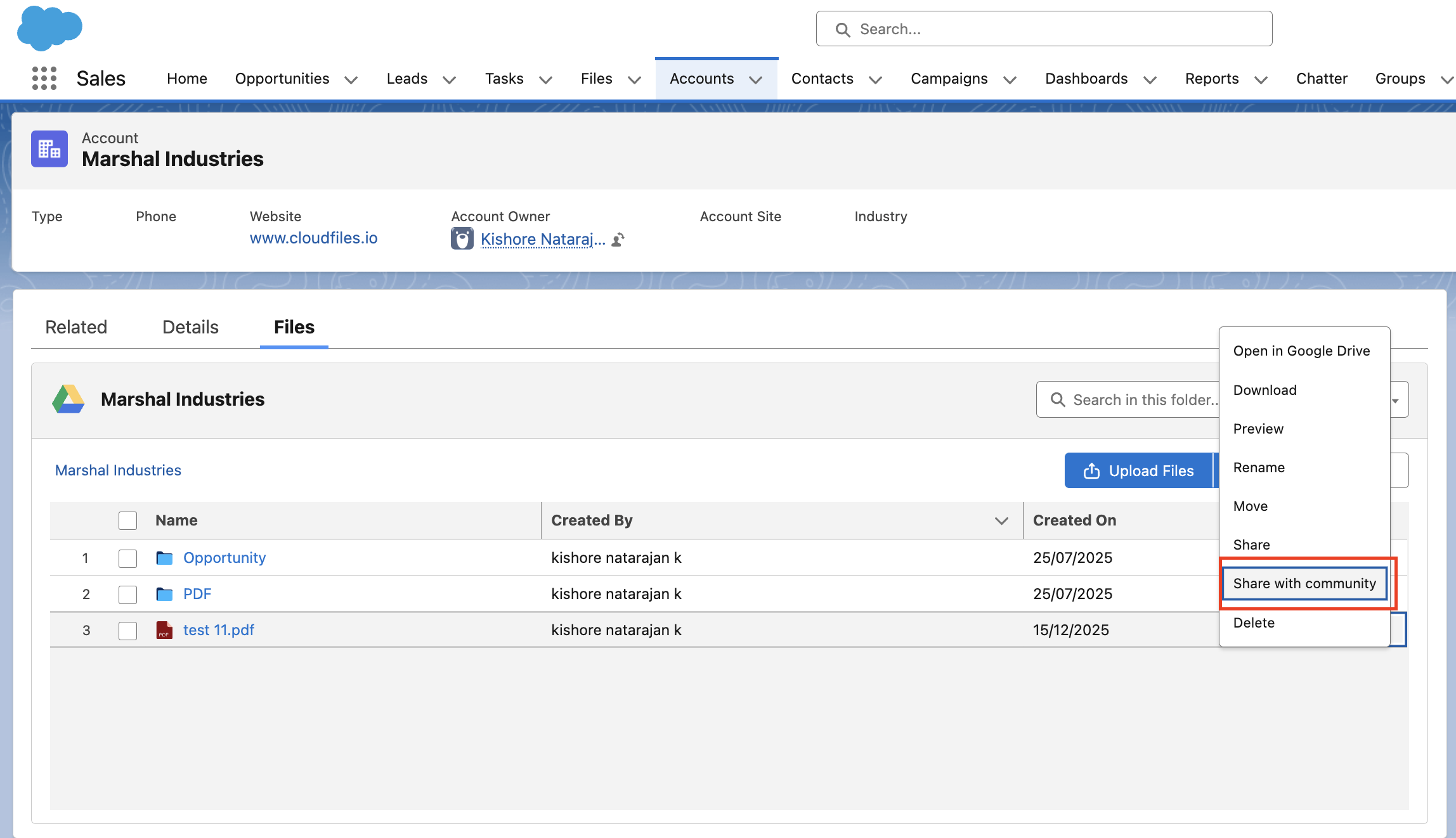
Setup
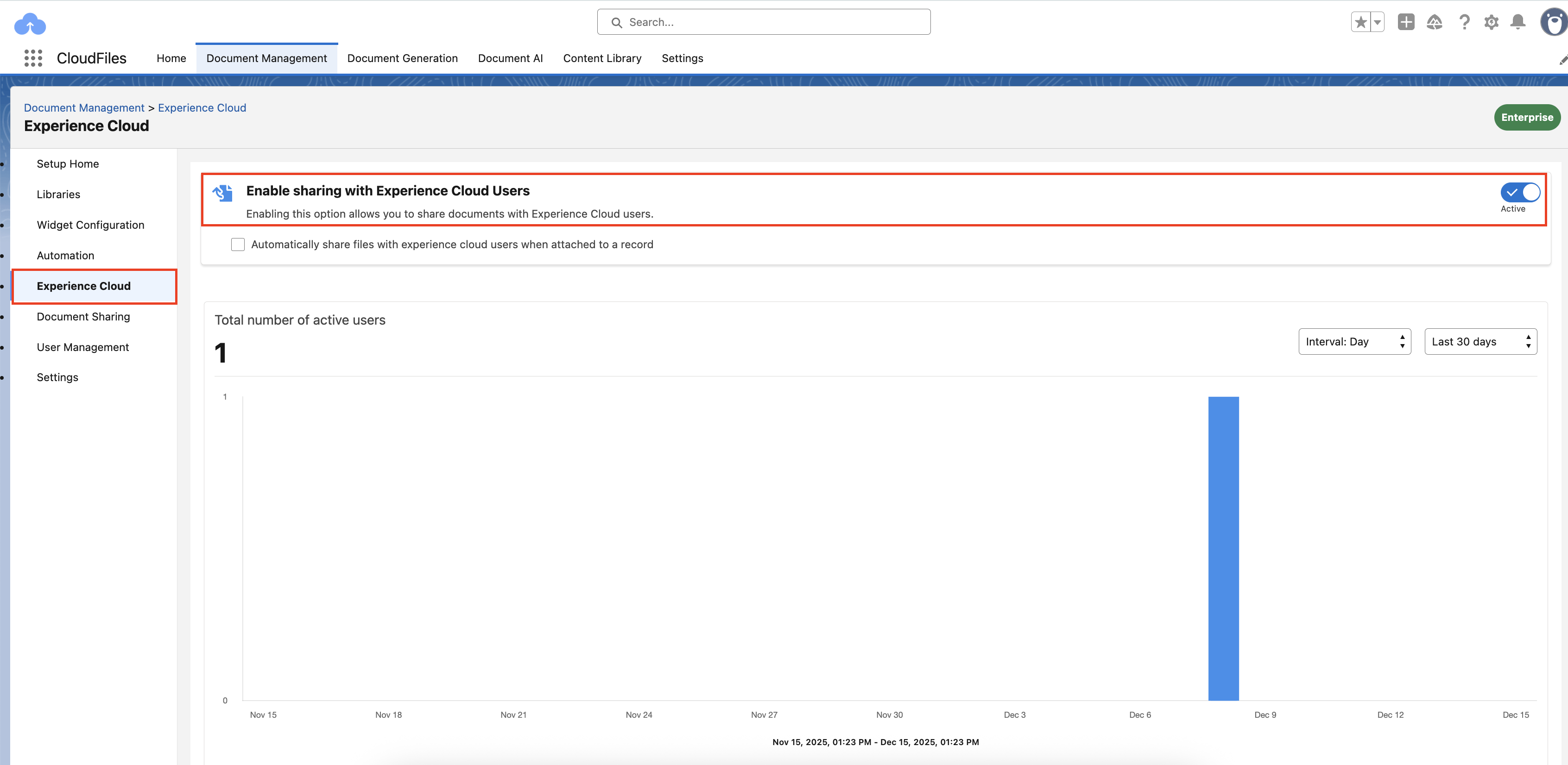
Experience Cloud sharing is enabled in the Experience Cloud section under Document Management in the CloudFiles app. Once enabled, CloudFiles widgets can be used in Experience Cloud sites to securely share files and folders with external users. These widgets surface content from Salesforce records or content libraries and make it available based on the selected configuration and user permissions.
The CloudFiles widget can be added to any Experience Cloud page, including record pages, home pages, and custom community pages. The widget acts as the primary interface through which Experience Cloud users interact with shared content.
Permissions
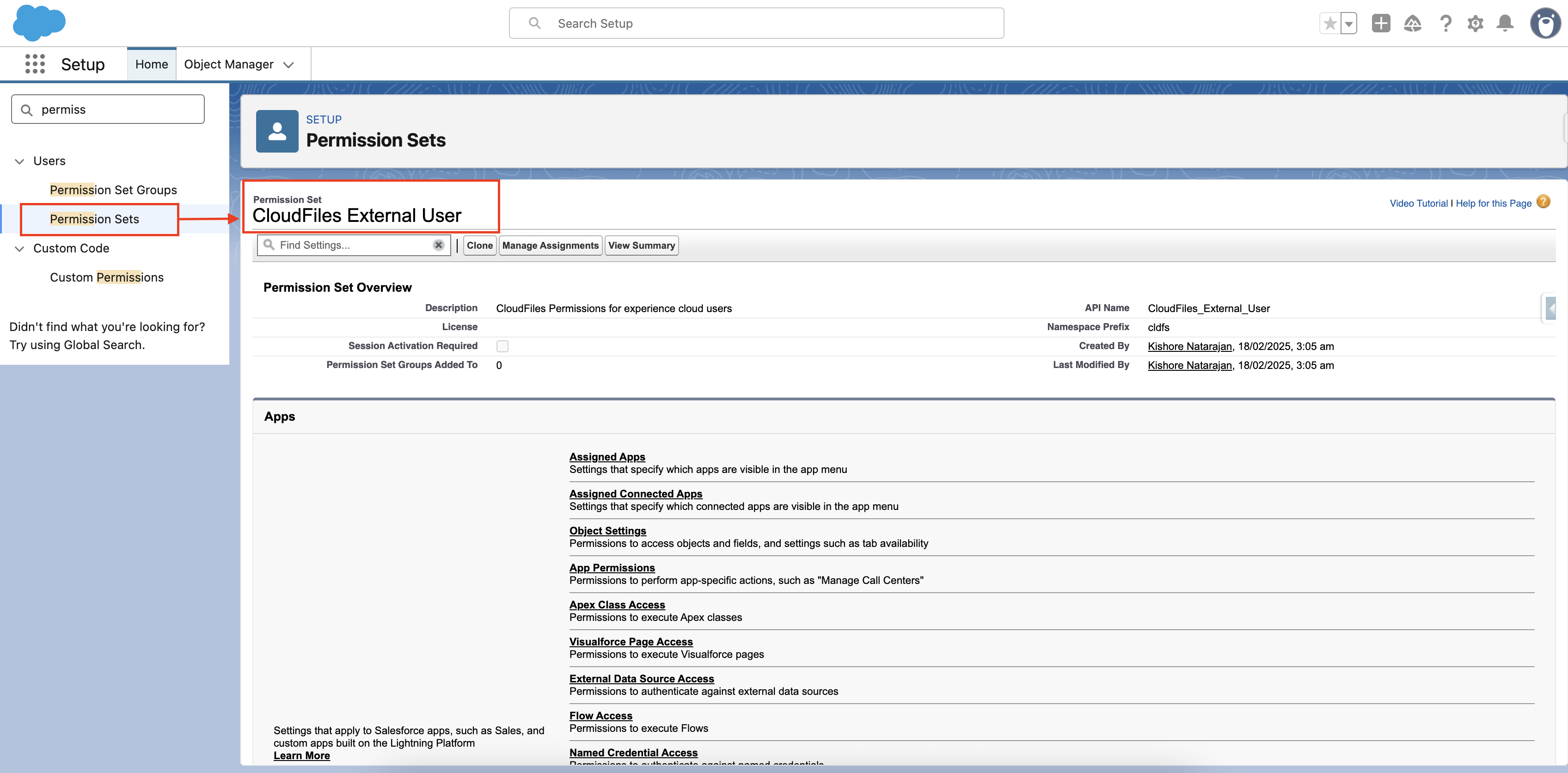
Access to Experience Cloud functionality in CloudFiles is controlled by the CloudFiles External Users permission set. This permission set defines which Experience Cloud users can access CloudFiles features and what actions they can perform on files and folders.
You can adjust these permissions to match your business requirements and control widget visibility, access levels, and available operations.
Experience Cloud users don't need a Microsoft or SharePoint identity of their own to view shared files. CloudFiles connects to the external storage using its own single, account-level credential, the same one used for automated actions, and brokers access to the specific files and folders each user's permissions allow.
Sharing Options
CloudFiles provides multiple ways to share files and folders with Experience Cloud users. You can share content automatically through a default configuration, manually through the CloudFiles record widget or Content Library, or trigger sharing through Salesforce Flow. Each method controls when files are shared and how access is granted. Experience Cloud users can view and interact with files based on the permissions assigned to them.