Starts a document from a CloudFiles template for one Salesforce record. It is asynchronous: it answers at once with the status generating instead of waiting for the document to be made, so an agent can start several documents at the same time. The agent then calls get-document-status to get each document once it is ready. By default the document is saved to the record's Salesforce Files in the template's own file type.
Before you use this tool
The user the connection acts as needs a CloudFiles Document Generation license. See Who the Agent Acts As. Your CloudFiles account must be connected to Salesforce, because CloudFiles reads the record's data through that connection. To save the document in a folder, the folder's library must be connected for the user the connection acts as. To send it for signing as soon as it is generated, DocuSign must be connected to your CloudFiles account.
The ID of the Salesforce record to fill the template from, 15 or 18 characters.
variables
No
Values for the template's variables, as a list of entries named as list-templates names them. A variable that takes a list gets values, a list of strings. Any other variable gets value, a string. Up to 100 entries.
outputFormat
No
native keeps the template's own file type, such as DOCX. pdf generates a PDF. The default is native.
Where to save
Leave these inputs out to save the document to the record's Salesforce Files. To save it in a folder instead, give folderId and library together.
Input
Required
Description
folderId
With library
The ID of the folder to save the document in. With the library salesforce, the ID of the Salesforce record to save it on.
library
With folderId
The library the folder is in: sharepoint, onedrive, google, box, dropbox, s3, azure, azurefiles, msteams, sftp, cloudfiles, salesforce. For an additional SharePoint connection, use sharepoint__ followed by the connection's API name.
driveId
For libraries with drives
The drive the folder is in, for libraries that have drives, such as SharePoint.
PDF and preview options
The PDF options apply only when outputFormat is pdf.
Input
Required
Description
lockPdf
No
Stops the PDF from being edited.
pdfViewPassword
No
The password needed to open the PDF, up to 128 characters.
pdfOwnerPassword
No
The password needed to change the PDF's permissions, up to 128 characters.
allowPdfPrinting
No
Whether the PDF can be printed.
allowFillingPdfFormFields
No
Whether the PDF's form fields can be filled.
allowDownloadInPreview
No
Whether the CloudFiles viewer offers a download. The default is true.
allowPrintInPreview
No
Whether the CloudFiles viewer offers printing. The default is false.
Signing
Input
Required
Description
sendForSigning
No
Sends the document to the template's signers through DocuSign as soon as it is generated. The default is false: a document whose template names signers then waits for approval until send-for-signing is called or someone clicks Approve on the record page.
Outputs
generate-document answers as soon as the document is started, with these fields.
generating, because the document is still being made.
recordId
The Salesforce record the document is filled from.
The document's file name, where it is saved, its preview and download links, its signing details and, if it fails, the reason come later, from get-document-status.
Example requests
You ask
What the agent does
Generate the renewal quote for this account.
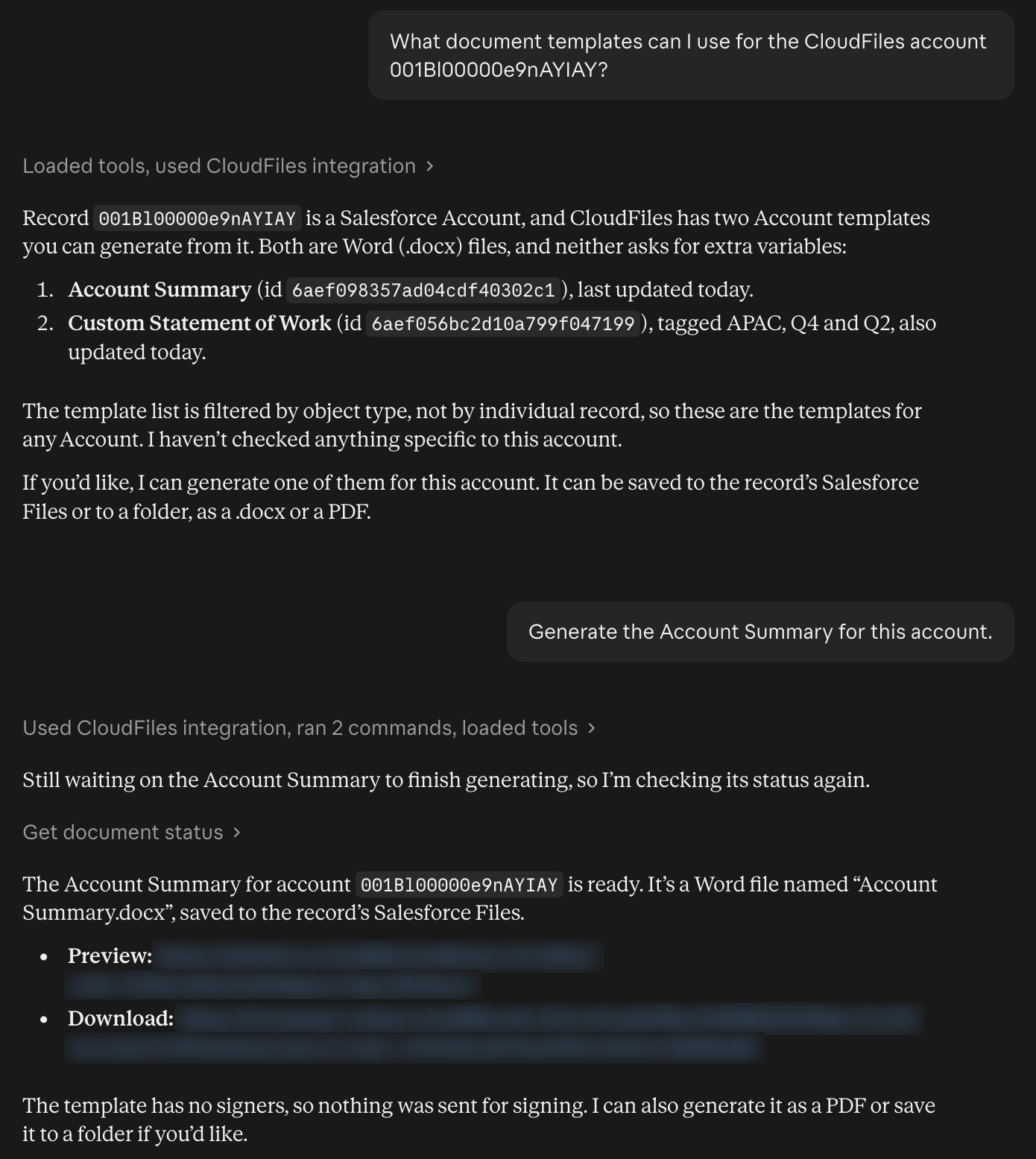
Calls generate-document with the template and the account's record ID, then get-document-status until the document is ready, and shares the preview and download links.
Generate the NDA with a three-year term.
Calls generate-document and passes the term as the value of the template's variable.
Make it a locked PDF with a view password.
Calls generate-document with outputFormat set to pdf, lockPdf and pdfViewPassword.
Let me review it before it goes out for signing.
Calls generate-document without sendForSigning, shares the preview link and the signers, and calls send-for-signing only after you confirm.
A Claude conversation where the user asks which templates fit a Salesforce Account, picks one, and Claude generates the document and shares its preview and download links.