Overview
This event is published whenever a dataset is successfully created using the Create Dataset flow action.
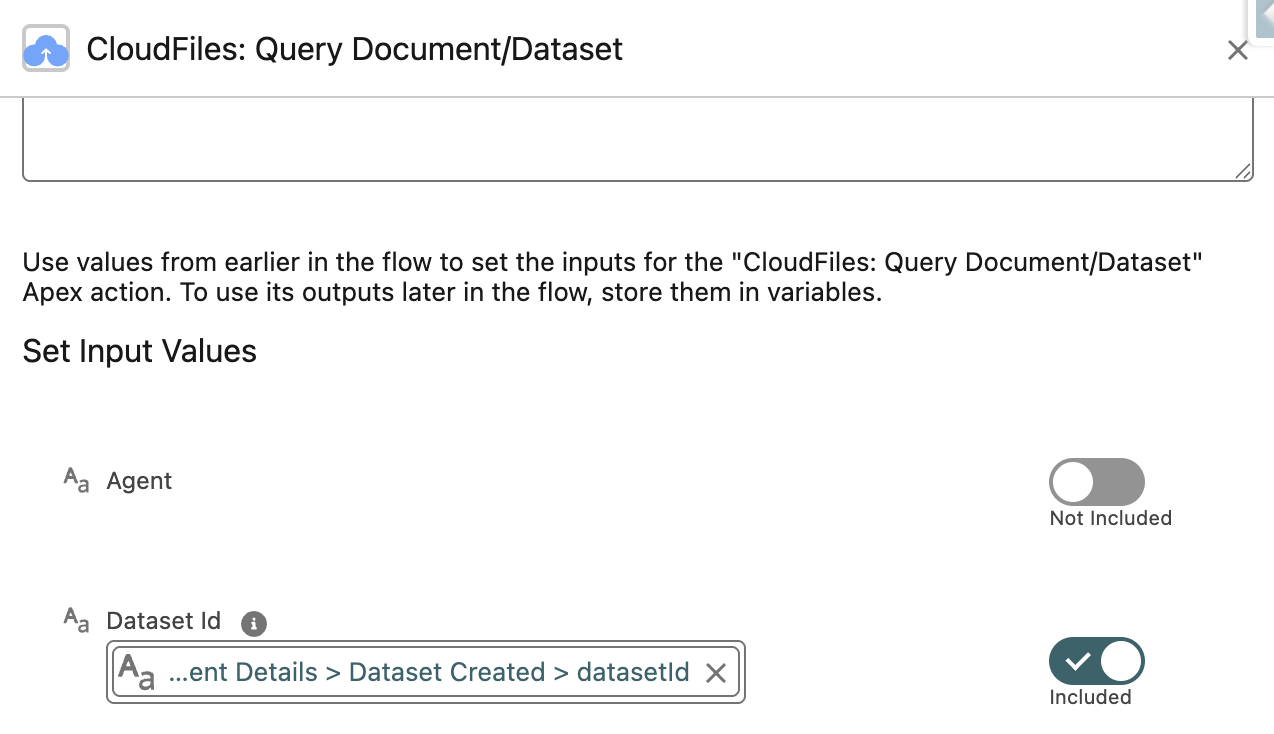
This event is particularly useful in scenarios where the processing of Resources needs to initiate downstream processes or workflows containing actions like Query Document/Dataset or Query Document/Dataset (Batch).
How To Use This Event ?
To use CloudFiles Events, you must first setup your flow as shown in the Intercepting CloudFiles Events article. This article will introduce you to the concepts of the event type as well as event details that are returned by the Get Event Details flow action.
Once you are familiar with these, you will understand how to interpret & use these as illustrated in the sections below.
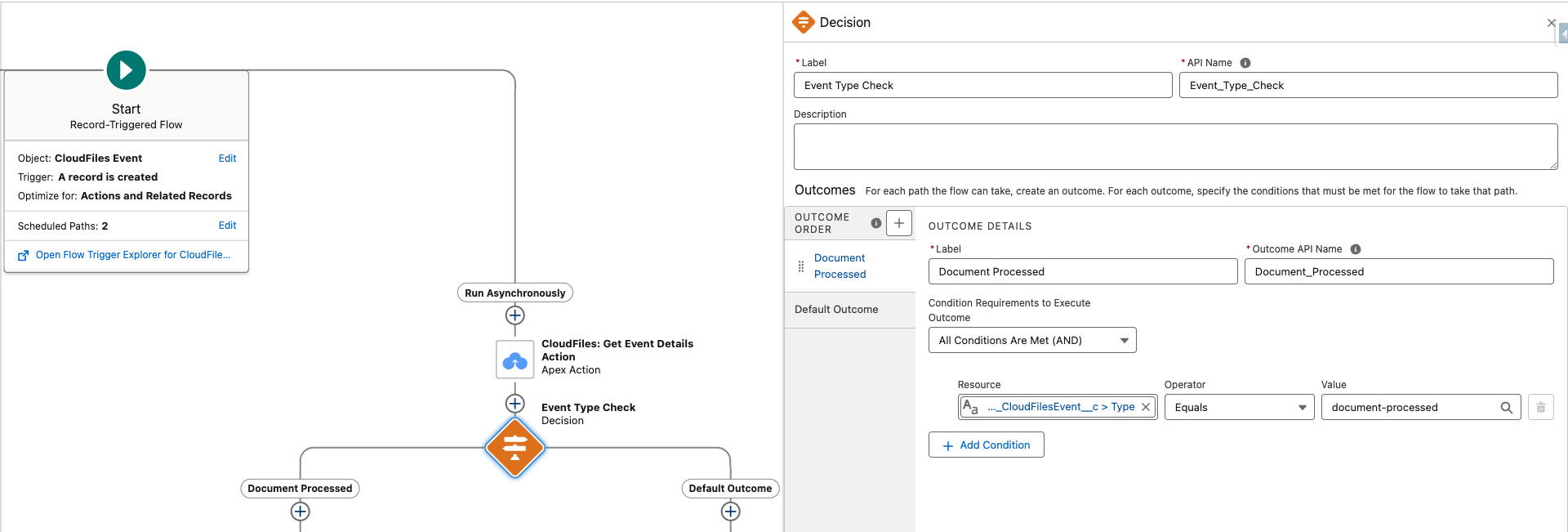
Event Type For Decision Filter
Please use dataset-created as the type filter when selecting this event in the decision element in flow builder.
Output Fields From Get Event Details
The corresponding Get Event Details flow action returns the Dataset Created details with useful information that can be used for further processing.
Refer to the image below for a list of outputs:
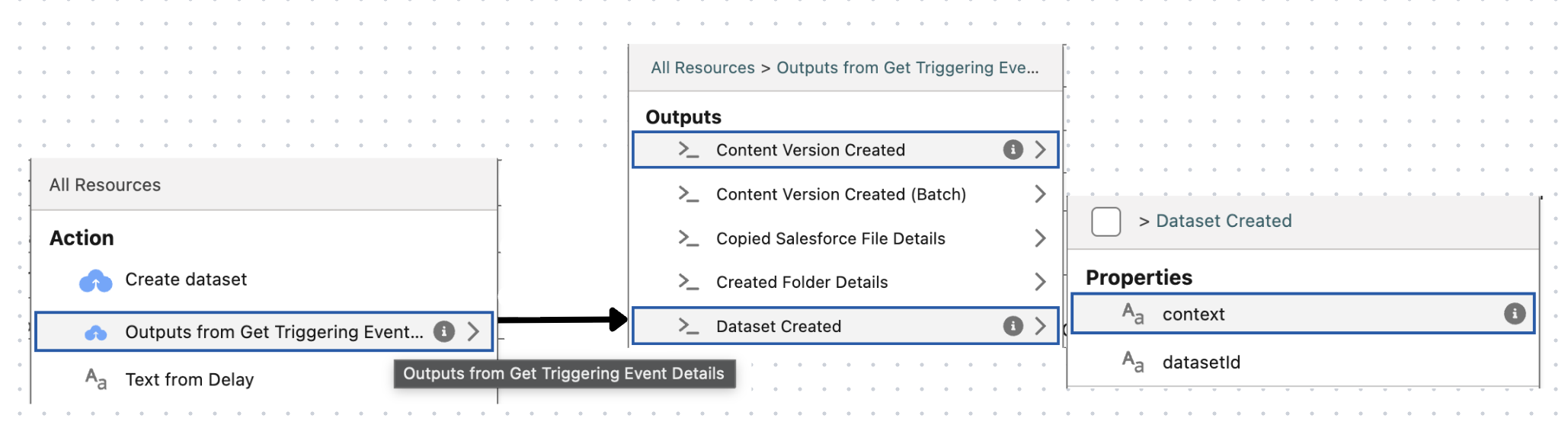
- DatasetId This field contains the unique identifier of the newly created dataset. The Dataset Id can be reused as often as needed to reference the document for various CloudFiles Document AI actions.
- Context The context value specified in the input, which helps identify the event’s source or any other intended details.