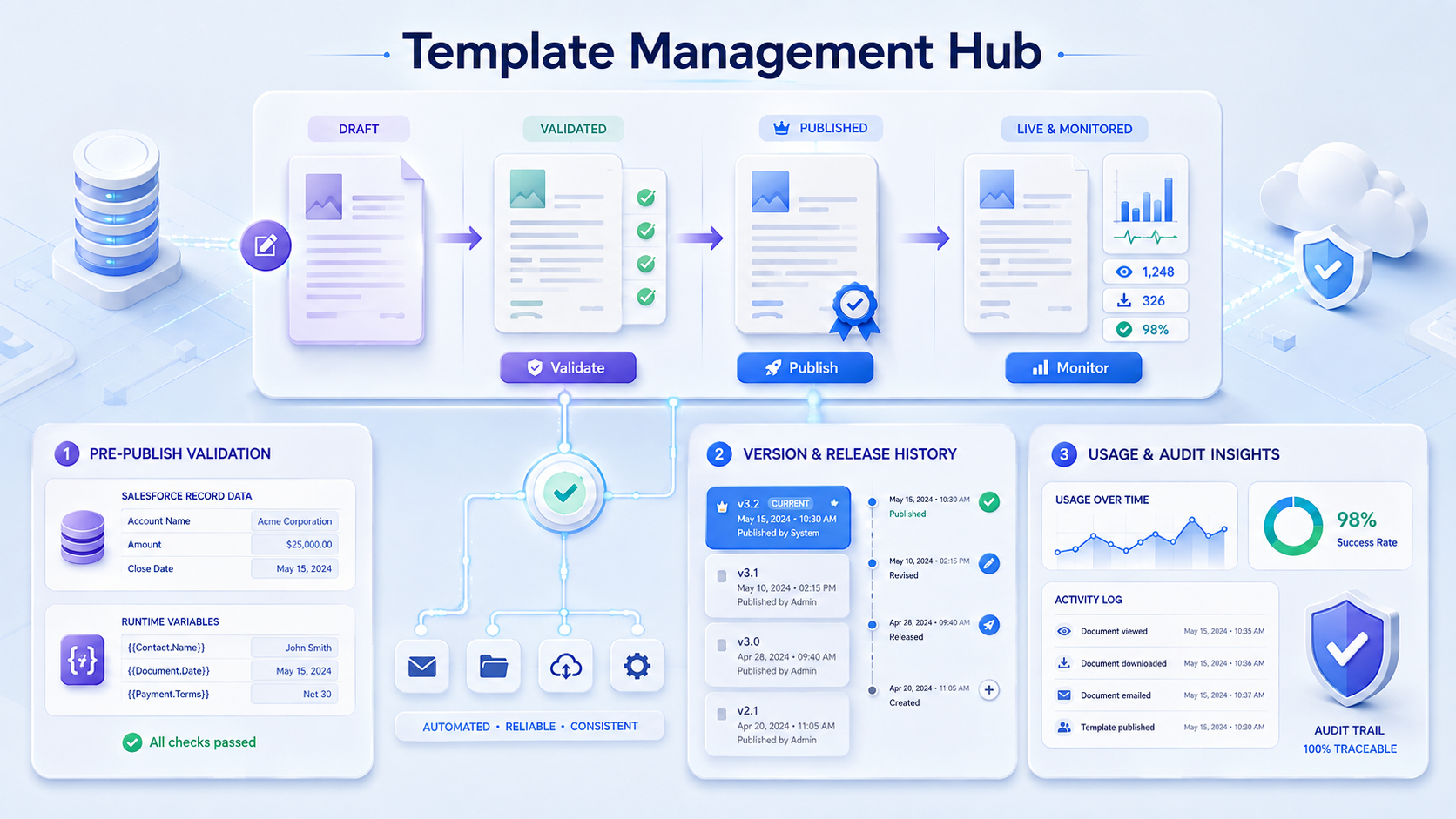
Together, these controls keep every template accurate, brand-safe, and reliably ready for automation.
Pre-Publish Validation
Pre-Publish Validation lets you preview a template using real Salesforce record data and runtime variables, test its conditional logic, and verify formatting before publishing. Catching issues before anything goes live means every document generates right the first time.
Template Categorization
Template Categorization lets you classify and label templates with tags, so a growing library stays structured instead of relying on naming conventions. Automations can then fetch just the templates carrying a given tag, rather than every template published for an object.
Template Organization
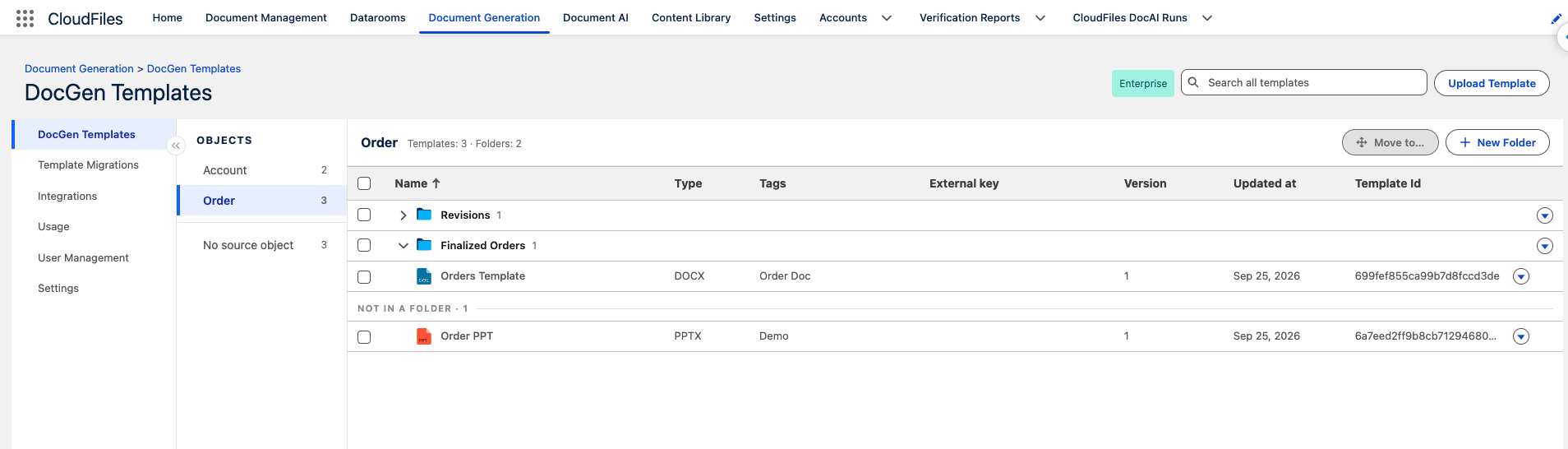
Template Organization lets you group templates into folders for each Salesforce object, so a long template list becomes a short set of sections. Admins arrange the folders once on the Doc Gen Templates page. The Document Generation widget then shows the same folders, in the same order, on every record page of that object.
- Folders per object: Each source object has its own folders, and templates that are not in one appear under Not in a folder.
- Manage folders: Create a folder with New Folder, then rename it, move it up or down, or delete it from the folder's menu.
- Folders on the record page: The widget lists each folder by name, followed by the templates not in a folder. Searching shows only the folders with matching templates, opened to those matches.
Version & Release Control
Version & Release Control lets you publish new templates, update existing ones, maintain version history, and track template changes across releases. This keeps templates current without breaking automations, so every update stays controlled and traceable. Templates can also be moved in bulk from one Salesforce org to another, such as from a sandbox to production. Learn more in the Template Migrations guide.
Usage & Audit Insights
Usage & Audit Insights tracks template generation activity and publishing changes, making that history available for audit trails and reporting. This makes it possible to see what's being used, what's working, and to prove ROI with clean reporting data.
Part of the Template Governance Hub.