Precision Prompting lets businesses provide AI with custom instructions, rules, and formatting guidelines to control tone, detail, and output style, apply business-specific rules (like currency conversion or bullet-point summaries), and ensure consistent, reliable results across documents. This makes every AI interaction business-ready and precise.
CloudFiles Document AI empowers this approach through its flexible flow actions:
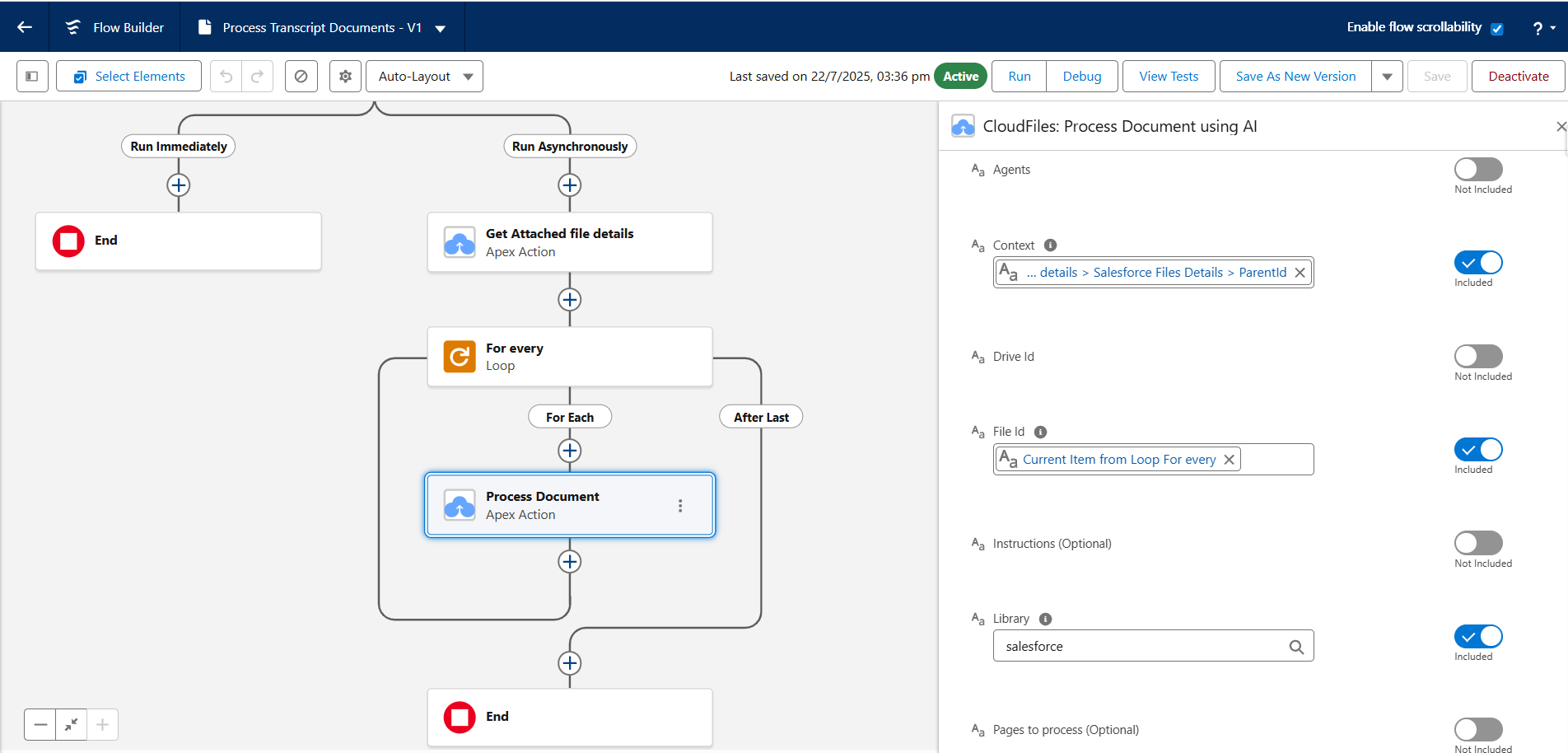
The Process Document using AI action prepares documents for AI processing, making them ready for querying and analysis. You can fine-tune how documents are handled by specifying the following optional inputs:
Instructions – These act as the foundation for effective prompting. By supplying context during processing, like which sections to focus on, expected formats, or key fields, CloudFiles Document AI interprets documents with higher accuracy. This ensures that when you later run a prompt, the AI is already primed to deliver precise, structured results.
The Query Document/Dataset action lets you run natural language prompts to extract, classify, or generate information from already processed documents.
Query - You can guide AI using natural language prompts to extract, classify, or generate information from processed documents. Clearly defining formats, units, or detail levels helps the AI avoid ambiguity, produce structured outputs, focus on relevant data. This enables consistent, accurate results and supports complex workflows where multiple queries can be combined in a controlled, repeatable manner.
Example
In this example, we guide the AI with clear processing instructions and a query defined with a strict output format. Exception handling is also included to ensure the extracted data is accurate, structured, and directly usable from the document.
Processing Instructions:
"You are an AI agent specialized at extracting data from Driver's License or Passport. Your task is to accurately extract structured data from the document. The common components you should recognize and extract include: Document Type, Document Number, Full Name of the document holder, date of issue, date of expiry."
Query:
" Identify the type of KYC document provided (e.g., Passport, Driver's License). Extract the following fields from the document: Document Type (e.g., 'Passport', 'Driver's License') Document Number Full Name of the document holder Date of Issue (in YYYY-MM-DD format) Date of Expiry (in YYYY-MM-DD format) Return only the structured JSON in this exact format: { "KYC_Document_Type__c": "", "KYC_Document_Number__c": "", "KYC_Document_Holder_Name__c": "", "KYC_Document_Issue__c": "", "KYC_Document_Expiry__c": "" }\n If any field is missing or unreadable, return its value as null. Only return the JSON object and nothing else."

The AI output as tested on the above sample document is as follows:
{ "KYC_Document_Type__c": "Driver's License", "KYC_Document_Number__c": "64040738293", "KYC_Document_Holder_Name__c": "KOWALSKI JAN", "KYC_Document_Issue__c": "2019-03-06", "KYC_Document_Expiry__c": "2028-01-18" } 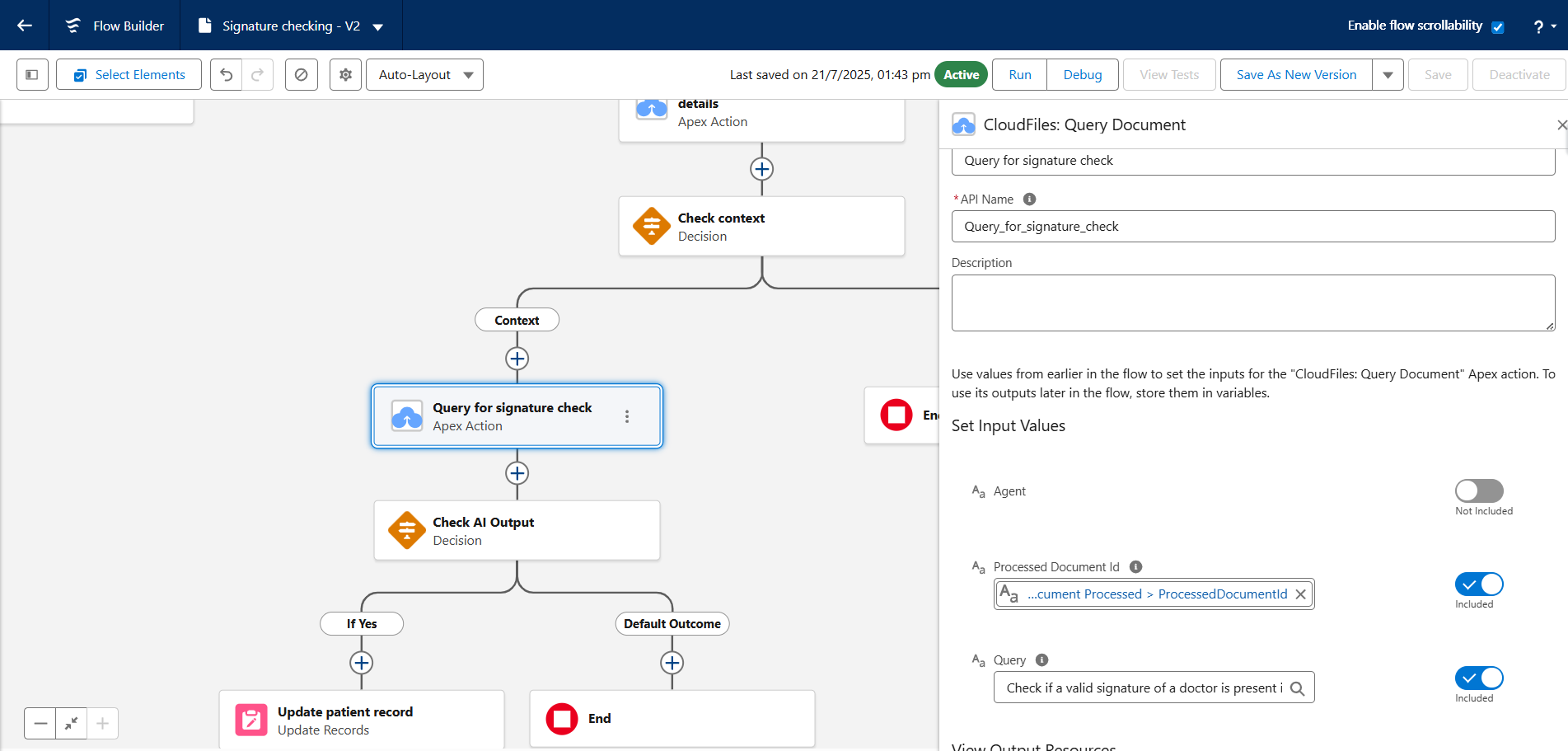
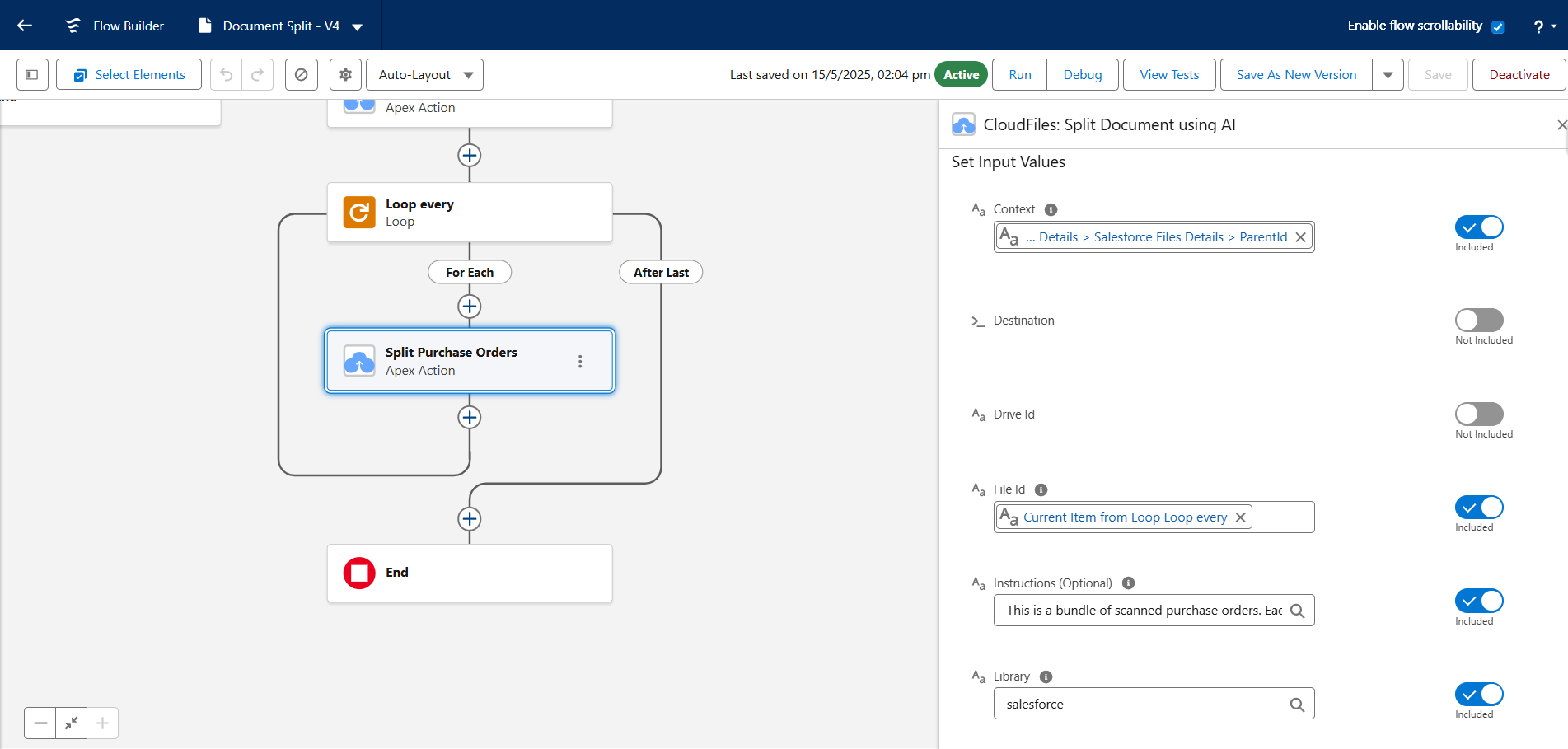
The Split Document using AI action uses AI to automatically separate merged PDFs into individual documents for easier processing.
Instructions: Define how documents should be interpreted and split. Use contextual cues to improve accuracy for varied formats.
Example: "This is a bundle of scanned purchase orders. Each purchase order starts with a bold header containing the name of the company or its logo. Split at each occurrence of this pattern and name them as the name of the company."
Specific instructions can guide the AI, improving the accuracy of the split.
These features make CloudFiles Document AI relevant across industries.
- In finance, prompts can enforce formatting rules such as ₹ currency, decimal precision, and ISO-standard dates, ensuring invoices are summarized with line items and totals in bold for faster audits.
- In legal applications, AI can extract and summarize clauses with their section references, returning outputs like “Clause Number + Summary” for compliance checks, making review processes more efficient and reliable
By combining Precision Prompting with CloudFiles versatile AI flow actions, businesses can ensure that AI interactions are precise, consistent, and aligned with their unique operational requirements, turning raw document data into actionable insights efficiently.