Overview
This event is published when the Unlock Document flow action saves a copy of a PDF with its passwords and restrictions removed. CloudFiles publishes one event for each PDF the action unlocked, after the action has finished.
The action already returns the unlocked copy in its own outputs. This event is useful when the next step runs in a separate flow, for example a flow that sends every unlocked copy to Document Mapper to create or update records from it. Pass the event's File straight in as the Resource input of Document Mapper.
When the action cannot unlock a PDF, it publishes an Error Event for that PDF instead, with ErrorEventType document-unlocked.
How to use this Event?
To use CloudFiles Events, first set up your flow as shown in the Intercepting CloudFiles Events article. It introduces the event type and the event details returned by the Get Event Details flow action.
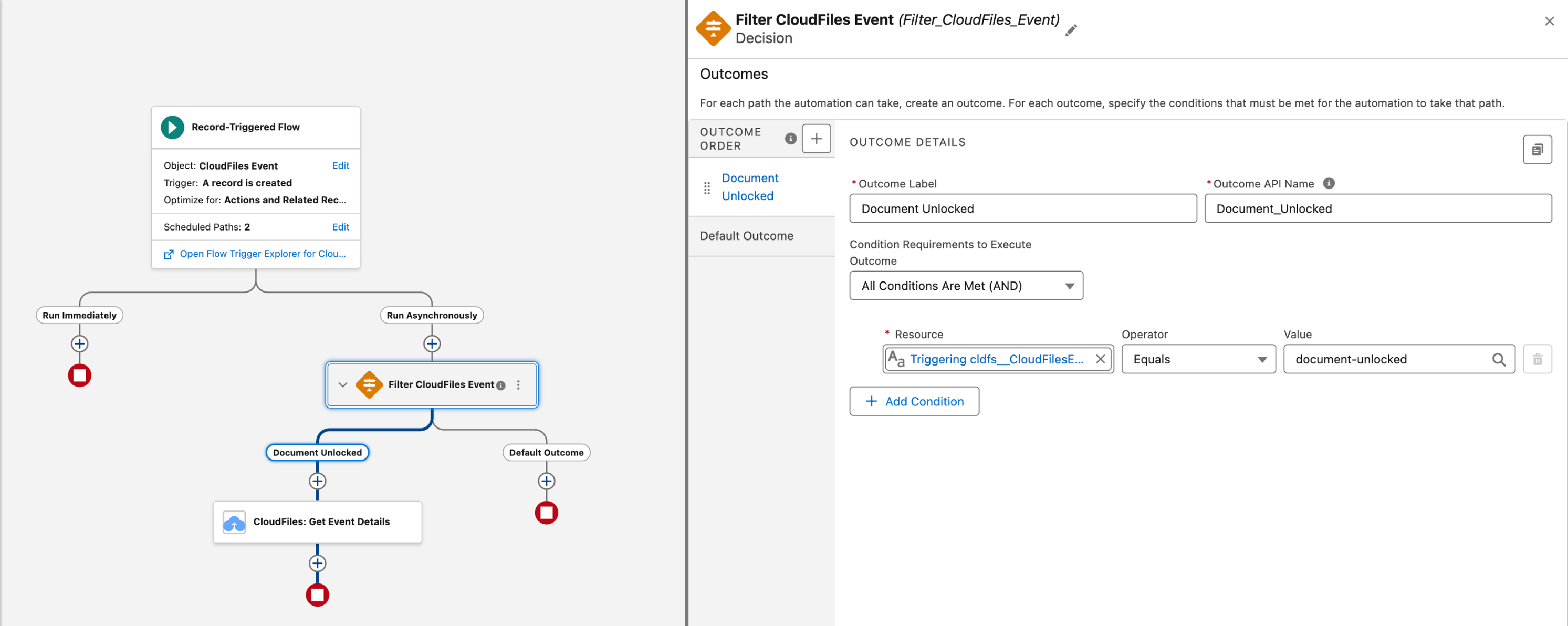
Once you are familiar with these, the sections below show how to read this event.
Event Type For Decision Filter
Use document-unlocked as the type filter when you select this event in the Decision element in Flow Builder.
Output Fields From Get Event Details
In the outputs of Get Event Details, this event's fields are under Document Unlocked. Refer to the image below for the list.
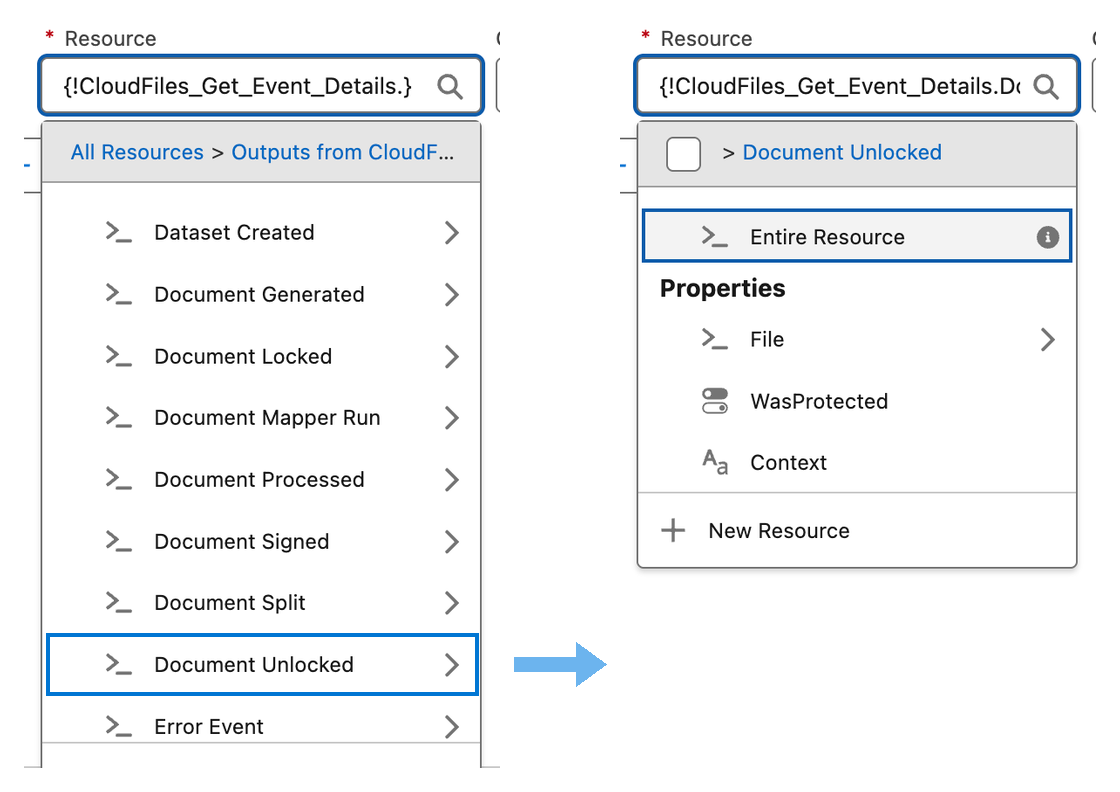
- Context - The value given in the Context input of the Unlock Document action, for example the Id of the record that started the flow. Use it to tell which record or run the event belongs to.
- File - The unlocked copy, as a Resource. Its Id, Name and Library are filled in, and Drive Id too for a file in external storage. For a copy saved as a Salesforce File, Library is
salesforceand Id is the ContentDocumentId of the copy. - WasProtected - True when the source PDF had a password or restrictions that were removed. False when the source PDF was not protected. The action still saves a copy in that case, and this event is still published.
The event never carries the passwords given to the action.