Revoke an MCP credential
- In Salesforce, open the CloudFiles app.
- Select the Settings tab, then select MCP Credentials.
- In the credential's row, open the row menu and select Revoke.
- In the Revoke credential? window, click Revoke.
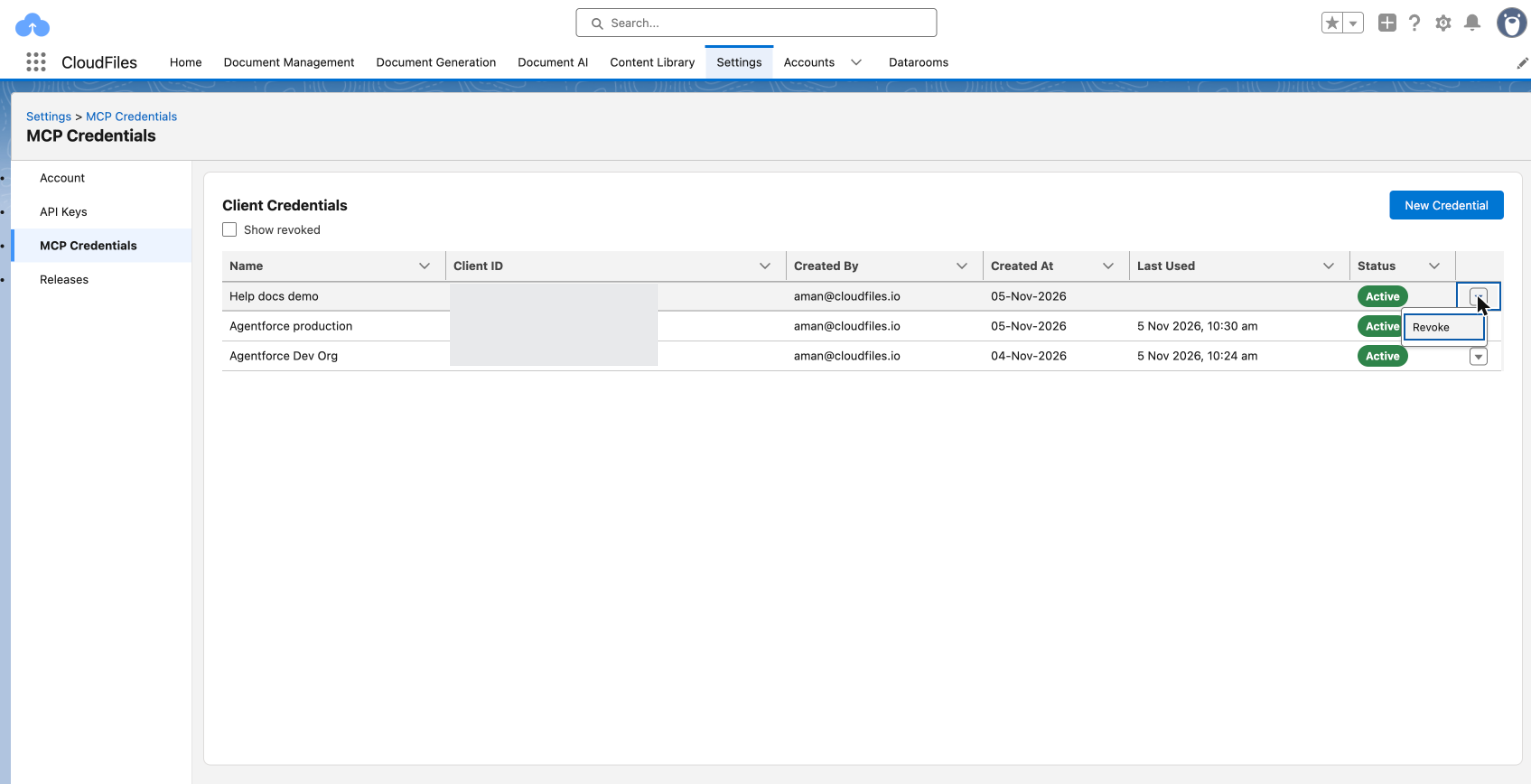
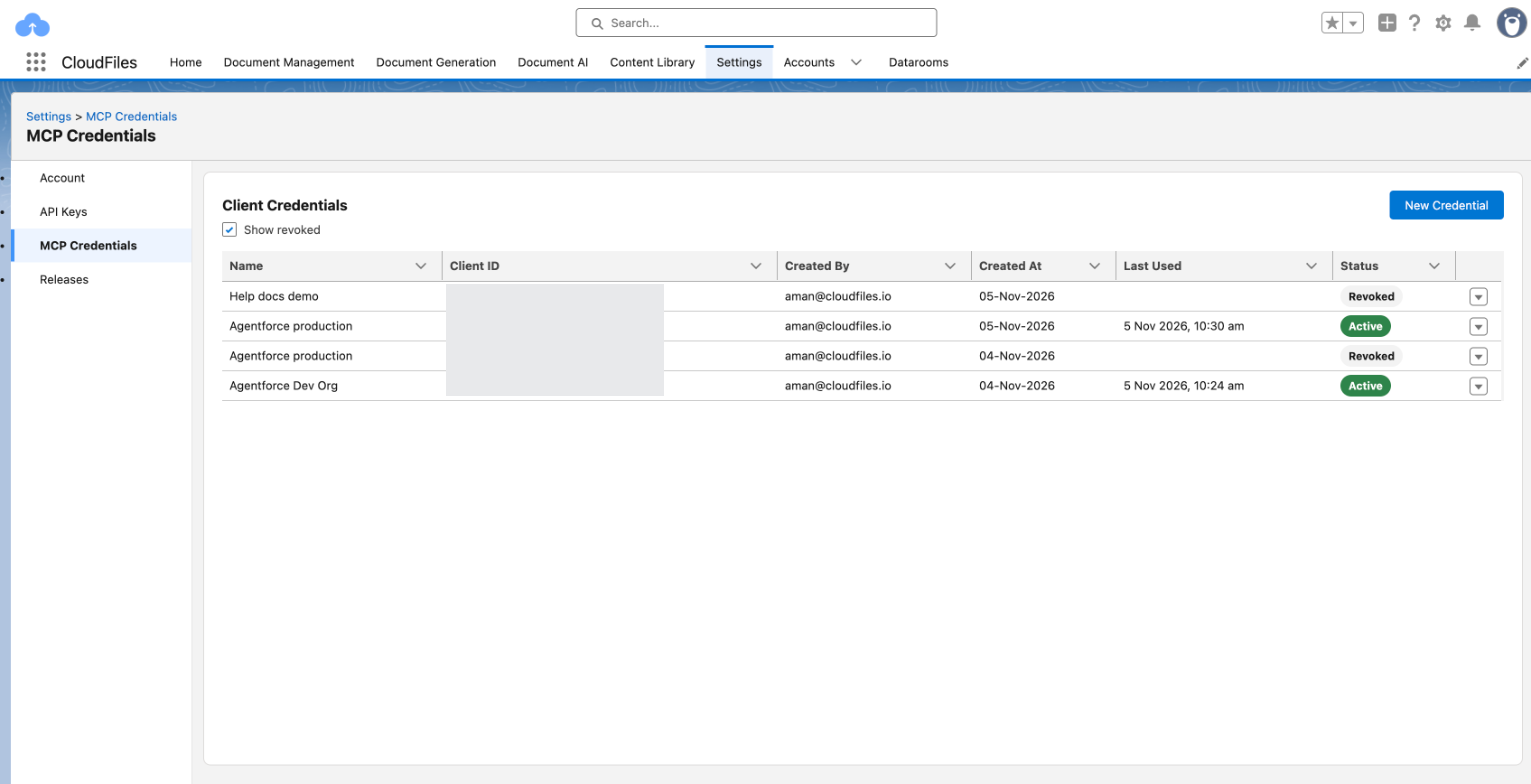
Every agent that uses the credential stops at once, and its client ID and client secret stop working. A revoked credential cannot be restored. It stays in the list with the status Revoked. Select Show revoked to see it.
Replace a client secret
A client secret cannot be shown again or changed, so replace it with a new credential.
- Create a new credential. See Create and Manage MCP Credentials.
- Update the service, such as the CloudFiles server registration in Agentforce Registry, with the new client ID and client secret.
- Confirm the service works with the new credential.
- Revoke the old credential.
Disconnect an AI app
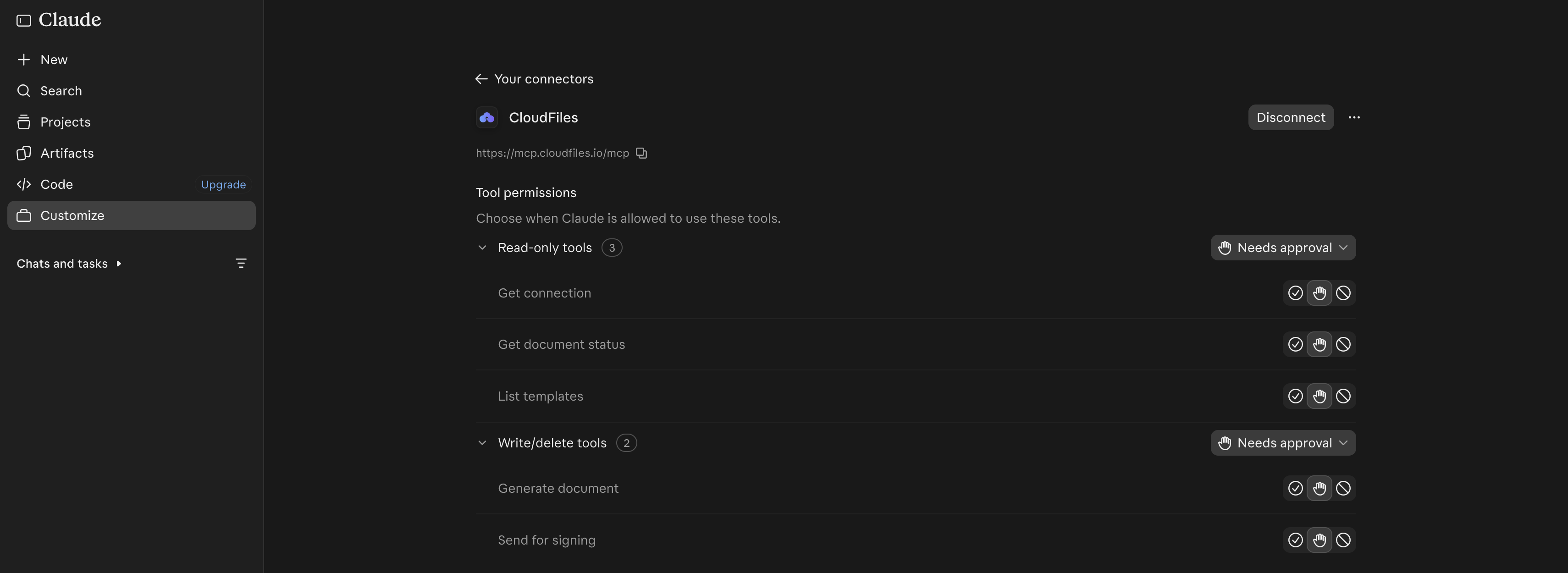
A person disconnects an app from the app itself. After CloudFiles is disconnected, the app cannot use CloudFiles until the person connects it again.
In Claude, open Customize, select Connectors, select CloudFiles and click Disconnect. In ChatGPT, select Plugins in the sidebar, select CloudFiles, open the menu next to its name and select Uninstall.
Remove a person's access
A CloudFiles admin can end every app connection a person has made by removing the person from the CloudFiles account or by making them a partner user. Their apps stop working with CloudFiles on their next request.
To stop a person from using one product's tools while keeping their other access, remove their license for that product. This works only when your account has no org-wide license or trial for that product and Auto Assign Licenses is turned off for it. That product's tools then answer that the person has no license.
Where connections are managed
CloudFiles admins view and revoke MCP credentials on the MCP Credentials page. App connections belong to the person who approved them, and each person manages them in their own apps.
Verify the change
A revoked credential shows the status Revoked, and an agent that used it can no longer reach CloudFiles. A disconnected app can no longer use the CloudFiles tools.