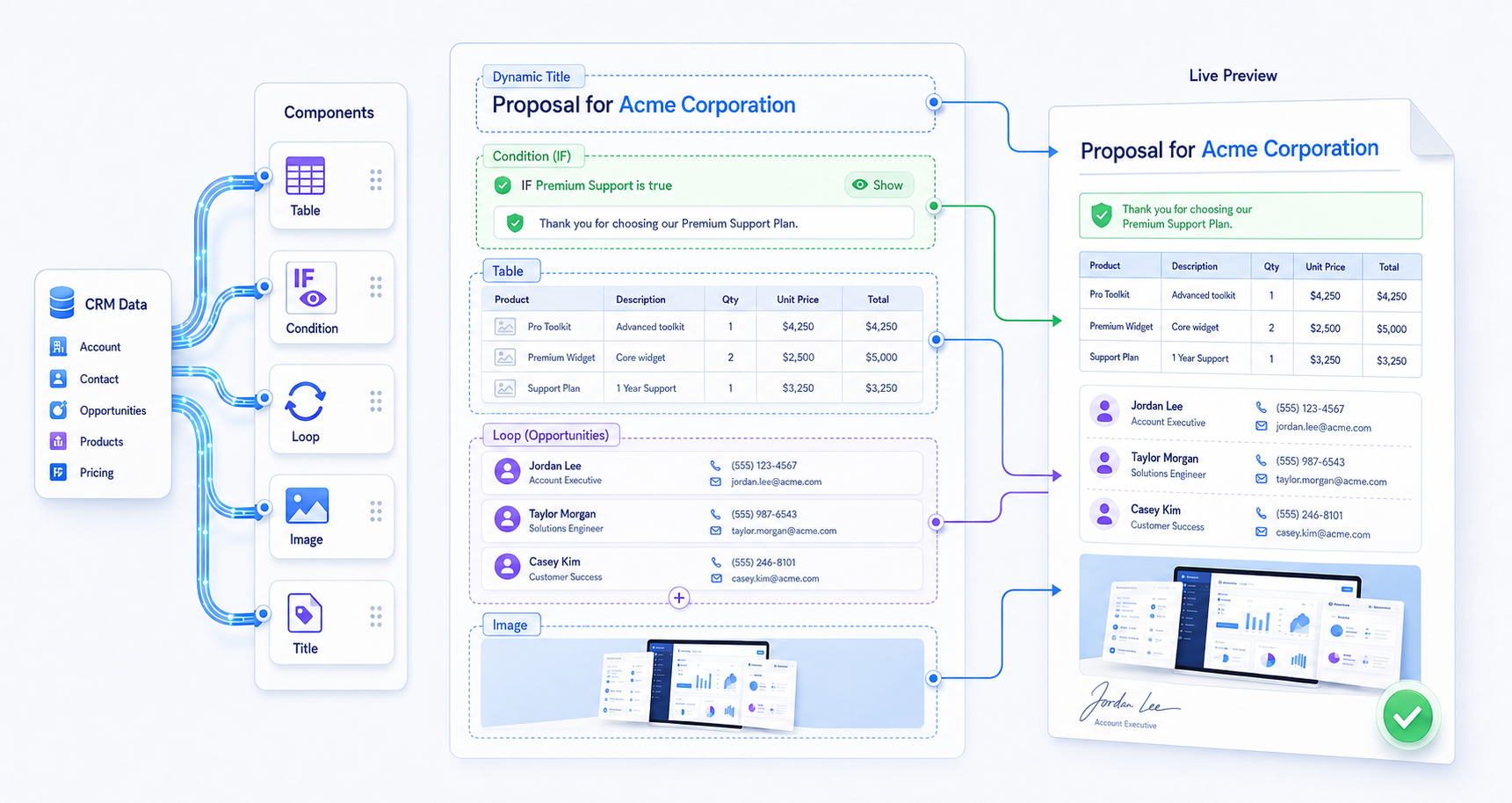
It covers five building blocks you can place directly on the template canvas: auto-fill tables, conditional blocks, loops, images, and dynamic document titles — each rendering differently depending on the record or runtime values behind it.
Auto-Fill Tables
Auto-Fill Tables auto-populate table rows from record collections or runtime collections with formatted data, so a single table definition expands to fit however many rows the underlying collection contains. This generates invoices, line items, schedules, or statements automatically with clean, consistent tables — no manual row-by-row entry.
Conditional Blocks
Conditional Blocks show or hide content based on logic applied to Salesforce data or runtime values. Wrapping any part of a template in a condition means only the sections relevant to a given customer or record appear in the final document, so every generated file stays personalized to its context.
Loops
Loops repeat paragraphs, rows, or sections for each item in a collection. This produces multi-record documents — like repeated line entries or per-record summaries — without copy-paste or manual duplication of content on the canvas.
Images
Images insert dynamically using URLs or Salesforce Files mapped through variables. This lets templates auto-place signatures, logos, photos, or proof documents directly from Salesforce data, rather than requiring images to be added by hand after generation.
Dynamic Document Titles
Dynamic Document Titles generate a document's title using Salesforce fields, relationship data, or runtime values instead of a fixed name. Every generated file is automatically named clearly and consistently, without manual effort, which keeps file organization and downstream automation predictable.