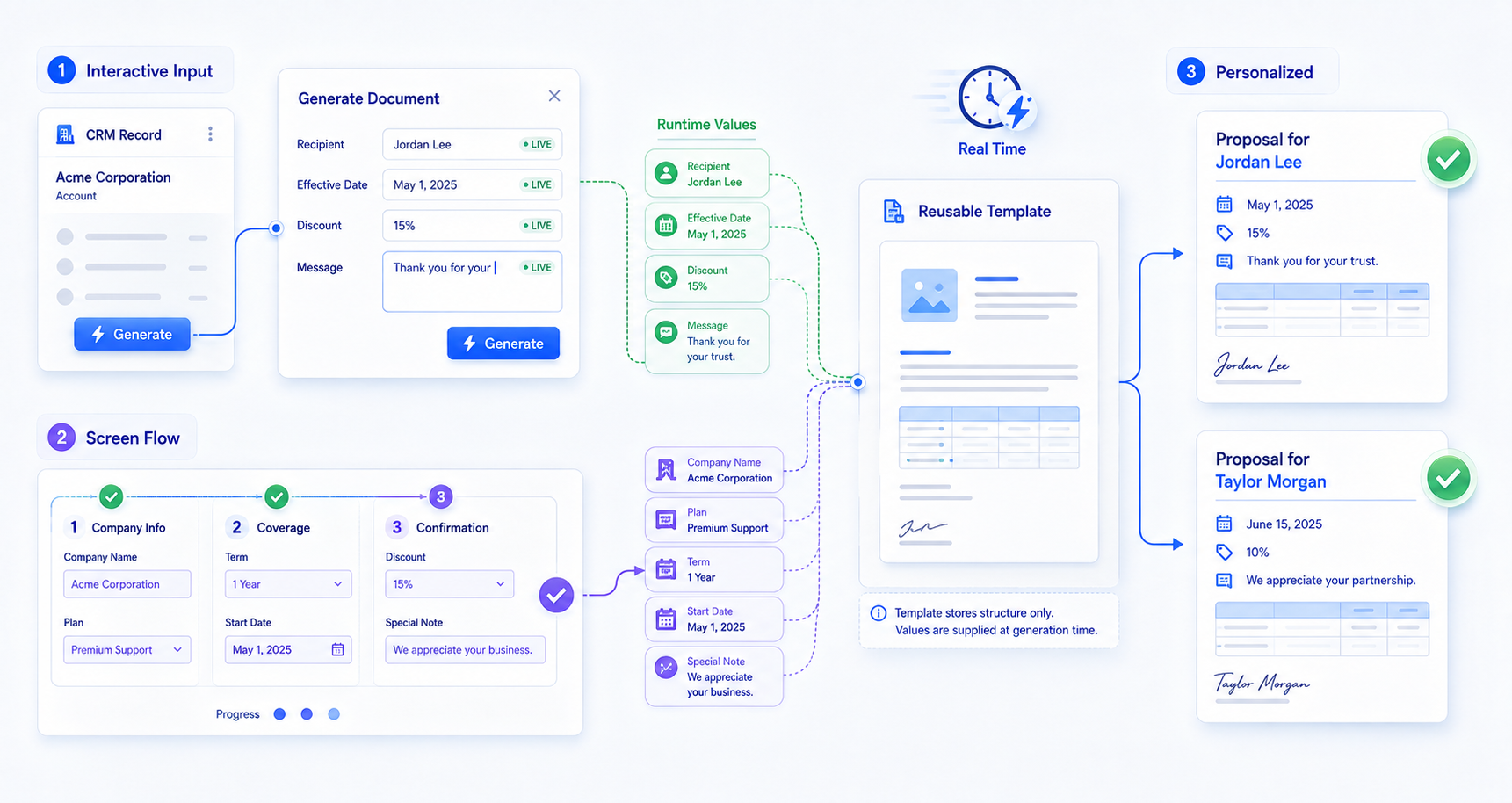
This lets a single template stay flexible: the same document can be personalized differently every time it is generated, based on the last-mile details entered right before generation.
Interactive User Inputs
Interactive User Inputs let users personalize documents on the spot without editing templates. CloudFiles DocGen actions collect these runtime values directly from:
- List View buttons
- Record Page buttons
Flow-Driven Inputs
Flow-Driven Inputs accept values from Screen Flows and pass them into templates during generation. This builds guided, automated document experiences powered by real-time flow data - a Screen Flow can walk a user through a series of steps, gather the required inputs, and hand them off to CloudFiles to merge into the document, all as part of the same guided process.