Viewer Customization applies to all CloudFiles links once configured.
Viewer Login Options
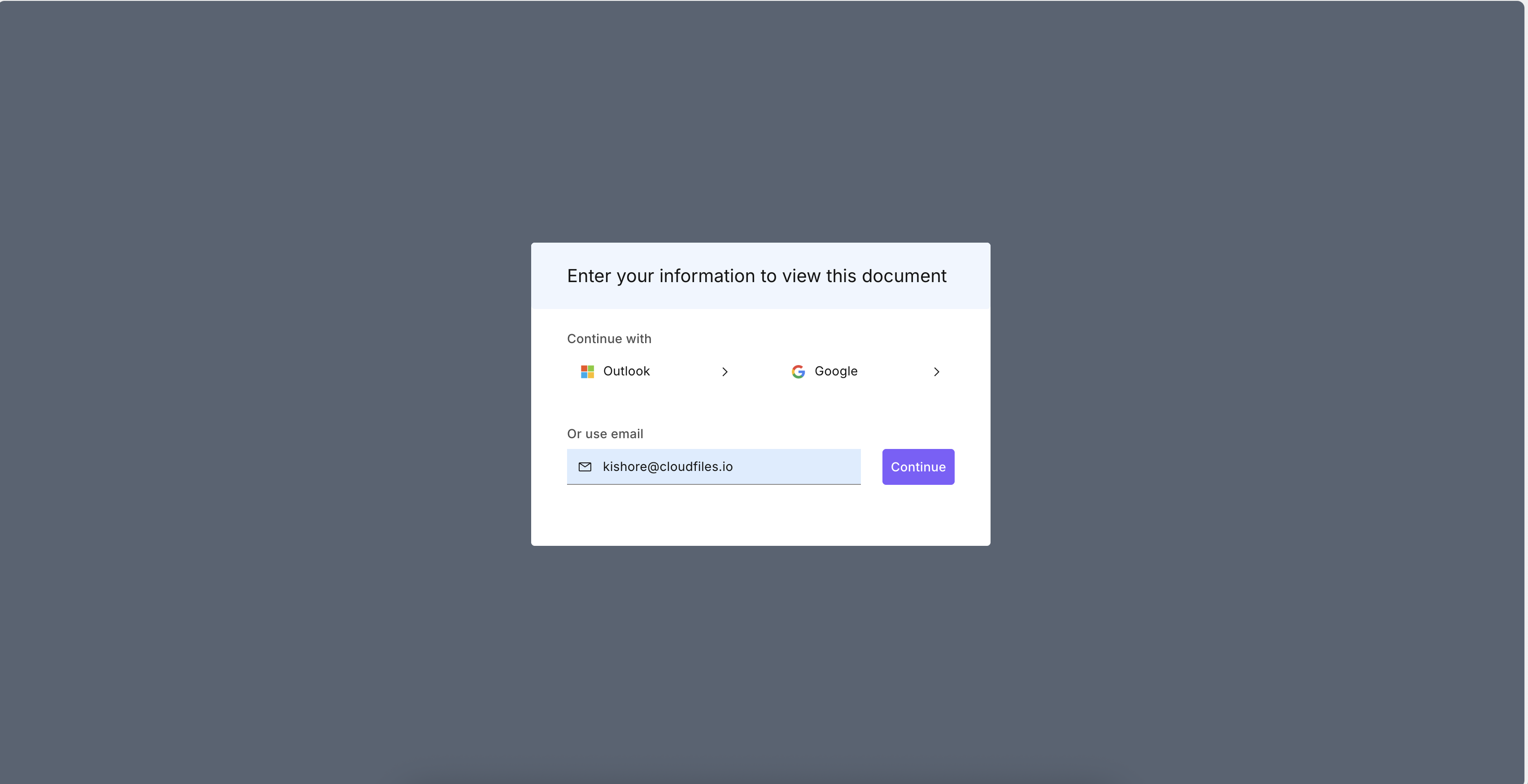
Viewer login options determine which authentication methods are shown to recipients when accessing a document through a CloudFiles link.
You can enable or disable any combination of supported login providers.
Available Login Methods:
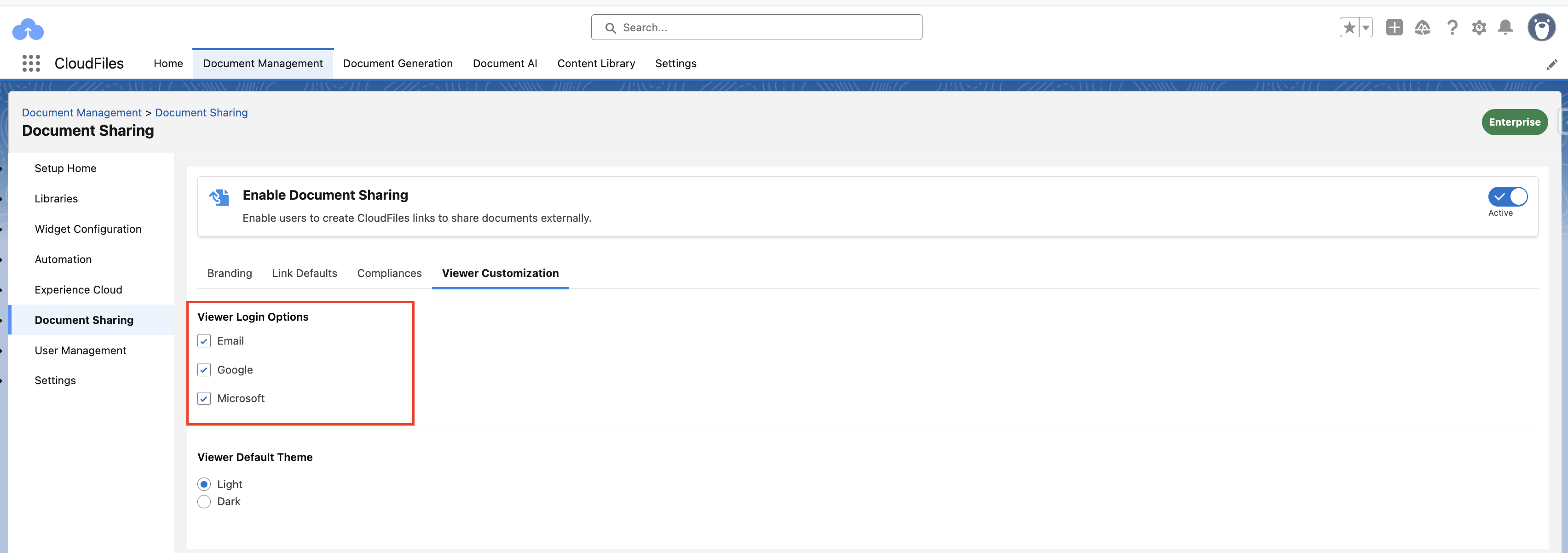
- Email — Users can enter their email address to access the file.
- Google — Users can authenticate via their Google account.
- Microsoft / Outlook — Users can log in using their Outlook or Microsoft account.
When multiple login options are enabled, users will see all available methods on the login prompt.
Viewer Default Theme
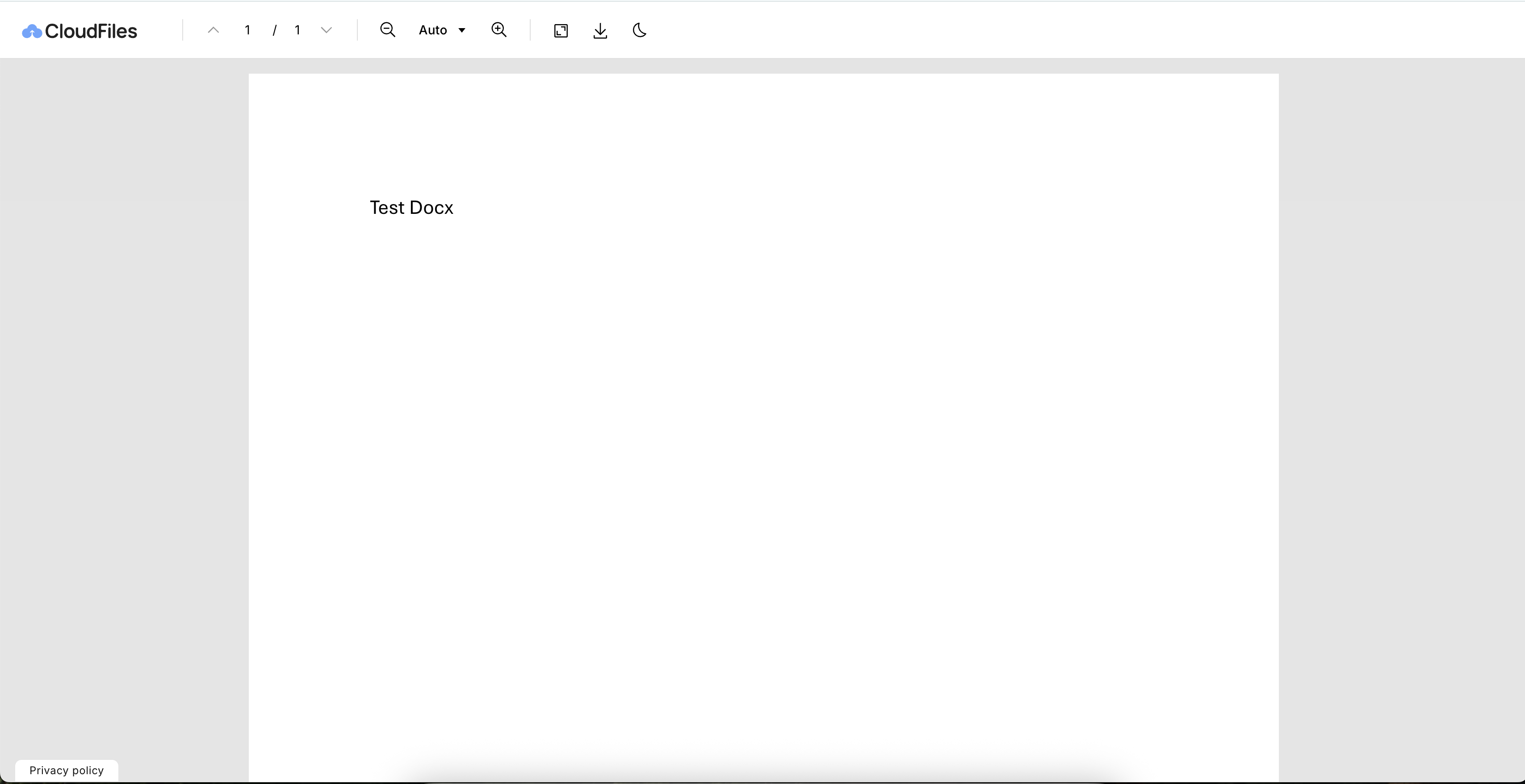
This setting defines the default appearance of the CloudFiles viewer.
You can choose between:
- Light Theme — A bright, standard interface.
- Dark Theme — A darker interface suitable for low-light environments.
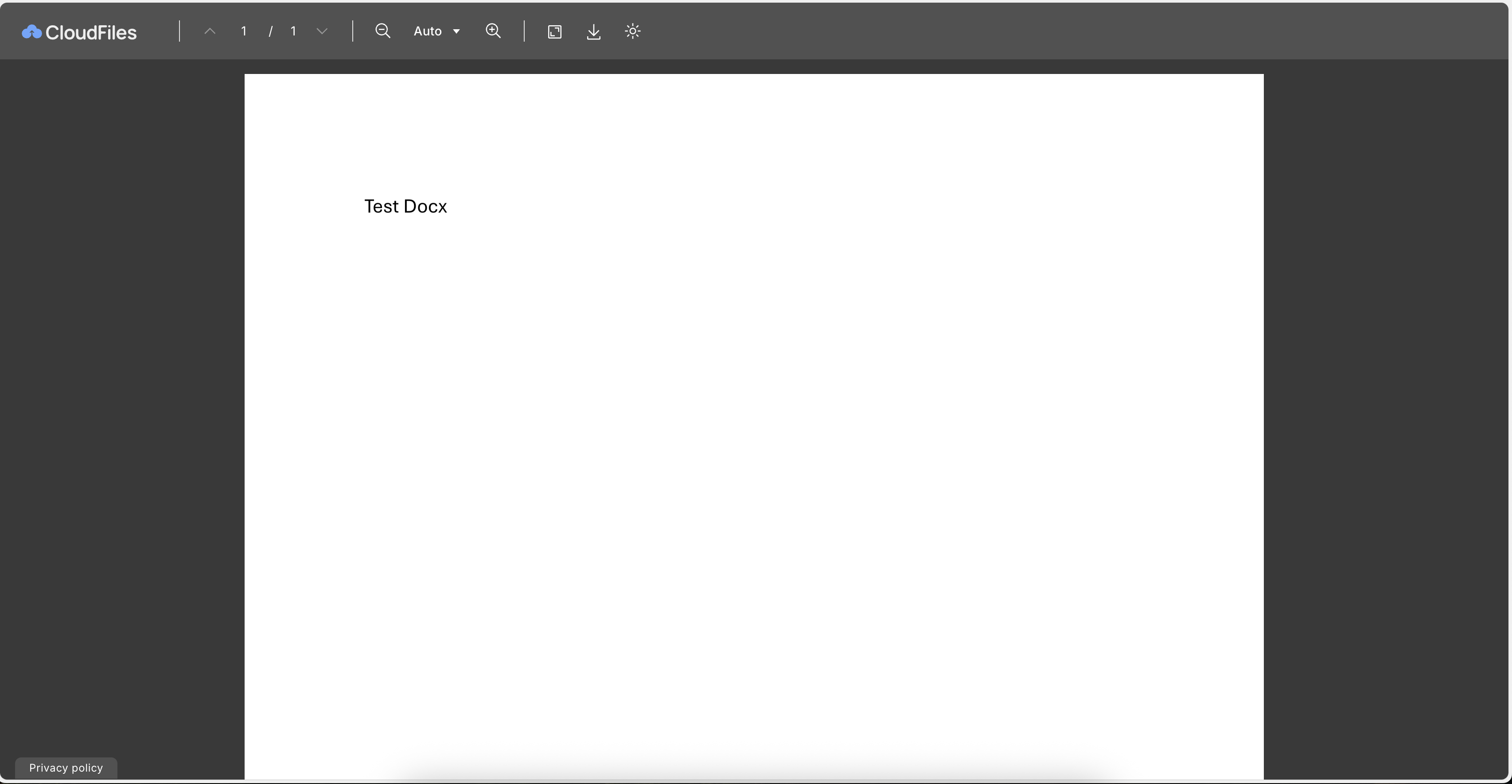
The selected theme becomes the default look for all users viewing files through CloudFiles.