Configure - Manual
The Security settings control how recipients access a shared link and who is allowed to view it. These options help ensure that files are shared only with authorized users.
After the widget is available with connected resources, users can create sharing links directly from Salesforce records.
- Open a record and locate the file/Folder under CloudFiles widget
- Hover over the file or folder to be shared.
- Click ⋮ (More Options) and select Share.
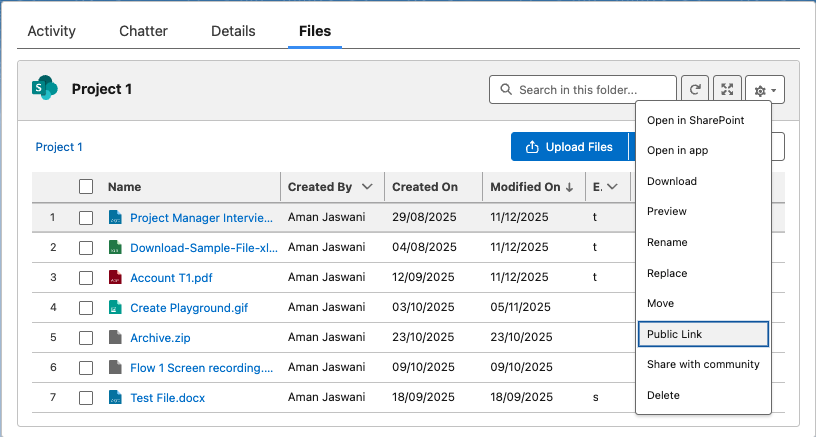
Available Options
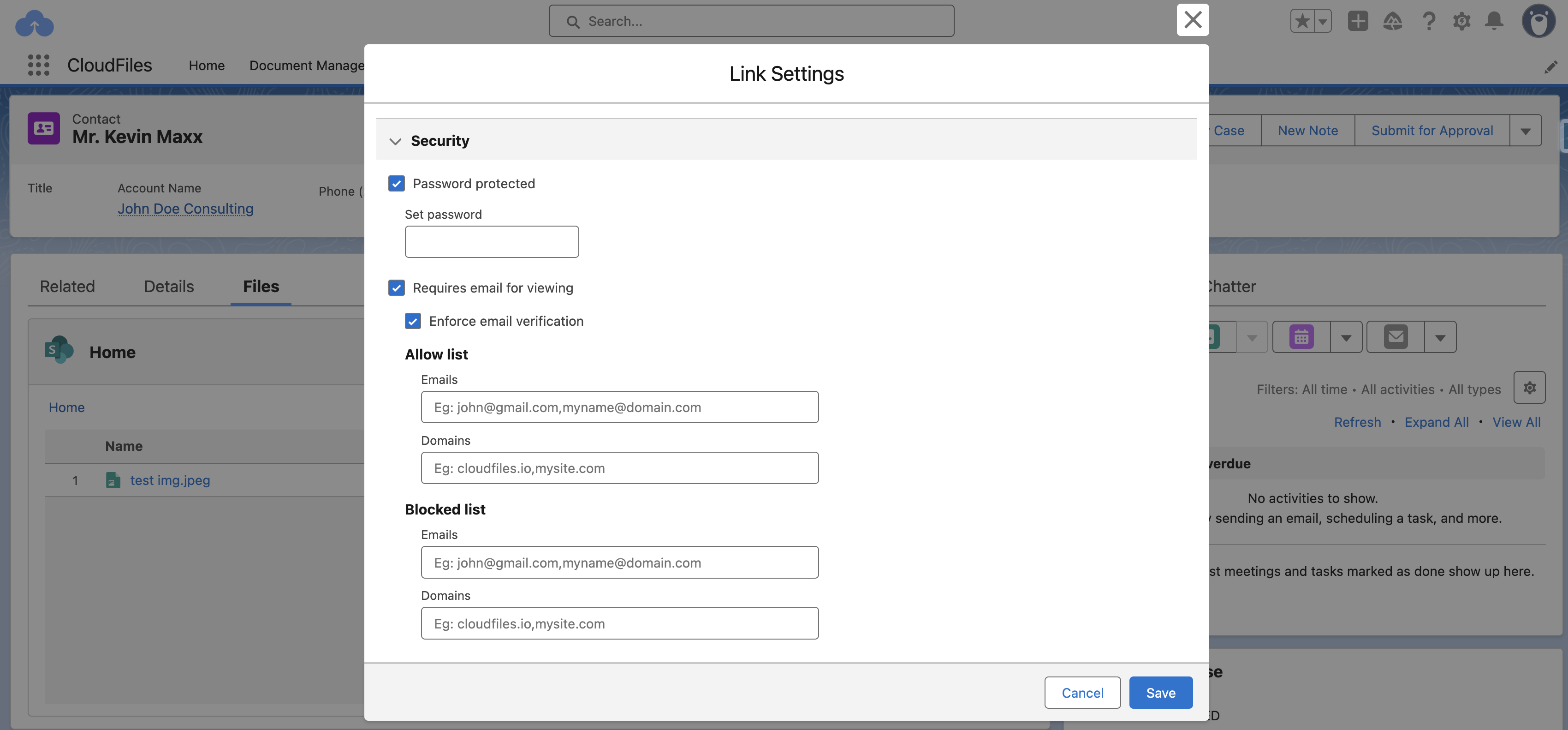
- Password Protected: Enable password protection so users must enter a password before opening the shared link.
- Requires Email for Viewing: Allow access only to users who enter a valid email address.
- Enforce Email Verification: Verify the user’s email with verification code before granting access to the shared file or folder.
- Allow List: Use the Allow List to grant access only to specific users or domains. Only users whose emails or domains are added here will be able to open or download the shared file. If no allow list is set, the link remains accessible to anyone meeting other configured conditions. Emails: john@gmail.com, myname@domain.com Domains: cloudfiles.io, mysite.com
- Blocked List: Use the Blocked List to deny access to certain users or domains, even if they receive the shared link. Emails: test@domain.com Domains: test.com
Configure - Automatic
Automatic configuration allows you to update link settings without manual intervention. This is useful when you want link behavior, such as security rules, access permissions, or download settings, to adjust automatically based on your business processes or record updates. The Update Link Settings action modifies the configuration of existing CloudFiles links.
Available Options
Automatic configuration can update a link in several ways. It can disable or reactivate the link, allow or restrict downloads, limit access to specific users or domains, protect the link with a password, or enforce email verification.
The flow action accepts the following inputs to configure these settings for a link:
- Link Id - CloudFiles Link Id that you created using Create Link action
- Allowed Emails - List of Email Ids you wish to grant access to the link.
- Allowed Domains - List of Domains you wish to grant access to the link.
- Disable - To disable the CloudFiles Link.
- Allow Downloading - To allow downloading.
- Password - Text type input to make the link password protected.
- Enable Email Verification - To enforce email verification.
Once links has been created and configured related to a record, you can Manage Links using Doc-Sharing Widget.