Record Page
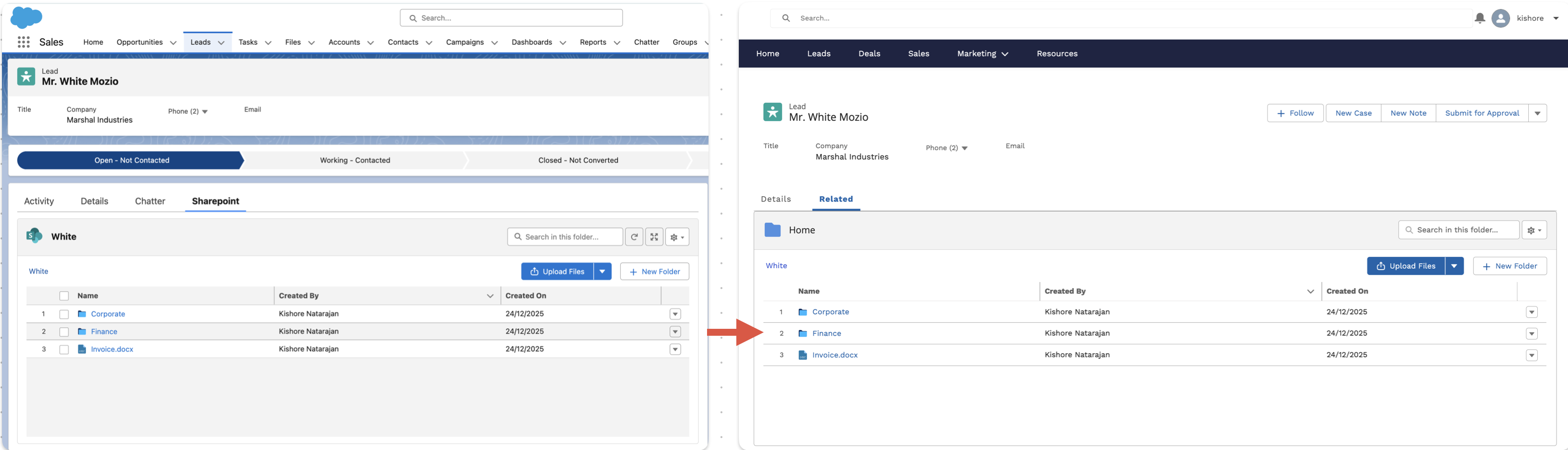
On Experience Cloud record pages, you can add the CloudFiles Community widget to display the files and folders linked to the current Salesforce record.
After adding the widget in Experience Builder, configure the component properties as follows:
- Record Id: {!recordId}
- Object Name: API name of the object (for example, Lead or Case)
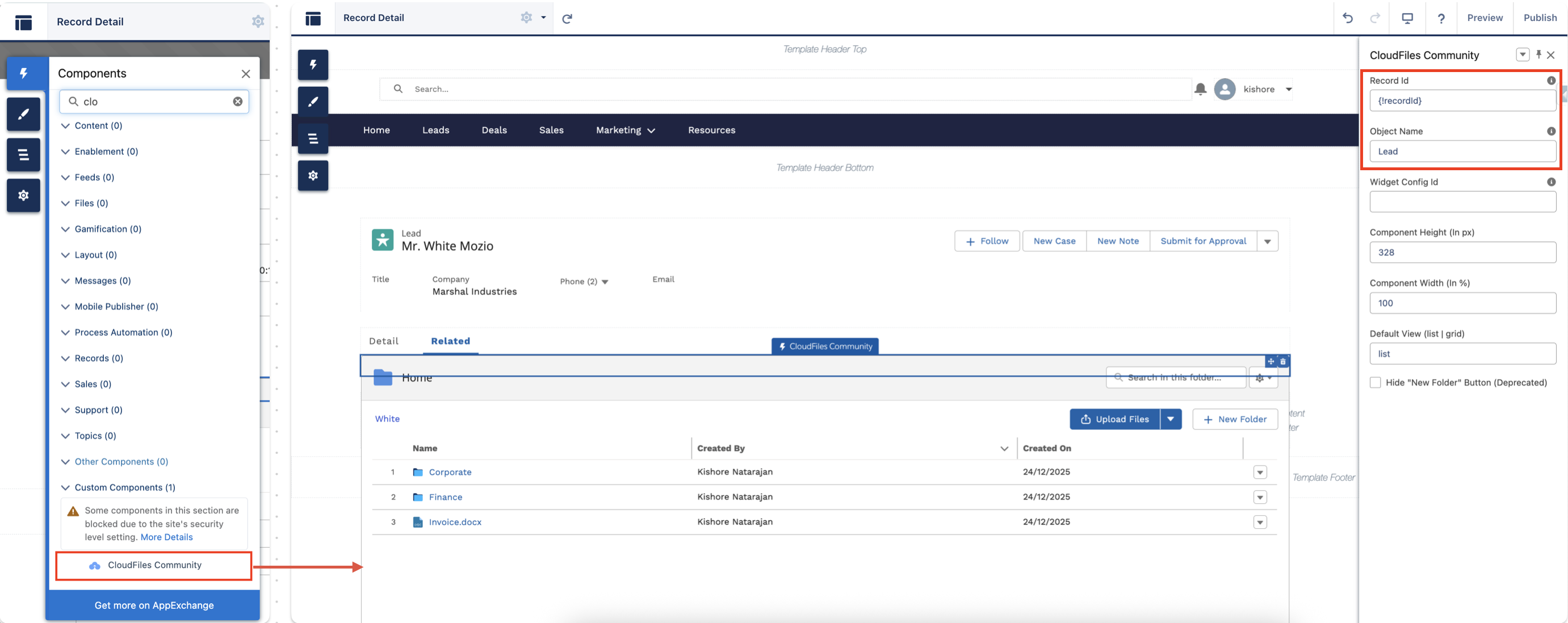
This ensures the widget loads the correct record-related content for Experience Cloud users.
Home page or Custom Page
You may want to show CloudFiles content on an Experience Cloud home page or custom page, where the widget is not tied to a specific Salesforce record. This is useful when external users should see a shared folder or library content as soon as they log in (for example, customer documents or partner resources).
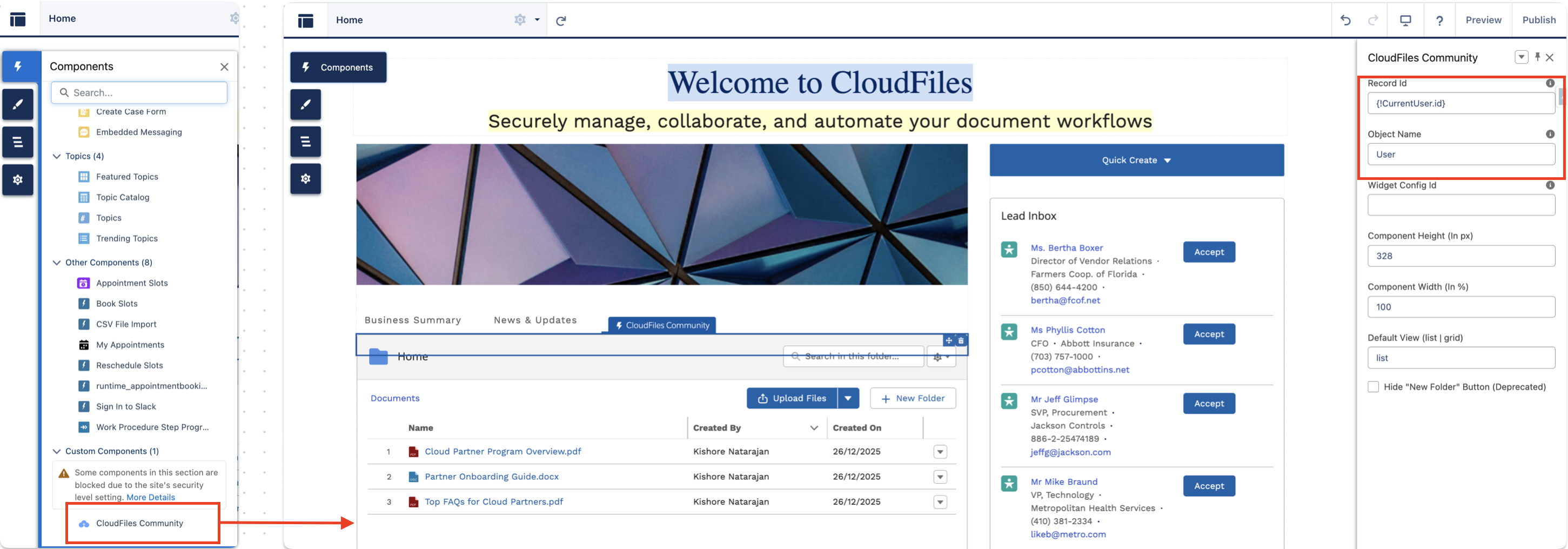
After adding the CloudFiles Community widget in Experience Builder, configure the component properties like this:
- Record Id – Set this to the logged-in user context. For example: {!CurrentUser.id} (or {!CurrentUser.accountId} if you want to load content based on the user’s Account). You can find the list of all expressions available on a Experience site page here If your Experience Cloud site is built using the Lightning Web Runtime (LWR) template, use: {!User.Record.AccountId} You can find the list of all expressions available on a Experience site page here
- Object Name – Enter the API name of the object used for the context. Example: User (or Account, depending on the Record Id you are passing).
This setup ensures the widget loads the correct folders and files for the logged-in Experience Cloud user.
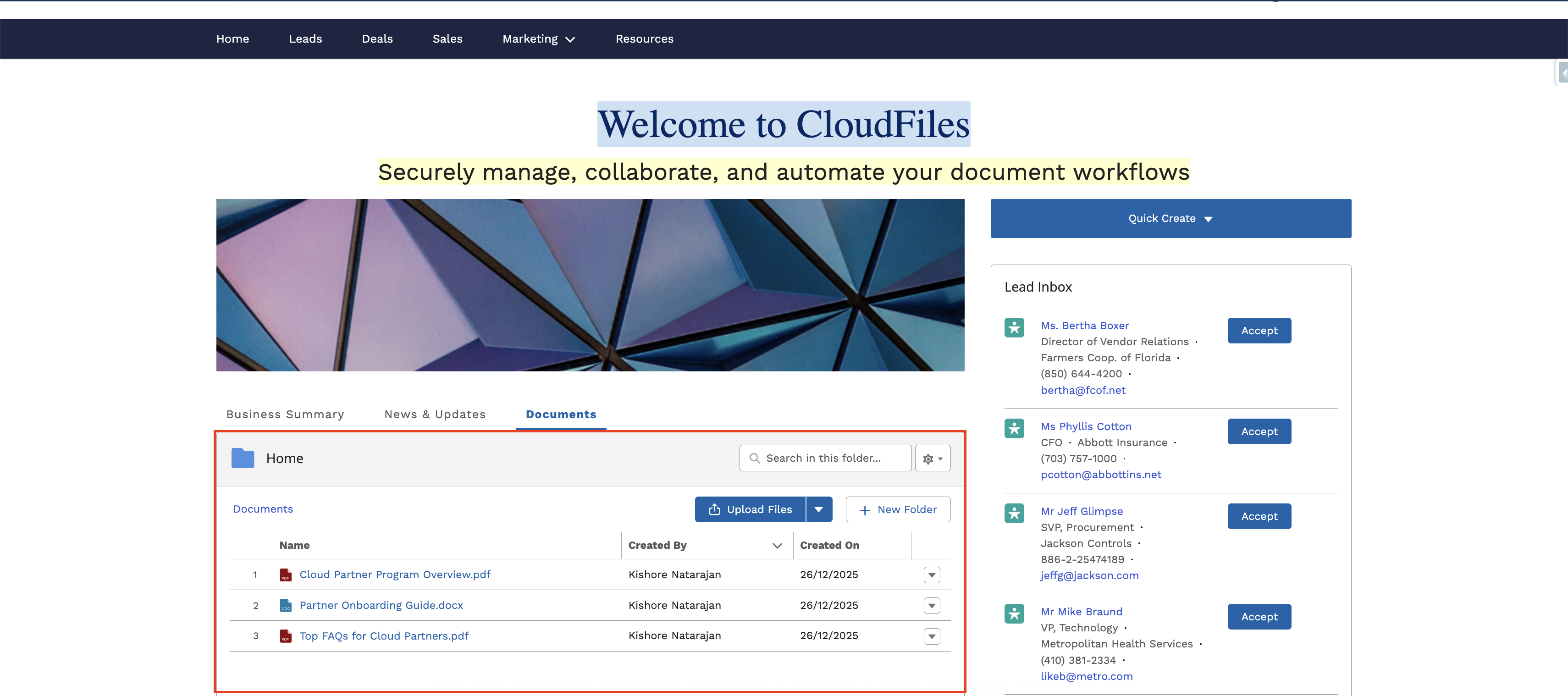
The below widget is configured using {!CurrentUser.Id}, it displays only the files and folders shared to the logged-in user’s Salesforce User record.
After the resources are shared, users can view them on the Home page as shown below:
Add the Widget Using HTML
If you want to use CloudFiles community widget in the HTML code of your Experience site page, you can use the following code snippet.
Attributes -
- record-id- Id of the Salesforce record which has the content attached
- object-api-name - API name of the Salesforce record which has the content attached. For example - Account
- component-width - Optional. Widget of the widget, in percentage of the total page width. Default value is 100% of the page width
- component-height- Optional. Height of the widget. Default value is 328px
- widget-config-id - Optional. Id of the widget configuration to apply to this widget