CloudFiles Lightning Experience App
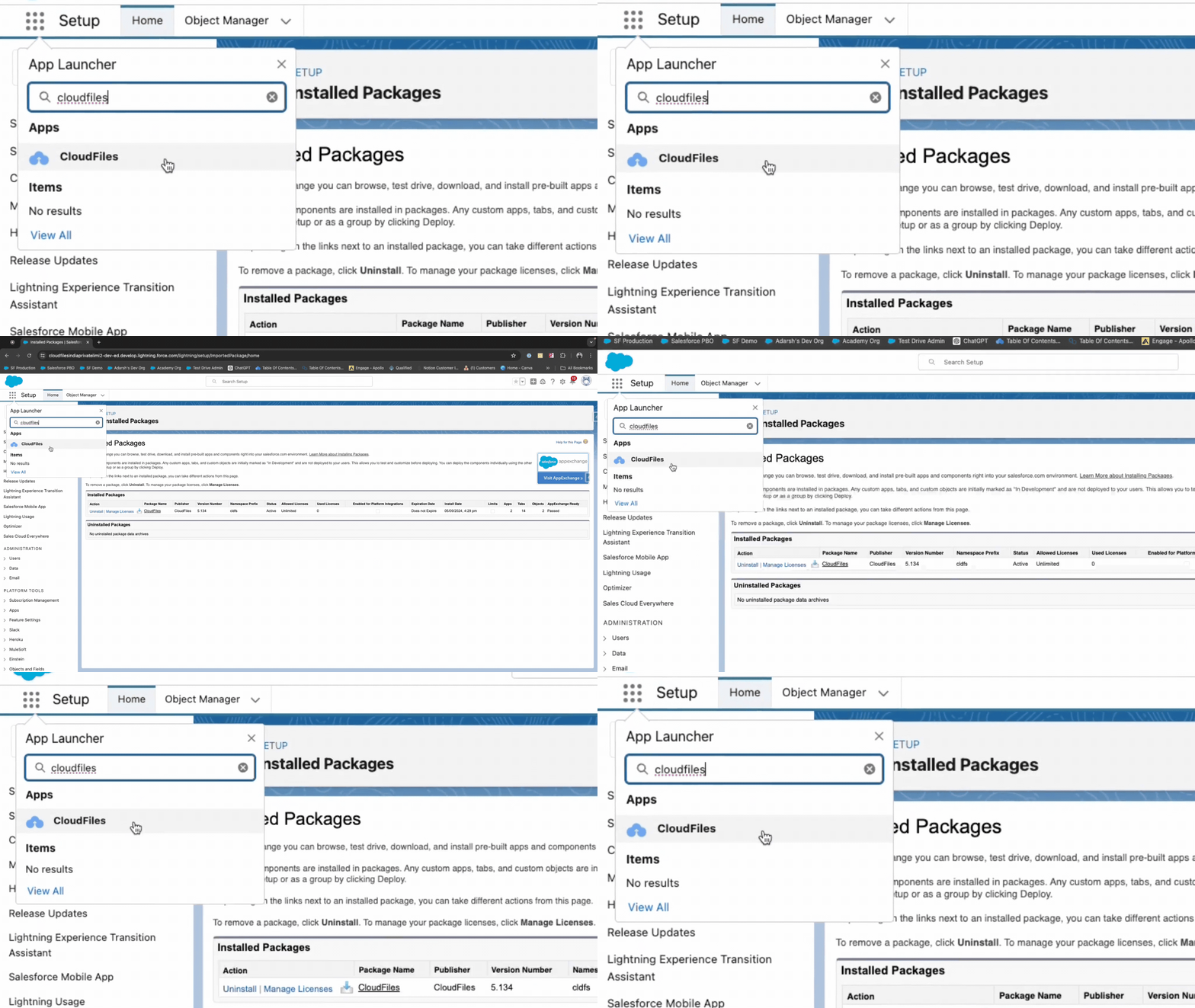
The CloudFiles app is accessible via the App Launcher in Lightning Experience. This app enhances productivity by allowing users to seamlessly switch between apps and includes all admin related pages.
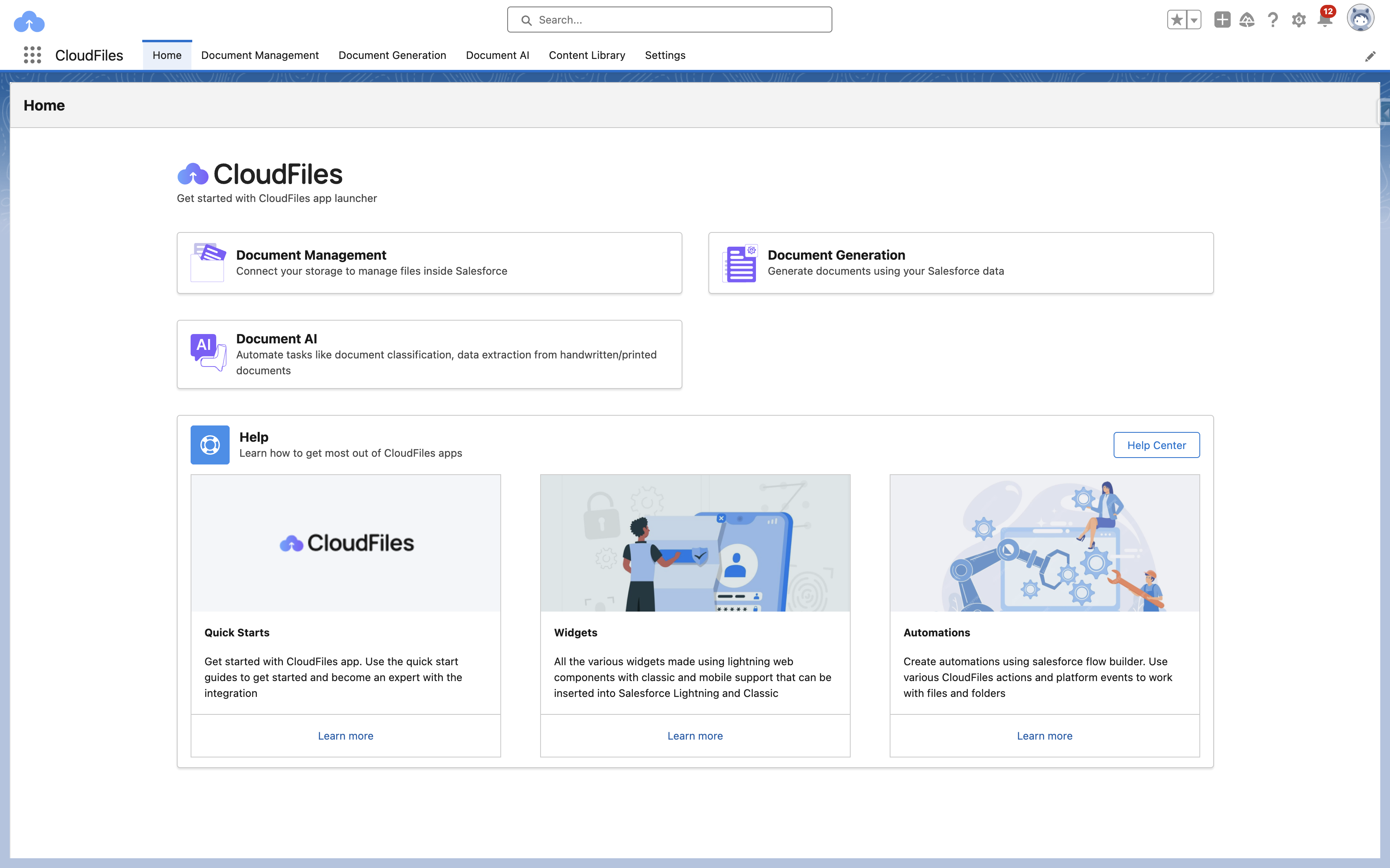
The Lightning app includes Lightning page tabs of utilities like "Home", "Document AI", and "Settings". You can even append other navigation items to the Lightning app that you find relevant.
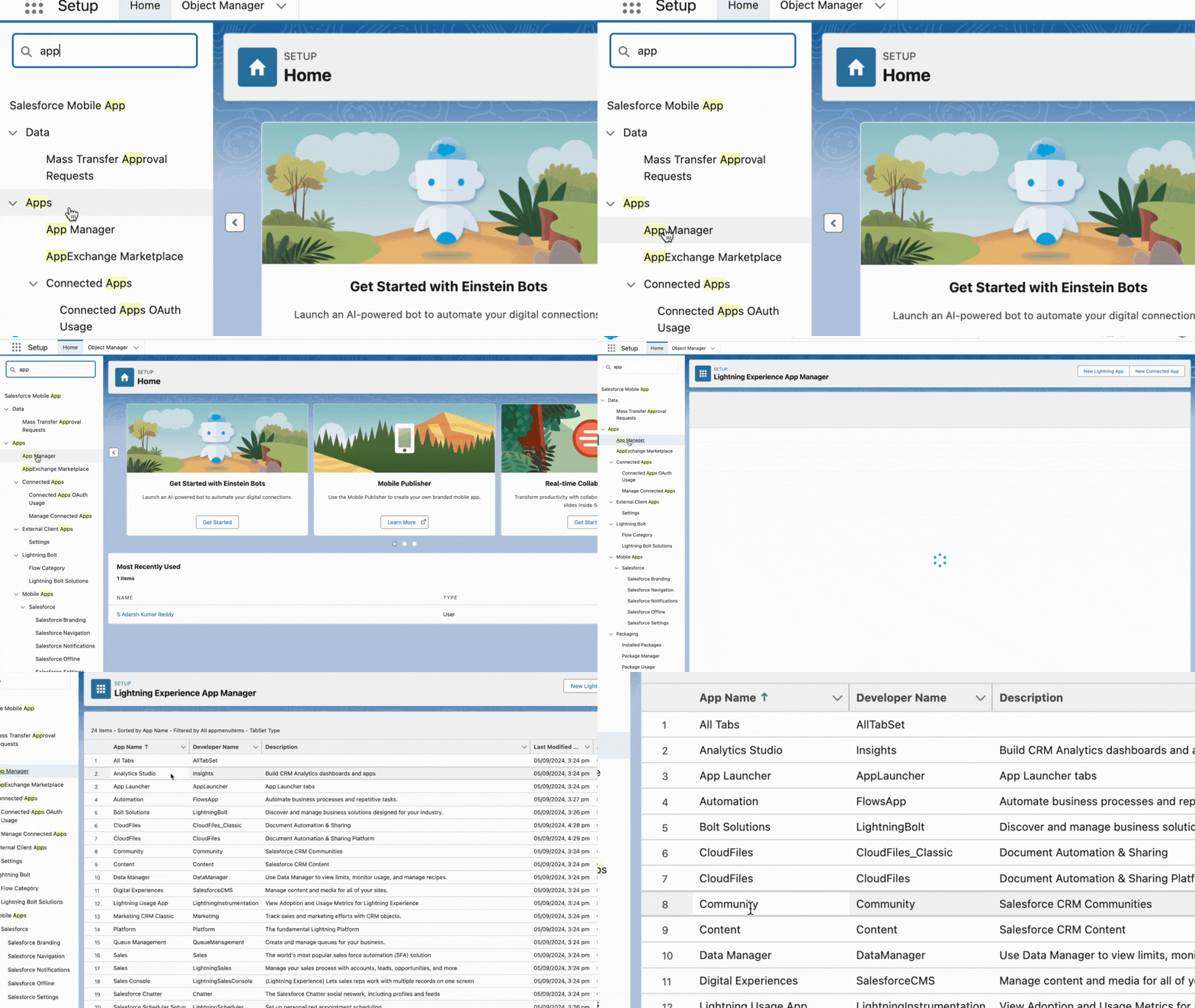
Manage the App: Edit and configure the app in App Manager under Lightning Experience Setup.
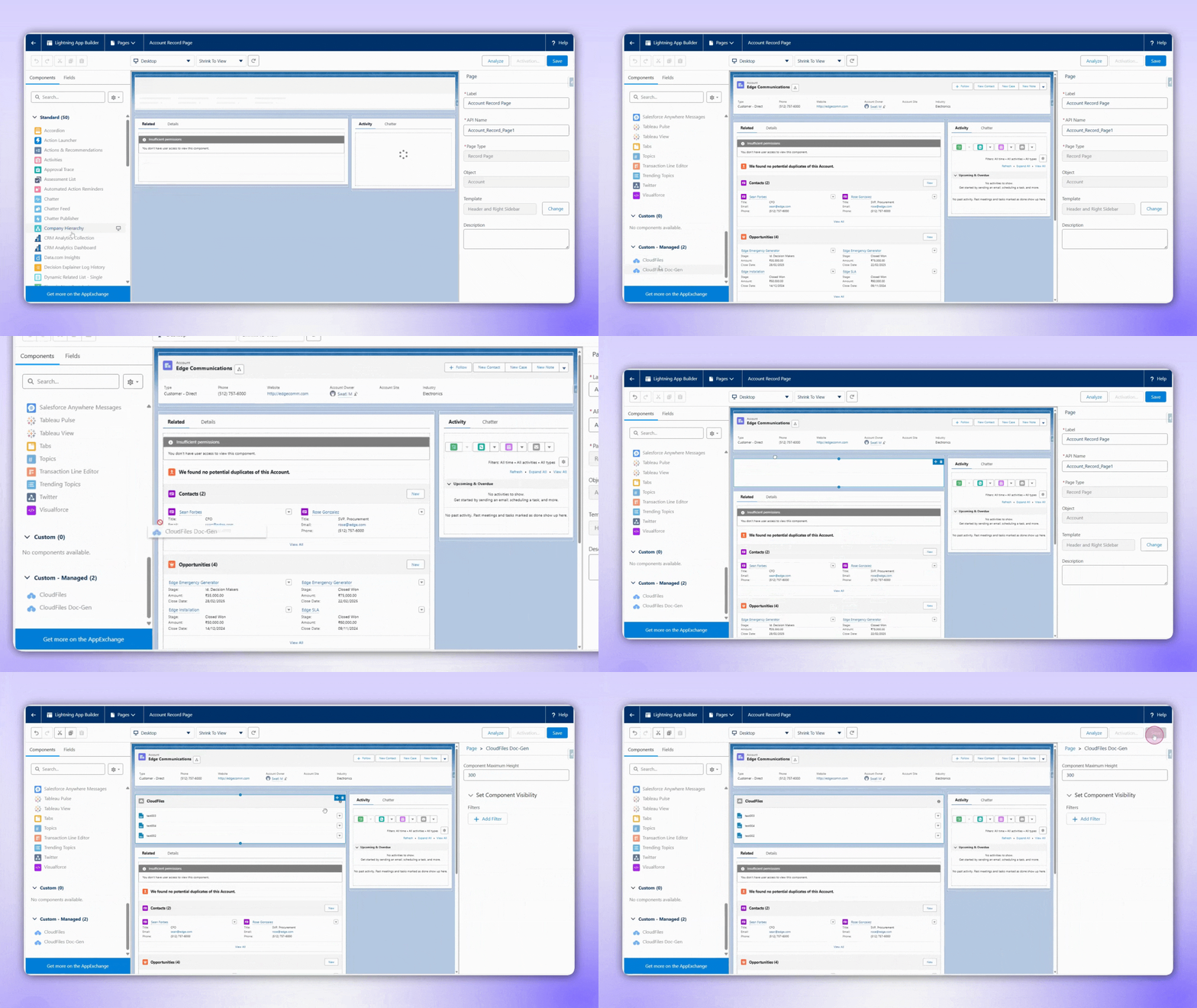
Lightning Web Component (LWC)
The CloudFiles Doc-Gen widget is a Lightning Web Component that integrates into any Salesforce standard or custom Lightning page. It allows users to attach and utilize multiple Doc Gen templates to generate various documents in .docx and .pdf format directly from Salesforce records, enabling template-based document creation.
Microsoft Add-Ins
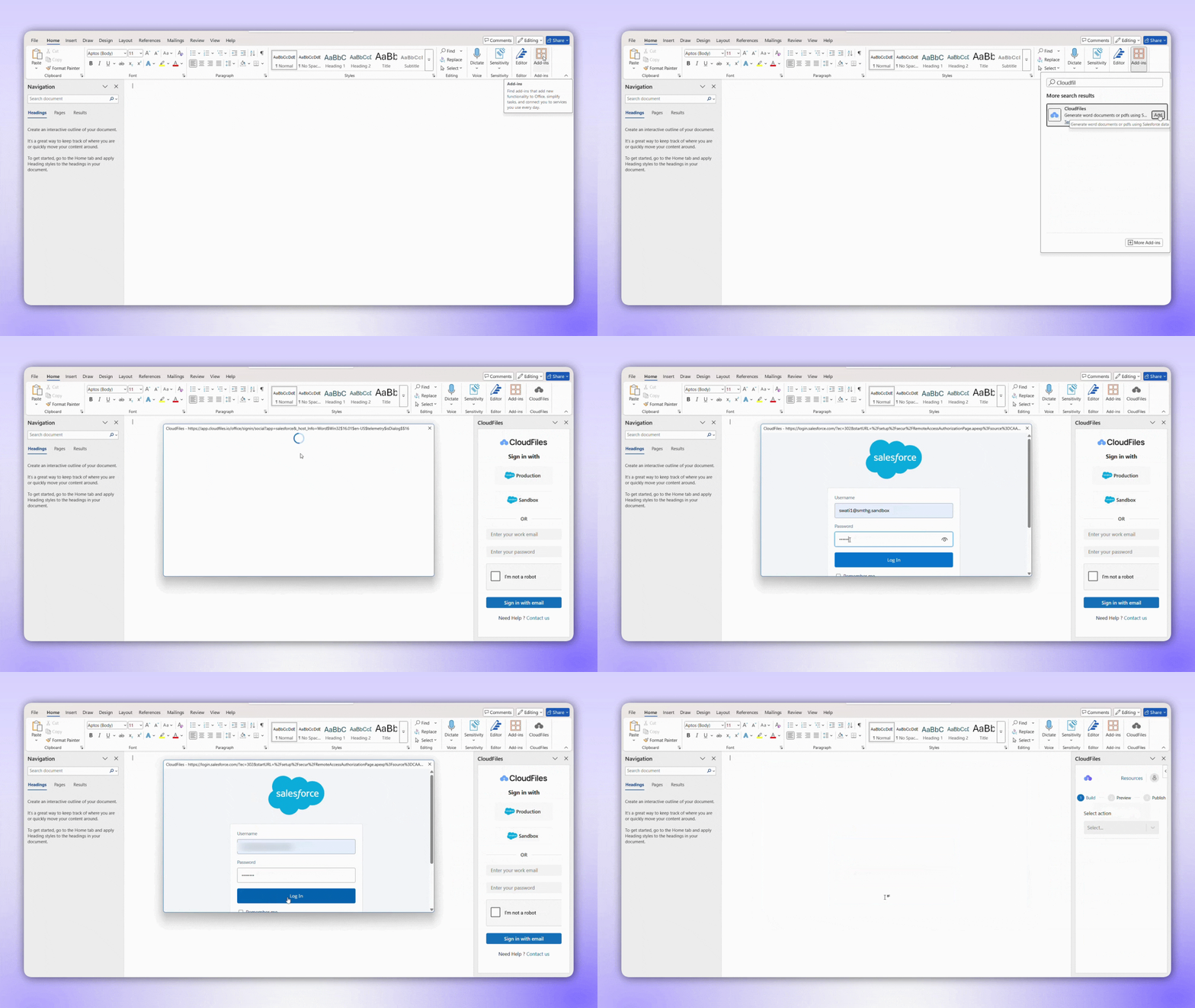
The CloudFiles Add-in integrates with Microsoft Word, Excel, and PowerPoint, enabling users to create and manage templates across various document types. With dynamic fields, templates automatically populate with Salesforce data. Users can efficiently design and generate documents directly within their preferred Microsoft Office applications.
CloudFiles Permission Sets
The CloudFiles app includes default permissions to manage access to its features. The Super Admin permission grants access to advanced features, including the AI Playground.
Flow Actions and Components
The package includes CloudFiles Flow Actions and Screen Flow Components, enabling Process automation through Flow Builder and Dynamic user interfaces with Screen Flows.
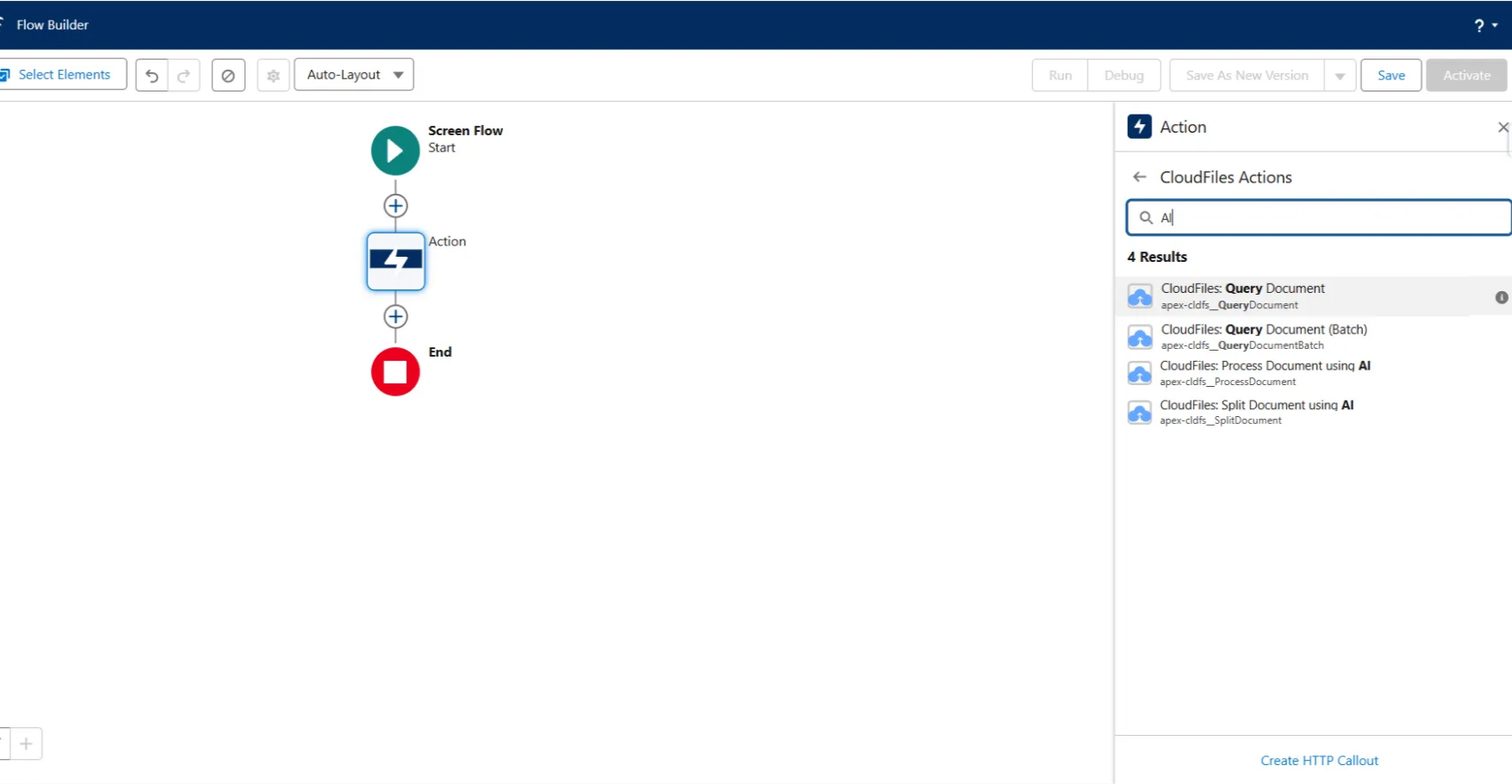
File types supported by AI Flow Actions include:
- PDF
.pdf - Images (JPEG, PNG etc.)
.jpeg.png - CSV
.csv - TXT
.txt - JSON
.json
CloudFiles Events
CloudFiles supports event-driven automation with:
- Platform Events: Trigger events for operations related to CloudFiles functionality.
- Event Records: Automatically create custom "CloudFiles Event" records, which can be leveraged in workflows and triggers.
Apex
Extend CloudFiles functionalities using Apex to build advanced, custom integrations for your Salesforce org.