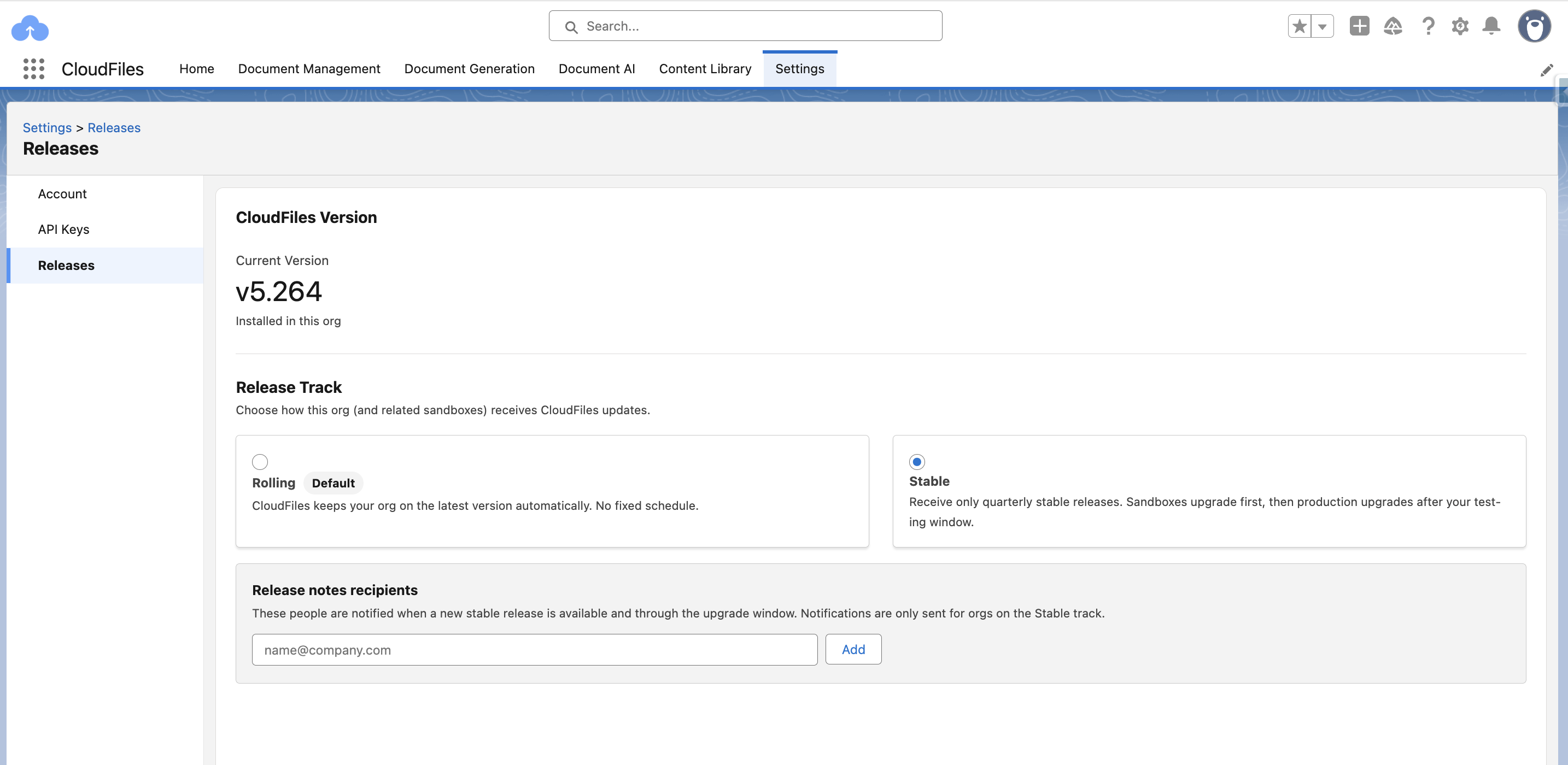
Key capabilities
The release track applies to the customer account as a whole, not to an individual org. Production and any sandboxes refreshed from it move through the release lifecycle together.
Every org on the Stable track receives every quarterly release. There's no option to skip individual releases while remaining on the track.
Admins on the Stable track can still update to the latest version at any time if they want to try new functionality ahead of the next scheduled Stable release. Doing this doesn't remove the org from the Stable track. The org continues to receive notifications and upgrades for the next Stable release as normal.
When to use the stable track
Use the Stable track if your organization has its own change-control or QA process and needs lead time to test a CloudFiles release in a sandbox before it reaches production. Stay on the Rolling track if you'd rather receive improvements as soon as they ship.
How the Stable timeline works
Once CloudFiles designates a new release as a Stable release, it moves through the org on a fixed schedule:
- Sandboxes connected to the org are upgraded automatically about one week after the version has been marked as stable.
- Production upgrades automatically about six weeks after the sandbox upgrade, giving roughly seven weeks total to validate the version before it reaches production.
If an org switches from Rolling to Stable partway through a quarter, it stays on its current version until the next Stable release is designated, then follows the same sandbox-then-production timeline from there.
How to enroll
Stable track isn't available to every org yet. If your org doesn't have it, email support@cloudfiles.io to request access.
If your org already has Stable track enabled, you can enroll directly by going to the CloudFiles App -> Settings -> Releases tab, and clicking on the "Stable Track"
As part of enrolling, you can add a list of email addresses to receive automated notifications when a new Stable version becomes available.