Authentication
To make calls to CloudFiles APIs, include your API key in the authorization header:
curl --header "Authorization: Bearer ****************************************"
https://api.cloudfiles.io/v1/attachments?objectId=1&objectType=CONTACT
Finding your API key
You can find your API key using the following steps.
Salesforce
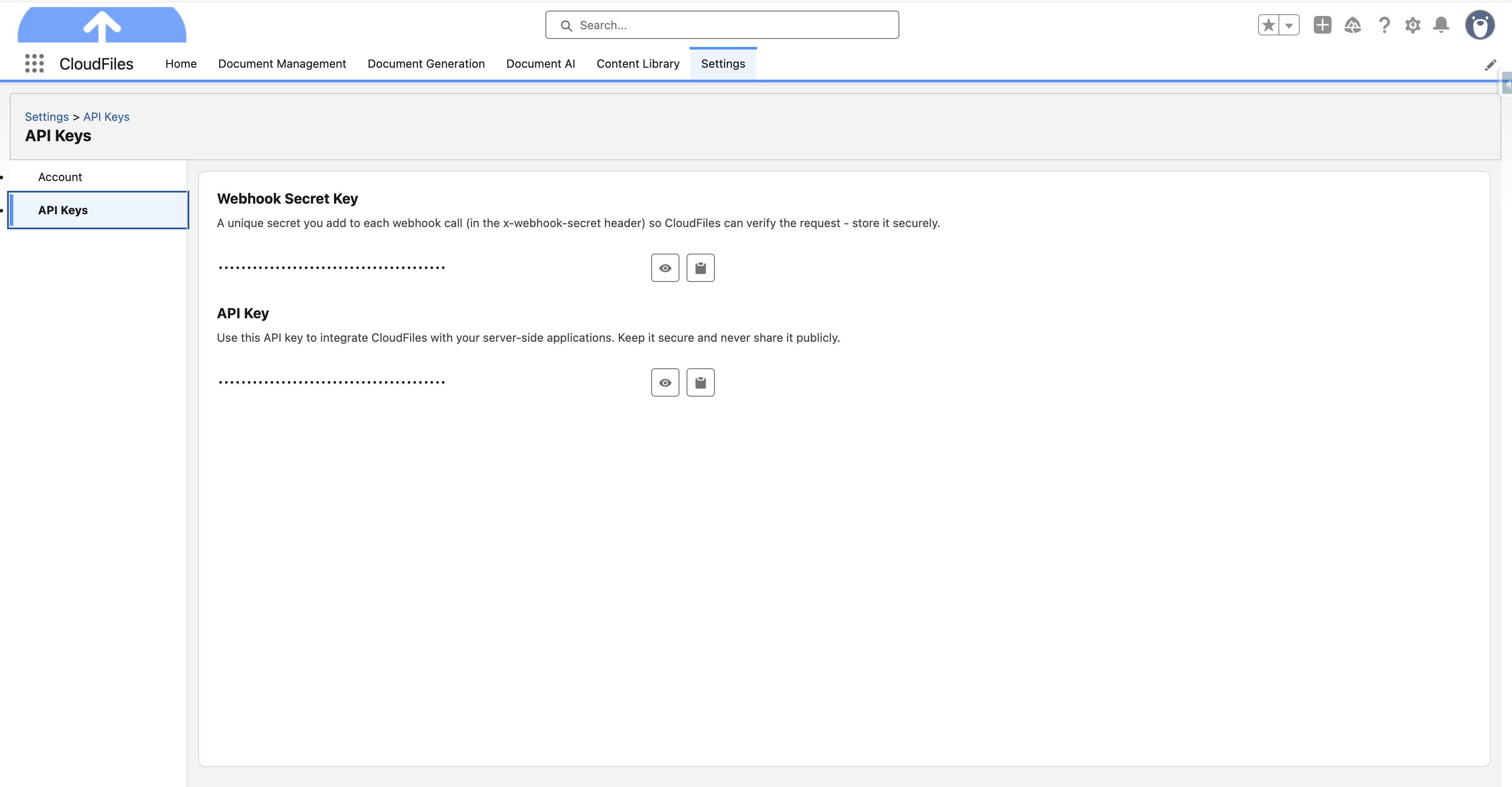
For Salesforce, you can find your API key on the CloudFiles Settings page. Navigate to the Salesforce App Launcher, search for “CloudFiles”, click on the “Settings” tab, and navigate to “API Keys” on the left. Refer to the screenshot below.
HubSpot
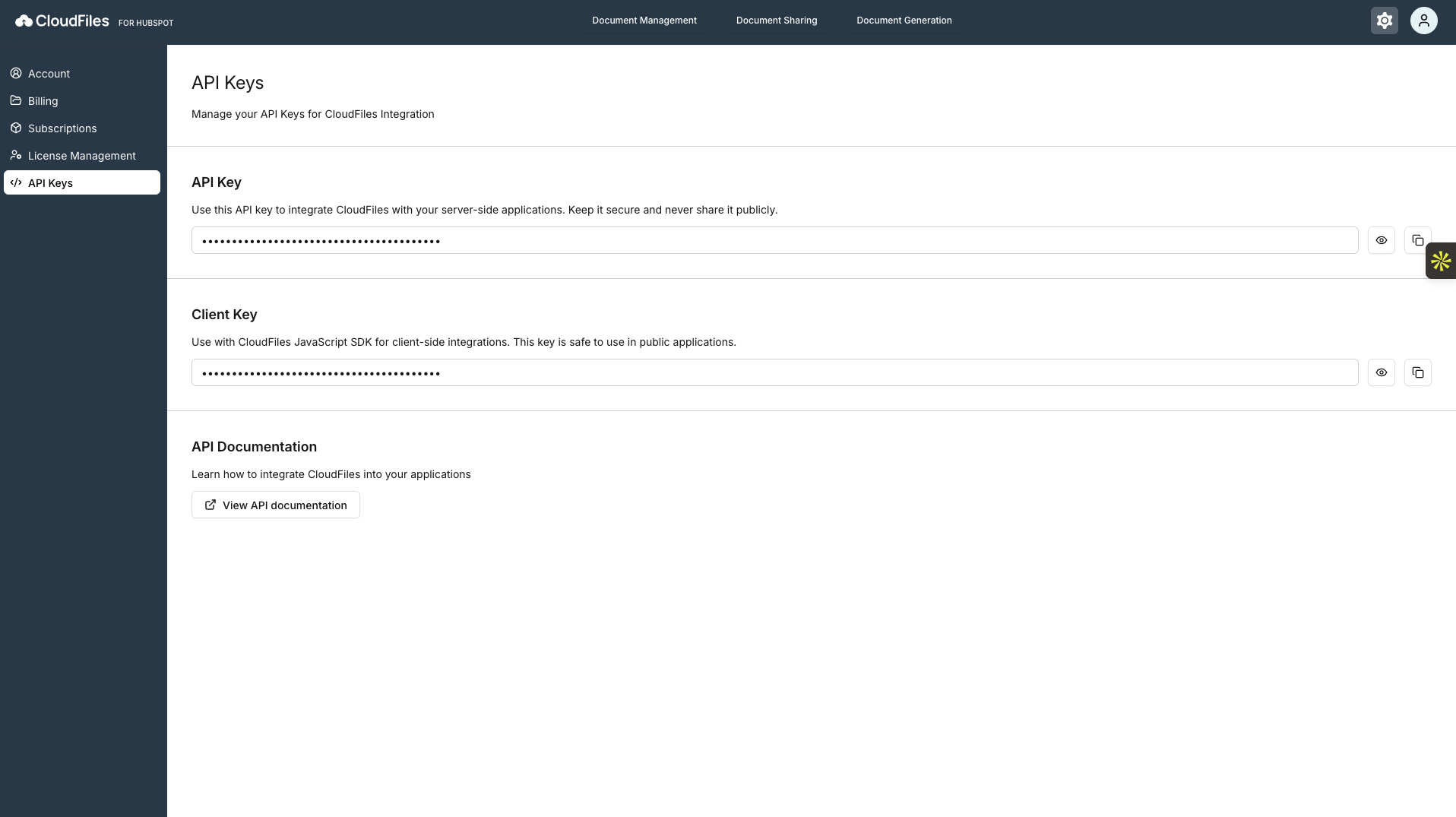
For HubSpot, navigate to the settings (⚙️) icon on the top right. Then, navigate to “API Keys” on the left. Refer to the screenshot below.