Introduction
This article explains how to connect your DocuSign account with CloudFiles in HubSpot. This setup is mandatory before you can send documents for eSignature or use DocuSign form fields in templates.
An active DocuSign account is necessary to complete the integration successfully
How to setup DocuSign integration
- Open CloudFiles web app(https://hubspot.cloudfiles.io) and log-in to your account
- Go to Document Generation tab and navigate to Integrations sections
- Click on connect and you will redirected to DocuSign sign-in page
- Enter DocuSign credentials and grant permissions to CloudFiles to complete the setup
After successful setup the Integrations tab displays:
- DocuSign connection status
- Connected DocuSign user details
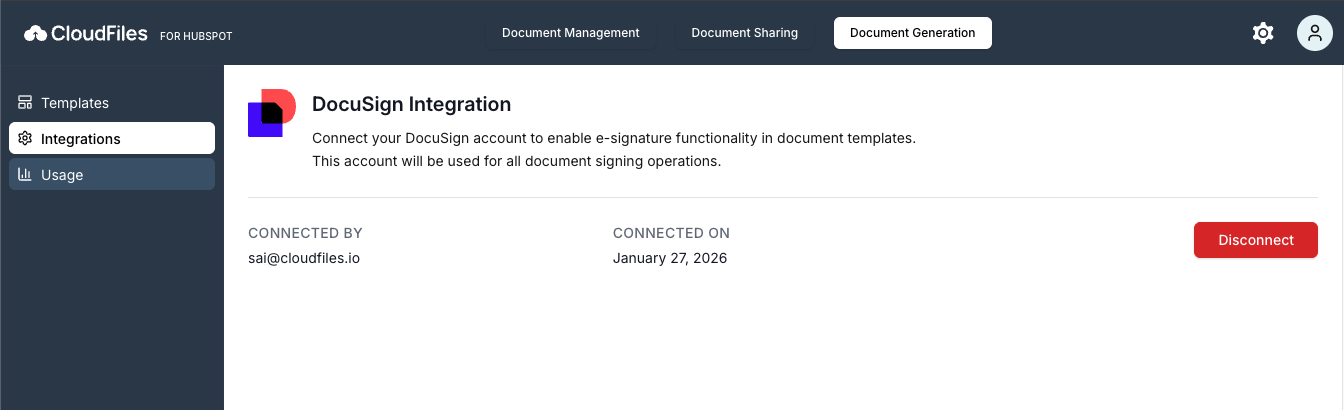
Without completing this integration, e-sign-related actions and fields will not function in document template creation
In next section, we will enable recipient-based signing, placement of DocuSign fields within Word templates and automated delivery of generated documents for signature