Introduction
CloudFiles supports commission payouts through both manual payouts and automated Stripe payouts. Partners can either submit payout invoices manually for bank transfer processing or connect a Stripe Express account to receive automated payouts through Stripe.
Manual Commission Payouts
By default, CloudFiles processes partner payouts manually. To receive a payout, the partner must share an invoice to partnerships@cloudfiles.io containing the conversion values, payout currency, bank account details and any required payment information.
Once the invoice is received, the CloudFiles team verifies the commission details and initiates the payout within 4–5 Business days. After payment is initiated, a payment status or transaction reference is shared with the partner and the commission status is updated as Paid inside the Partner Portal.
Bank transfer timelines may vary depending on the country and banking provider.
Automated Stripe Payouts
CloudFiles also supports automated commission payouts through Stripe. By connecting Stripe through the Partner Portal, partners can receive commission payments automatically whenever CloudFiles processes approved payouts.
Understanding Stripe Connection
When you connect Stripe through the Partner Portal, you will need to create a Stripe Express account specifically for receiving commissions.
This account is separate from any existing Stripe account you may already use for your own business or payments. You can use the same email address, but the payout account created for commissions will remain a distinct Stripe Express account.
All payouts are processed securely through Stripe and transferred directly between Stripe accounts.
Viewing Stripe Payout Connection Status
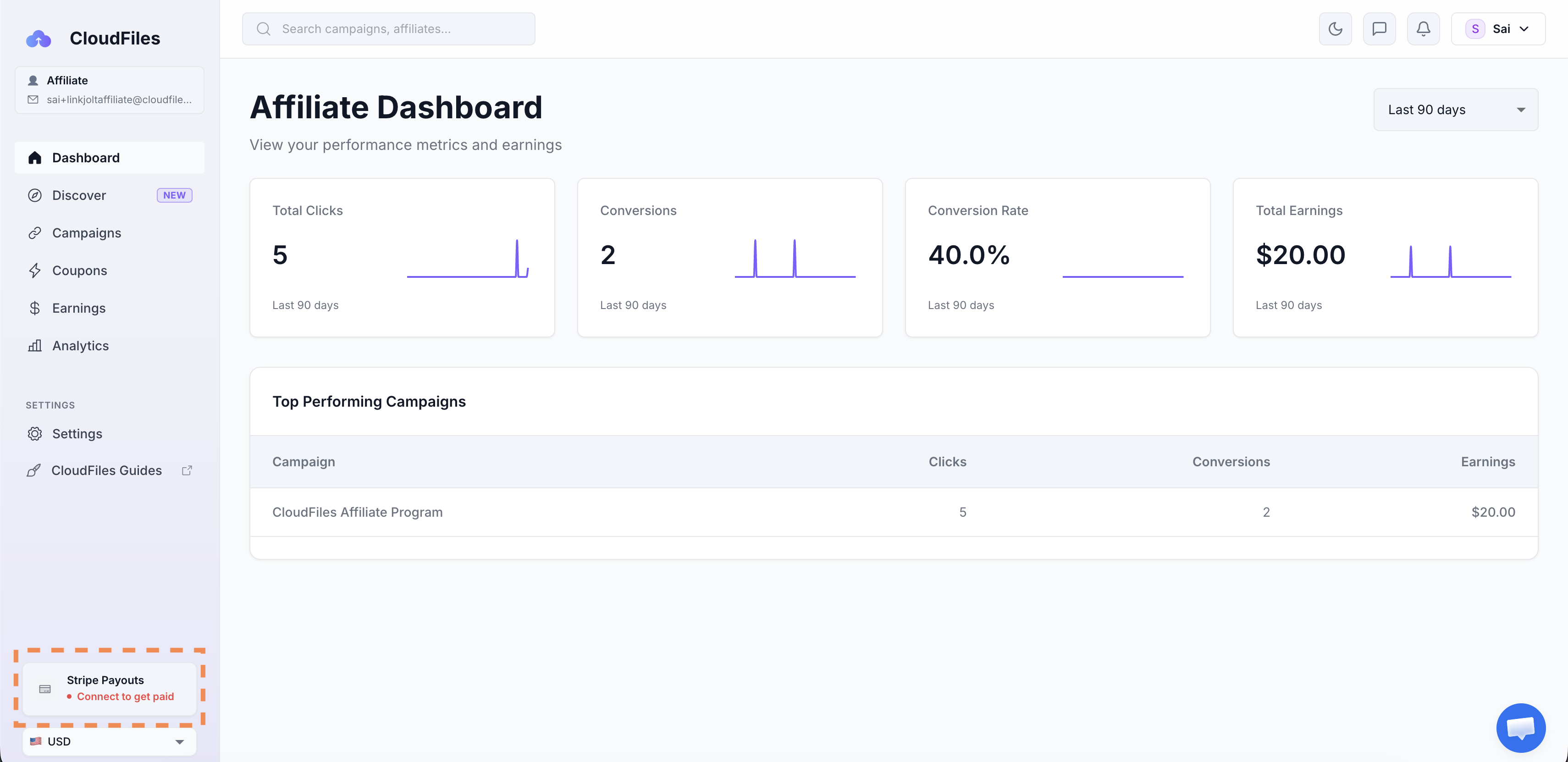
You can view your Stripe payout connection status from the bottom-left corner of the Partner Portal. If Stripe is not connected, you will see an option prompting you to connect your account before receiving payouts.
Connecting Stripe
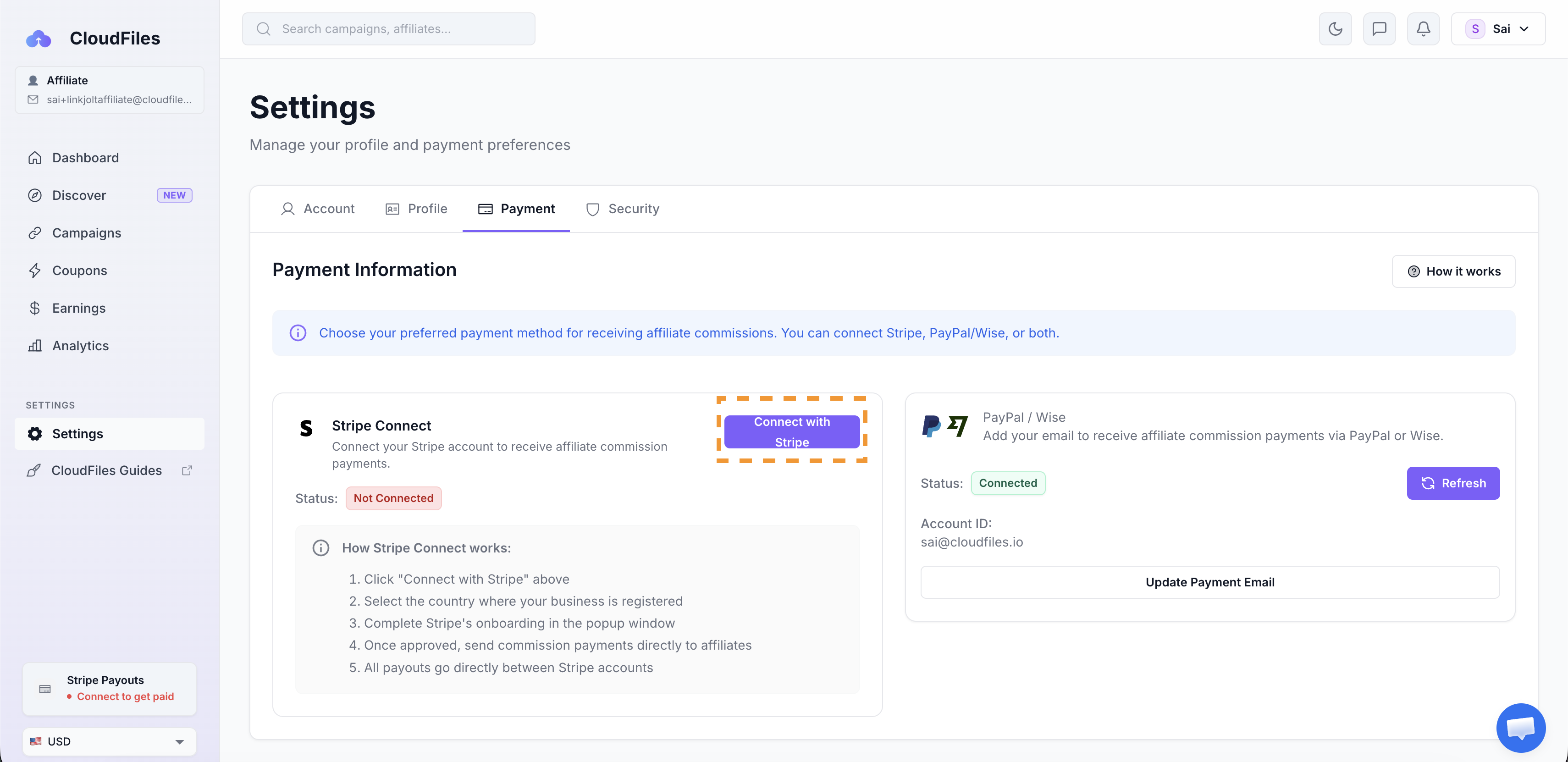
To connect your Stripe account, go to Settings → Payment inside the Partner Portal and click Connect with Stripe.
You will need to select your business country, complete the Stripe onboarding flow and submit the required verification details. Once connected, your Stripe Express account will be ready to receive commission payouts automatically.
How Stripe Payouts Work
After connecting Stripe, CloudFiles processes approved commissions and transfers the payout directly to your connected Stripe account. Stripe then transfers the funds to your linked bank account. CloudFiles does not charge any payout processing fee for transferring partners payouts through Stripe.
Stripe may apply standard payout or banking fees based on your country and payout method. Bank transfers through Stripe typically take around 2–3 business days depending on your country and banking provider.
Understanding Commission Eligibility
To better understand how referral commissions are tracked and qualified before payouts are processed, check Earning Commissions.