Introduction
CloudFiles Document Generation connects directly with HubSpot to fetch CRM data into your Microsoft office templates. This enables you to generate accurate, dynamic documents using real-time data from your HubSpot account.
CloudFiles supports global variables- $record and $user, allowing you to dynamically insert information about the selected HubSpot record and the user generating the document.
Record Variable
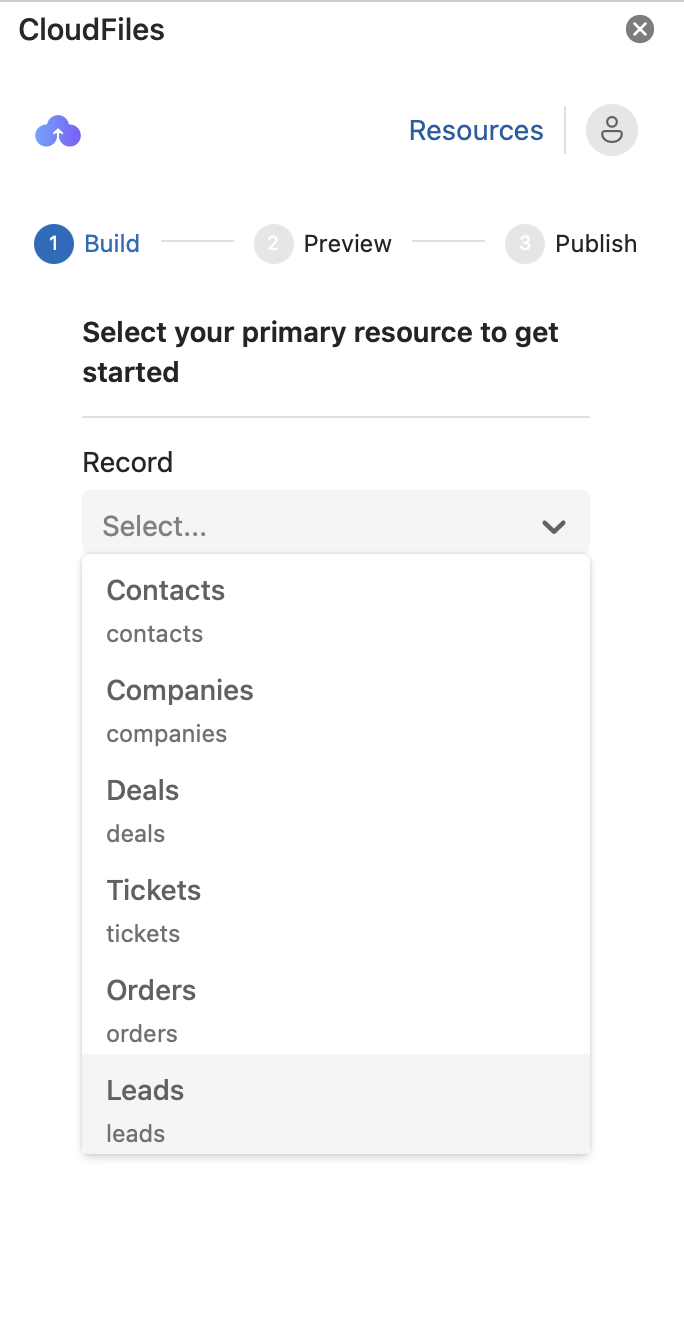
To generate a document, you start by selecting a HubSpot object as the Master Object. This Master Object determines the context of the document and acts as the primary source of data for all placeholders used in the template.
Once selected, this variable becomes the foundation for document generation and determines:
- Which fields can be inserted into the template
- Which related records can be accessed
- How saved template is accessed and used during document generation
Supported Standard Objects
CloudFiles currently supports the following HubSpot objects as Master Objects:
- Contacts
- Companies
- Deals
- Tickets
- Leads
- Orders
- Projects
- Quotes
- Products
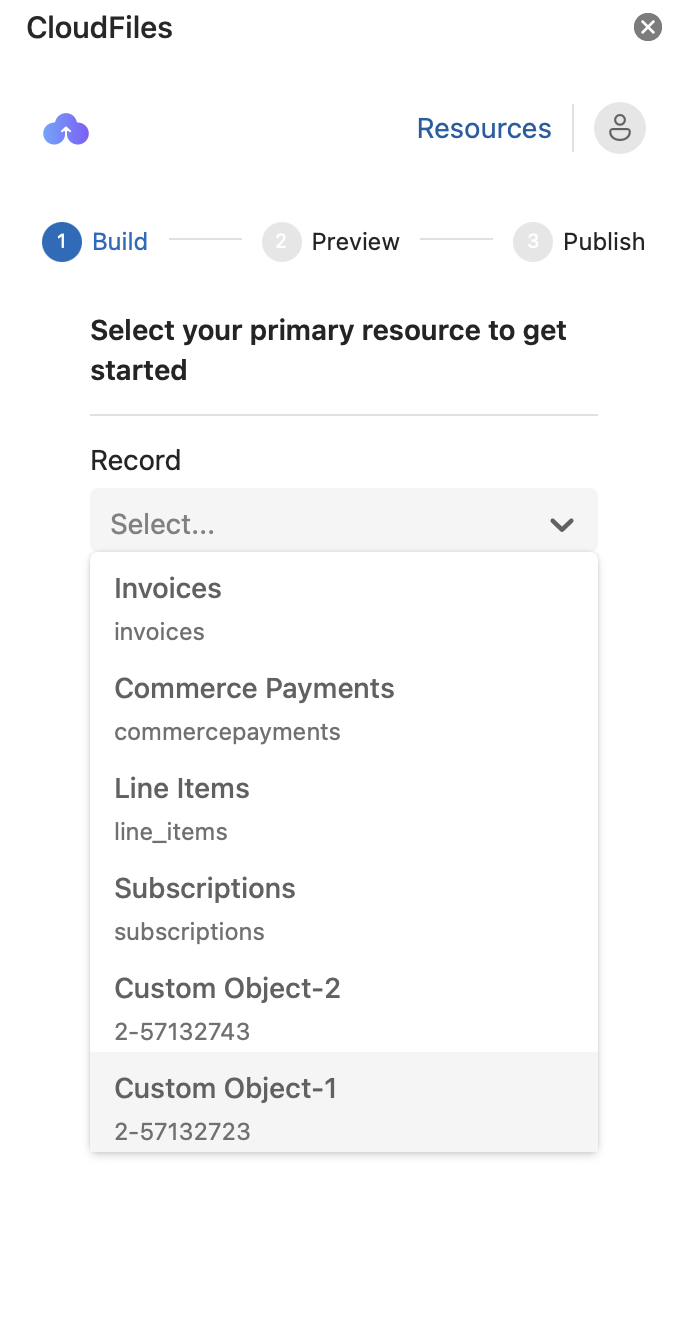
- Invoices
- Commerce Payments
- Line Items
- Subscriptions
Supported Custom Objects
CloudFiles supports any custom object created in your HubSpot account. These custom objects can be selected as the master object when building document templates.
Once a master object is selected, it automatically becomes available in the template as a global variable as $Record
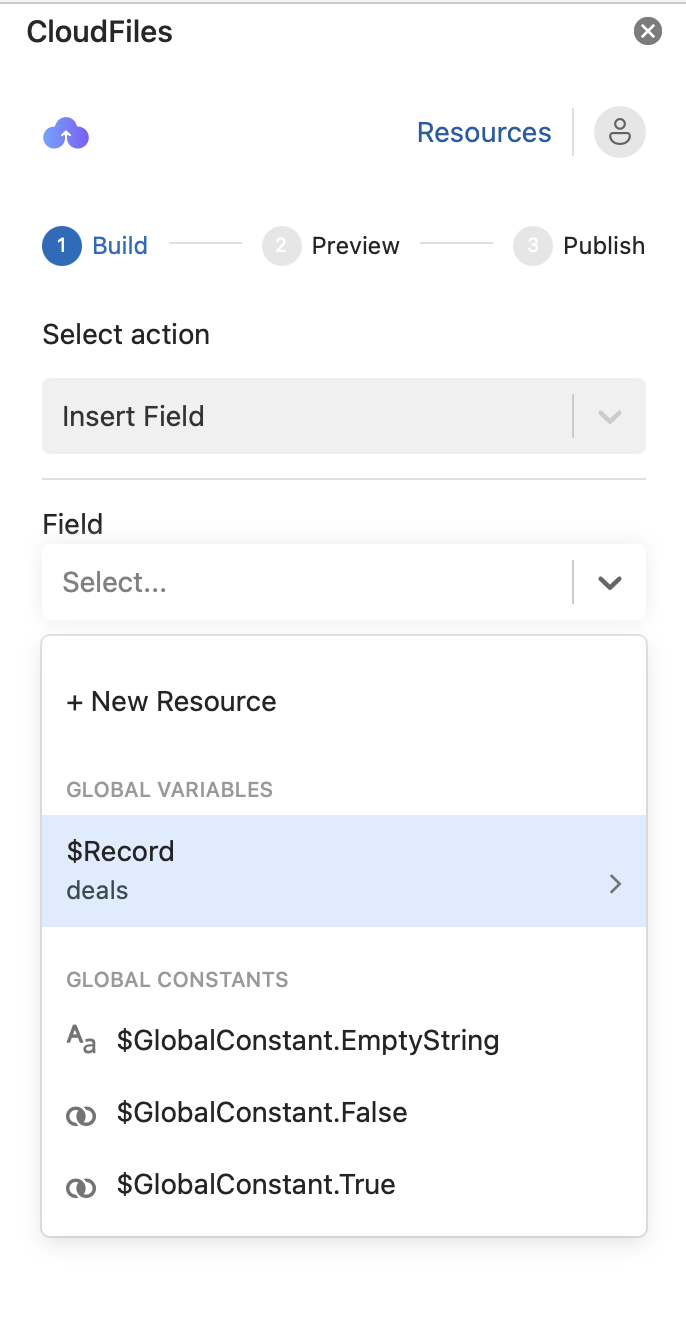
The $record global variable represents the chosen HubSpot resource and helps in inserting placeholders in the document
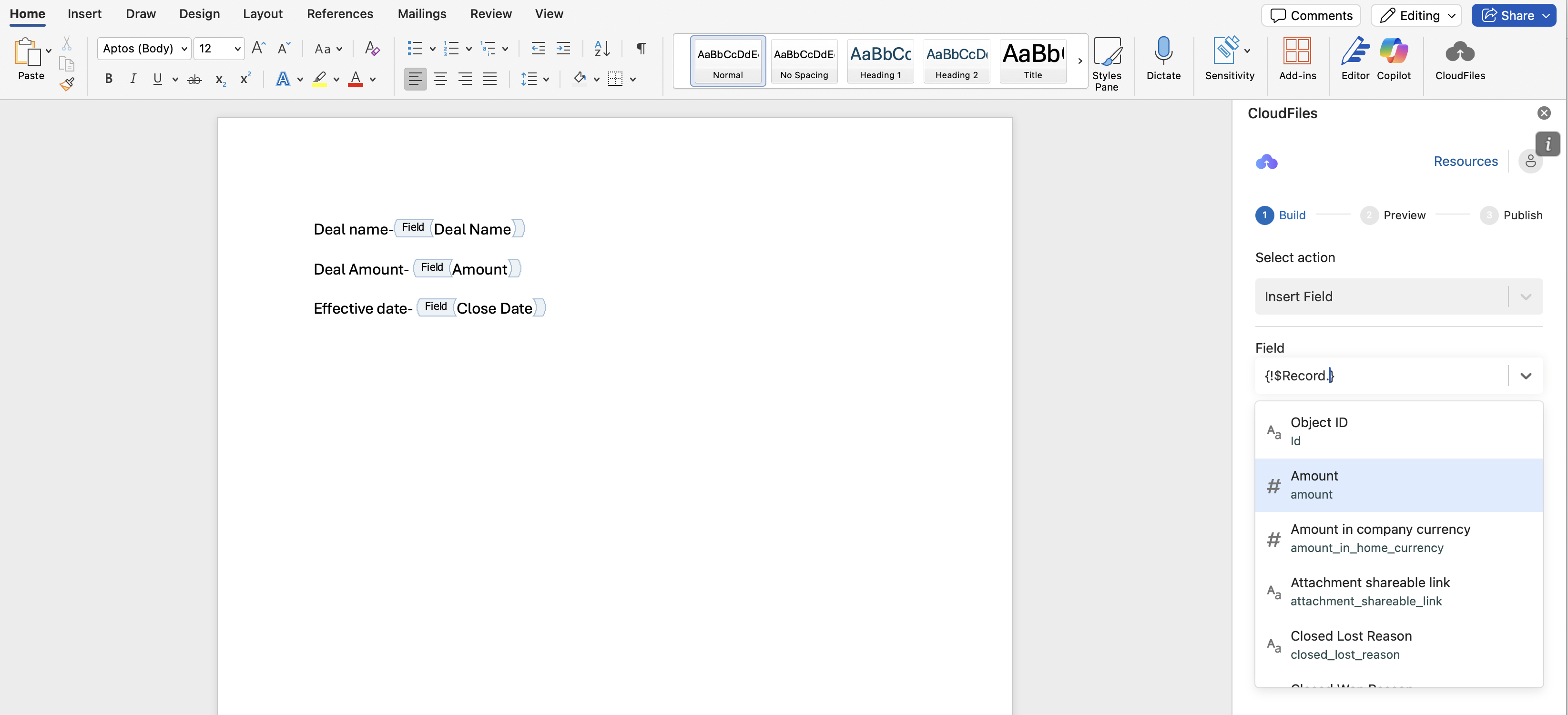
Example use cases:
- Deal name- $record.dealname
- Amount- $record.amount
- Effective date- $record.closedate
Accessing Data from Related Records
The Document generation builder automatically retrieves all fields (both standard and custom) from the selected Master Object. In addition to these, you may need data from other associated records or record collections. To support these requirements, CloudFiles allows you to create Resources.
CloudFiles supports the following resource types for fetching related records
Record Single Variable- A Record Single Variable represents a single record and holds all its field values. It is ideal for working with a specific data entry, such as a Contact, Company or Deal. The record can either be related to the main template object or be an independent record fetched using filter criteria.
Record Collection Variable- A Record Collection Variable represents a group or list of records from a HubSpot object. It stores multiple records that meet defined criteria and is typically used when you need to work with repeating data entries, such as a list Items, Orders or Quotes within your document.
User Variable
CloudFiles provides a global variable- $user. The $user variable represents the HubSpot user who generated the document through the CloudFiles Document Generation widget. This allows you to dynamically insert information about the generating user directly into your templates.
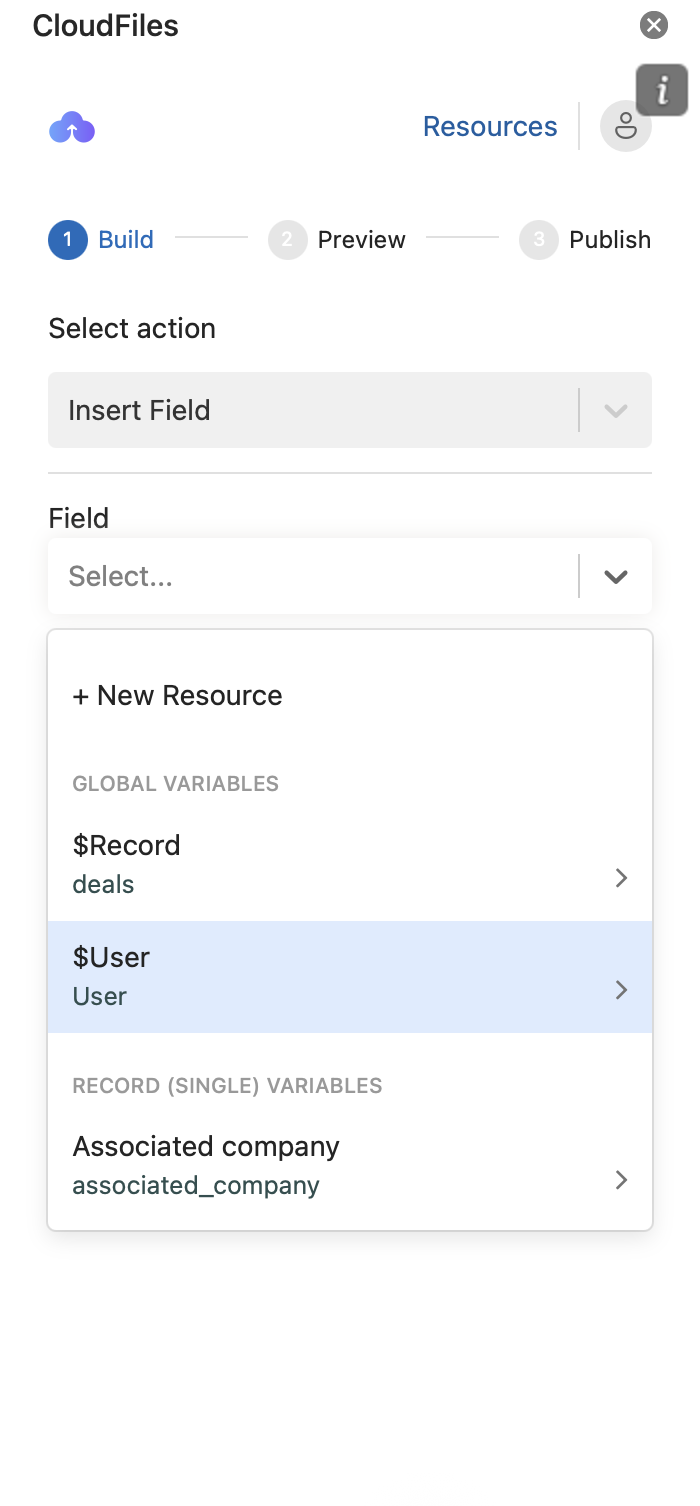
Example Use Cases
- User Name → $user.hs_given_name
- User Email → $user.hs_email
- User Job Title → $user.jobtitle
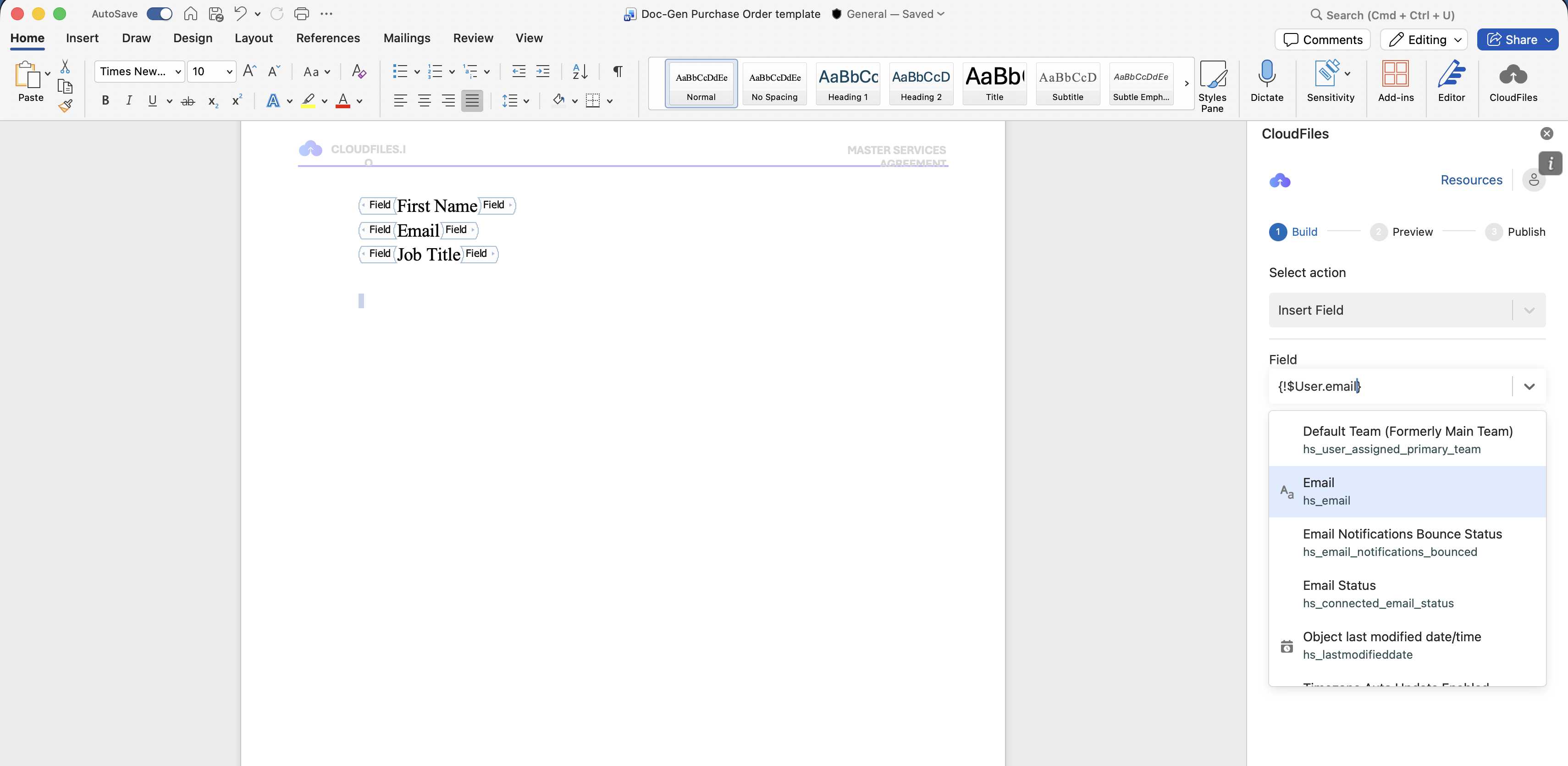
When documents are generated through HubSpot workflows, HubSpot does not provide the context of the user triggering/executing the workflow. In such cases, the $user variable will correspond to the HubSpot user whose account is connected to CloudFiles.
Need Help Enabling on HubSpot Objects?
If you need assistance enabling CloudFiles for specific HubSpot objects or custom objects—or if a record does not appear while designing templates, please reach out to: 📩 support@cloudfiles.io
In the next article, we cover the list of supported HubSpot field types that can be used in CloudFiles Document Generation.