Introduction
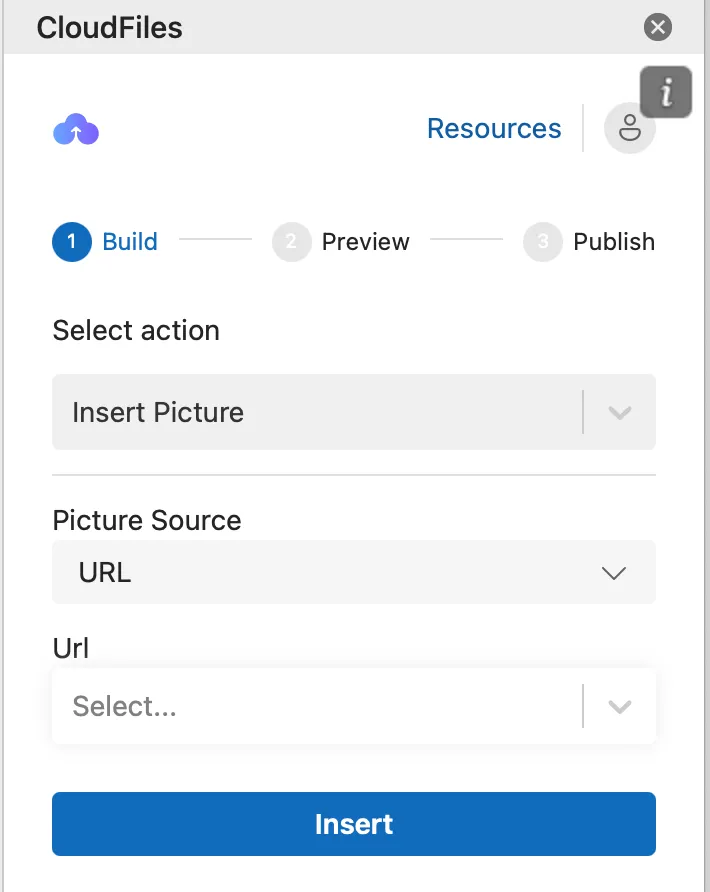
The Insert Picture action allows you to dynamically insert images into your PPT template using static image URLs or using image URLs stored in HubSpot properties
Inserting an Image Using a URL
- Select "Insert Picture"
- From the Select Action drop-down menu, choose Insert Picture.
- Choose the Picture Source
- In the Picture Source drop-down, select URL.
- Select the URL Field
- In the URL drop-down, choose the HubSpot property that contains the public link to the image or add a image URL manually
- This field can dynamically insert images based on URLs retrieved from record fields or other associated variable resources.
- Insert the Image
- Click Insert to place the image at the desired location.
- Adjust the Image
- Resize or reposition the image as needed.
- Apply formatting options, such as adding a border, for a polished appearance.