Introduction
Insert Field action allows you to insert any field (standard or custom) retrieved from the Master Object or Record Variables
Steps to insert a field
- Select Insert Field from the Select Action drop-down menu.
- Choose the desired field from the drop-down menu.
- Master Object fields are listed under "Record" (Global Variables).
- Record Variables appear under "Variable".
- Constants are listed under "Global Constants".
- Click Insert to place the field at the cursor's location in the work area. You can also copy and paste inserted fields as needed.
Formatting Options
Text: You can choose to capitalize (first letter in uppercase), use lowercase or uppercase for the text.
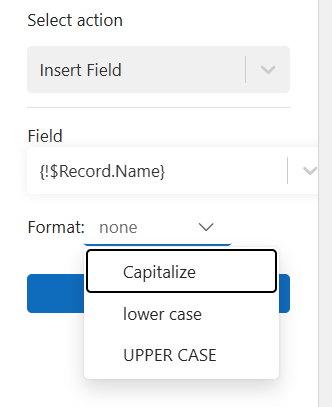
Font: All inserted fields can be formatted like regular text in Word, including changes to font, size and style.
Date Formatting: You can format dates as Short (08/23/2024), Medium (Aug 23 2024), Long (August 23, 2024), or Full (Friday, August 23, 2024).
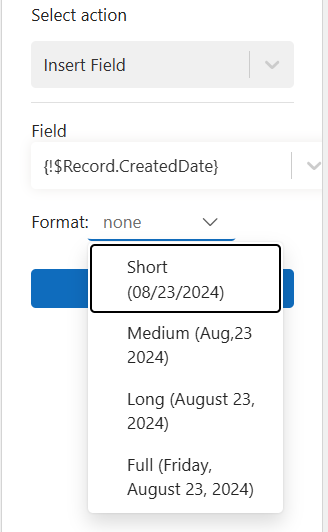
Number Formatting: For number fields (like int or double), you can apply custom formats:
- # – shows digit only if present (e.g., ###,###.### → 1,234.56)
- 0 – always shows digit, even if zero (e.g., 000,000.000 → 001,234.560)
- , – thousands separator
- . – decimal separator
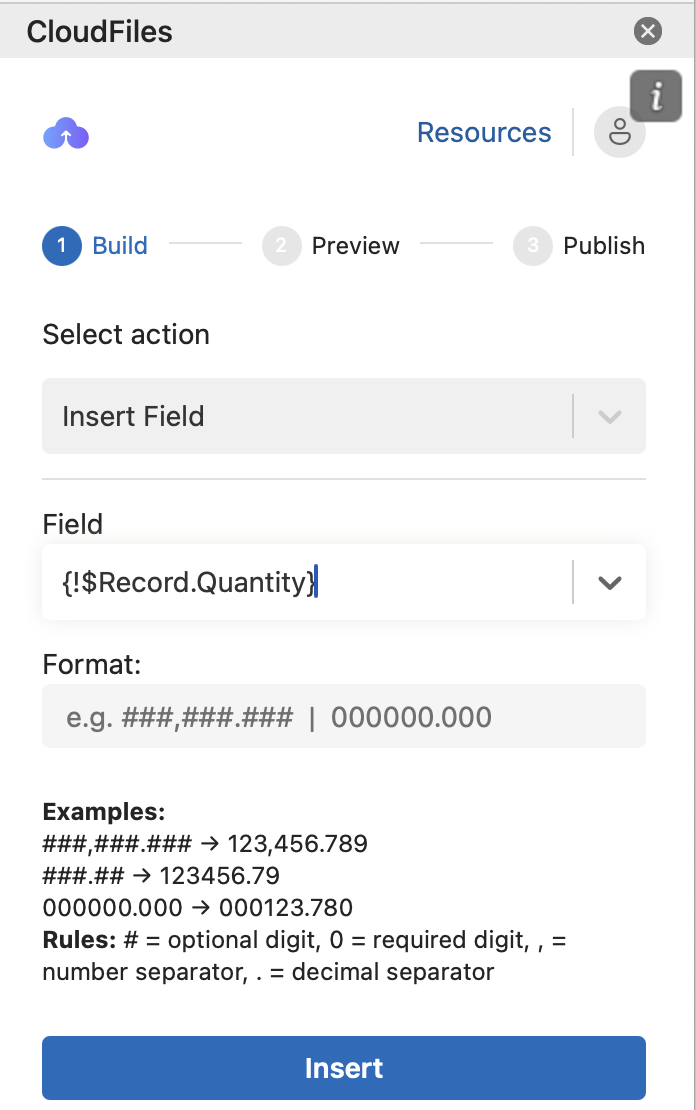
Go to 0:27 to see the Insert Field action being used to create a PO template in Microsoft Word.