Introduction
Insert Form Field lets you add a signature placeholder inside your Word document. This shows where someone needs to sign when the document is sent using DocuSign.
You can use this action with the CloudFiles Word Add-in to prepare documents for e-signature using Recipients
How to Insert a Form Field for Signature
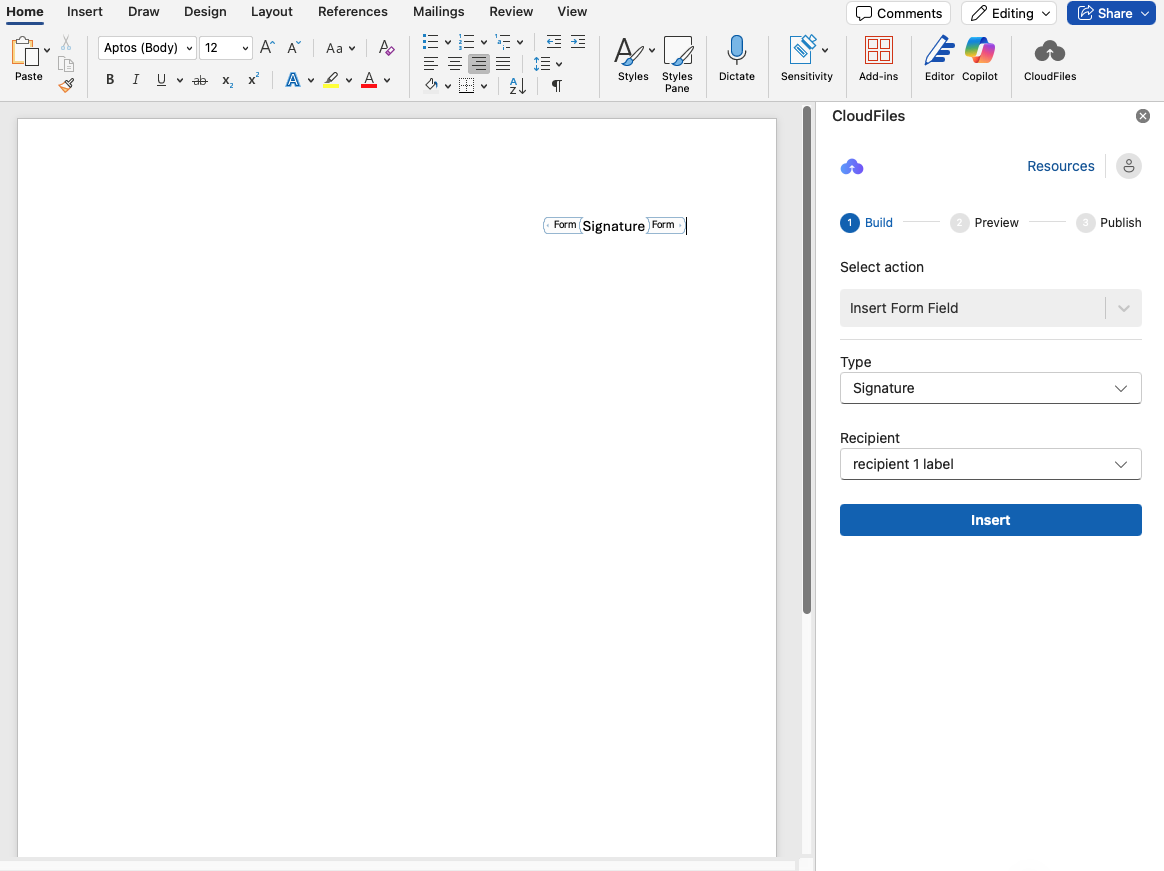
- In the Resources Panel, set the action to 'Insert Form Field'.
- Set the Type to 'Signature'
- Under Recipient, select the individual the signature should be assigned to. This list includes all recipients configured under the Recipients resource.
- Click the location in your Word document where the signature should appear.
- Press Insert.
- A placeholder with the word "signature" will appear at the selected location.
How to Insert a Form Field for Date signed/ Text Field
- In the Resources Panel, set the action to 'Insert Form Field'.
- Set the Type to 'Date signed/ Text'
- Under Recipient, select the individual the field should be assigned to. This list includes all recipients configured under the Recipients resource.
- Click the location in your Word document where the signature should appear.
- Press Insert.
- A placeholder with the word "Date signed" / "Text" will appear at the selected location.
- The Date Signed Field will automatically populate when the recipient signs the document in DocuSign, showing the exact signing timestamp.
- The Text Field presents an input box where recipients can enter custom text as part of the signing process.
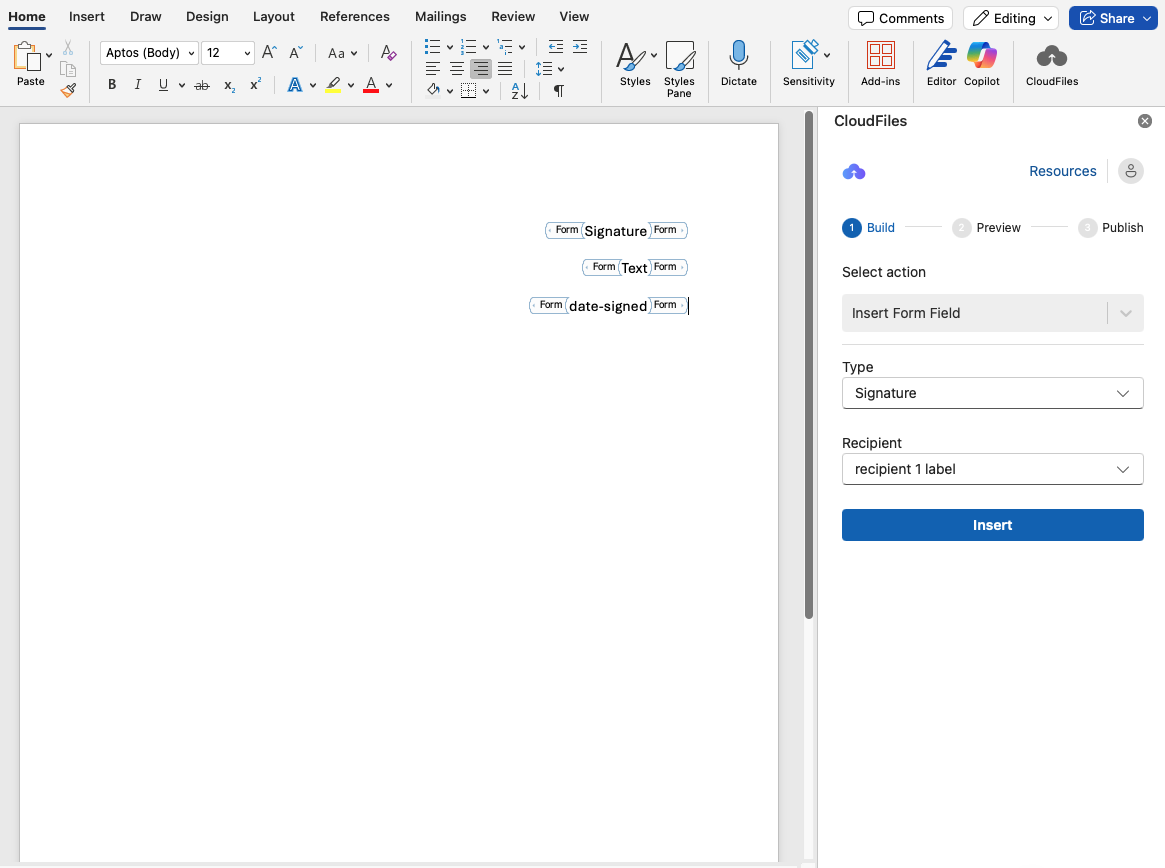
These fields are non-editable placeholders in the generated document the actual signing happens in DocuSign. For more details, refer to section- eSignature Integration