What to Expect :
By the end of this tutorial, you can expect to -
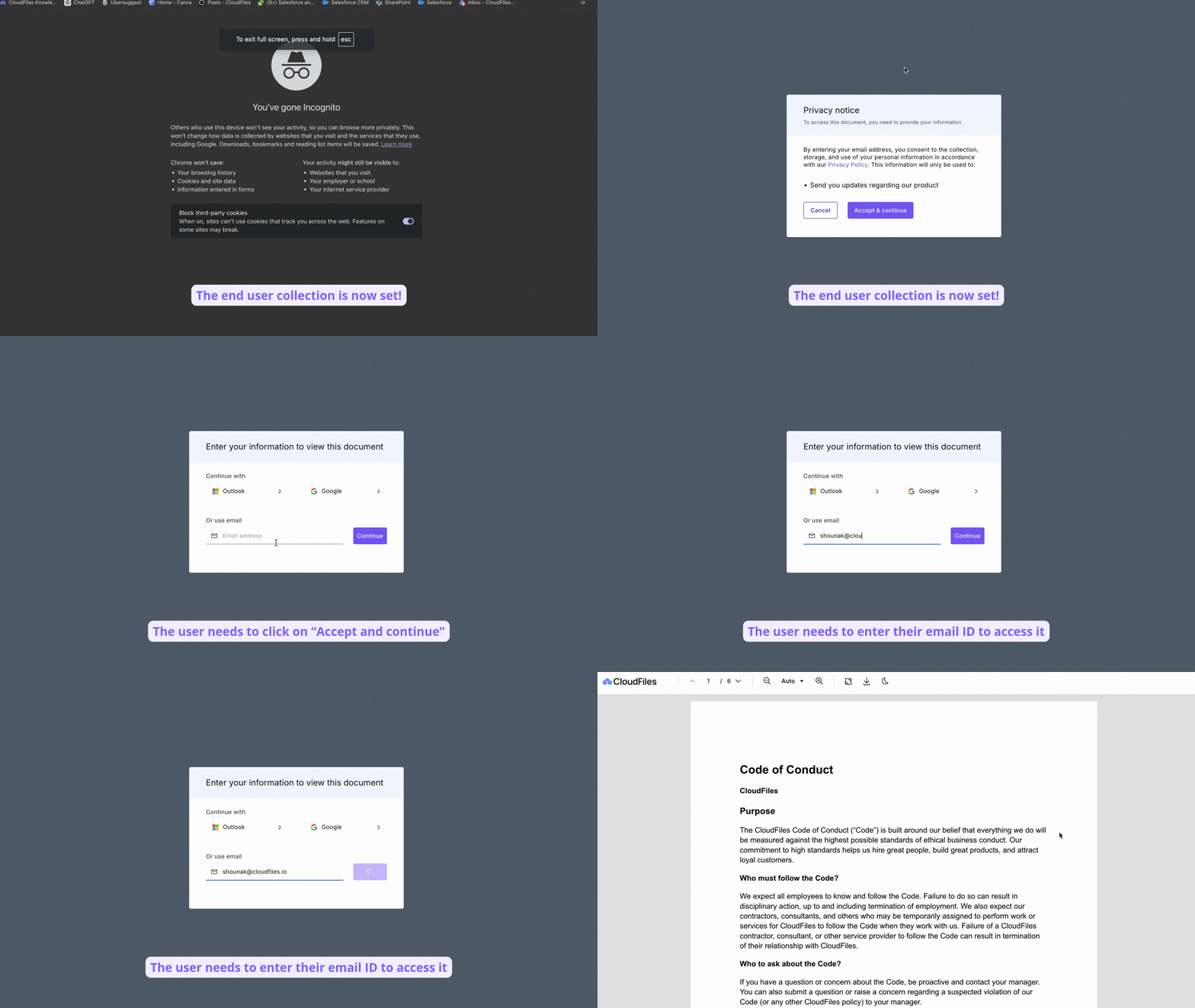
- Enable end-user data collection consent to inform users before they provide personal information.
- Display a Privacy Policy link at the bottom of the CloudFiles viewer for easy access by users.
The GIF below shows the expected output.
Steps:
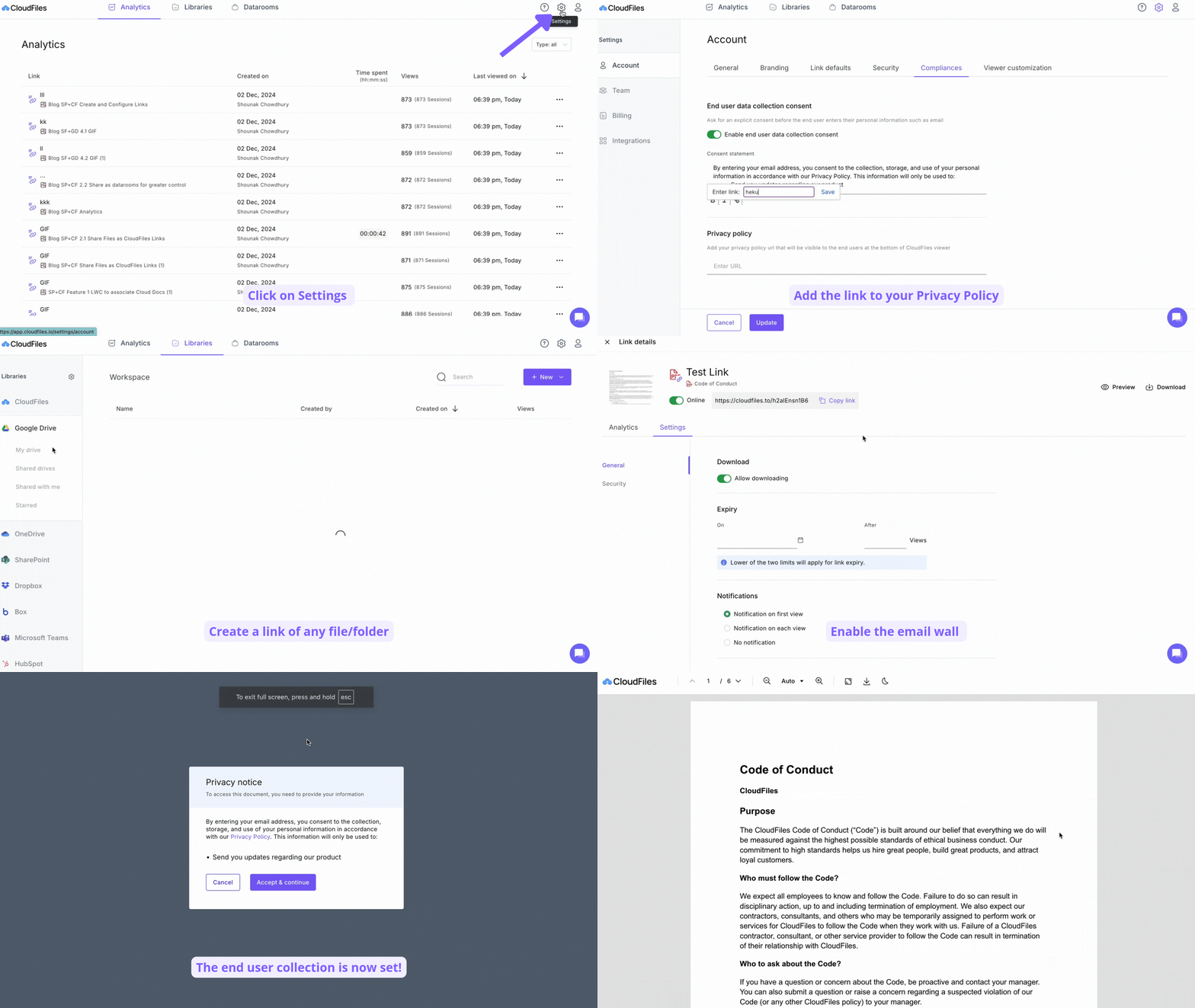
- Open any HubSpot contact record and go to the CloudFiles Dashboard.
- Click the Document Sharing tab in the top navigation bar.
- In the left sidebar, select Document Sharing Settings.
- Choose Compliances.
- Toggle on Enable end-user data collection consent.
- Create a clear, explicit consent statement for end users to agree to before entering personal information (e.g., email). Include a reference to the NDA and provide a link to it.
- Add a link to the Privacy Policy, ensuring it’s visible at the bottom of the CloudFiles viewer for easy access by end users.
The GIF below illustrates the steps in detail.
By enabling user consent and linking to your privacy policy, you ensure transparency and compliance with data regulations. For further questions, reach out to us support@cloudfiles.io.