Introduction
CloudFiles Document Sharing helps businesses securely share files and folders directly from HubSpot while keeping content stored in external platforms such as Google Drive, SharePoint, OneDrive, Dropbox, Box, and AWS S3.
Users can generate secure sharing links, control access permissions, collect documents from external users and track engagement activity without moving files outside their original storage location.
File & Folder Sharing
CloudFiles allows users to create secure links for both files and folders directly from HubSpot records using the App Card and Sidebar Widget.
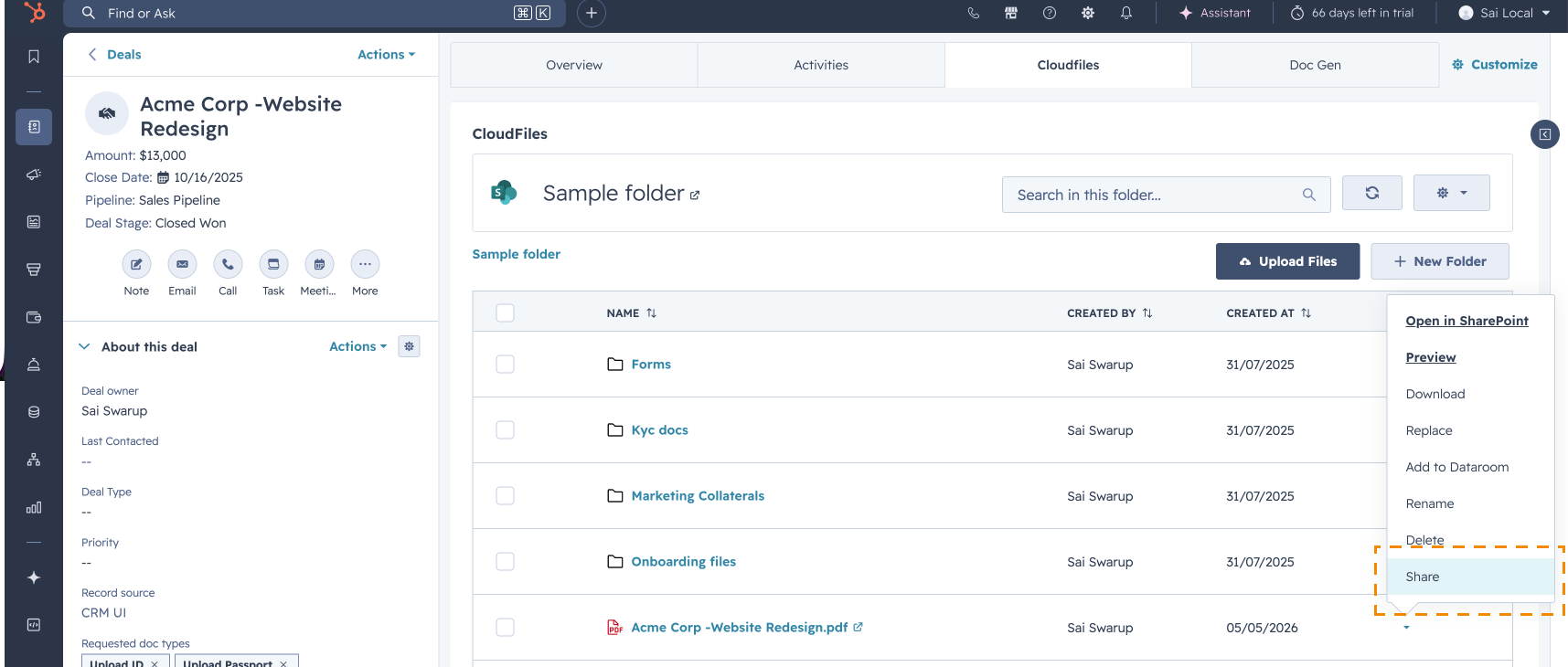
Shared resources open in the CloudFiles File Viewer, where recipients can preview documents and browse shared folders directly from the browser without requiring additional software or logins. Sharing links remain connected to the original file, ensuring recipients always access the latest version available in storage.
Link Settings & Security
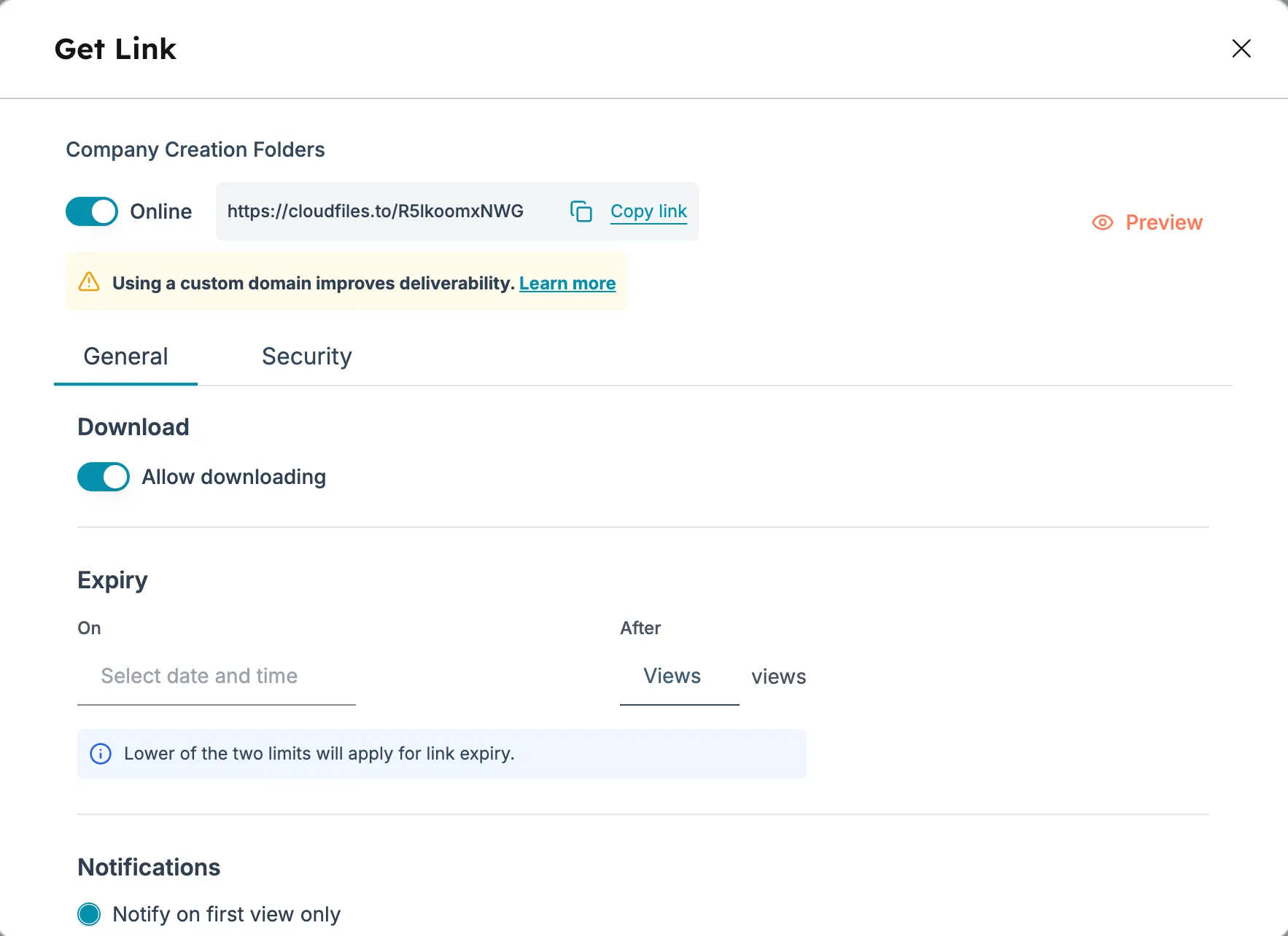
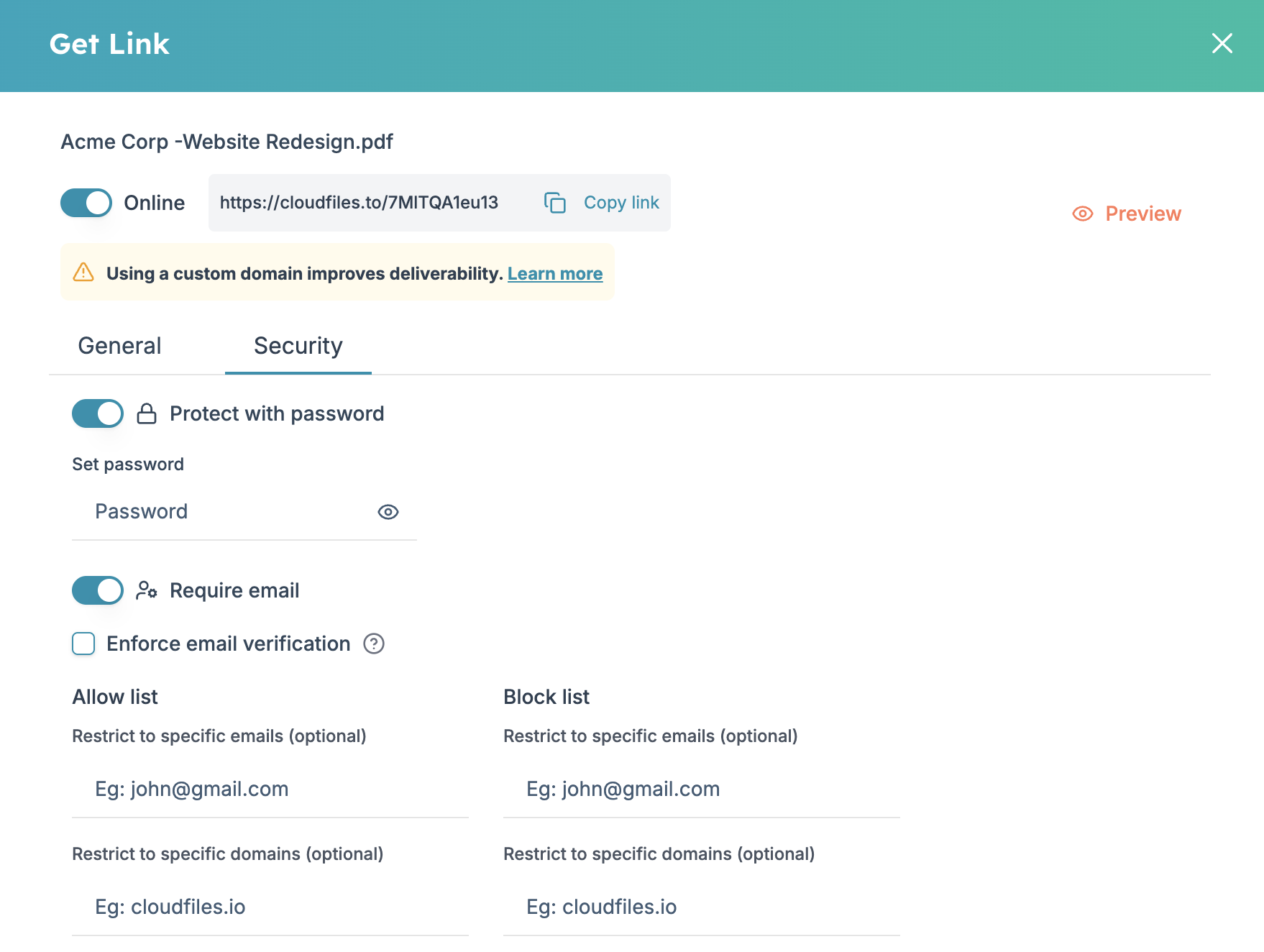
CloudFiles provides detailed controls for managing shared links and external access. Users can enable or disable downloads, set expiry rules based on time or views, configure notification preferences and apply password protection or email verification.
Access can also be restricted to specific email addresses, domains or HubSpot contact lists/segments. These settings help businesses securely manage document access while maintaining full control over shared resources. To learn more check Link settings and security
Datarooms
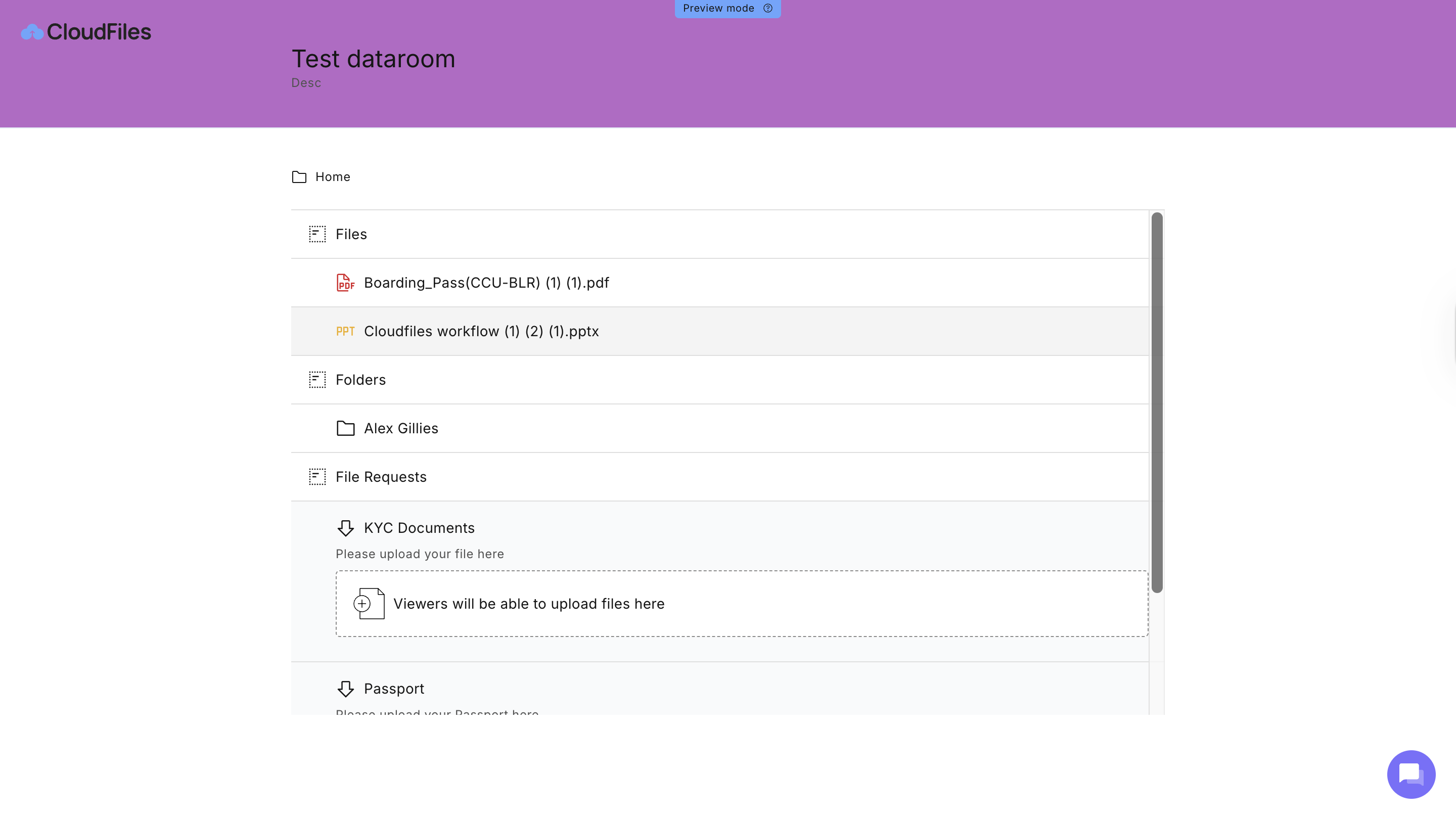
CloudFiles Datarooms provide a centralised portal- Datarooms, for sharing multiple files and folders through a single secure link.
Datarooms can be organised using folders and file request sections, allowing businesses to structure content for onboarding, sales processes, client collaboration, due diligence and document collection workflows.
Users can also collect documents from external users through file request blocks, with uploaded files automatically stored in the configured destination folder.
Engagement & Analytics
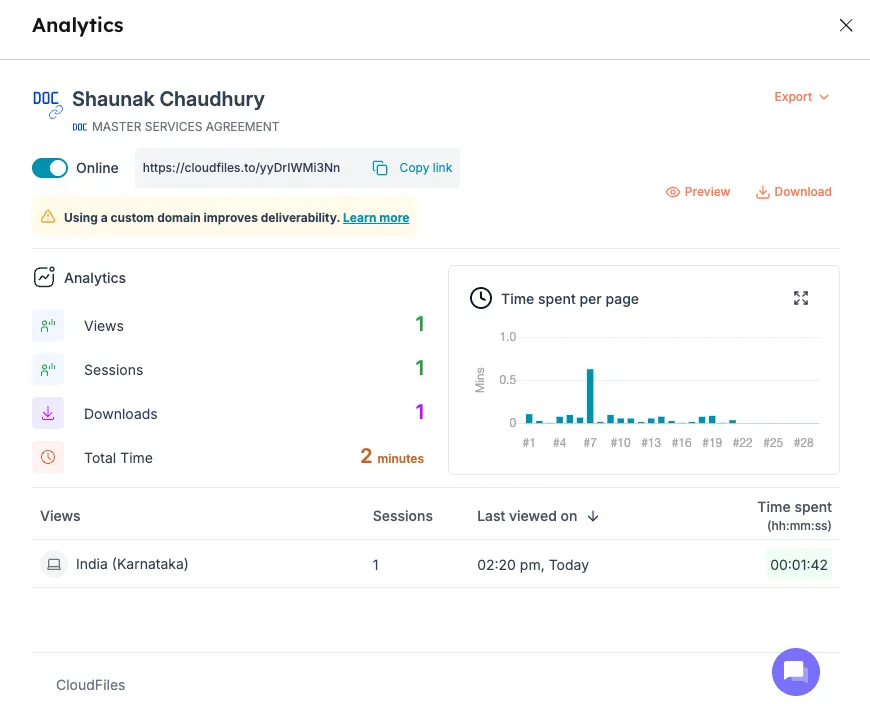
CloudFiles provides detailed Engagement analytics for shared resources directly inside HubSpot. Businesses can track views, downloads, sessions, time spent, viewer activity and page-level engagement data. Analytics are associated with HubSpot records and can be used in workflows, reporting, dashboards and automations.
CloudFiles also supports email attachment tracking and HubSpot tracking code integration for enhanced attribution and engagement visibility.
Workflow Automations
CloudFiles workflow actions help businesses automate document sharing and document collection processes within HubSpot.
Teams can automatically create datarooms, generate sharing links, update link settings, move uploaded HubSpot files into cloud storage and add files or request blocks to datarooms using HubSpot workflows.
These automations help streamline onboarding, sales enablement, support, compliance, and document collection workflows.
To learn more, check workflow actions for Document Sharing
Common Use Cases
CloudFiles Document Sharing supports a wide range of business processes inside HubSpot, including secure client document sharing, customer onboarding, sales enablement, dataroom collaboration and document collection workflows. To explore common business scenarios and implementation examples, refer to the article- Common Use Cases