Each CloudFiles product — Document Management, Document Generation, and Document Sharing — has its own license configuration, which can be managed independently.
CloudFiles also supports Partner Seats, allowing organizations to invite external implementation partners or HubSpot agencies to help configure and manage their CloudFiles account. Partner seats do not consume the organization's purchased licenses and are available when enabled for the account.
Accessing License Management
License Management can be accessed from Settings in CloudFiles by selecting License Management from the left-hand menu.
The License Management screen provides a consolidated view of all users associated with the Document Generation product. At the top of the page, product tabs allow you to switch between Document Management, Document Generation, and Document Sharing. Any changes made apply only to the selected product.
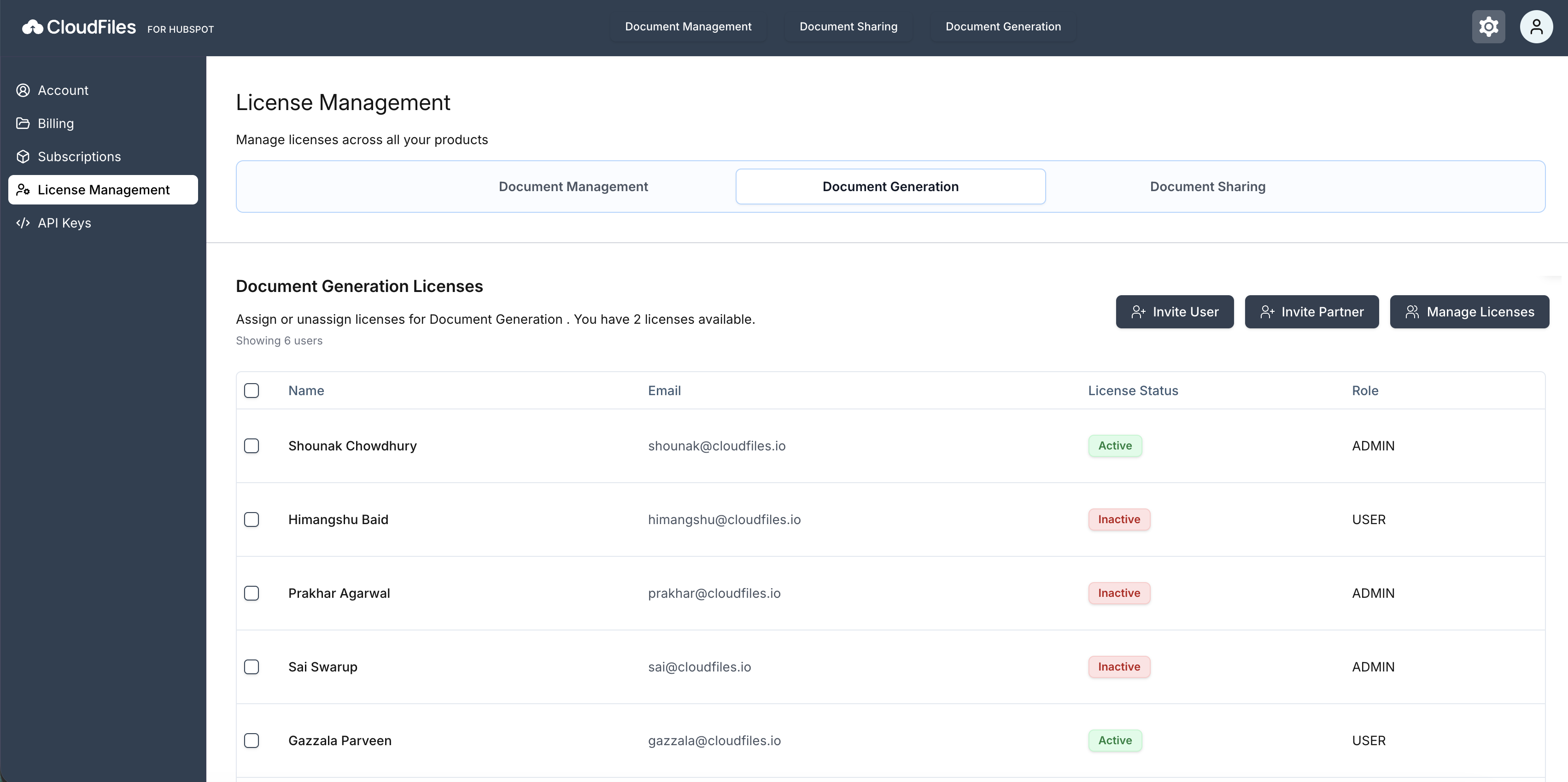
Below the tabs, the Document Generation Licenses section displays the current license status, including the number of licenses available and the list of users assigned to this product.
User List and License Details
The user table shows all users who have access to Document Generation. For each user, the following information is displayed:
- Name and Email ID of the user.
- License Status indicates whether the license is active or inactive.
- Role defines the user's level of access. CloudFiles supports three roles:
- Admin – Can manage licenses, invite users, and configure the account.
- User – Can access the products assigned to them.
- Partner – Intended for external implementation partners or agencies. Partner users can access only the CloudFiles products licensed by the account and do not consume paid user licenses.
Partner Seats are currently available by request. If you’d like to enable Partner Seats for your CloudFiles account, please contact the CloudFiles Support team.
Inviting a User
Clicking "Invite User" opens a dialogue that allows admins to invite new users to CloudFiles.
In the New Invites view, the admin enters the user's email address and selects a role, either User or Admin. Once the invitation is sent, the user receives an email invitation to join CloudFiles. If a license is available, an active license is automatically assigned after the invitation is accepted.
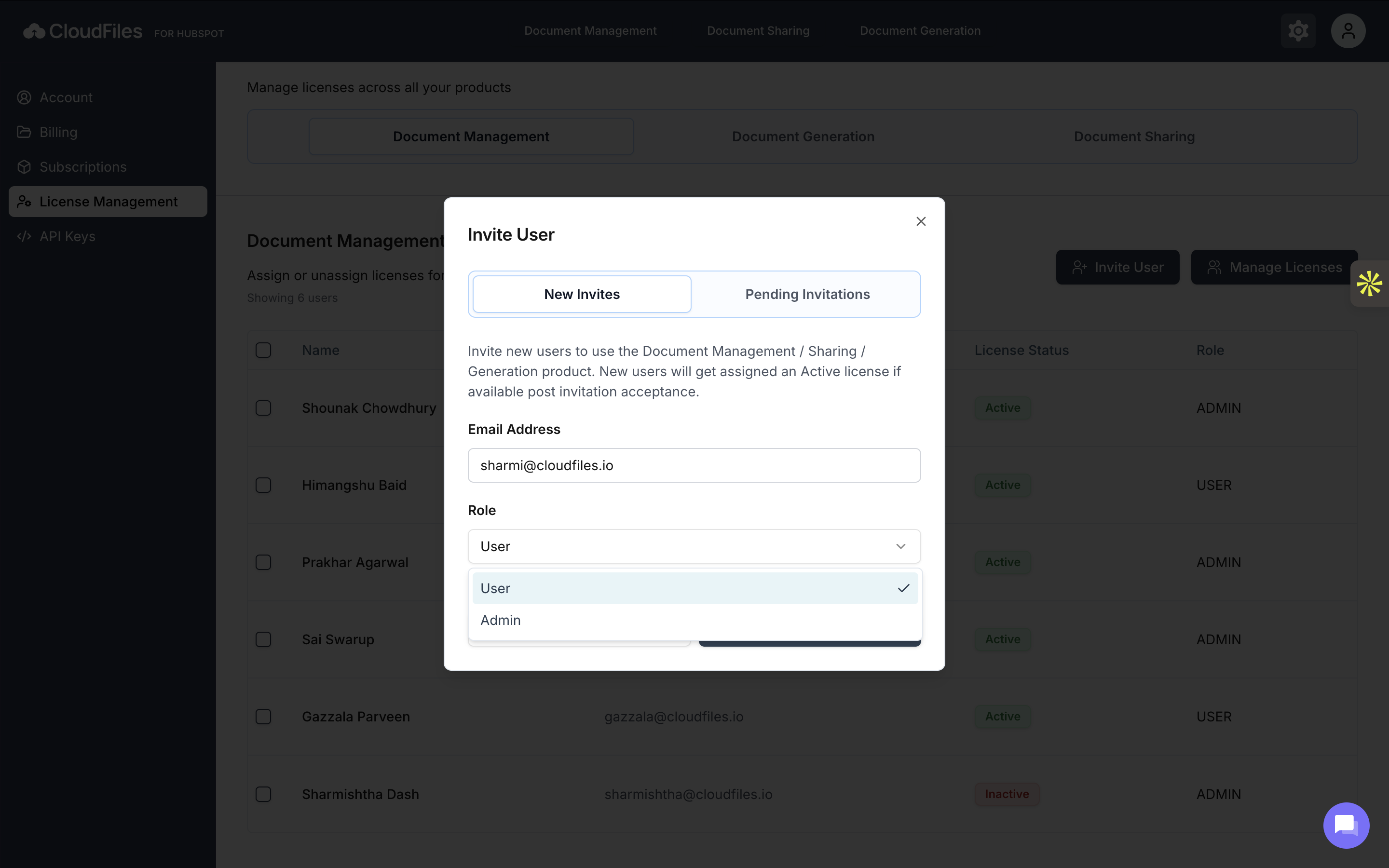
The Pending Invitations view shows users who have been invited but have not yet accepted their invitation, helping admins keep track of outstanding invites.
Inviting a Partner
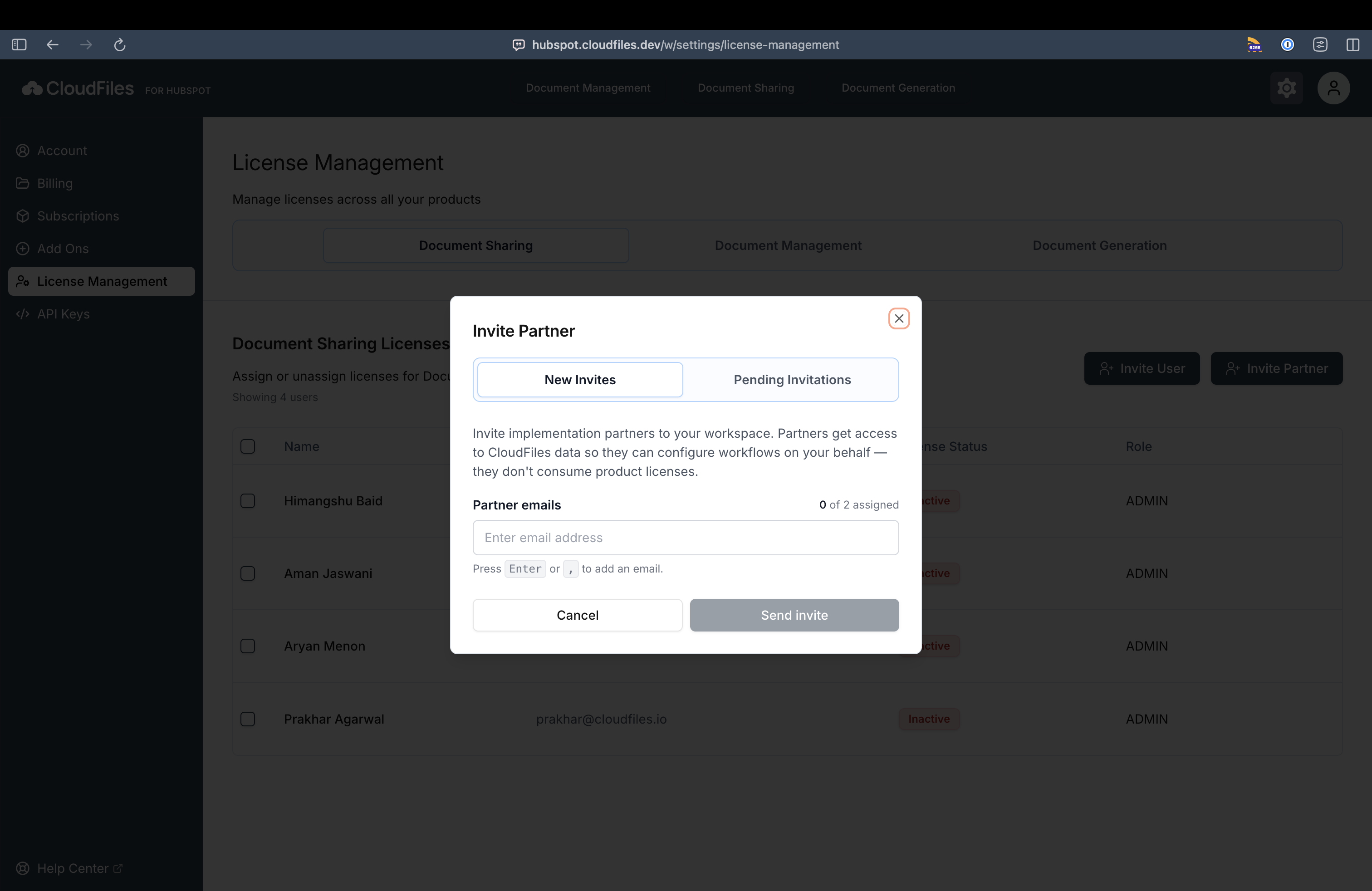
If Partner Seats are enabled for your CloudFiles account, admins can invite external implementation partners or agencies using the Invite Partner option.
Partner users are intended for external collaborators who help configure or manage the CloudFiles account on behalf of the organization. Unlike regular users, Partner users do not consume the account's purchased licenses.
When inviting a Partner:
- Only external email addresses can be invited.
- A Partner Seat must be available.
Updating Roles and License Status
Admins can directly update a user's role and license status from the License Management table. Each user entry includes editable fields that allow quick adjustments without leaving the page.
Using the edit (pencil) icon, admins can change a user's role between Admin and User, depending on the required level of access.
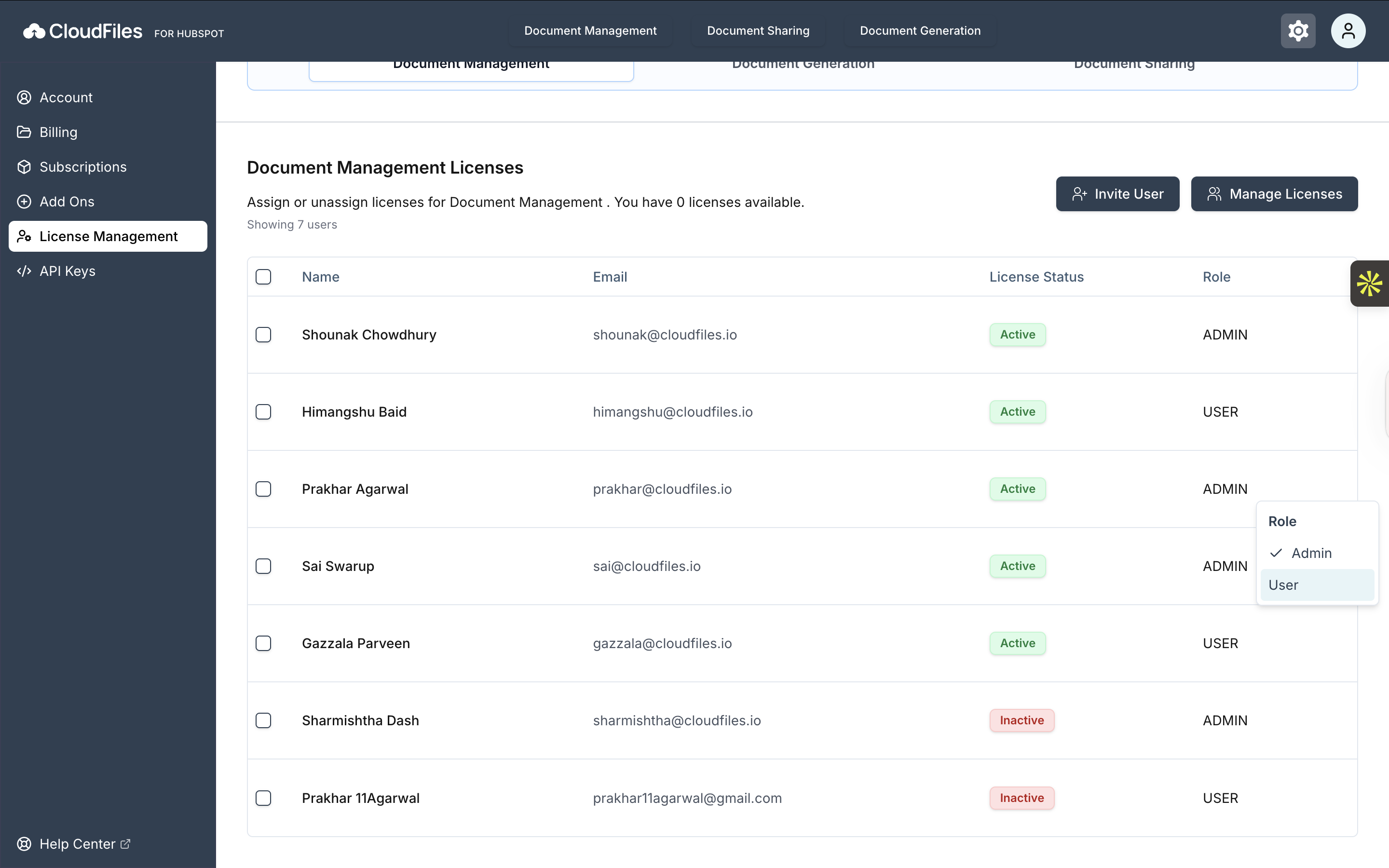
Similarly, the license status can be toggled between Active and Inactive, giving admins control over whether a user currently has access to the Document Generation product.
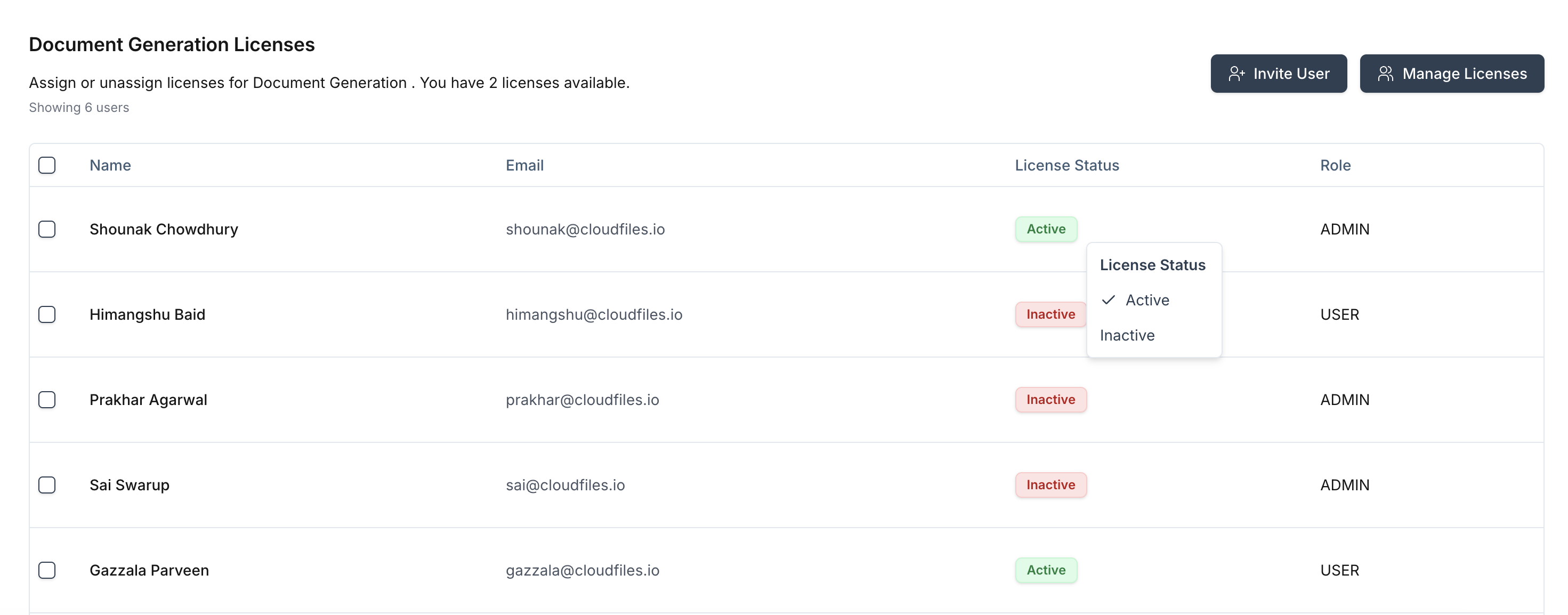
Managing Licenses
The Manage Licenses option allows admins to control the total number of Document Generation licenses available.
When selected, a modal opens where the admin can increase or decrease the number of licenses using the plus/minus controls. The modal also displays the current number of licenses in use and the updated total after changes are applied.
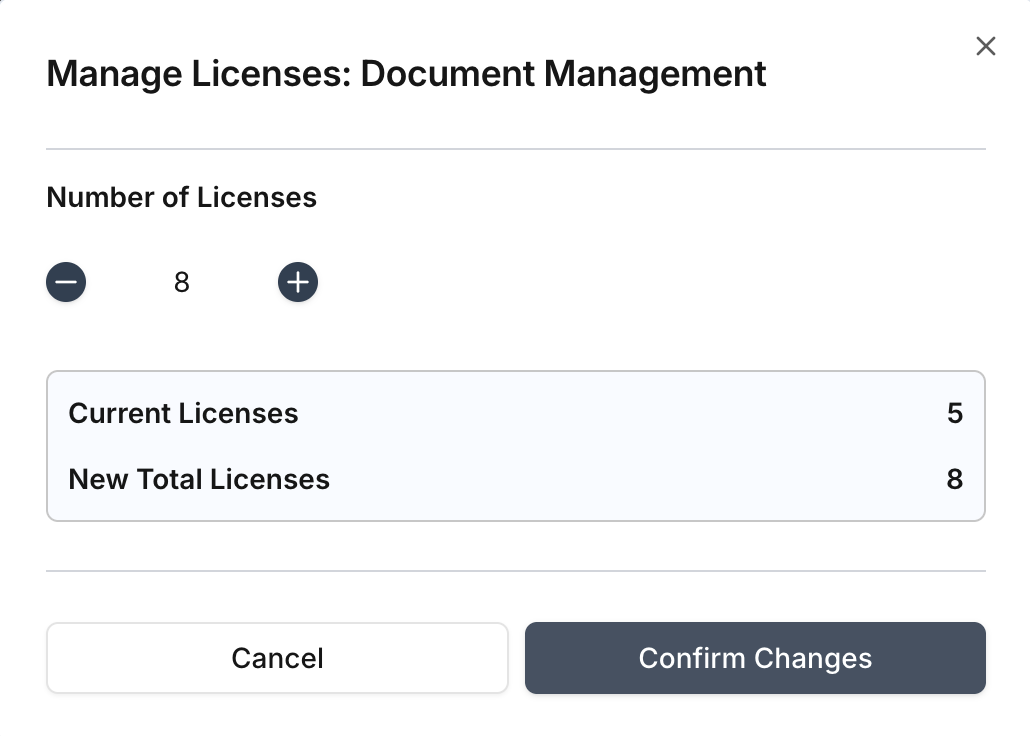
Selecting "Confirm Changes" updates the license count, making new licenses immediately available for assignment.
License Management in CloudFiles provides admins with full visibility and control over access to the Document Generation product. By managing users, roles, invitations, and license counts from a single screen, teams can ensure secure access to documents while scaling usage as needed.
Partner Seats are managed separately from standard product licenses. They do not count toward your purchased license total and are excluded from billing calculations.
Deleting a User
Admins can permanently remove user from the CloudFiles account directly from the License Management screen.
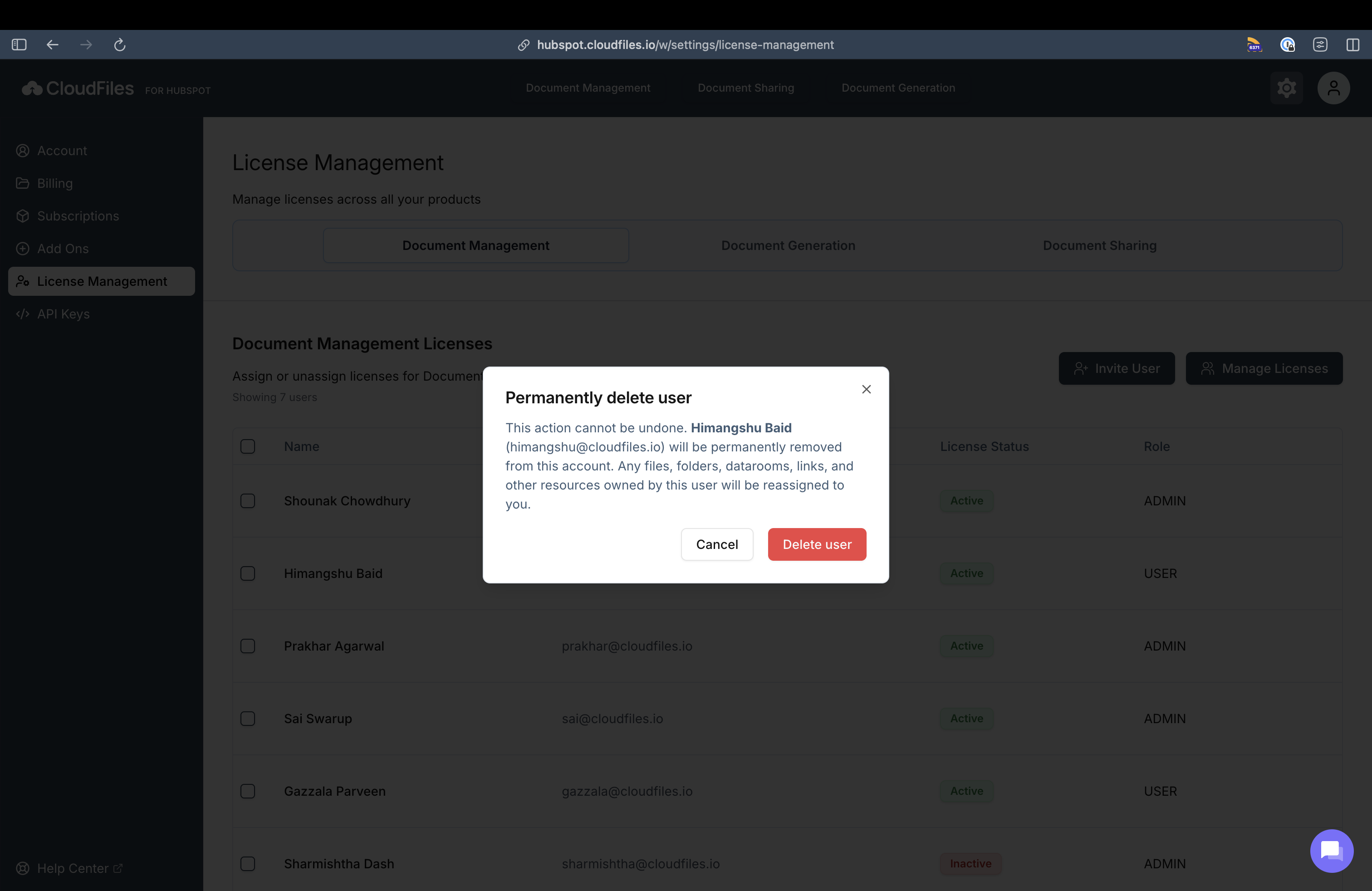
This action cannot be undone. When a user is deleted, they are completely removed from the CloudFiles account and will no longer have access to any CloudFiles products. Any files, folder, Datarooms, shared link or other resources owned by the user are automatically reassigned to the admin initiating the delete action. This ensures that existing resources remain accessible and no data is lost after the user is removed.