Before sharing the referral link with customers, it’s important to test it to ensure tracking is working correctly. This helps confirm that:
- The referral link is active
- Clicks are being tracked
- Conversions will be attributed to partner correctly
Step 1: Copying Referral Link
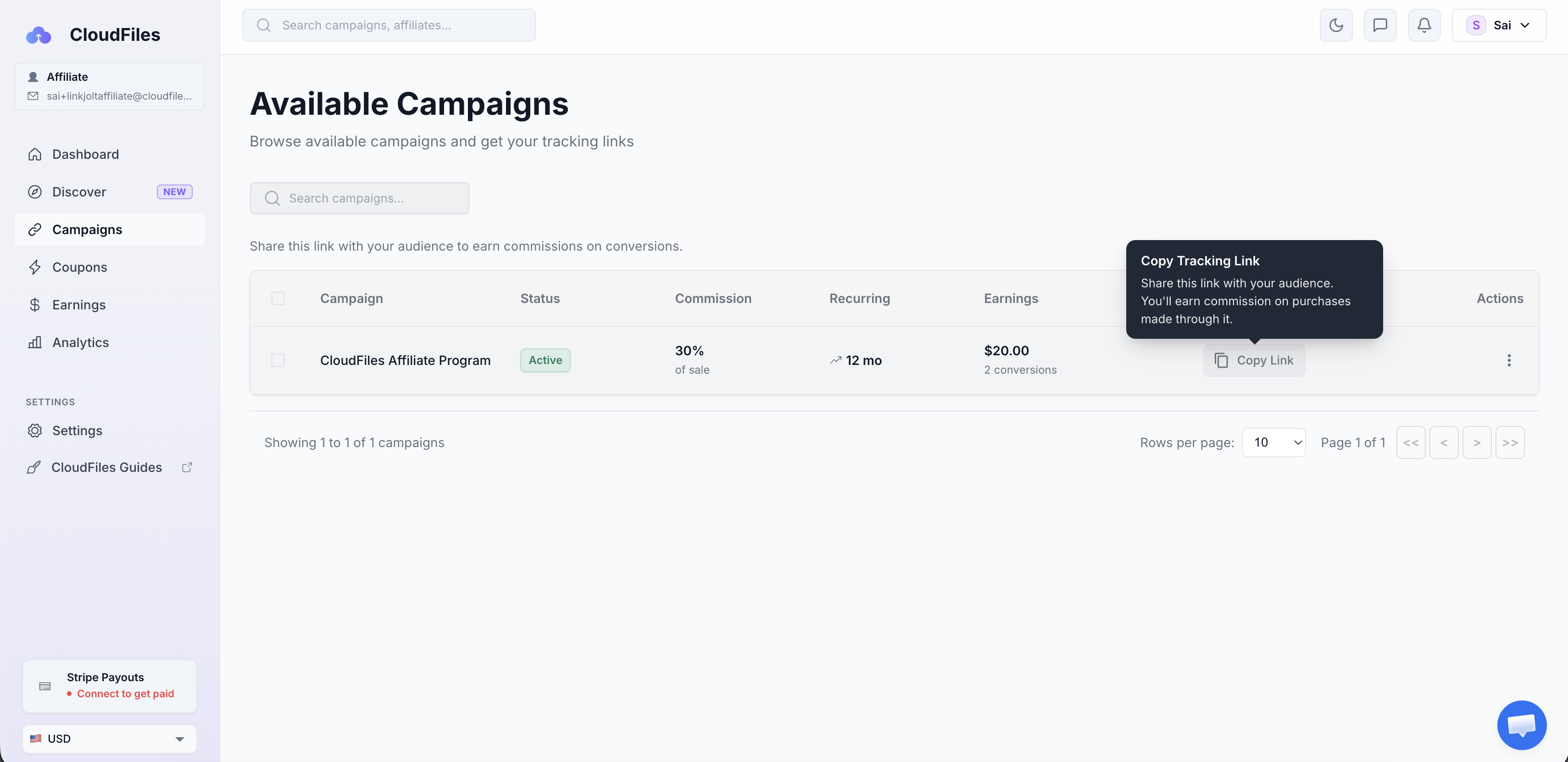
Once the Partner is onboarded, the unique referral link is available inside the partner portal in Campaigns section. Partner can copy this link directly from the dashboard.
Step 2: Testing Clicks
Copy the unique referral link from Campaigns section and Paste the referral link into a new browser tab (preferably in an incognito/private window). You should be redirected to the CloudFiles login page. This confirms that:
- The referral link is active
- The onboarding flow is working correctly
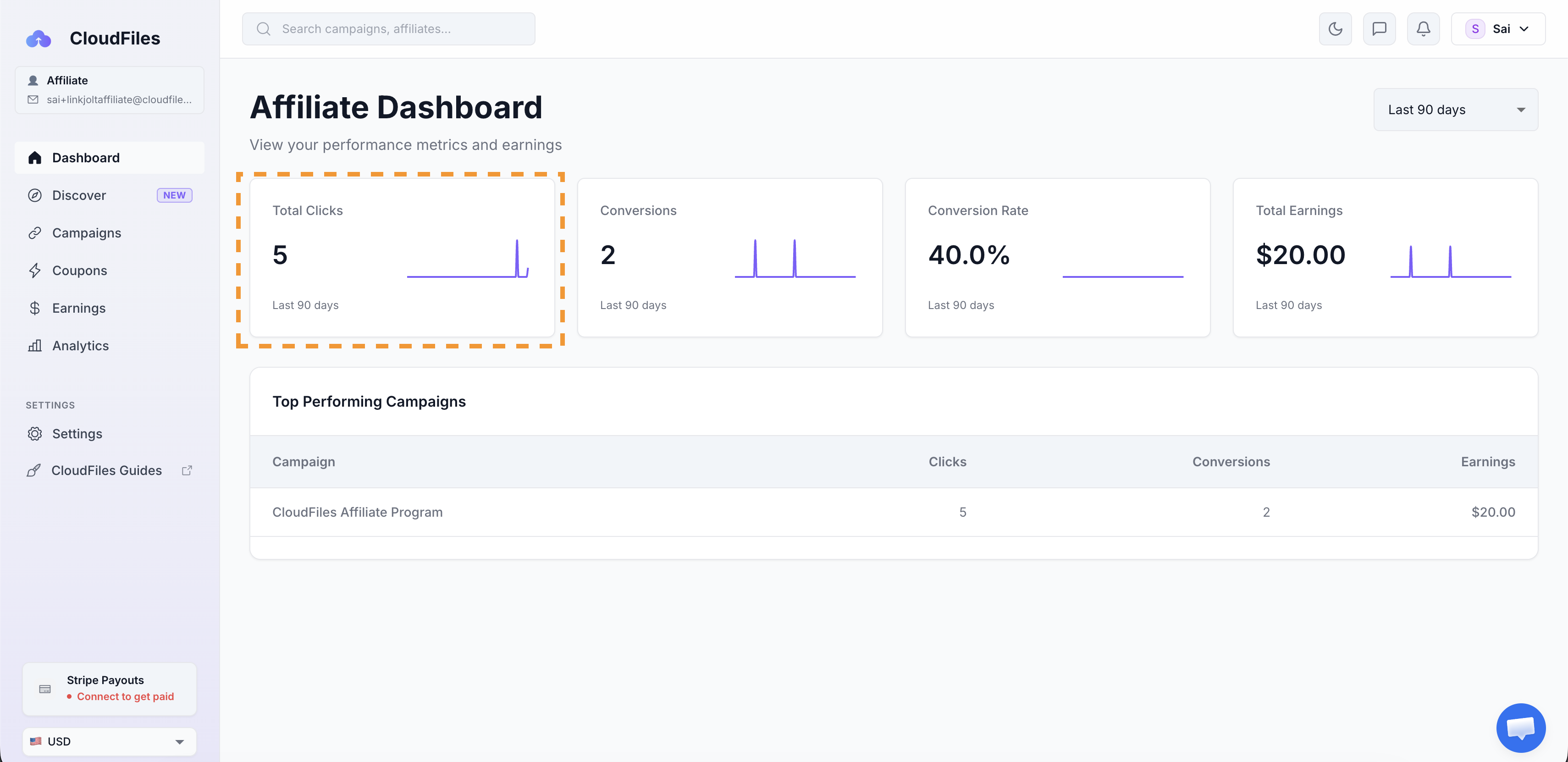
Once the link is opened go back to the Partner Portal Dashboard. Check if the "Total clicks" is updated.
Step 3: Testing Conversions
Conversions are actual subscriptions that we have received in CloudFiles. Conversion count increases only after someone who signed up using your Referral link, subscribes to at least one of the CloudFiles products.
It’s important to note:
- Clicks are tracked as soon as someone opens the referral link
- Conversions and total earnings are only recorded after the customer subscribes to a CloudFiles plan
Given this, the only way to test out conversions is to create a CloudFiles subscription. Partner can also skip testing this and simply share the link. Partner will be notified whenever there is a conversion on the link.
Conversions show up as soon as a subscription is created by the customer. Until a CloudFiles purchase is made, conversions and earnings will not be reflected in the dashboard.
What's Next ?
Now that you have a basic understanding of how the portal works, you are ready to share your link and start earning commissions. Refer to the next article on Earning Commissions for more information on this as well as CloudFiles co-marketing resources that can help you sell better.
If you need more information on the portal and commission payouts, you can refer to the CloudFiles Partner Portal guide.