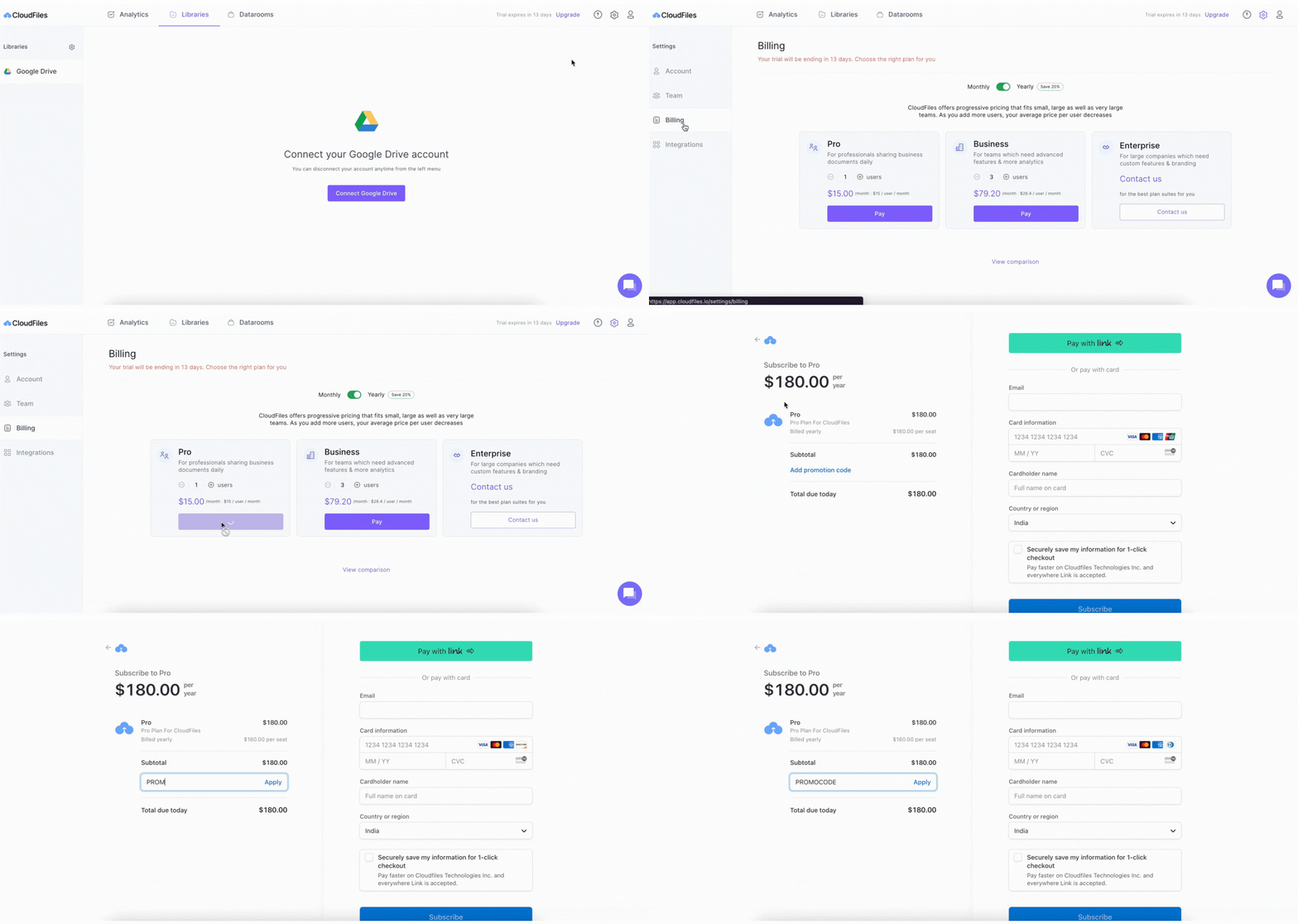
In case you already have a discount coupon code and are wondering how to use it, check out the steps and the illustration below.
Steps to apply promotion codes -
- Go to your billing settings and continue to Stripe, or open the payment link that you have been given directly.
- On the checkout page, locate the Add Promotion Code button. This is shown in the illustration below.
- Add your promotion code and click Apply.
Need help? Book time with our team of experts.