Introduction
A Record Collection Variable is a collection of records. Creating a Record Collection Variable involves selecting the Object type and setting conditions on the record fields.
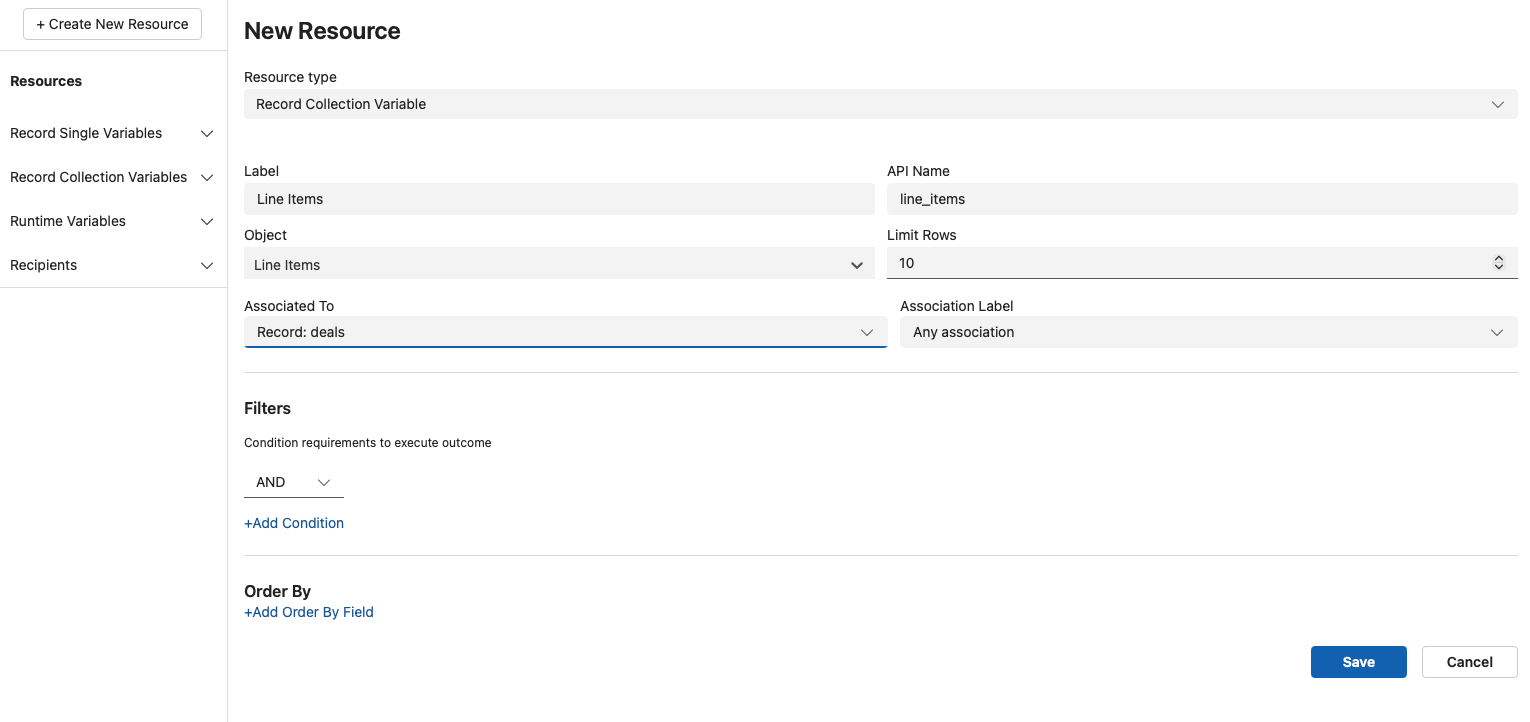
To create a Record Collection Variable, follow the steps below -
- Click 'Resources'; the Resource Manager opens up.
- In the 'New Resource' pane, select Resource type from the drop-down as 'Record Collection Variable'.
- Enter a Label, and the API Name will automatically populate.
- Select the Object.
- You can limit the number of output records using the 'Limit Rows' option.
Filters (Optional)
To determine which records are retrieved in a Record Collection Variable, you must define filter conditions. These conditions help narrow down records from the selected object based on field values and matching criteria.
Begin by selecting the main operator that controls how multiple conditions will be evaluated:
- AND: All conditions must be true
- OR: At least one condition must be true
- Custom: Allows for advanced expressions (e.g., (1 AND 2) OR 3)
Once the main operator is set, define one or more filter conditions. Each condition includes:
- A Field from the selected object
- A comparison Operator
- A Value to compare against
Condition
Field
The Field dropdown allows you to select the specific object field that should be used to filter or identify a record based on matching criteria. (e.g., Email, FirstName, Status, Custom_Field__c)
Operator
Choose a logical operator from the dropdown:
- Equals: Matches records with a field exactly equal to the specified value (e.g., for String, Picklist, Number, Boolean).
- Not Equals: Matches records where the field does not equal the given value(e.g., for String, Picklist, Number, Boolean).
- Greater Than: Matches records where the field value is numerically greater (e.g., for Integer, Decimals, Currency).
- Greater Than or Equals: Matches records where the value is greater than or exactly equal (e.g., for Integer, Decimals, Currency).
- Less Than: Matches records with a value lower than the specified input (e.g., for Integer, Decimals, Currency).
- Less Than or Equals: Matches records with a value that is less than or exactly equal (e.g., for Integer, Decimals, Currency).
- In: Matches records where the field value is one of multiple specified values (e.g., for Picklist, Multi-Select Picklist).
- Not In: Excludes records that match any of the specified values (e.g., for Picklist, Multi-Select Picklist).
- Like: Matches records based on partial text (e.g., for Text, Email).
Value
The Value field is used to specify what the selected Field should be compared against. This can take multiple forms, depending on your use case:
- Global Variables: Field value from the same object record ({!$Record.Id}).
- Record (Single) Variables: Field value from related records.
- Global Constants: A direct input like the following:
- {$GlobalConstant.False} - Boolean false
- {$GlobalConstant.True} - Boolean true
- {$GlobalConstant.EmptyString} - Represents a blank or empty value
- {$GlobalConstant.CurrentTime} - Dynamically inserts the exact timestamp when the Document is generated
Click + Add Condition to include additional filter rows. The overall filter logic follows the main operator you selected (AND/OR/Custom).
To use the fields from the Record Collection Variable, you will need to use the Insert Loopor Insert Table actions available in the template editor.
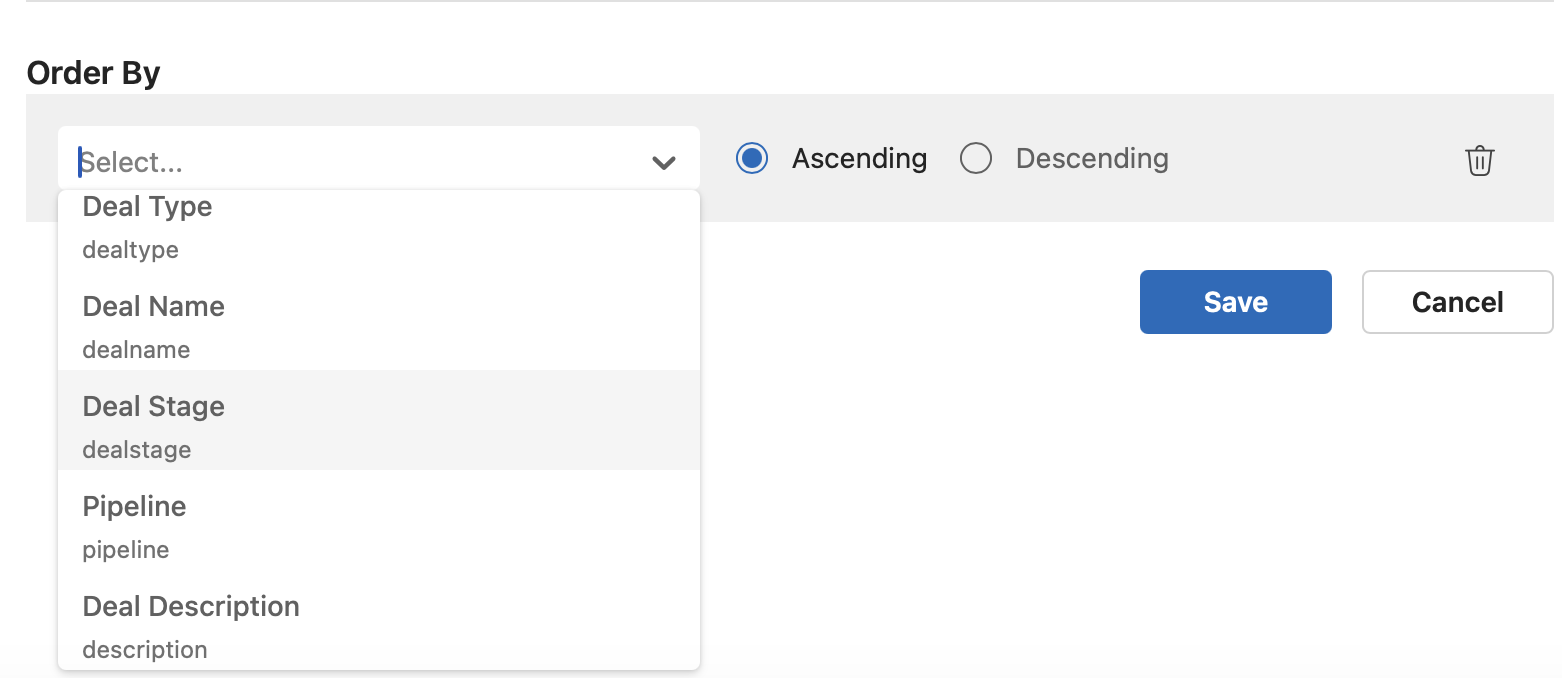
Order By (Optional)
You can optionally define the order in which matching records are sorted by selecting a field. Sorting can be done in ascending or descending order. The sort order directly determines which records are fetched when a limit is applied. For example, if a limit is set (e.g., 10 records), the top records based on the specified order will be added to the collection variable.