This article explains the following sections:
- What is a Dataroom? – Describes the purpose and behaviour of datarooms in CloudFiles.
- Creating and Sharing a Dataroom Link – Explains how a dataroom link is generated, activated, and shared.
- Organising Dataroom Content – Describes how groups, folders, and files are structured within a dataroom.
- File and Folder Sharing – Explains how shared content behaves inside a dataroom.
- File Requests – Describes how datarooms are used to collect documents from external users.
- Editing and Maintaining Datarooms – Explains how dataroom content and settings can be updated.
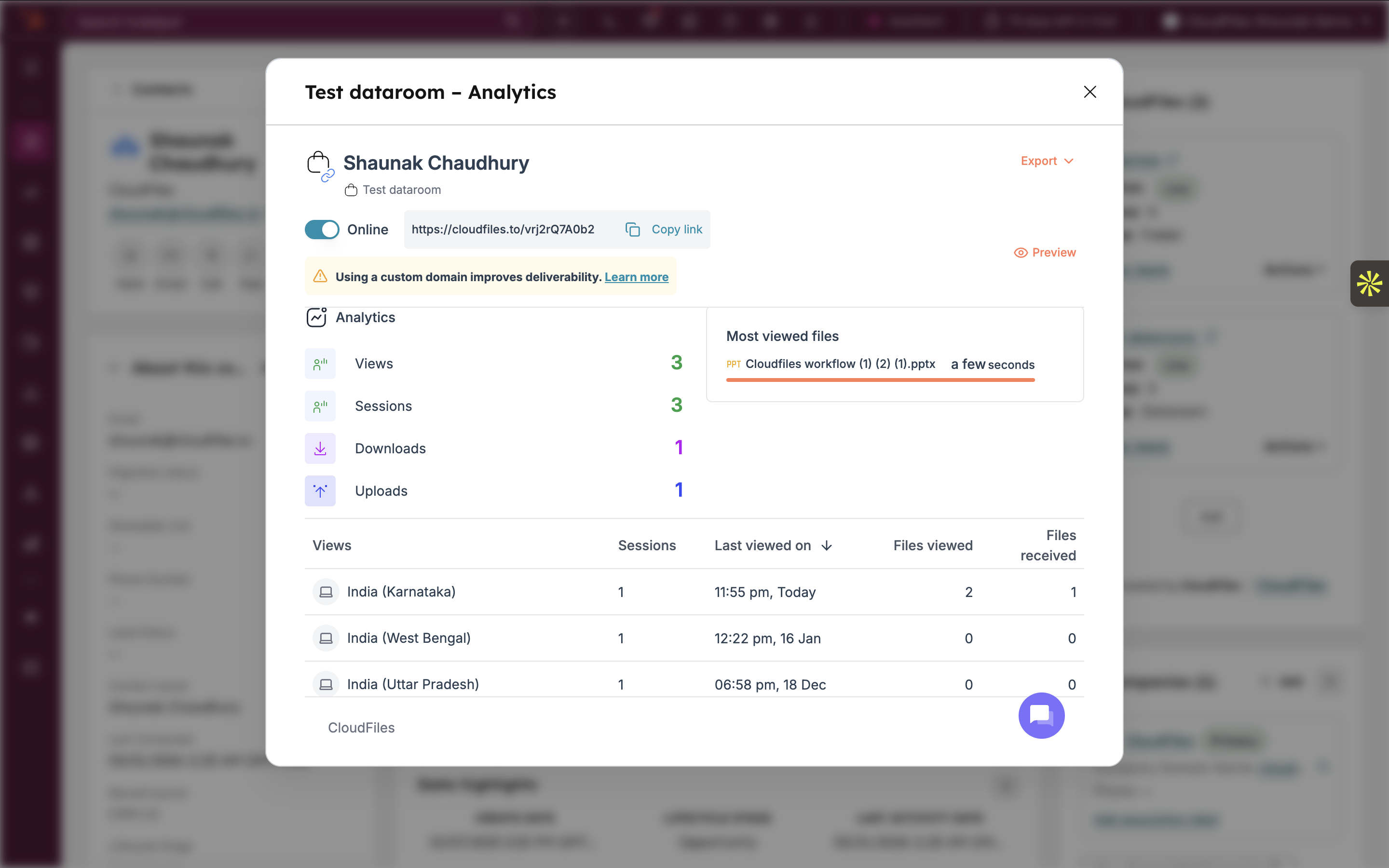
- Dataroom Analytics – Describes how dataroom usage and engagement are measured.
What is a Dataroom?
A dataroom is a centralised space that aggregates files, folders, and file request blocks under a single shareable link. It is designed to reduce the need for multiple individual links and to present related content in a single, organised view.
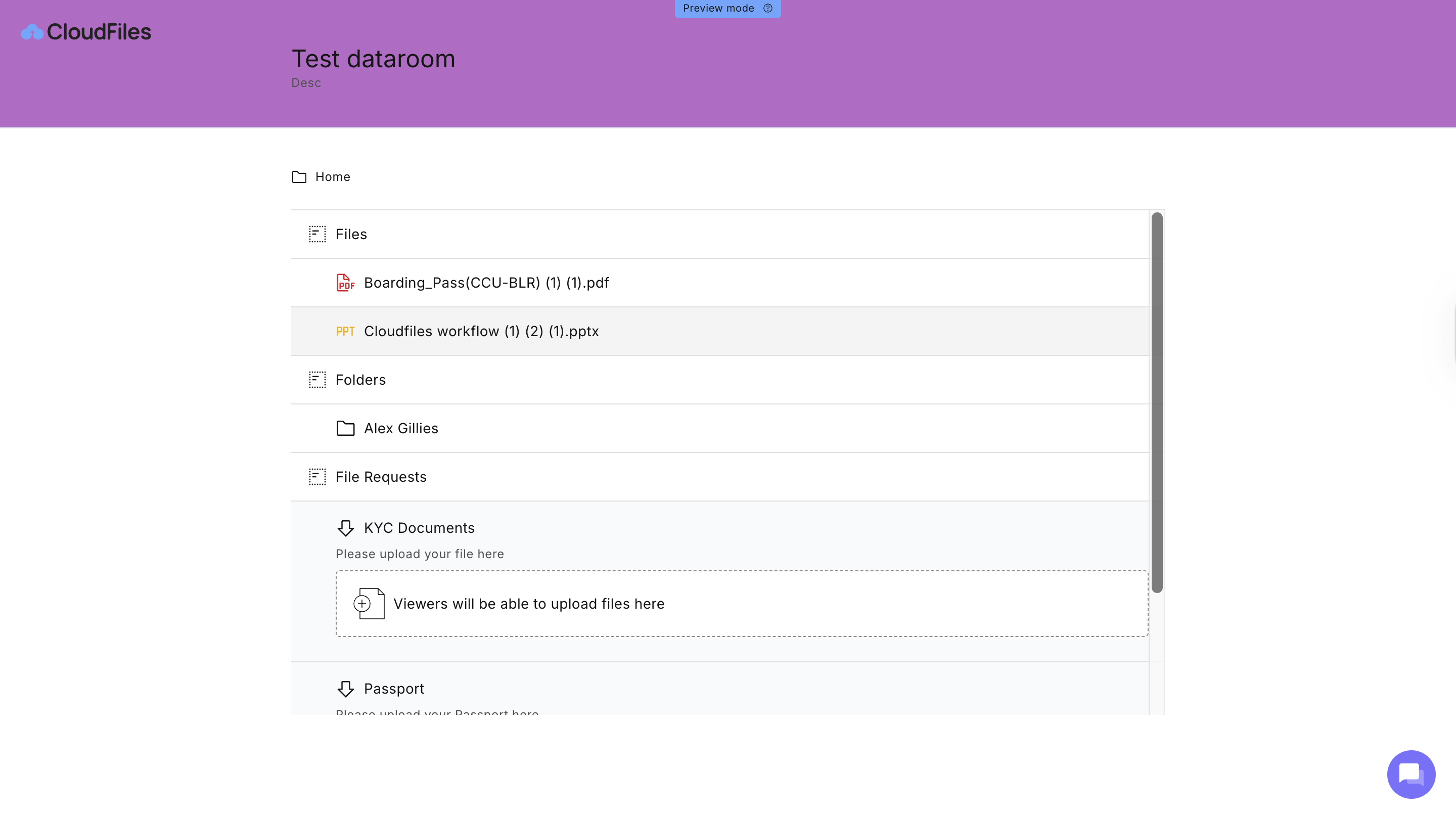
Datarooms are created within HubSpot using the Sidebar widget and remain linked to the HubSpot record where they were created. This Associations ensure that all shared and collected documents remain contextually connected to the relevant CRM object. Any structural or content changes made to a dataroom are reflected immediately for all users accessing the dataroom link.
Creating and Sharing a Dataroom Link
A dataroom link is generated automatically when a dataroom is created. This link serves as the single access point for viewing and interacting with all content included in the dataroom.
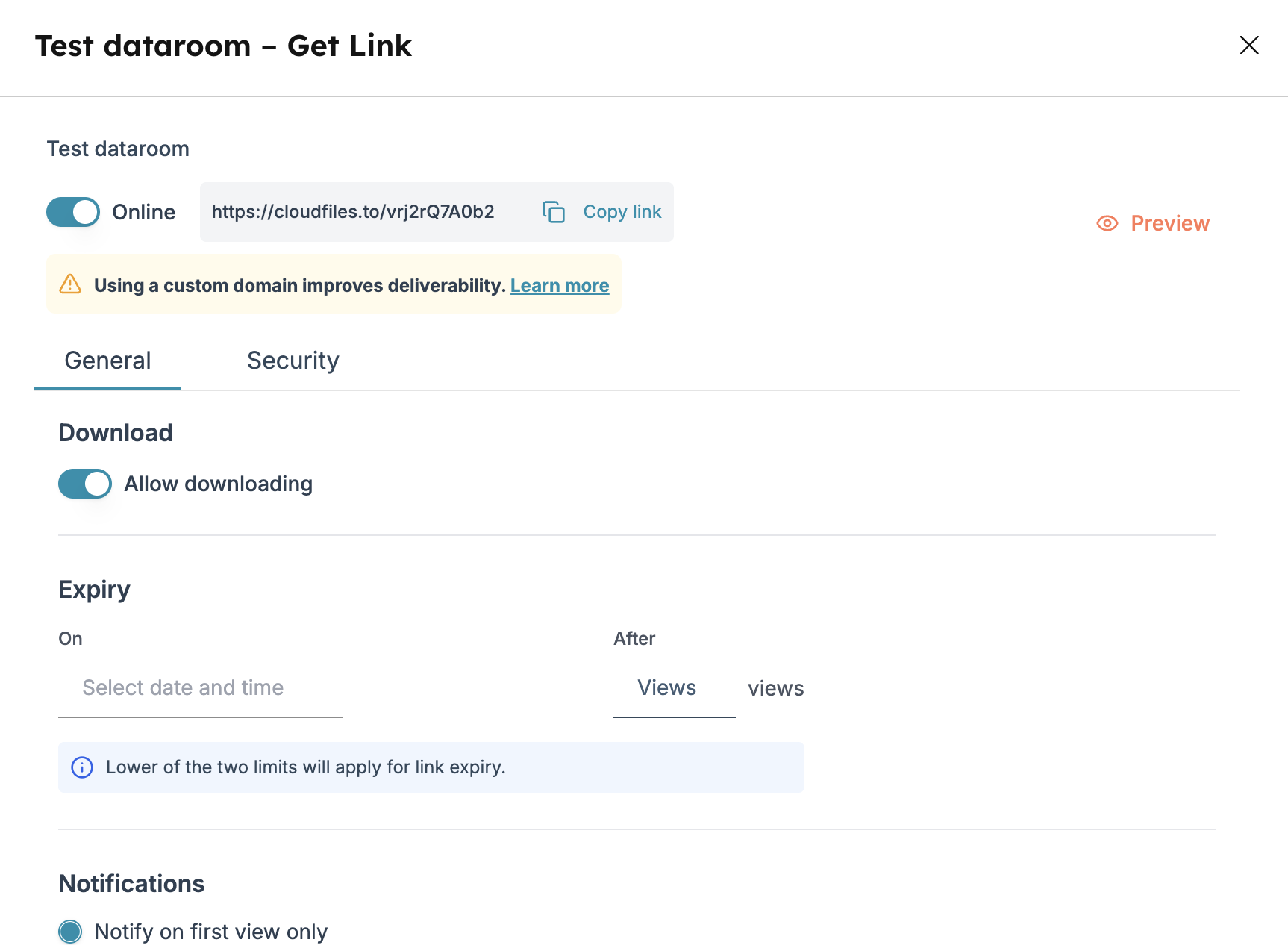
Before sharing, the dataroom link must be set to an active state. Once active, the link can be copied and shared externally. Link Settings and Security can also be applied to the dataroom.
The same dataroom link remains valid even as files, folders, or file requests are added, removed, or reorganised. A new link is not required when content changes.
Organizing Dataroom Content
Content inside a dataroom is organised using a combination of groups. Groups are used to create logical sections within the dataroom. They help segment content based on purpose, stage, or category and control the order in which content appears to external users.
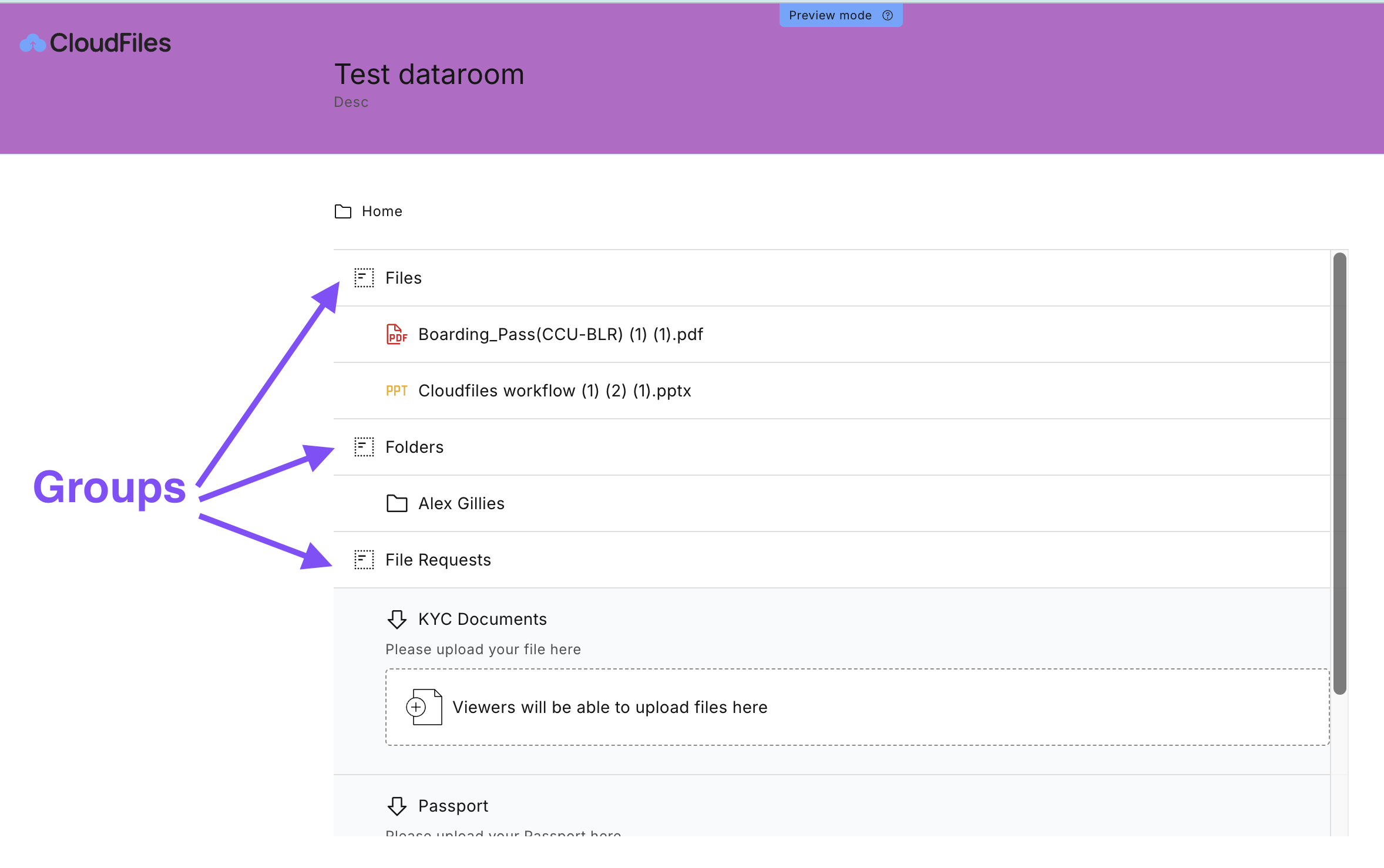
Folders retain their original structure from the connected storage location and can be placed within groups. Files can be added directly or through folders and can be reordered within a group. All organizational changes are reflected immediately in the dataroom viewer without affecting the dataroom link.
File and Folder Sharing in Datarooms
Files and folders are added to the datarooms from the Content Library . Once added, they become part of the dataroom and are accessible through the dataroom link. Access to files and folders is governed by the dataroom link settings. These settings determine whether content can be viewed, downloaded, or accessed after expiry.
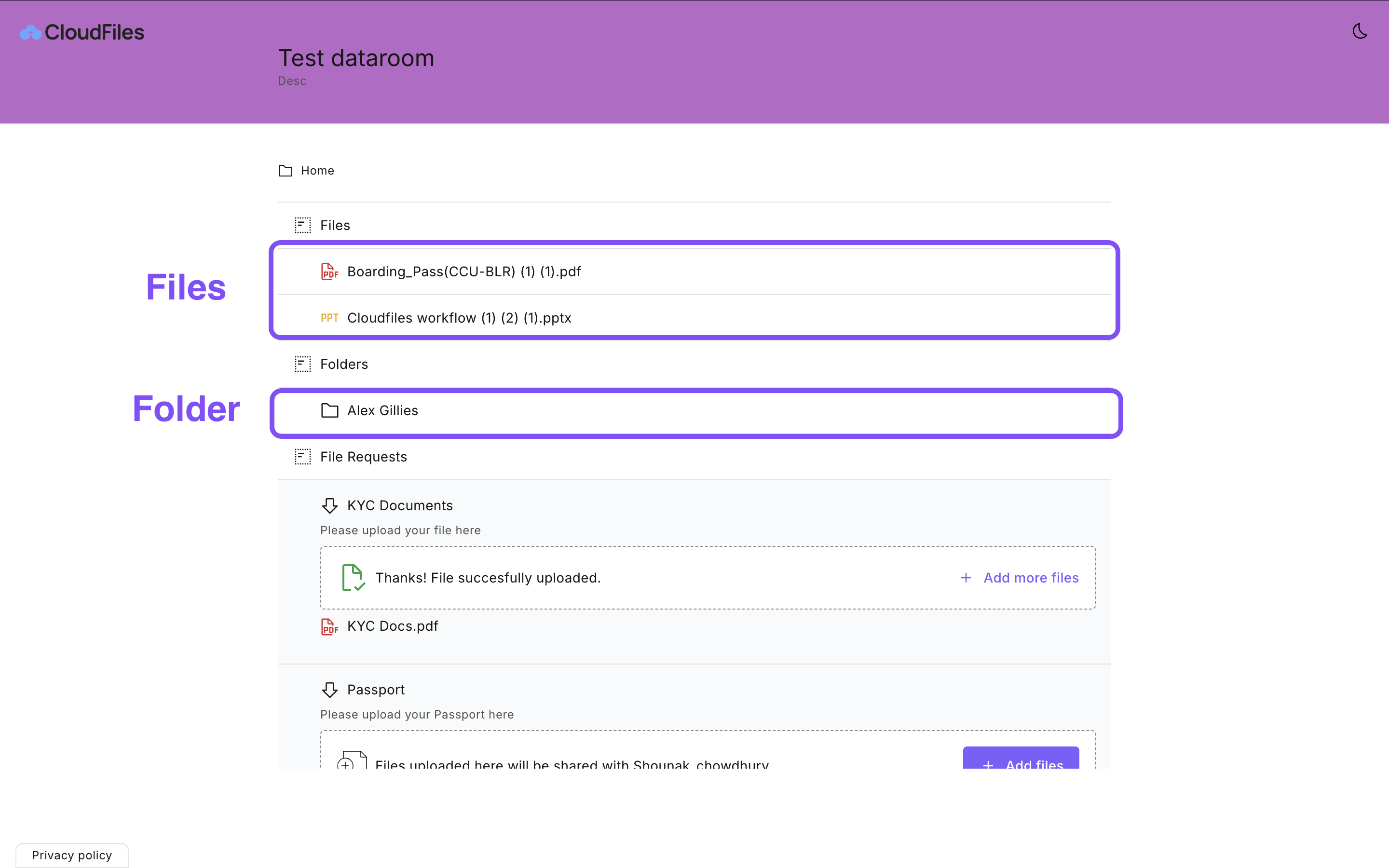
When a file is updated in its original storage location, the updated version is automatically reflected in the dataroom, ensuring recipients always see the most recent version.
File Requests in Datarooms
File requests allow datarooms to collect documents from external users in a structured manner. A file request defines a specific upload requirement within the dataroom. When recipients access the dataroom link, they see clearly defined upload areas corresponding to each file request. Uploaded files are stored automatically in the destination folder configured for the request. This ensures that collected documents are placed in the correct storage location without manual intervention.
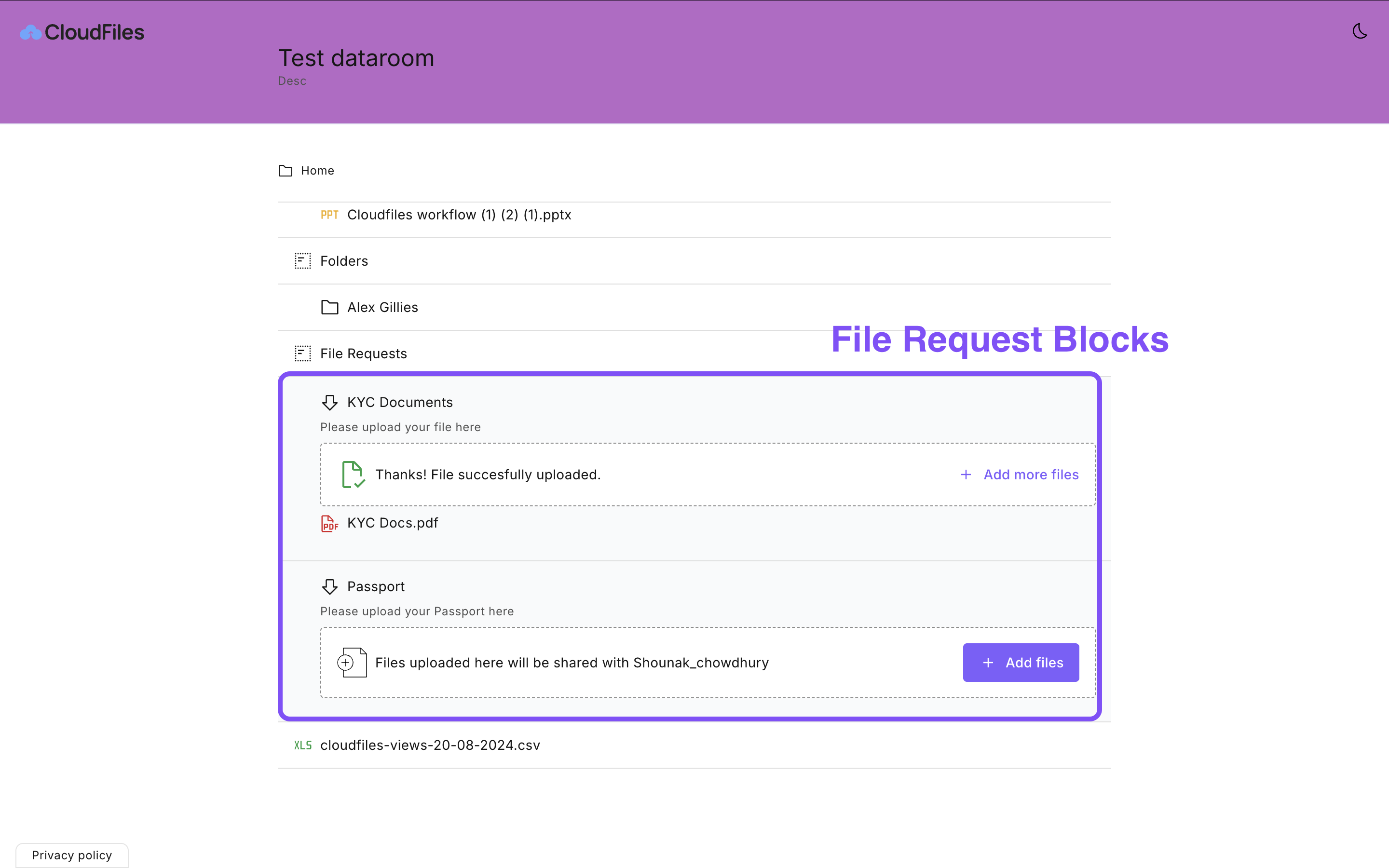
File requests can be added, edited, or removed at any time. Changes take effect immediately and apply to all users accessing the dataroom link.
Editing and Maintaining Datarooms
Datarooms can be edited after creation to add or remove files, folders, groups, and file request blocks. Dataroom link settings, including access controls, security restrictions, expiry rules, and notifications, can be updated without generating a new link. All edits are reflected in real time for anyone accessing the dataroom.

Dataroom Analytics
CloudFiles provides analytics for dataroom links to track usage and engagement. Analytics include information such as link views and interactions with content within the dataroom. These metrics help understand how recipients are engaging with shared materials. Dataroom analytics are accessible from the dataroom actions menu and are associated with the dataroom link.
You can find more information on analytics in the Engagement & Analytics article.