Step 1: Accepting the invite
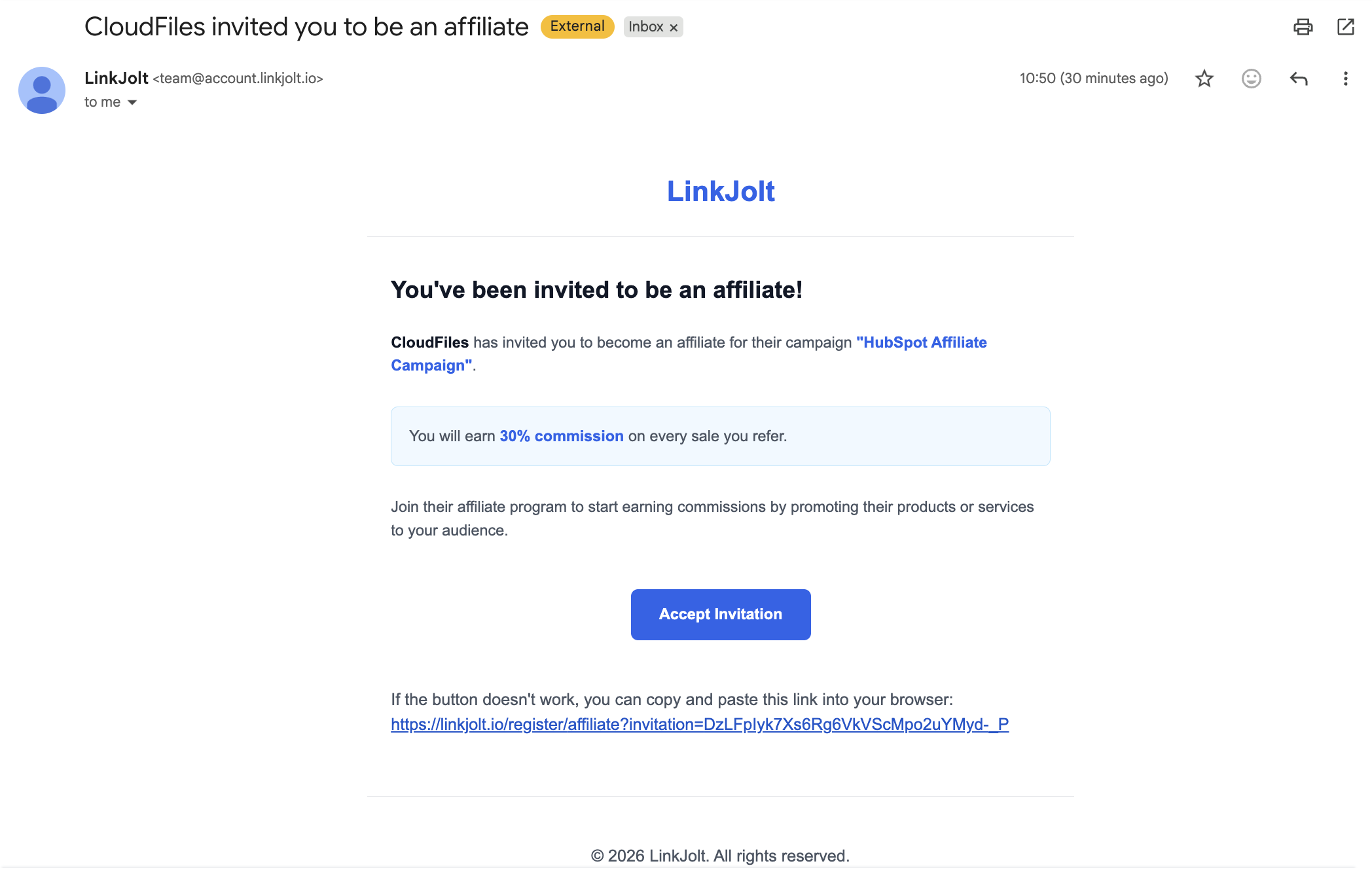
Once your application is approved, you will receive an invitation email with Subject - 'CloudFiles invited you to be an affiliate' to join the CloudFiles affiliate program. Here is how the email looks like. Click on “Accept Invitation” to begin the account setup process.
Step 2: Creating portal account
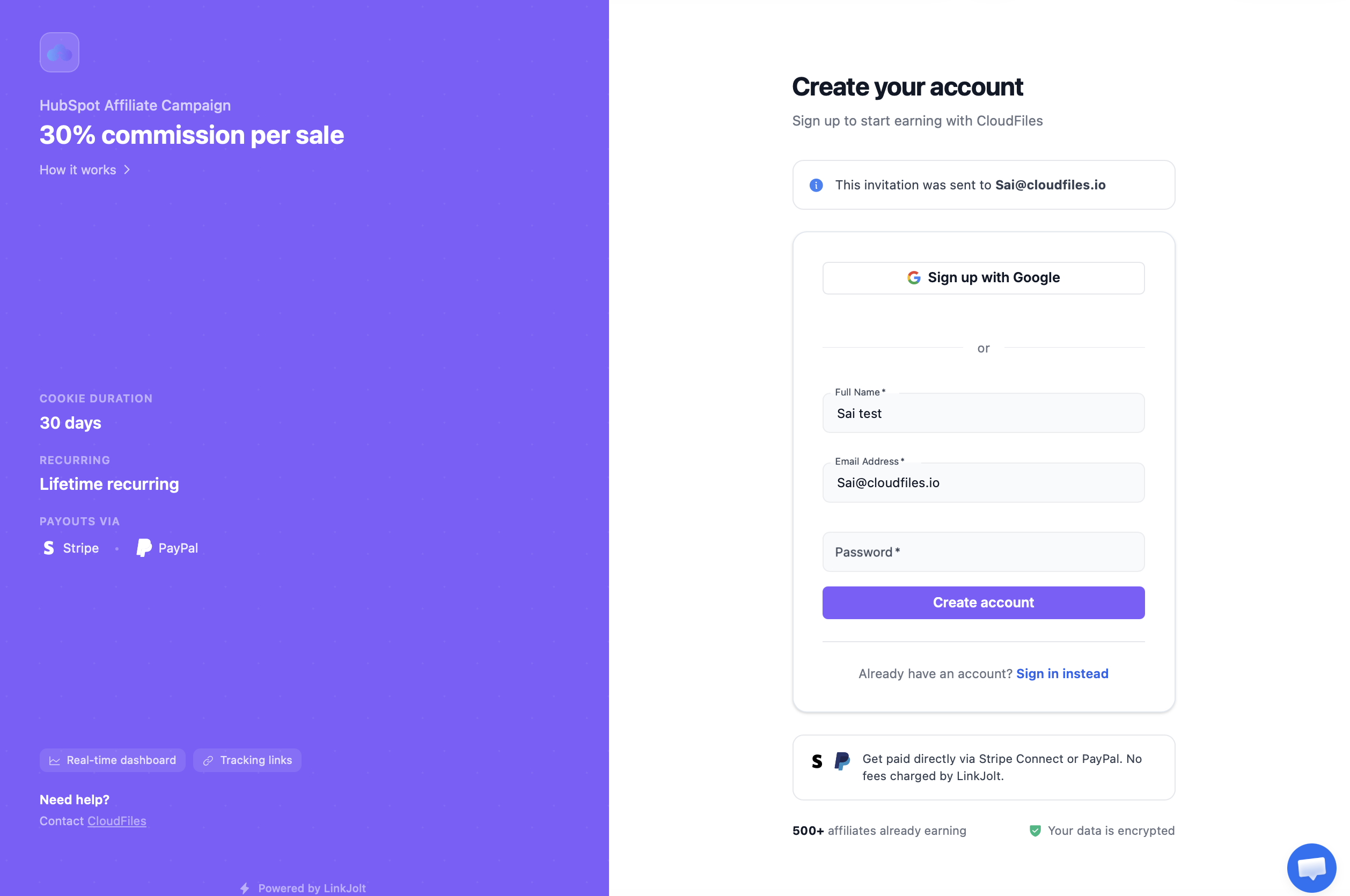
Once you click on the “Accept Invitation” button, you will be redirected to the affiliate onboarding page where you can review CloudFiles Affiliate program details. To complete the setup, create your affiliate account by setting a password or Choose 'sign up with Google'
Step 3: Accessing the dashboard
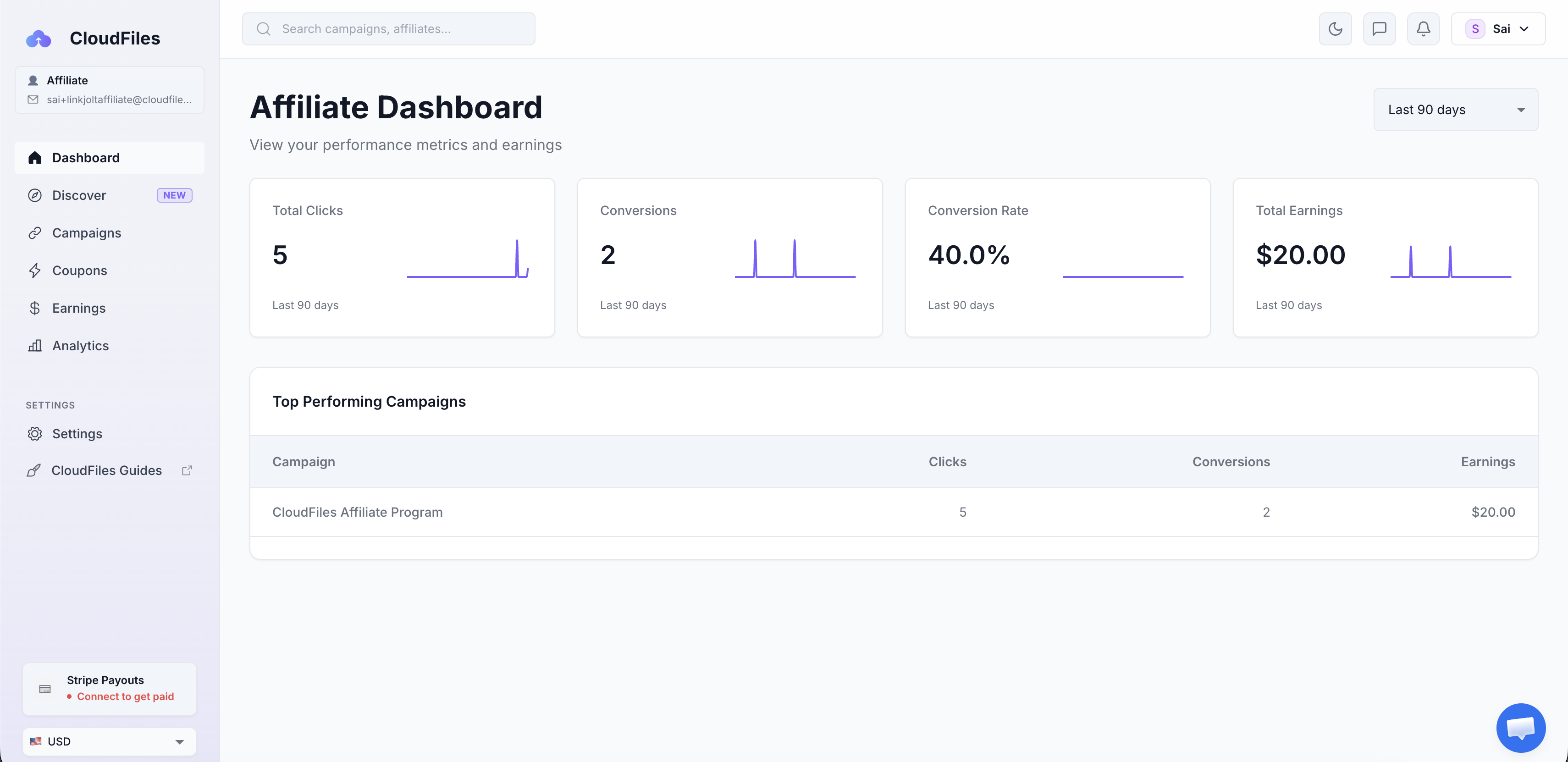
Once your account is created, inside the partner portal, you will be able to access your unique affiliate referral link, track referrals, view commissions and payouts and stay updated on partner announcements.
What's Next ?
Now that you have the portal registration done and you can access your affiliate link, you are ready to test the link and then roll it out onto your webpages to start earning commissions. Testing of link is highly recommended before using it on production pages. Check the next article on Testing Referral Link.