Accessing Document Management Usage
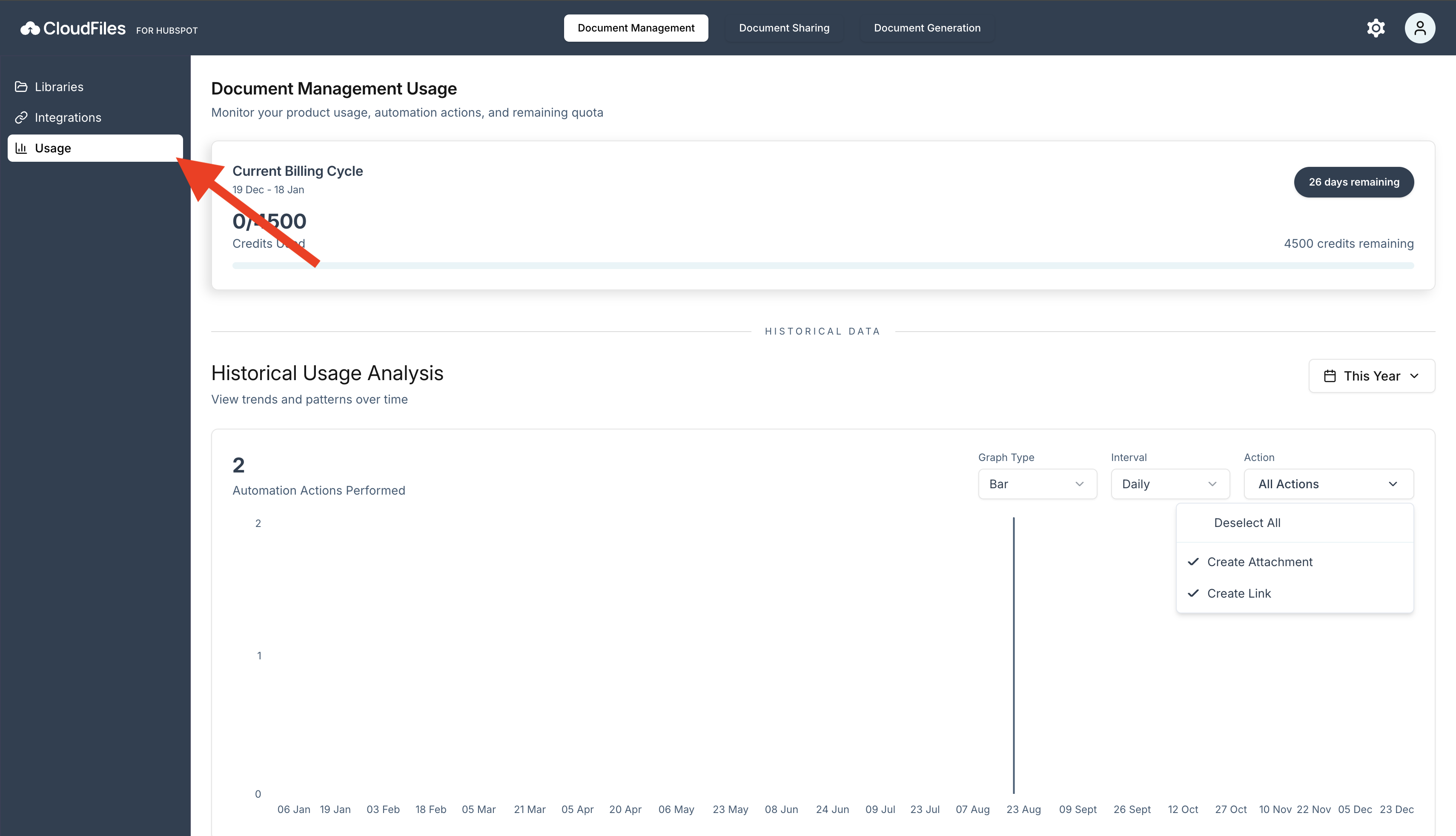
To access the Document Management usage view:
- Open the CloudFiles app for HubSpot.
- Select Document Management from the top navigation bar.
- From the left sidebar, click Usage.
Sections Available in the Usage View
The usage view is divided into multiple sections that provide an overview of current billing usage, historical trends, and a detailed breakdown of how credits are consumed. Each section focuses on a specific aspect of document management usage.
Usage Summary Card
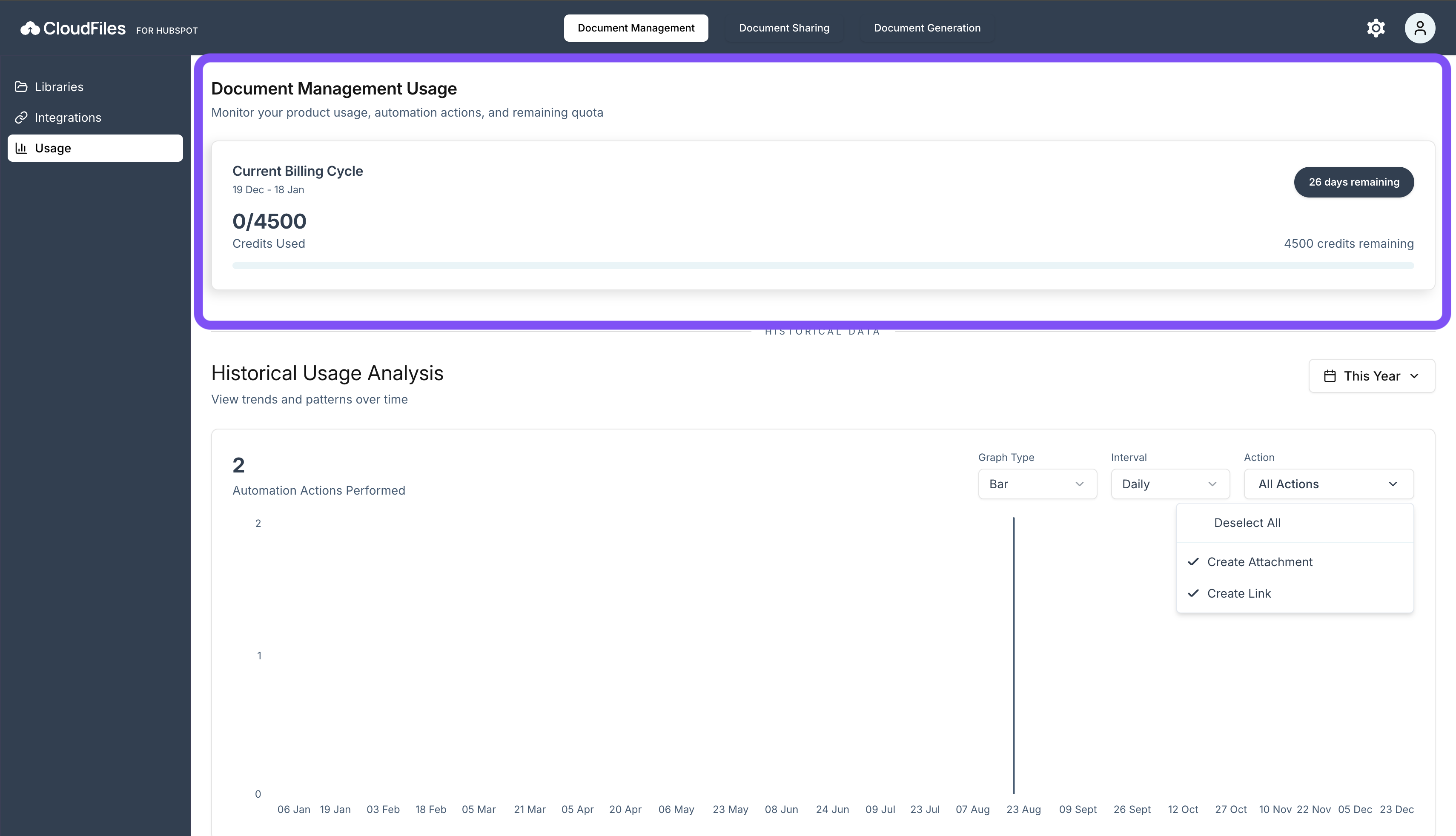
The Usage Summary Card displays a snapshot of usage for the current billing cycle.
It shows the billing cycle start and end dates, the total number of credits consumed so far, the remaining credits available, and the number of days left before the billing cycle resets. This section helps you quickly assess whether current usage is within expected limits.
Purchasing Additional Credits
If your usage exceeds the included limits in your current plan, you can purchase additional credit packs as an add-on.
Automation Pack
| Plan | Price/month | Automations/month |
|---|---|---|
| Small Pack | $10 | 100 |
| Medium Pack | $75 | 1,000 |
| Large Pack | $500 | 10,000 |
These add-ons allow you to continue running document management automations without interruption, even during periods of higher usage. Additional credits are applied to your account immediately and are consumed in the same way as your existing plan credits.
Historical Usage Analysis
The Historical Usage Analysis section visualises how document management usage changes over time.
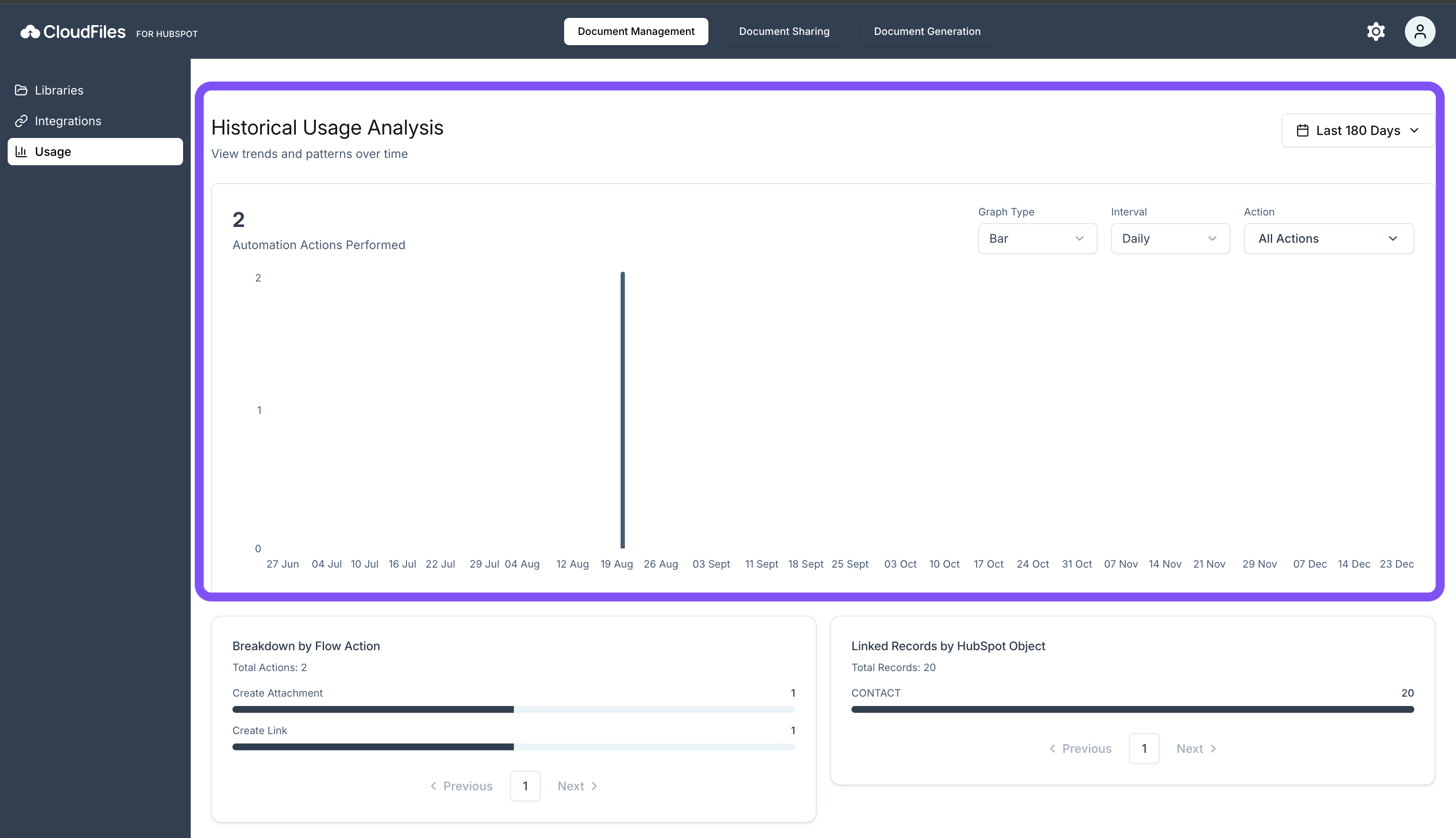
Usage can be viewed across predefined time ranges, such as Today, This week, This Year or Last 180 Days. A Custom Date Range selector is available for more precise analysis. Usage data can be displayed using Bar or Line graphs to identify trends, spikes, and periods of low activity.
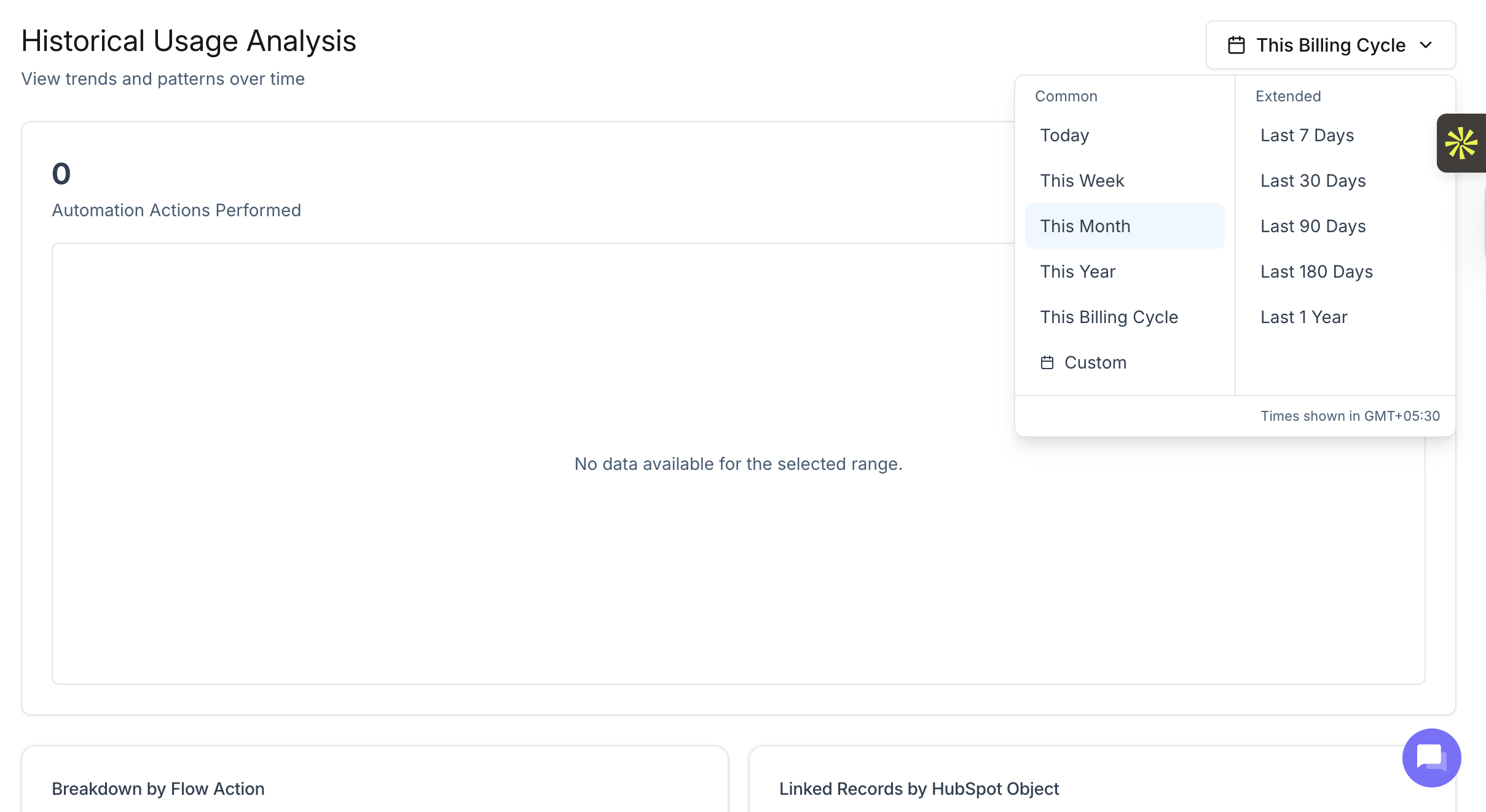
Filters and Controls
Filters allow you to refine how usage data is displayed. You can group usage by interval, including Daily, Weekly, or Monthly views. Automation Actions can also be selected to focus analysis on specific document management operations. These controls help isolate usage patterns and understand when particular actions were executed.
Breakdown by Flow Action
The Breakdown by Flow Action section shows how usage is distributed across individual document management flow actions.
It displays the total number of actions performed and the relative contribution of each action. This helps identify which flow actions are responsible for the majority of credit consumption.
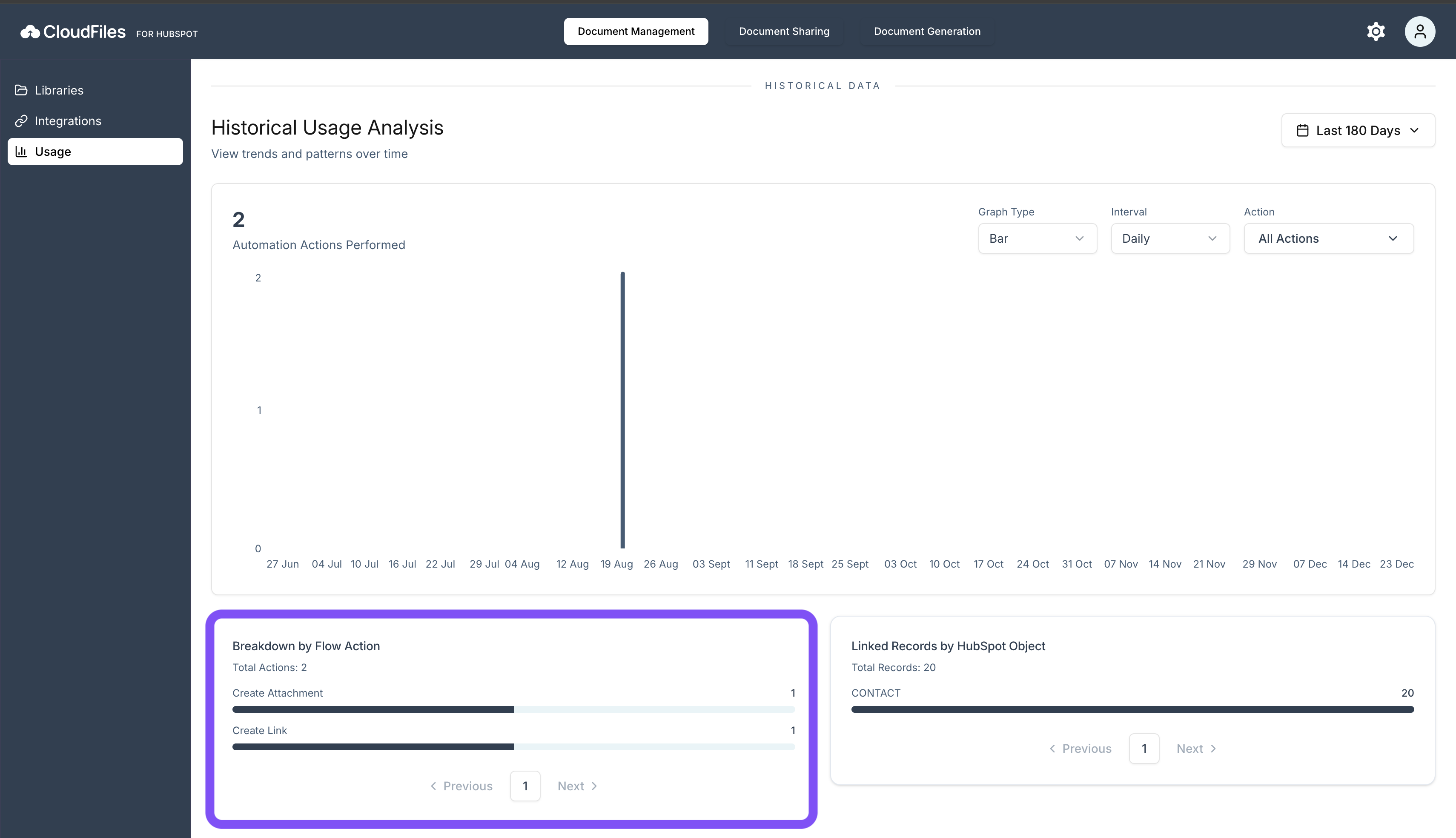
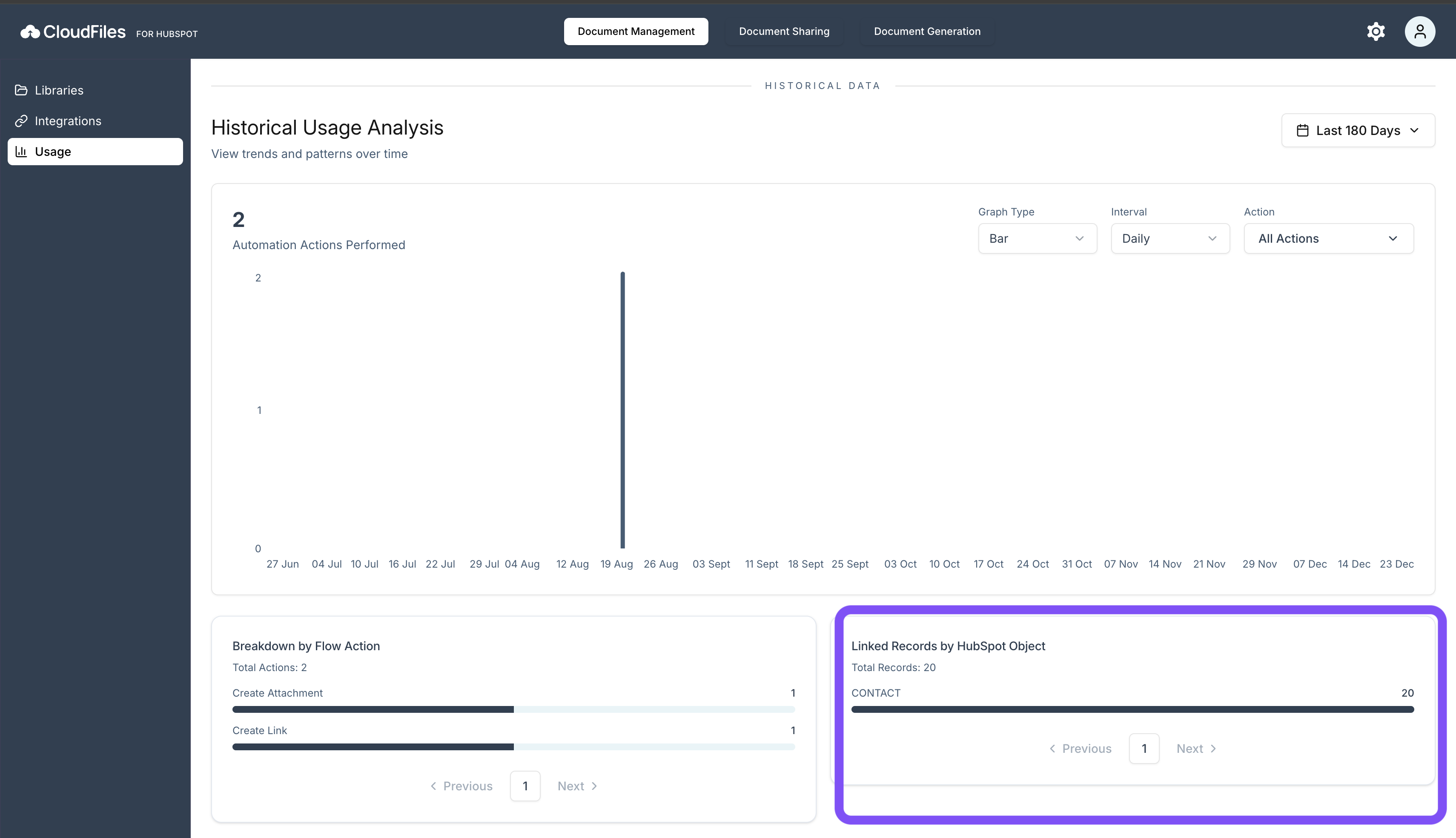
Linked Records by HubSpot Object
This section groups usage data by HubSpot object type. It shows which objects are most frequently associated with document management flow actions. This helps understand where document management automations are being applied and which object types contribute most to overall usage.