Introduction
The Insert Loop action allows you to repeat a specific section of a document template using data from multiple HubSpot records. Each iteration of the loop is populated with property values from a single record in a record collection and the section is repeated consecutively in the generated document.
Insert Loop is commonly used when you need to display lists such as line items, associated deals, related contacts or any grouped record data in a structured format.
How to Insert a Loop:
Step 1: Create a Record Collection Variable
Before inserting a loop, ensure that a Record Collection Variable is created. This variable defines the set of HubSpot records that the loop will iterate over.
For detailed instructions, refer to the Record Collection Variablesection to learn how to create and configure a collection.
Step 2- Insert the Loop in the Template
- Use the Select Action dropdown and choose Insert Loop .
- In the Resource Type dropdown, select the Record Collection Resource you just created.
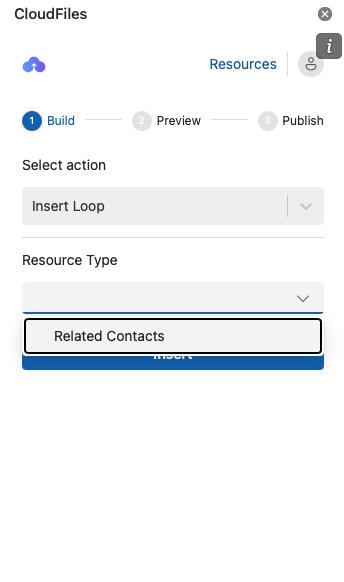
Step 3- Customize the Loop Content
- The inserted loop will appear in the template with a placeholder section labeled "Click or tap here to enter text.”
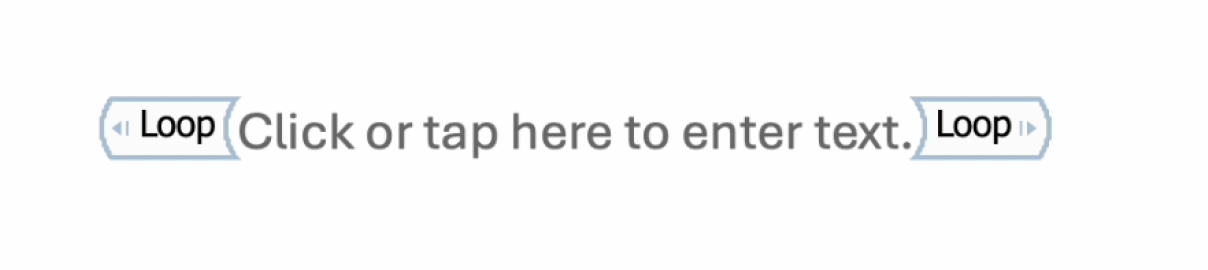
- Click the placeholder to select it, erase the placeholder text and begin creating the content for the loop using fields from the selected Record Collection. Use the Insert Field action to add fields dynamically within the loop.
Example:
In the image below, the loop iterates over related contact's details. Inside the loop, fields for-First name, Last name and Email ID, have been inserted as dynamic text.
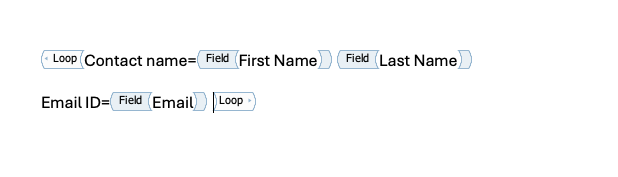
Preview the Generated Document:
When the document is generated, the loop content will repeat for each record in the collection. Each iteration will populate the fields with data from a single record in the collection.
Example Output:
For an Account with two related Opportunities, the content inside the loop will repeat twice, once for each Opportunity.
Generated Document Sample: