Introduction
CloudFiles Document Generation is used to generate PDFs and in original file formats-DOCX/PPTX/XLSX documents using HubSpot data. It integrates directly within HubSpot record pages, displaying all published templates related to a specific object. Users can select a template, generate and download the document. This functionality relies on the CloudFiles Word Add-in, which is used to design and manage document templates with HubSpot fields and must be connected to your HubSpot instance for full functionality.
This article explains the following -
- Configuring the Widget: You’ll learn how to add the CloudFiles Document generation widget to your HubSpot records
- Working with Templates. You’ll discover how to generate documents from displayed templates within the widget
Configuring the Widget
The CloudFiles Document Generation widget can be easily added to any of standard object's record page in HubSpot. Once added, this widget will display all the published templates related to that object. Users can then generate documents which will be automatically downloaded upon generation.
- Navigate to any HubSpot record and click on "Customize view" located in the top-right corner.
- From the menu, select "Default view".
- Click the "+" button to create a new tab or add the widget to the existing tab.
- Assign a name to the tab if any. For example, you can name it "CloudFiles Doc Gen" for easy identification.
- Click on the "+" button again to open the Card Library and select CloudFiles Document Generation.
- Next, click on "Add Card" to add the widget to the existing/ new tab.
For visual understanding, refer to the video below -
Working with Templates
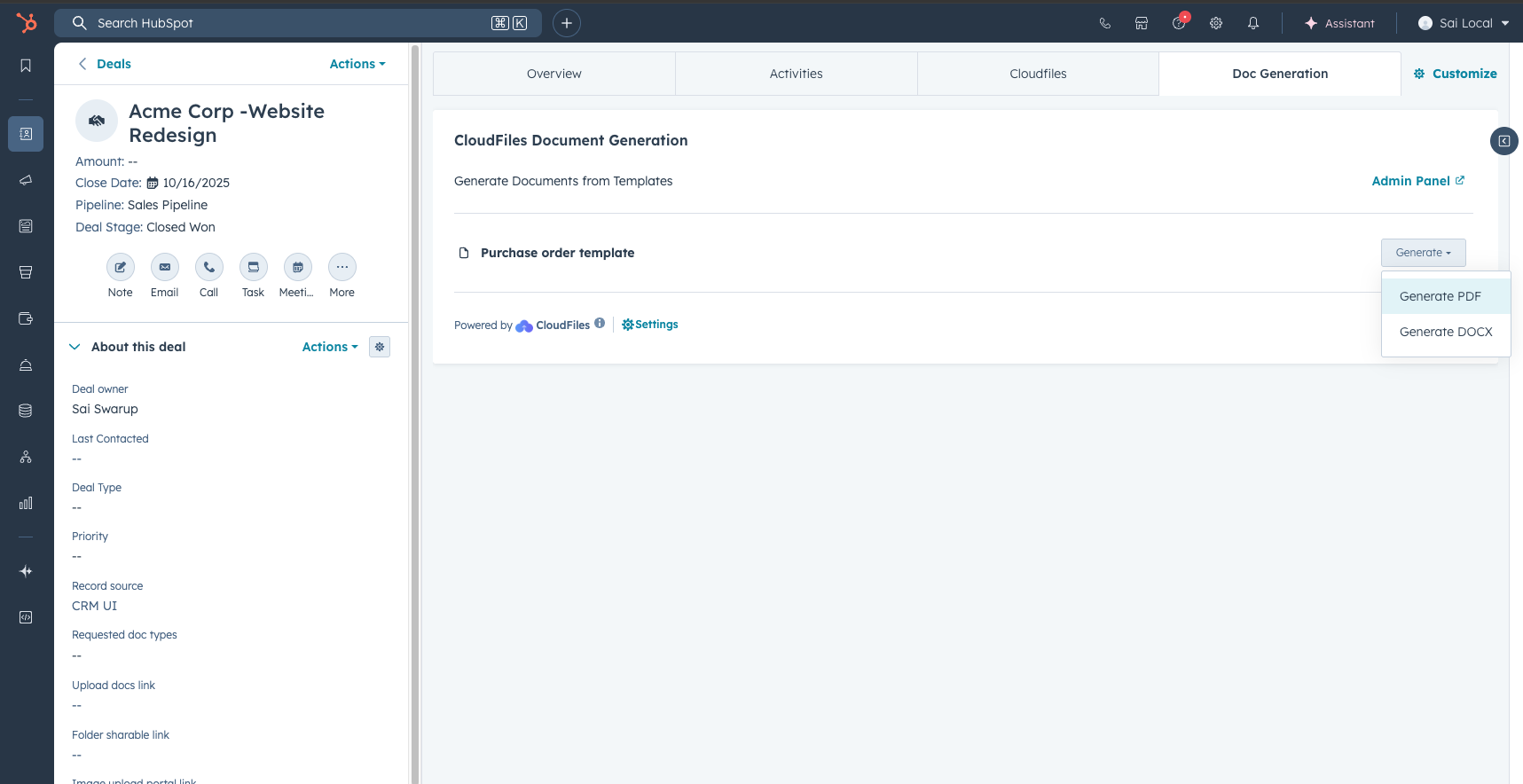
Once the CloudFiles Document Generation widget is added to a HubSpot record page, users can begin generating documents directly from the list of published templates. The widget automatically identifies the object type of the record (Contact, Company, Deal, Ticket, etc) and displays only the templates mapped to that object.
Each template entry displays:
- Template Name
- Download Options (PDF and Template's file formats- DOCX/.XLSX/.PPTX)
In next article, You'll learn about CloudFiles Office Add-In setup, which is required to create and manage document templates.