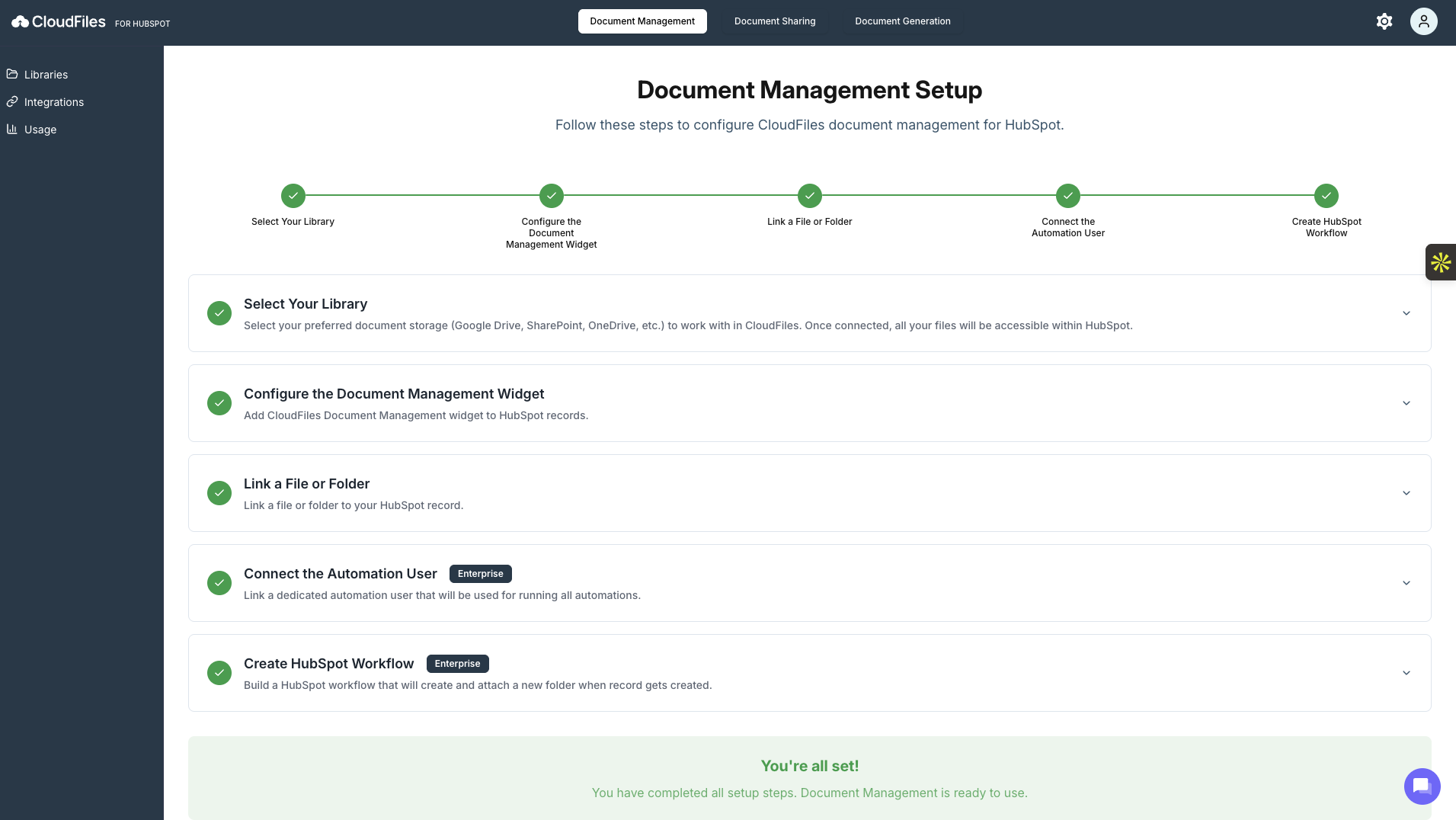
The Document Management setup wizard is designed to be completed sequentially, but you can revisit individual steps later if needed. Each step in the wizard includes an embedded video walkthrough, making it easier to understand and complete the setup with visual guidance.
Accessing the Setup Wizard
You can access the setup wizard from the Document Management section in the CloudFiles app from the left-hand side bar. A progress indicator on the left shows how many steps are completed, helping you track your setup progress.
The wizard consists of five steps, each focusing on a specific part of the configuration.
Step 1: Select Your Library
This step allows you to choose the document storage platforms you want to use with CloudFiles. Supported options include Google Drive, SharePoint, OneDrive, and other connected storage providers.
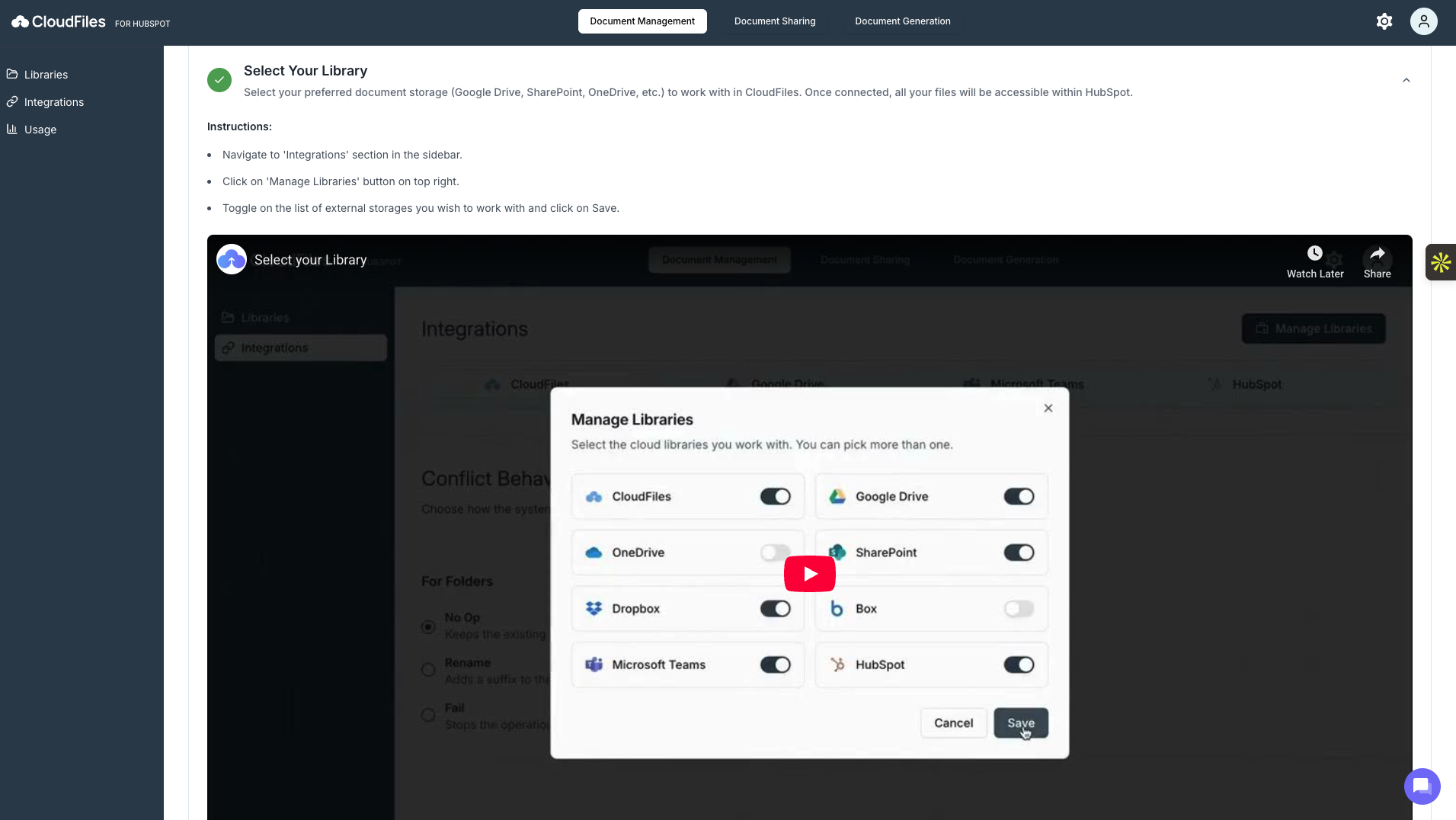
Once selected, the chosen libraries become available throughout CloudFiles and can be accessed directly from HubSpot records. After saving your selection, mark the step as "Complete."
Step 2: Configure the Document Management Widget
The Document Management widget allows you to view and manage files directly within HubSpot records, such as Contacts, Companies, Deals, Tickets or any other custom objects available for Enterprise users.
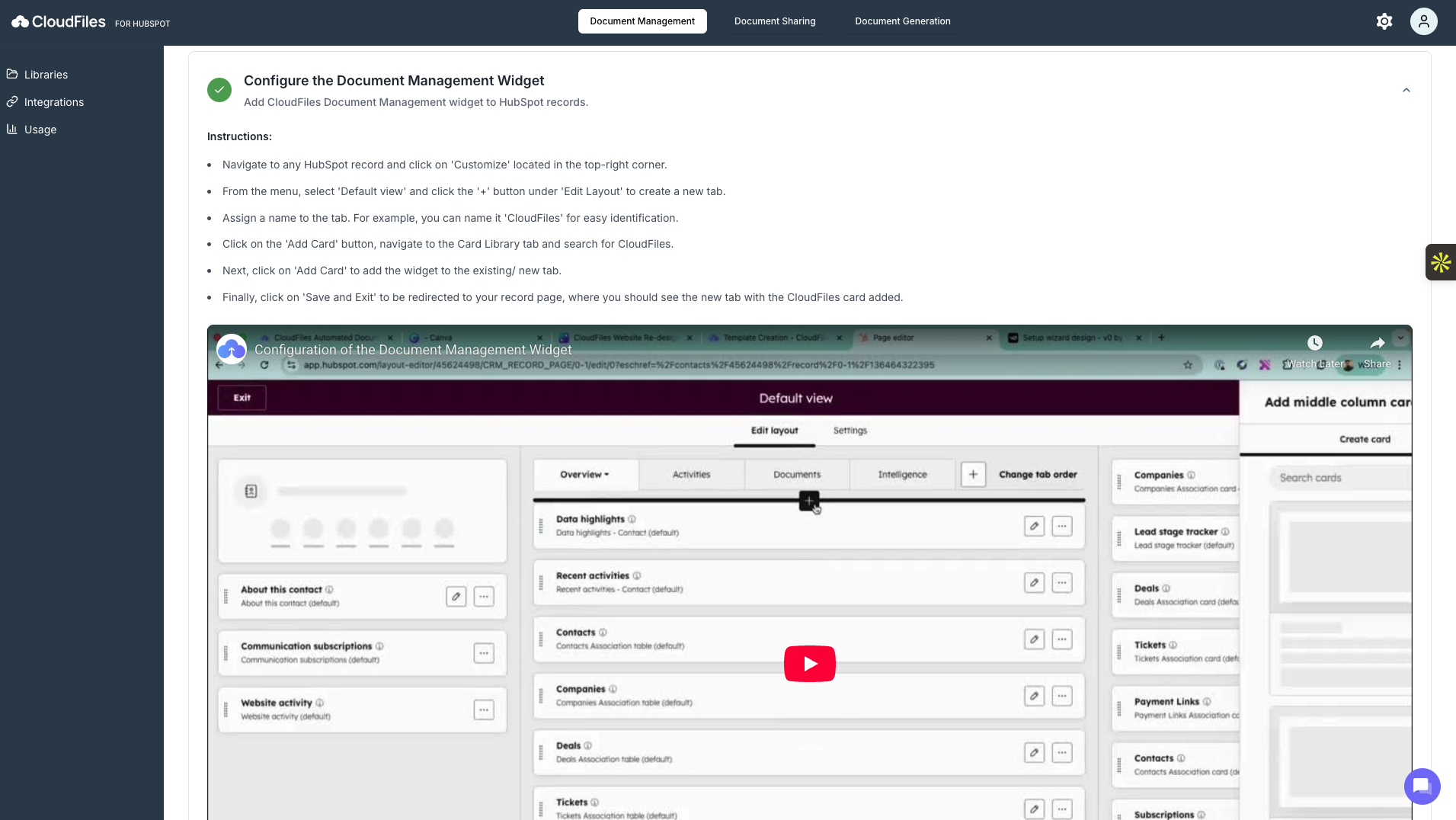
At this stage, the widget is added to the HubSpot record layout. This ensures that CloudFiles appears as a dedicated tab or section inside the record view, making documents easily accessible without leaving HubSpot. After saving the layout changes in HubSpot, this step can be marked as done in the wizard.
Step 3: Link a File or Folder
Once the widget is configured, you can link an existing file or folder from your selected library to a HubSpot record.
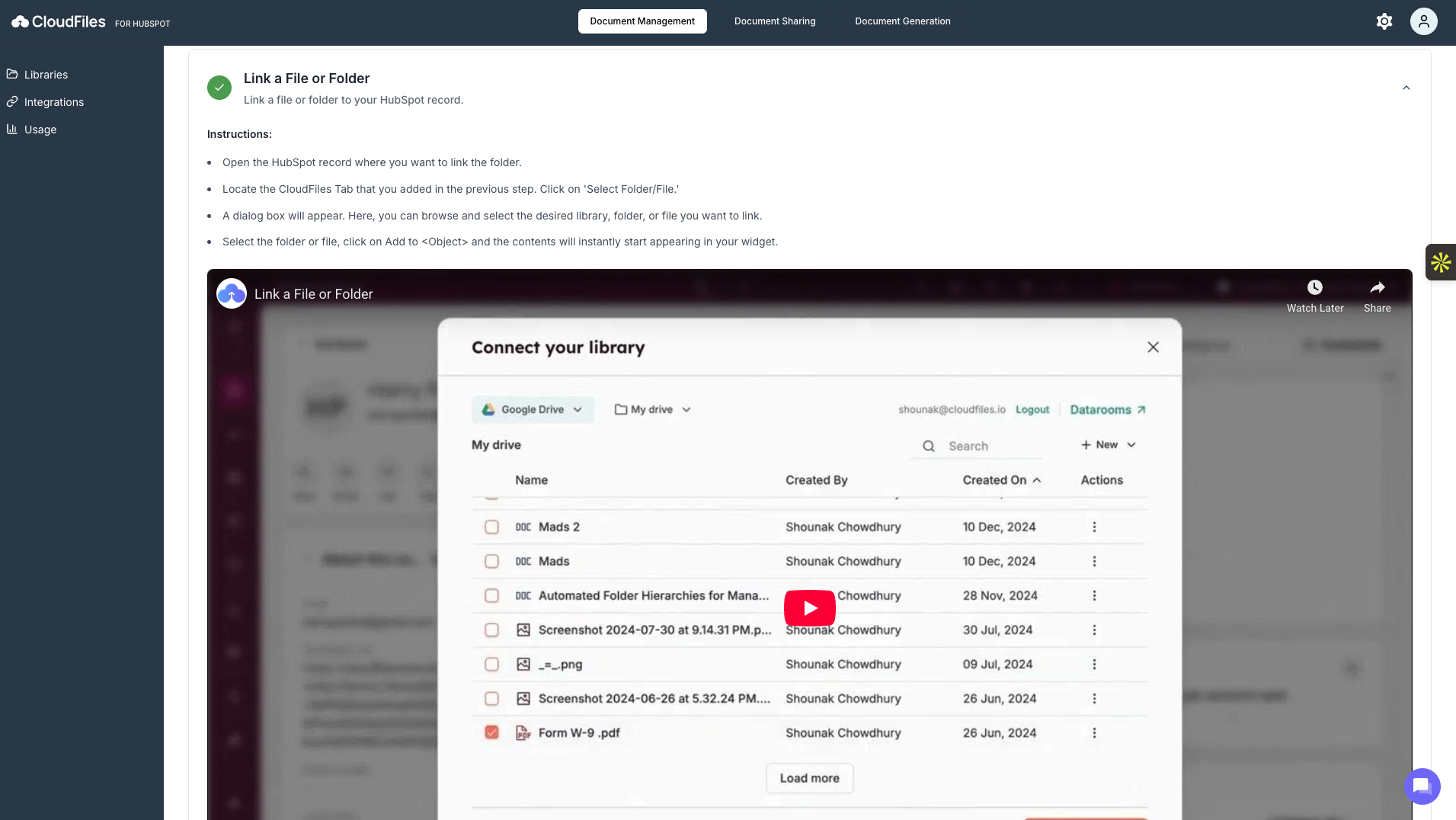
After a file or folder is linked, its contents immediately appear inside the Document Management widget on the record, allowing users to browse and interact with documents directly.
Step 4: Connect the Automation User
The Automation User is a dedicated account used by CloudFiles to run automations such as folder creation, associating files/folders, etc. This step is available only for Enterprise plans.
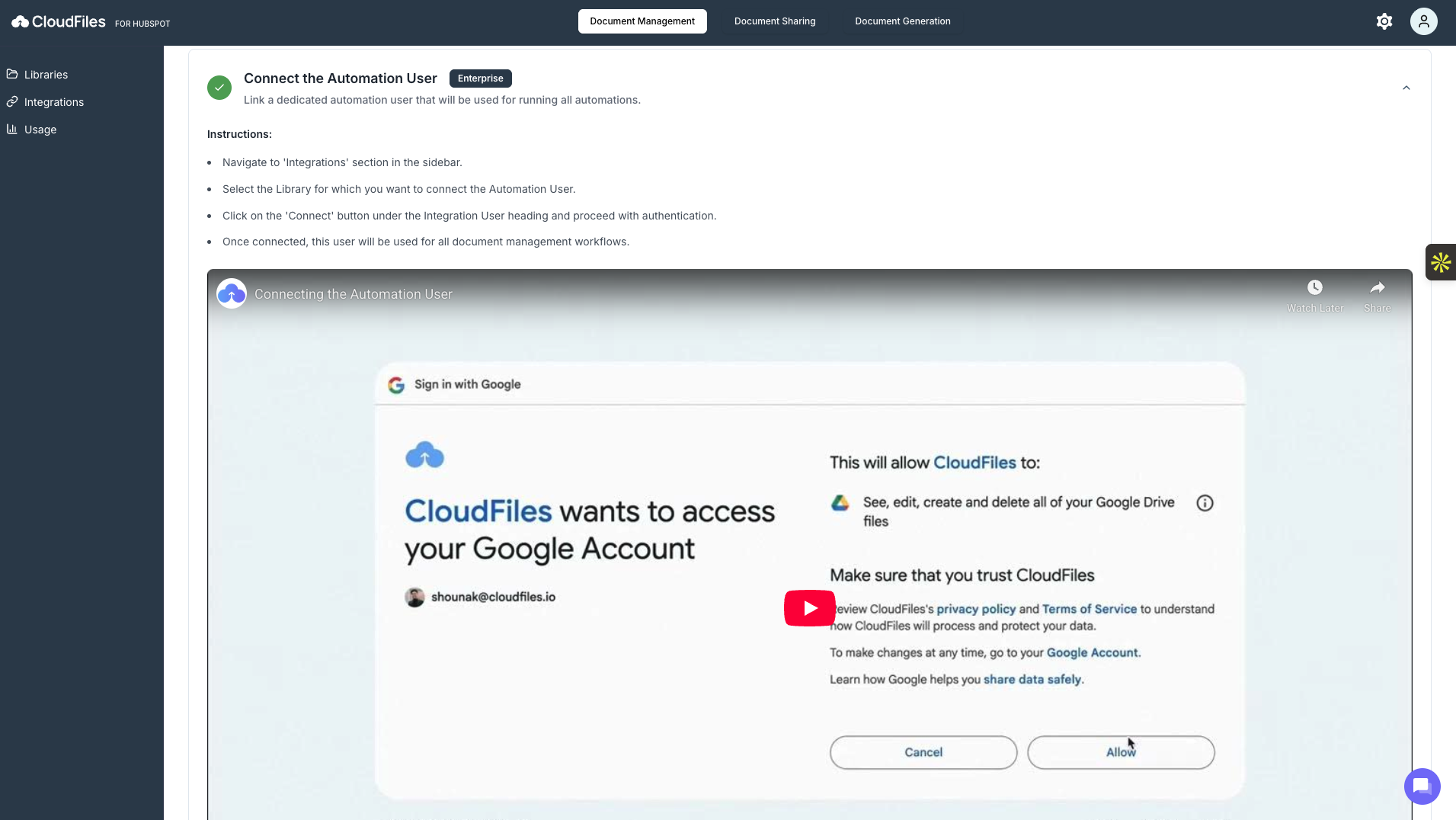
During this step, you authenticate a storage account that CloudFiles will use to perform automated actions. Once connected, this user is consistently used for all document management automations, ensuring reliability and avoiding permission-related issues.
To know more about Automation user, read What is an 'Automation User' and how does it work?
Step 5: Create a HubSpot Workflow (Enterprise)
A HubSpot workflow can be created to automatically generate and attach folders when new records are created or when specific conditions are met using the CloudFiles flow actions. For example, a folder can be automatically created for every new Contact or Deal and linked back to the record.
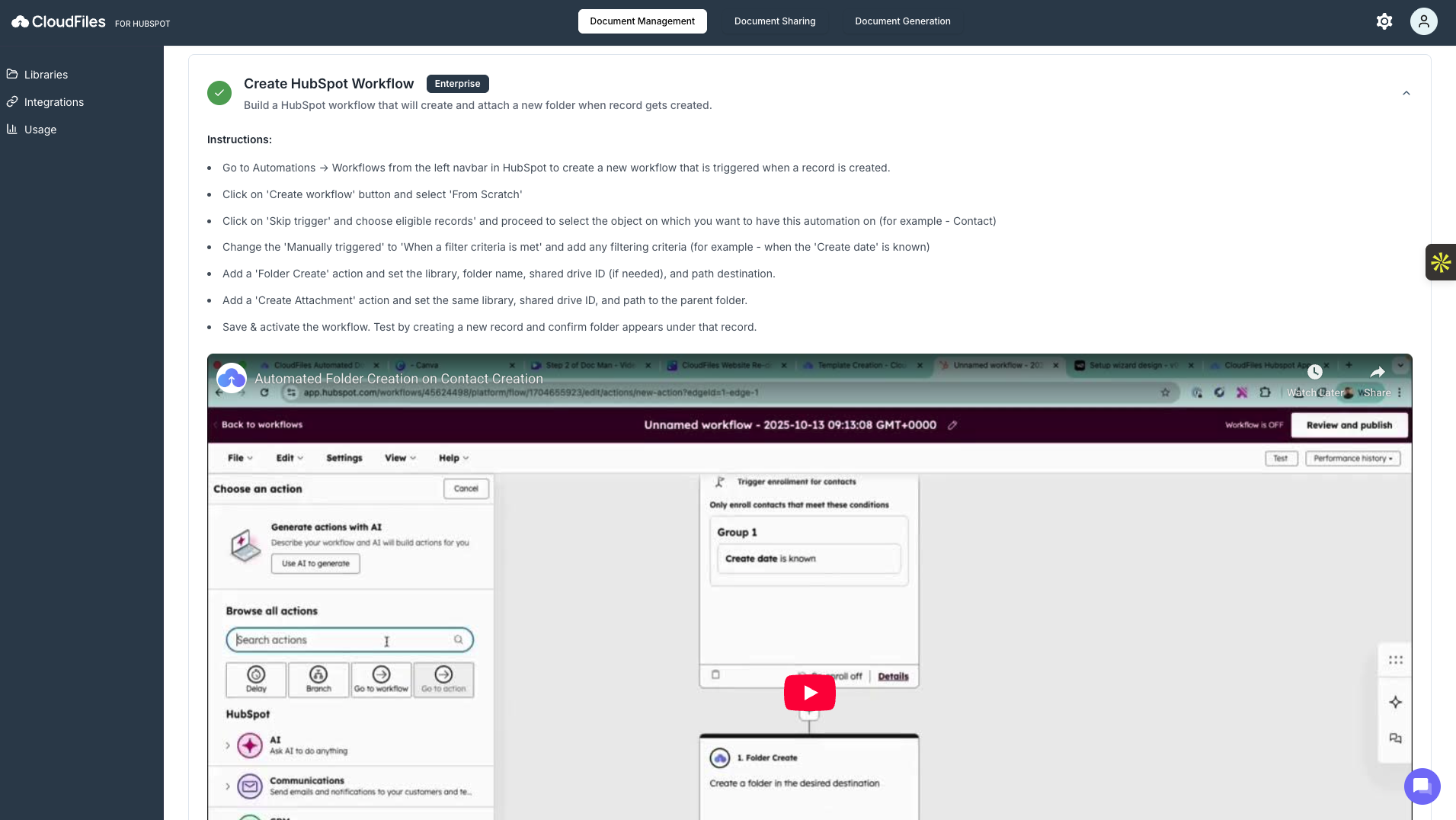
After the workflow is saved and activated, CloudFiles automatically manages folder creation and attachment without manual intervention. This step is available only for Enterprise plans.
Completion and Progress Tracking
Each completed step is marked visually in the setup wizard, and the progress indicator updates accordingly. You can complete the steps in order and return to unfinished steps at any time.
The Document Management Setup Wizard ensures CloudFiles is fully configured to work with HubSpot. By completing these steps, you enable centralised document access, in-record file management, and optional automation for scalable document workflows.