Introduction
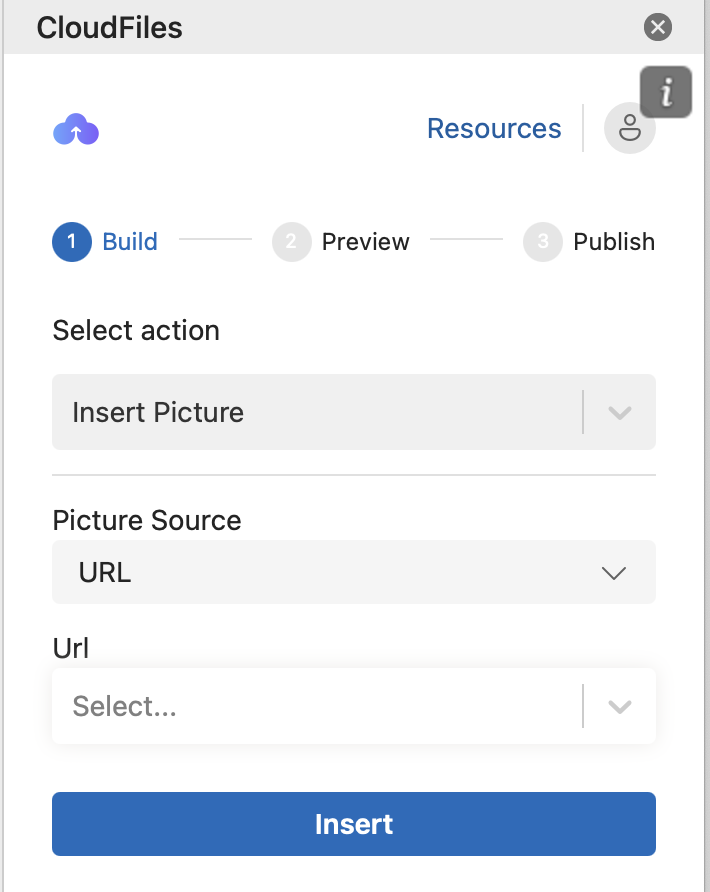
Insert Picture action enables you to insert a picture using an image URL. The image link can be
- Retrieved dynamically from a field in your HubSpot records or
- Entered manually as a direct image link
Once the URL is provided, the image will be rendered wherever the action is used.
Inserting an Image Using a URL
- Select "Insert Picture"
- From the Select Action drop-down menu, choose Insert Picture.
- Choose the Picture Source
- In the Picture Source drop-down, select URL.
- Select the URL Field
- In the URL drop-down, choose the field that contains the public link to the image.
- This field can dynamically insert images based on URLs retrieved from record fields or other variable resources.
- Insert the Image
- Click Insert to place the image at the desired location.
- Adjust the Image
- Resize or reposition the image as needed.
- Apply formatting options, such as adding a border, for a polished appearance.
Go to 2:30 to see the Insert picture action being used to create a PO template in Microsoft Word.