Introduction
CloudFiles Document Generation helps businesses create personalized documents directly from HubSpot using CRM data.
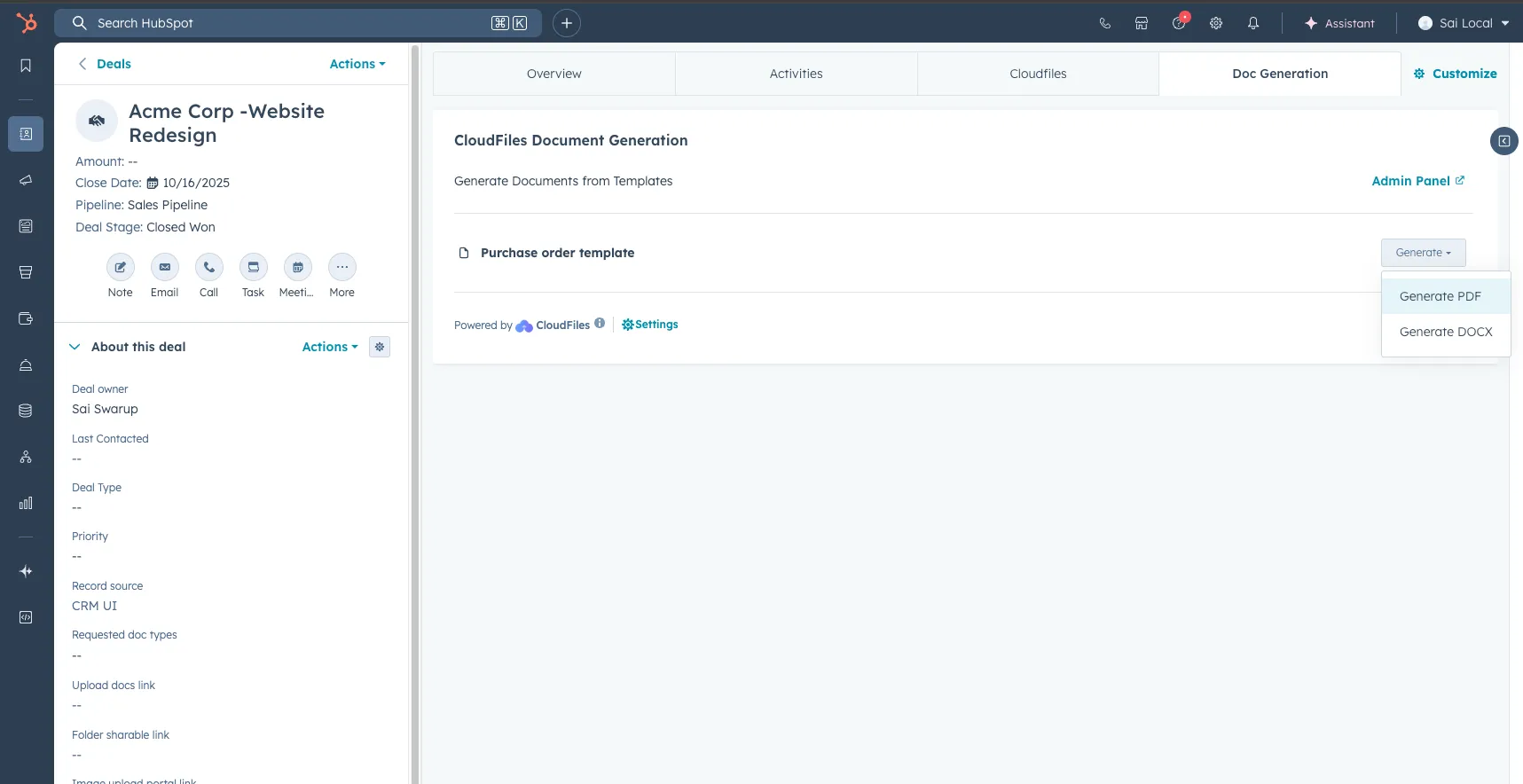
Users can build dynamic templates in Microsoft Word, Excel and PowerPoint and generate personalised documents
Microsoft Office Add-In
CloudFiles Document Generation is powered by the Microsoft Office Add-in, which allows users to create templates directly inside Microsoft Word, Excel, and PowerPoint.
The add-in connects with HubSpot and enables users to insert HubSpot properties, associated record data, images, tables, links and conditional logic into templates without requiring to code.
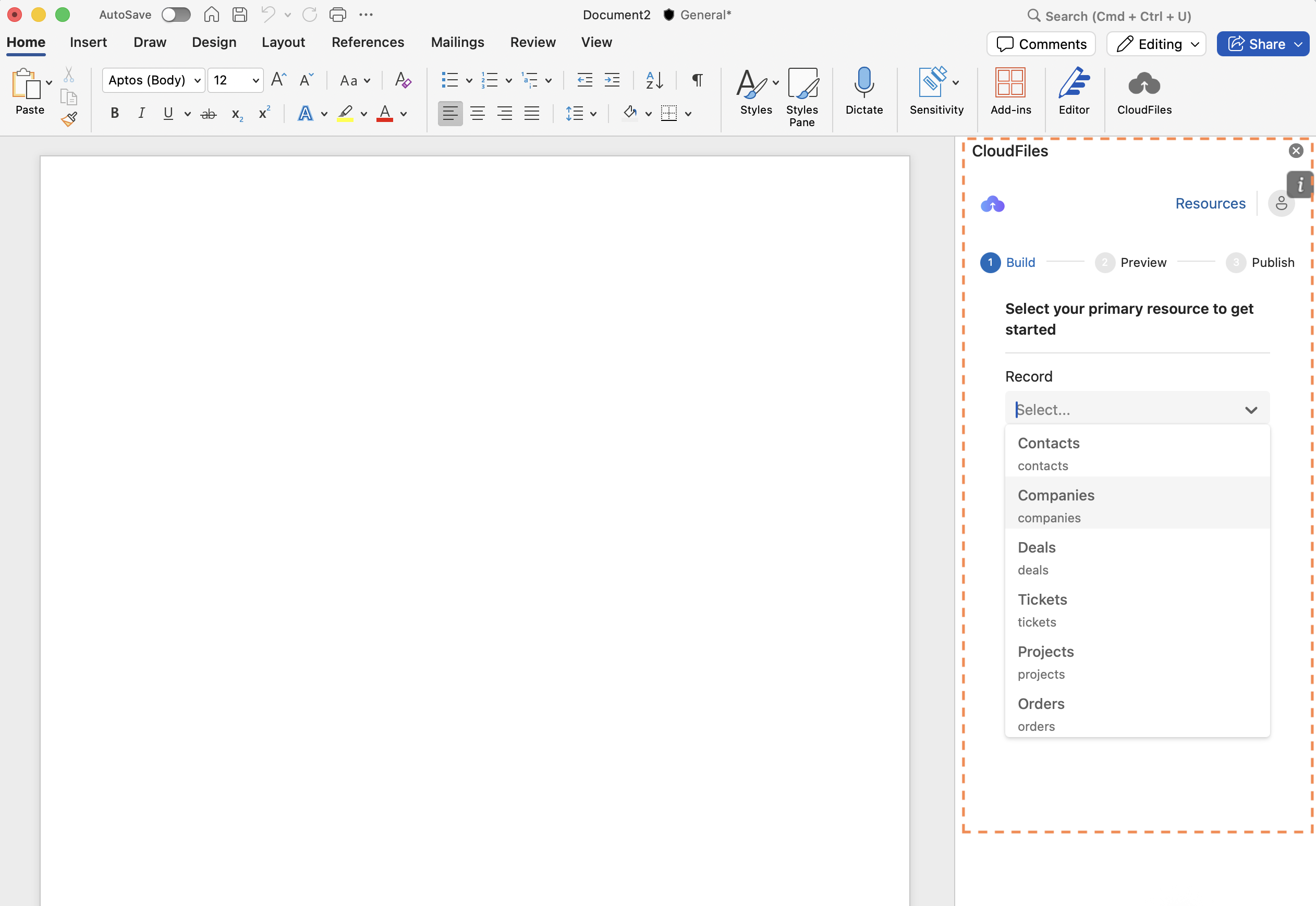
Template Builder
The CloudFiles Template Builder allows users to create dynamic document templates using HubSpot CRM data.
Templates can include fields, images, hyperlinks, tables, line items, conditional sections, associated records, and reusable variables. Users can preview templates using live HubSpot records before publishing them for use inside HubSpot.
The video below illustrates the process of creating a template using CloudFiles Document Generation product.
Template Control Center
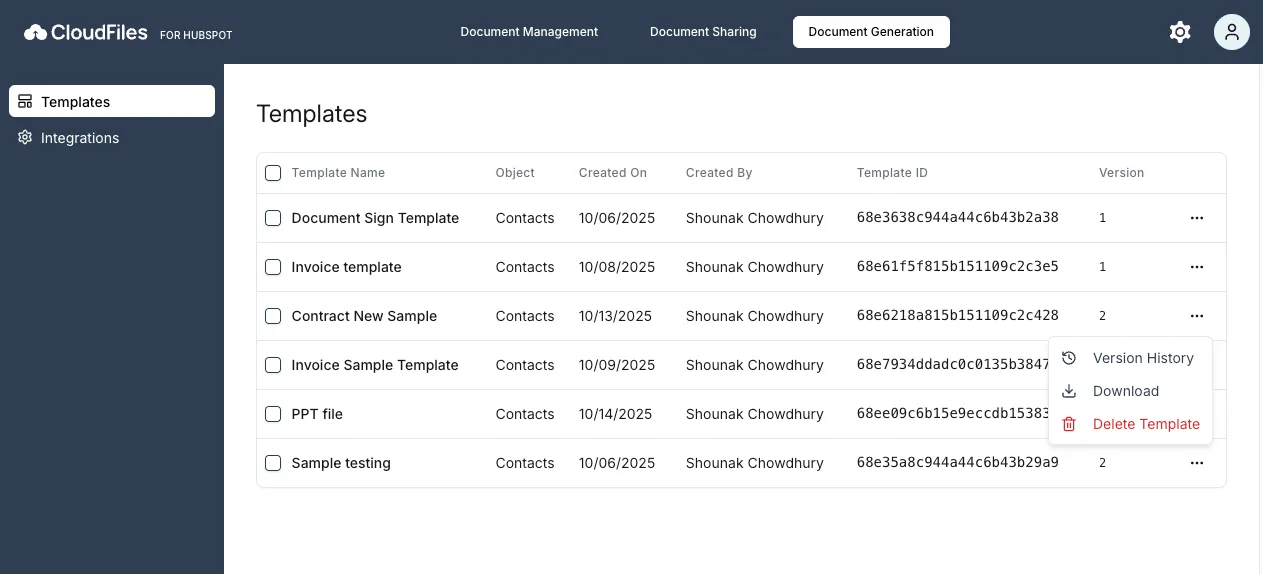
The Template Control Center provides a centralised interface for managing all published templates.
Users can view template details, manage versions, download templates, review version history, and maintain templates across the HubSpot account from a single location.
Document Generation
CloudFiles allows users to manually generate documents directly from HubSpot records using the Doc Generation widget. Published templates become available on HubSpot record pages, where users can generate original template format or PDF files using record data. Generated files can then be downloaded or stored in connected storage systems.
In addition to manual generation from HubSpot records, CloudFiles also supports automated document generation through HubSpot workflows. Documents can be automatically generated based on CRM events such as deal stage updates and stored to defined in selected format. Learn more at CloudFiles Document generation
eSignature Integration
CloudFiles supports eSignature workflows through DocuSign integration. Users can connect their DocuSign account, define recipients, and insert signature, text and date fields directly into templates.
Generated documents can then be automatically sent for signature as part of the document generation process. This allows businesses to manage document generation and signing workflows directly from HubSpot.
Common Use Cases
CloudFiles Document Generation supports a wide range of business processes inside HubSpot, including proposal generation, contracts, onboarding documents, agreements, operational documents and automated document workflows. To explore common business scenarios and implementation examples, refer to the article- Common Use Cases