Introduction
The Builder automatically retrieves all fields (both standard and custom) from the selected Master Object. In addition to these, you may need data from other associated records, record collections or fields required to configure e-signature recipients. To support these requirements, CloudFiles allows you to create Resources.
How to create Resources
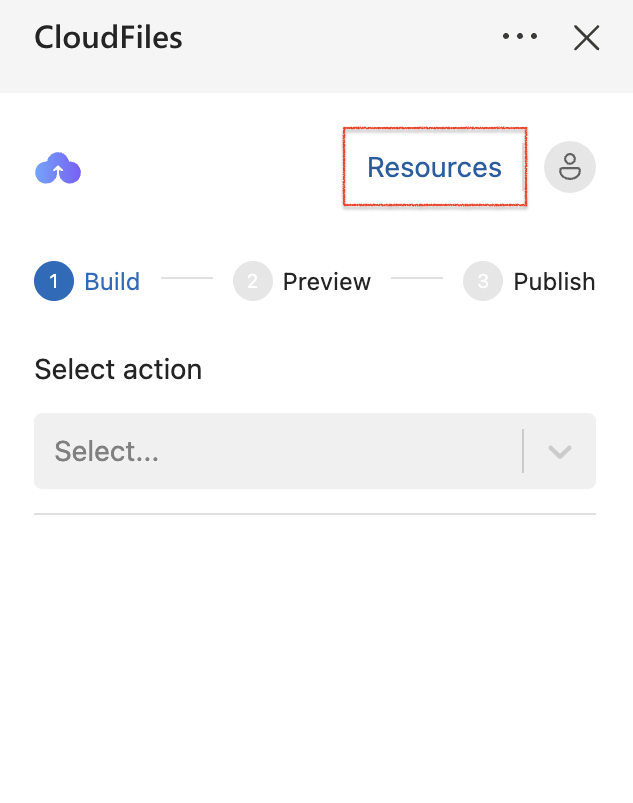
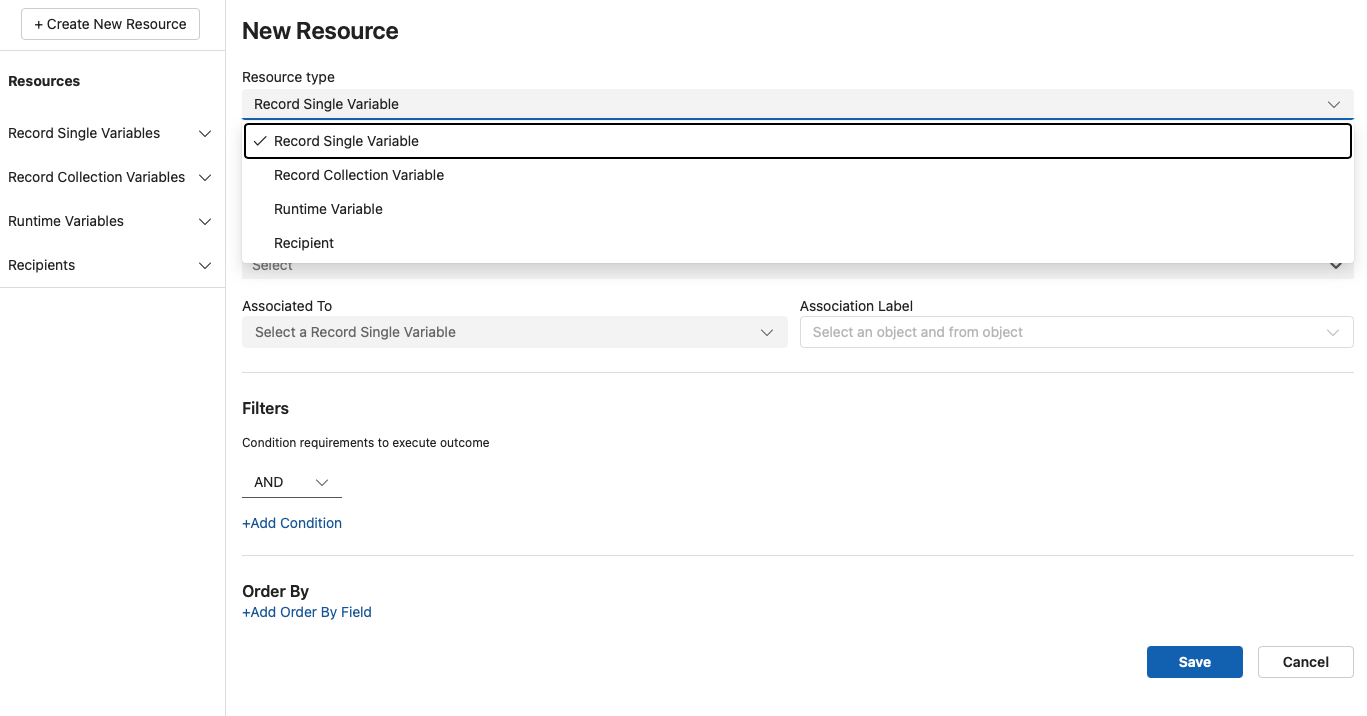
You can create resources by clicking "Resources" hyperlink in the CloudFiles add-in and selecting + Create New Resource
Configuring a Resource
Depending on the resource type selected, you can configure:
- Object type (e.g Deal, Company, Contact)
- Filters to control which records are fetched
- Limits to restrict the number of records returned (for collections)
Once configured, these resources become available inside the document template and can be used just like standard fields during document generation.
Supported CloudFiles Resources
CloudFiles supports the following 3 resource types:
- Record Single Variable- A Record Single Variable represents a single record and holds all its field values. It is ideal for working with a specific data entry, such as a Contact, Company or Deal. The record can either be related to the main template object or be an independent record fetched using filter criteria.
- Record Collection Variable- A Record Collection Variable represents a group or list of records from a HubSpot object. It stores multiple records that meet defined criteria and is typically used when you need to work with repeating data entries, such as a list Items, Orders or Quotes within your document.
- Runtime Variable- A Runtime Variable stores a predefined value used within a document template. It is not tied to HubSpot records and is ideal for reusable static data or controlling template logic.
- Recipients- The Recipient resource allows you to define the individuals who will receive and sign generated documents via DocuSign. This resource holds information such as the recipient’s name and email address, which are critical for routing the document to the right person for e-signature.
Combining Resources for Advanced Logic
You can combine different types of resources to create more dynamic templates. For example,field values from a Record Single Variable can be used to filter a Record Collection Variable, allowing you to narrow down the collection based on a specific record’s attributes.